

Request Simple Visual Novel / Galge Character Bust for Yanfly Message Core
BMM_Archive · July 15, 2026

Original Source
- Original title: Request Simple Visual Novel / Galge Character Bust for Yanfly Message Core
- Original author: Gabihime
- Original date: October 23, 2015
- Source thread: https://forums.rpgmakerweb.com/threads/request-simple-visual-novel-galge-character-bust-for-yanfly-message-core.46442/
- Source forum path: Game Development Engines > RPG Maker Javascript Plugins > JS Plugin Requests
Summary
I'm sure more people than me are interested in this for MV. In VX Ace I was using a script that Saba Kahn wrote but it didn't work with Yanfly's YEA Message system, so that was a bummer. For people who aren't familiar with this kind of storytelling, or who maybe just don't recognize it, you can see an example of it here: Ateleier Rorona Cutscenes, Disgaea Cutscenes Here are the details. Visual novel style display of 2/3 body sprites in three positions on the screen: left, center, and right....
Archived First Post
For people who aren't familiar with this kind of storytelling, or who maybe just don't recognize it, you can see an example of it here: Ateleier Rorona Cutscenes, Disgaea Cutscenes
Here are the details.
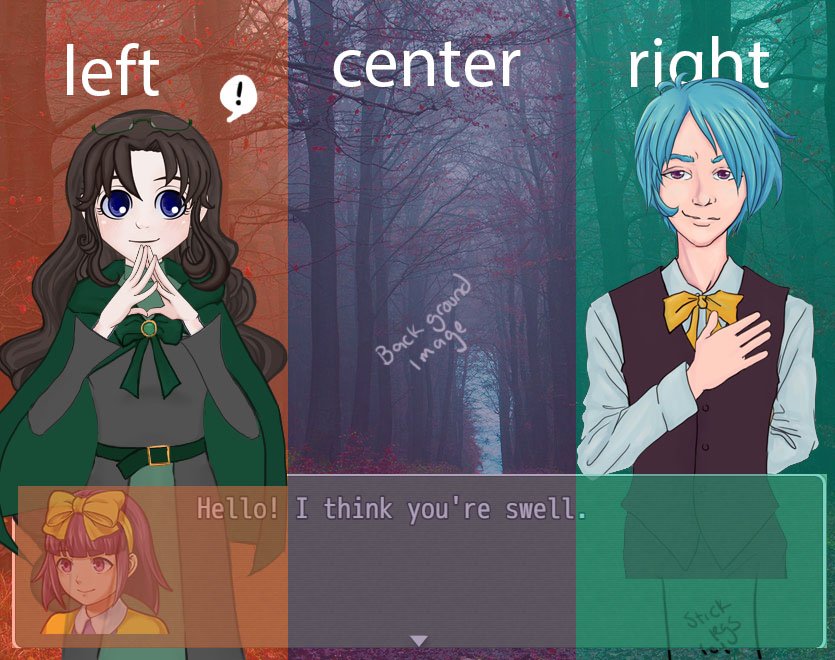
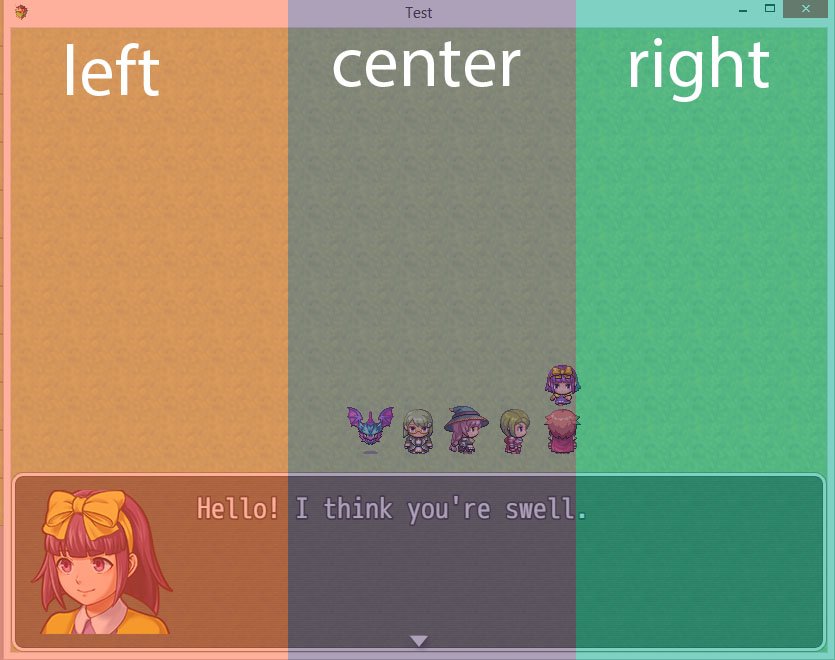
- Visual novel style display of 2/3 body sprites in three positions on the screen: left, center, and right. These should be on a layer below the message box and name box. Positions should be defined in percentages, preferably, to make it flexible with different resolutions.
- Optional background layer behind the character images.
- Simple dissolve effect for the appearance / disappearance of characters.
- Ability to display up to three images at once, one in each of the three positions. That means a maximum of three characters on the screen at once.
- Persistence of images until they are cleared or replaced. For instance: two characters in positions L and R are having a conversation. L and R speak alternately, but their images remain in their positions until the conversation is over. When L is speaking, R is still visible. Having the characters pop up and down as they alternate speaking is very choppy and doesn't lead to good storytelling. It's easiest to simply have a function to clear the screen when the scene is over.
- A naming convention that makes it easy to group certain sprites together, to represent different emotions or states, like Actor_1_1, Actor_1_2, etc.
- Optional, but fun, is popping emote bubbles above the heads of the sprites, at some specifically defined location. Shin Totomono does this in its cutscenes.
- Simple integration into the MV messaging system. I know all of this can be done with show images, but it would save a lot of time and pain if I could just pop in a line to start this kind of conversation event, and easily control the images as I wrote the dialogue.
- Compatible with YEP Message Core
- Animation / mouthflaps / whatever is definitely not needed. Just the swapping out of flat, still images.
Downloads / Referenced Files
RPG Maker Web attachments are mirrored locally when available. Other external links remain hosted by their original creator or third-party service.
- Local mirror: 13498-841363697e71f2a1a6205cfa121afa5e.jpg
SHA-256:5a5a7f5370d744ecfa0539b9c3619a7f69b6cf3d4b999b2b0162035c9147d2e6
Original attachment URL: https://forums.rpgmakerweb.com/attachments/galge-request3-jpg.24402/ - Local mirror: 13499-1d0fe8dcd97e8be570fb4d78fea18a0d.jpg
SHA-256:af5a2092c9abcad6b9d2cefb058b202200cadc3294b64467b6718cc55da87b8a
Original attachment URL: https://forums.rpgmakerweb.com/attachments/rpgmvlayout-jpg.24403/
Referenced Images / Attachments
Creator Claims / Removal
If you are the original creator and want this listing reassigned, edited, or removed, join BMMPlay and contact the moderators with proof that matches the original RPG Maker Web profile, linked GitHub, itch.io page, or another public creator identity.
Replies (0)
No replies yet.
Topic Summary
Loading summary...