

Yanfly Battle Engine Core: "Step" and "Flinch" for Frontview
BMM_Archive · July 15, 2026

Original Source
- Original title: Yanfly Battle Engine Core: "Step" and "Flinch" for Frontview
- Original author: Gigaloth
- Original date: January 18, 2017
- Source thread: https://forums.rpgmakerweb.com/threads/yanfly-battle-engine-core-step-and-flinch-for-frontview.73775/
- Source forum path: Game Development Engines > RPG Maker Javascript Plugins > JS Plugin Requests
Summary
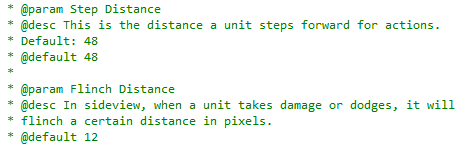
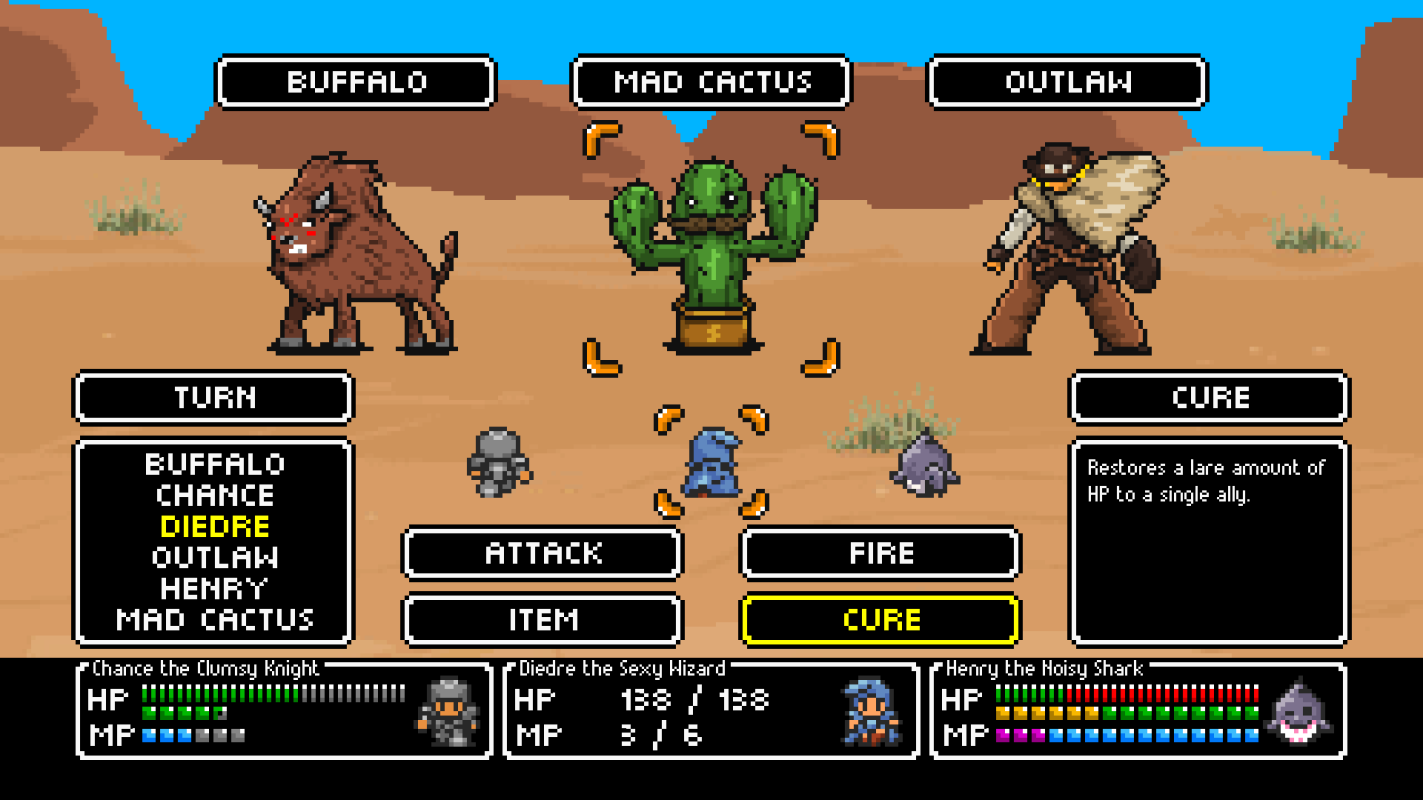
Hey all! So I'm using Yanfly's Battle Engine Core, and I want the characters to step forward during their turn, and also to "flinch" when they take damage. This is available by default in Yanfly's script by setting the variables "Step Distance" and "Flinch Distance" in the plugin manager. However, when I put values in here, it doesn't do anything. Looking into the script, sure enough, it specifies that it only applies for Sideview Battles (see attached) and I'm using front view battle with sprites (as seen in the attached...
Archived First Post
This is available by default in Yanfly's script by setting the variables "Step Distance" and "Flinch Distance" in the plugin manager. However, when I put values in here, it doesn't do anything. Looking into the script, sure enough, it specifies that it only applies for Sideview Battles (see attached) and I'm using front view battle with sprites (as seen in the attached screenshot).
So my request should be fairly simple: I want to be able to use the step and flinch functions in front view battle system, and have them move up and down (on the screen) instead of left to right. I know this probably is as simple as changing some X's into Y's and commenting out some of the lines that say if (!$gameSystem.isSideView()) ...but I'm not a scripter so I could be wrong
Please let me know what possible solutions there are here. Thank you!
EDIT: Here's a link to Yanfly's Battle Engine Core.
Downloads / Referenced Files
RPG Maker Web attachments are mirrored locally when available. Other external links remain hosted by their original creator or third-party service.
- Local mirror: 35336-bd50a17f444112a803cf54419437a3f5.png
SHA-256:131e7d0244a3c6a856515afc0060df7ad2d71bdb71bf17bfd593ed755f6c7aef
Original attachment URL: https://forums.rpgmakerweb.com/attachments/yanflyflinch-png.56565/ - Local mirror: 35337-715e4db414c712f1bc8d22553c290907.png
SHA-256:5baa3f85f6bed82d069034ee0b4a8f176fd4f06a8f28ccb6df0b0a214261e0a9
Original attachment URL: https://forums.rpgmakerweb.com/attachments/battlemock4-png.56566/
Referenced Images / Attachments
Creator Claims / Removal
If you are the original creator and want this listing reassigned, edited, or removed, join BMMPlay and contact the moderators with proof that matches the original RPG Maker Web profile, linked GitHub, itch.io page, or another public creator identity.
Replies (0)
No replies yet.
Topic Summary
Loading summary...