

Stupidly Simple Question
BMM_Archive · July 15, 2026

Original Source
- Original title: Stupidly Simple Question
- Original author: mlogan
- Original date: July 23, 2012
- Source thread: https://forums.rpgmakerweb.com/threads/stupidly-simple-question.3467/
- Source forum path: Game Development Engines > Legacy Engine Support > RPG Maker VXAce Support
Summary
I feel like beating my head on a wall, I am so frustrated. All I am trying to do is a simple Fadeout, transfer to new map, Fadein. For some reason, the first time I go to the new map, the Fadein works. But not after that. After that, it stays black. You'd think I'd have this down by now. So here's the event: Spoiler
Archived First Post
All I am trying to do is a simple Fadeout, transfer to new map, Fadein. For some reason, the first time I go to the new map, the Fadein works. But not after that. After that, it stays black. You'd think I'd have this down by now.
So here's the event:
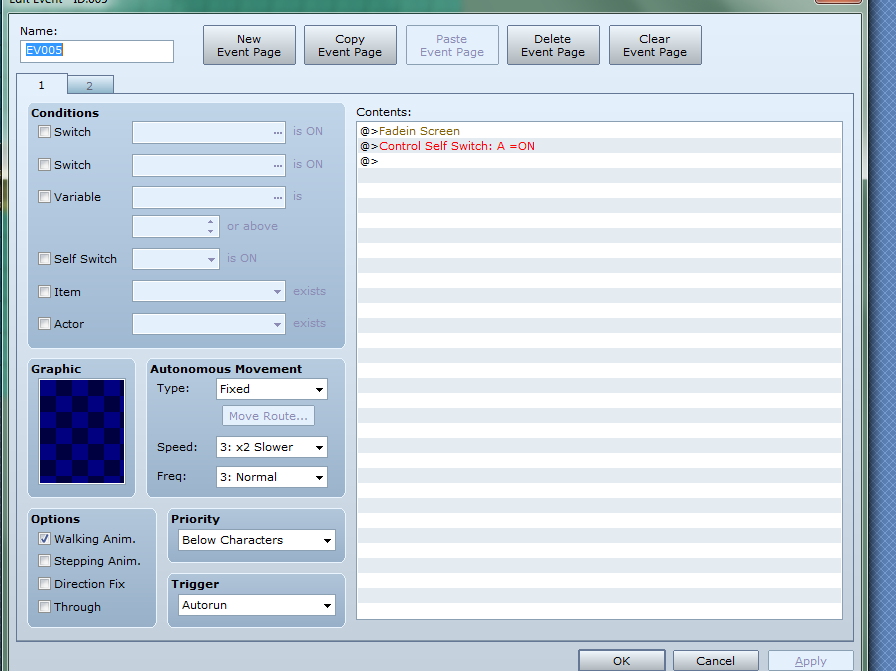
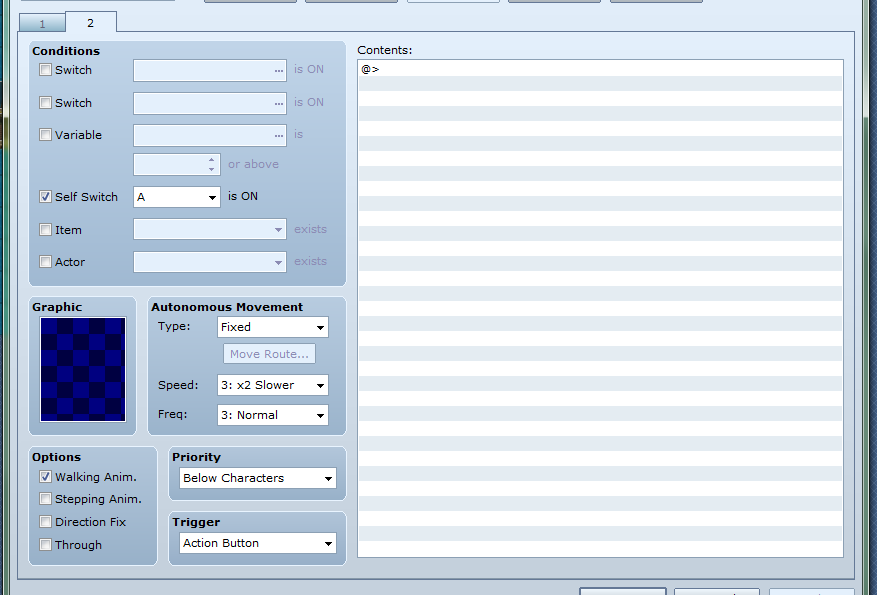
Thanks.
Downloads / Referenced Files
RPG Maker Web attachments are mirrored locally when available. Other external links remain hosted by their original creator or third-party service.
- Local mirror: 321-c5c896816e354dd96ce7779812f1e5bd.png
SHA-256:23687197065043d003d2b0fbc6bcbc5e41fb8a86a0e3ebca784e8202f48a74ad
Original attachment URL: https://forums.rpgmakerweb.com/attachments/fadein1-png.782/ - Local mirror: 320-ef2c85e2f5a8b14ba629e8de7de7014c.png
SHA-256:c9daa516c6069ad1b993452aad1c0eeb6e9656bc9be44ad9eb2d53079d5b494e
Original attachment URL: https://forums.rpgmakerweb.com/attachments/fadein2-png.781/
Referenced Images / Attachments
Creator Claims / Removal
If you are the original creator and want this listing reassigned, edited, or removed, join BMMPlay and contact the moderators with proof that matches the original RPG Maker Web profile, linked GitHub, itch.io page, or another public creator identity.
Replies (0)
No replies yet.
Topic Summary
Loading summary...