

Door Accessability
BMM_Archive · July 15, 2026

Original Source
- Original title: Door Accessability
- Original author: Btobin98
- Original date: June 21, 2012
- Source thread: https://forums.rpgmakerweb.com/threads/door-accessability.2697/
- Source forum path: Game Development Engines > Legacy Engine Support > RPG Maker VXAce Support
Summary
Hey guys quick question on doors. When I enter a door it takes me from point A to point B. But in order to go back to point A I find I need to take a step forward, then back again to go from point B to point A. Is there a way to make it so when I try to leave (lets say a house) I can simply turn around and exit the door? Thanks in advance! Genii Benedict said:
Archived First Post
When I enter a door it takes me from point A to point B. But in order to go back to point A I find I need to take a step forward, then back again to go from point B to point A. Is there a way to make it so when I try to leave (lets say a house) I can simply turn around and exit the door?
Thanks in advance!
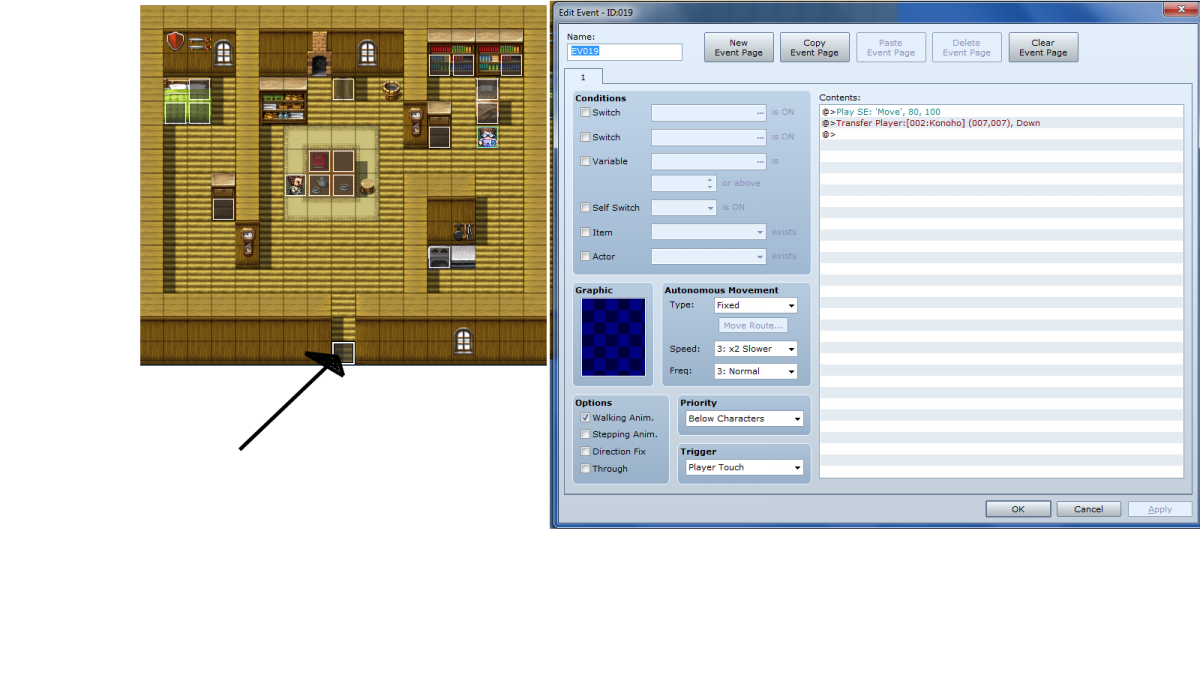
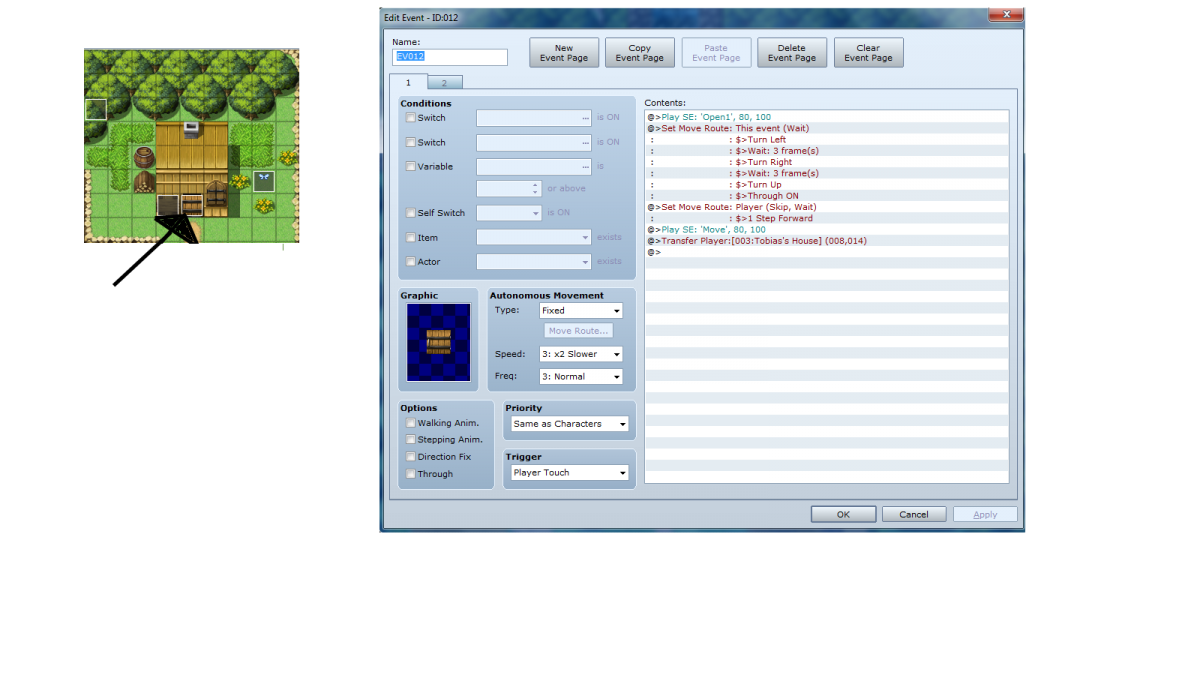
Could you possibly tell me how to edit my events to achieve that result? I'd appreciate it!This was mentioned in another thread, but when I build a door, I put the "out" event in the door itself, and then have the corresponding "in" event in the tile immediately following the door. That way, when you need to beat a hasty retreat, it's as simple as choosing the opposing direction. Voila.
I've included 2 photos one of the door you enter along with it's event, the other photo is of the doors destination along with its event (to leave).
Downloads / Referenced Files
RPG Maker Web attachments are mirrored locally when available. Other external links remain hosted by their original creator or third-party service.
- Local mirror: 84-d3dab83b2ef86049b9cbfe49fef38276.png
SHA-256:1e742cd0f75fb5a54e98619ab4d047eb25551092cbb63cc08c5a4632c447fe42
Original attachment URL: https://forums.rpgmakerweb.com/attachments/door-png.403/ - Local mirror: 85-7de34fe76443822012027856b8d1e1ed.png
SHA-256:b2111dd2958cdc7baec62a9c8012b49d5cb9282ad382805e0cafbff6986dd8e1
Original attachment URL: https://forums.rpgmakerweb.com/attachments/door-in-png.404/
Referenced Images / Attachments
Creator Claims / Removal
If you are the original creator and want this listing reassigned, edited, or removed, join BMMPlay and contact the moderators with proof that matches the original RPG Maker Web profile, linked GitHub, itch.io page, or another public creator identity.
Replies (0)
No replies yet.
Topic Summary
Loading summary...