

[MV] Change Player Character GFX when Standing Still / Walking / Dashing
BMM_Archive · July 15, 2026

Original Source
- Original title: [MV] Change Player Character GFX when Standing Still / Walking / Dashing
- Original author: MikeMakes
- Original date: November 3, 2015
- Source thread: https://forums.rpgmakerweb.com/threads/mv-change-player-character-gfx-when-standing-still-walking-dashing.49106/
- Source forum path: Game Development Engines > RPG Maker Javascript Plugins > JS Plugin Requests
Summary
Nature of Request Hello, I'm looking for a plugin that allows player graphic change during the following animation sequences: Standing Still, Walking, and Dashing. It would add a sense of lively polish. It needs to be compatible with Shaz's "More Character Frames" plugin or any similar plugin to account for custom character spritesheets that have more than three default frames in an animation cycle. Notes - By default, MV incorporate the character sprite's [standing Still] frame as part of its walking animation cycle.
Archived First Post
Hello, I'm looking for a plugin that allows player graphic change during the following animation sequences: Standing Still, Walking, and Dashing. It would add a sense of lively polish. It needs to be compatible with Shaz's "More Character Frames" plugin or any similar plugin to account for custom character spritesheets that have more than three default frames in an animation cycle.
Notes
- By default, MV incorporate the character sprite's [standing Still] frame as part of its walking animation cycle.
- This causes animation problem for custom character spritesheets whose [standing Still] frame is not part of the walking cycle.
- This is why I'm requesting for Standing Still graphic change as well.
Possible Method (Suggestion only, Scripter is free to use whatever method to make this plugin convenient to script and to use)
- Due to MV's animation cycle configuration and "More Character Frames" plugin requiring the actor spritesheet to be renamed such as $Actor [5 5 5 5] (where is 5 the number of frames of each direction - down, left, right, up) to take effect, the Plugin to be scripted might have to call for different spritesheets of the character depending on the movement:
- If character is walking: change graphic to use Walking(Default?) spritesheet.
- If character is dashing: change graphic to use Dashing spritesheet.
- If character has no movement: change graphic to use Standing Still spritesheet.
- (for those who use RTP style 3 frame walking animation cycle, this could also be used for idling animation or different standing animation.)
Considerations
- Change of lead character
- Mouse movement
References
Shaz's "More Character Frames"
MV's Animation Cycle configurations
(js folder -> rpg_objects.js -> around line 6558 on "pattern"
Idea of How was done in VXA (thank you MaxLionheart for the links):
Victor Charaset Animation Control
Victor Multi Frames
Placeholder Templates
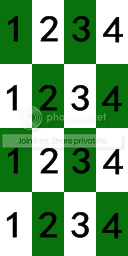
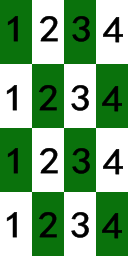
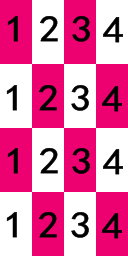
$Actor_Still [4 4 4 4]
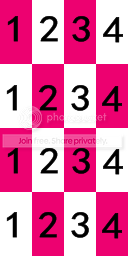
$Actor_Walk [4 4 4 4]
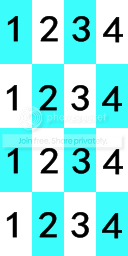
$Actor_Dash [4 4 4 4]
Thank you.
Downloads / Referenced Files
RPG Maker Web attachments are mirrored locally when available. Other external links remain hosted by their original creator or third-party service.
- Local mirror: 14182-2c82f60544840b1be32016548719eb2f.png
SHA-256:87f5b55d18eff502f79559c8e8e2618552f457fb4a137f9384432cb41f8f7951
Original attachment URL: https://forums.rpgmakerweb.com/attachments/templateactor_dash4-4-4-4-png.25378/ - Local mirror: 14183-91833ec375374e0fe675d70b792ca5fe.png
SHA-256:3aa94367e3ada2305429887c46787b76cf4f71e915f19366826bfc961e8ac31d
Original attachment URL: https://forums.rpgmakerweb.com/attachments/templateactor_still4-4-4-4-png.25379/ - Local mirror: 14184-1dbd9eb8398ba66980ff6dbf057af371.png
SHA-256:bafafe1472872baf1766429b98696fcea8453661de7845083a260b922ec824e7
Original attachment URL: https://forums.rpgmakerweb.com/attachments/templateactor_walk4-4-4-4-png.25380/
Referenced Images / Attachments
Creator Claims / Removal
If you are the original creator and want this listing reassigned, edited, or removed, join BMMPlay and contact the moderators with proof that matches the original RPG Maker Web profile, linked GitHub, itch.io page, or another public creator identity.
Replies (0)
No replies yet.
Topic Summary
Loading summary...