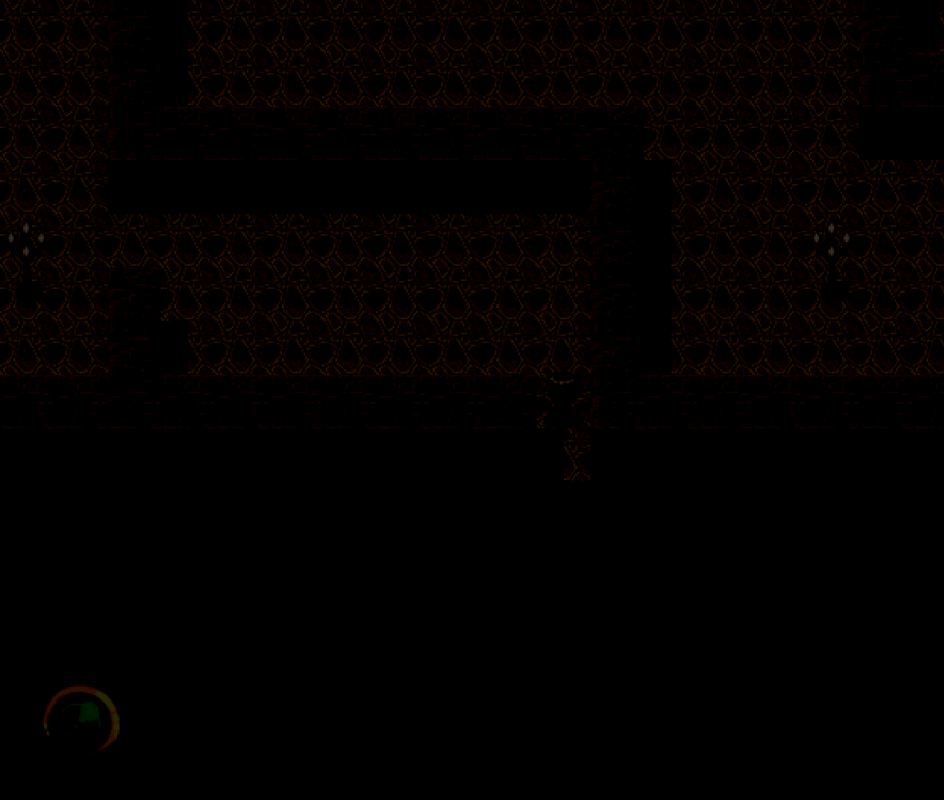
Can anyone suggest a way to fix an issue I'm having?
I have Racheal's Encounter Pointer script, which is awesome. (Restaff February 2014)
Code:
#==============================================================================
# Encounter Indicator
# by: Racheal
# Version 1.0
# Created: 04/02/2014
#==============================================================================
# Displays an image that changes as a random encounter gets closer.
# Image does not display on a map with no encounters or if the hide switch is
# on.
#==============================================================================
# Instructions:
# * Insert in the Materials section
# * Configure to your liking below
#==============================================================================

#==============================================================================
# Customization
#==============================================================================

module Racheal
  module Encounter
    #Switch ID that will hide the indicator when on.
    HIDE_SWITCH = 5

    #Names of the indicator pictures.
    #Should be located in the Graphics/Pictures folder
    PICTURES = ["EInd_Green", "EInd_Yellow", "EInd_Orange", "EInd_Red"]

    #Percents at which the indicator changes.
    #Should have the same number of elements as the pictures list above.
    #Should also start with 100.
    PERCENTS = [100, 50, 25, 10]
  end
end

#==============================================================================
# End Customization
#==============================================================================

class Game_Player < Game_Character
  attr_reader :encounter_count
  attr_reader :encounter_max
  #--------------------------------------------------------------------------
  # * Create Encounter Count
  #--------------------------------------------------------------------------
  alias encounter_display_make_encounter_count make_encounter_count
  def make_encounter_count
    encounter_display_make_encounter_count
    @encounter_max = @encounter_count
  end
end

#==============================================================================

class Sprite_Encounter < Sprite_Base
  #--------------------------------------------------------------------------
  # * Object Initialization
  #--------------------------------------------------------------------------
  def initialize(viewport)
    super(viewport)
  end
  #--------------------------------------------------------------------------
  # * Free
  #--------------------------------------------------------------------------
  def dispose
    bitmap.dispose if bitmap
    super
  end
  #--------------------------------------------------------------------------
  # * Frame Update
  #--------------------------------------------------------------------------
  def update
    super
    hide = $game_switches[Racheal::Encounter::HIDE_SWITCH]
    self.visible = !(hide or no_encounters?)
    return unless visible
    percent = $game_player.encounter_count * 100 / $game_player.encounter_max
    rate = 0
    Racheal::Encounter::PERCENTS.each_with_index { |max, index|
      rate = index if percent < max
    }
    new_bitmap = Cache.picture(Racheal::Encounter::PICTURES[rate])
    if bitmap != new_bitmap
      self.bitmap = new_bitmap
    end
  end
  #--------------------------------------------------------------------------
  # * No Encounters
  #--------------------------------------------------------------------------
  def no_encounters?
    return true if $game_system.encounter_disabled
    return true if $game_player.make_encounter_troop_id == 0
    return false
  end
end

#==============================================================================

class Spriteset_Map
  #--------------------------------------------------------------------------
  # * Create Timer Sprite
  #--------------------------------------------------------------------------
  alias encounter_display_spriteset_map_create_timer create_timer
  def create_timer
    encounter_display_spriteset_map_create_timer
    @encounter_sprite = Sprite_Encounter.new(@viewport2)
  end
  #--------------------------------------------------------------------------
  # * Free Timer Sprite
  #--------------------------------------------------------------------------
  alias encounter_display_spriteset_map_dispose_timer dispose_timer
  def dispose_timer
    encounter_display_spriteset_map_dispose_timer
    @encounter_sprite.dispose
  end
  #--------------------------------------------------------------------------
  # * Update Timer Sprite
  #--------------------------------------------------------------------------
  alias encounter_display_spriteset_map_update_timer update_timer
  def update_timer
    encounter_display_spriteset_map_update_timer
    @encounter_sprite.update
  end
end
And Victor Sant Light Effects.
https://victorenginescripts.wordpress.com/rpg-maker-vx-ace/light-effects/
What happens is that when I go into an area that is with a shade, the encounter pointer is layered under the shade, thus making it hard to see.
Protected download
Khas Script
https://forums.rpgmakerweb.com/index.php?threads/khas-awesome-light-effects.4917/



 PlayStation DualSense Wireless Controller - White
Extra DualSense controller for couch co-op, backup play, or PC and mobile sessions.
View on Amazon
PlayStation DualSense Wireless Controller - White
Extra DualSense controller for couch co-op, backup play, or PC and mobile sessions.
View on Amazon