

Event/Script solution for picture movement using Designate by Variable
BMM_Archive · July 15, 2026

Original Source
- Original title: Event/Script solution for picture movement using Designate by Variable
- Original author: ZombieKidzRule
- Original date: March 17, 2023
- Source thread: https://forums.rpgmakerweb.com/threads/event-script-solution-for-picture-movement-using-designate-by-variable.155886/
- Source forum path: Game Development Engines > RPG Maker MZ Support
Summary
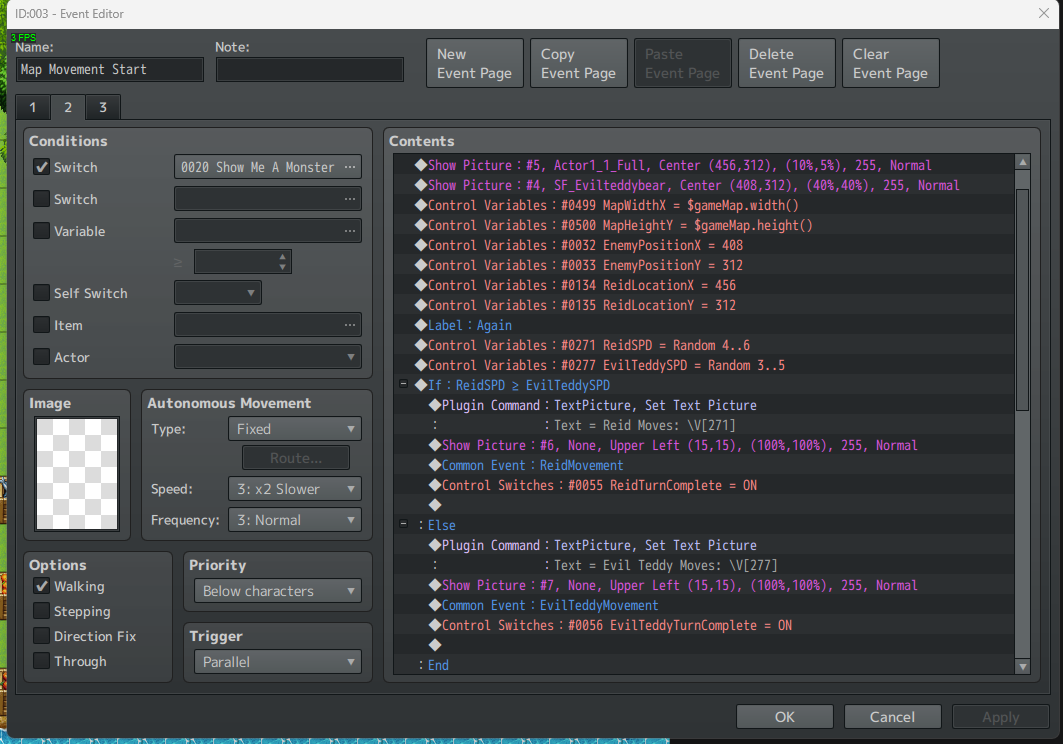
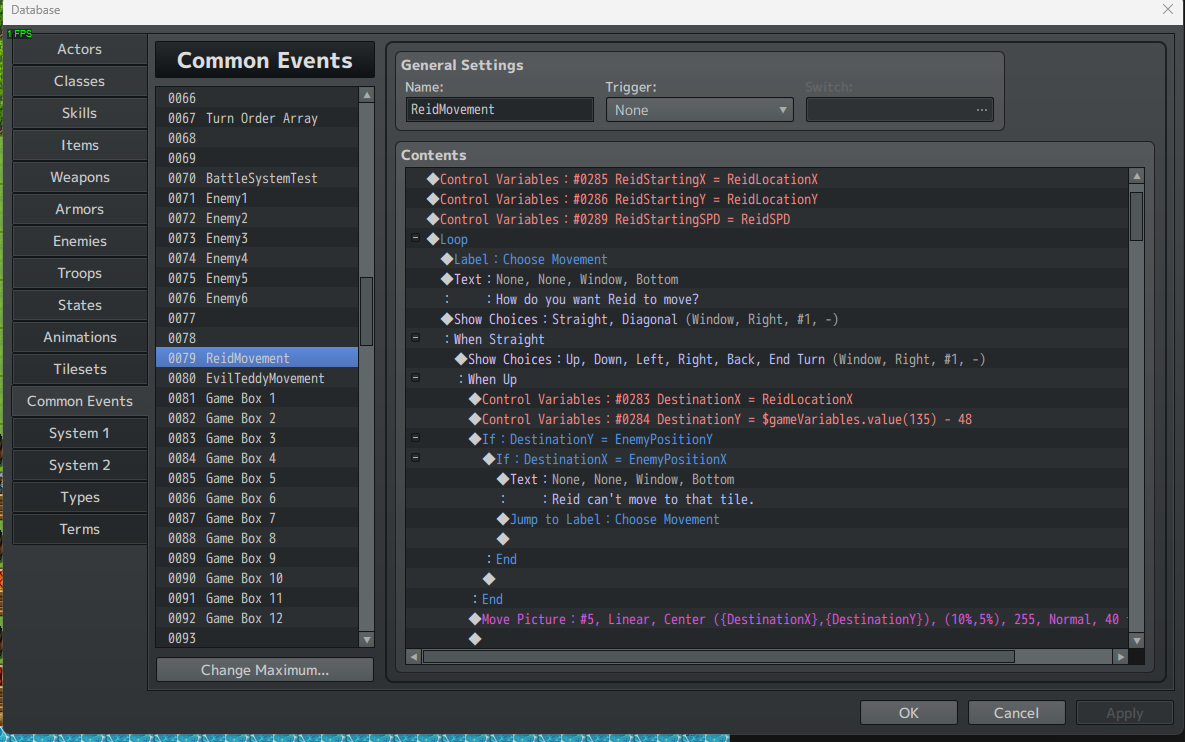
So I have been experimenting with on map, turn-based movement for combat. I started by using pictures to represent the actors and I establish their pixel X and pixel Y coordinates. Since the tiles are 48x48 pixels, I then use variables called DestinationX and DestinationY to determine what the destination coordinates will be by adding or subtracting 48 and check those coordinates to make sure something isn't there already and the movement can happen. This is working fine and I like the smooth movement of the actor pictures. However, I...
Archived First Post
This is working fine and I like the smooth movement of the actor pictures. However, I have run into a bit of an issue.
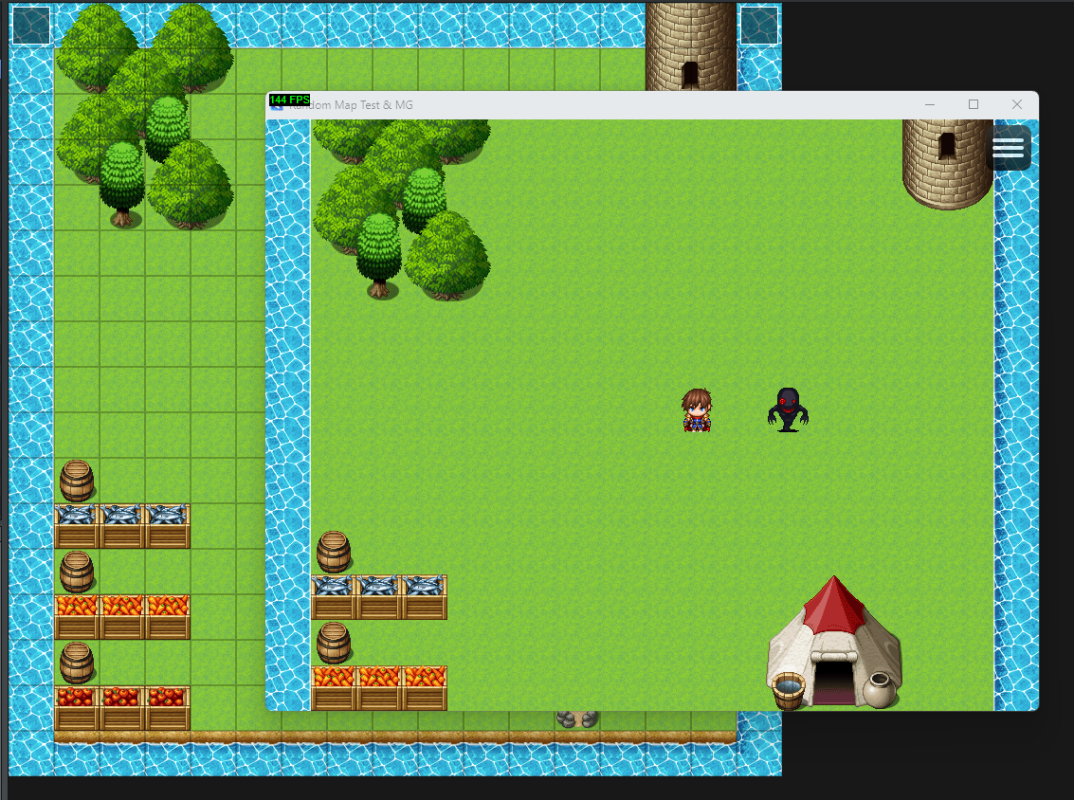
Early on I realized that my map is bigger than the playtest viewable area. This actually effects the pixel X and pixel Y values since I am using the Center option for placement of the pictures and as I move the pictures, I add or subtract 48 from the coordinates. But the starting coordinates of the pictures are not the same as the overall pixels of the map. The playtest viewable area width and height in pixels are not necessarily the same at the map width and height in pixels.
Meaning, when I first calculate the starting coordinates of any actor/picture on the screen, the pixel coordinates are based on the playtest viewable area and not the overall coordinates of the map. For example, for an X coordinate of 48 x 5 (plus 24 to center the picture in the middle of a tile) that would be the 6th tile in the viewable area in the playtest. However, that doesn't mean that is the 6th tile of the map because the map might extend beyond the viewable playtest area.
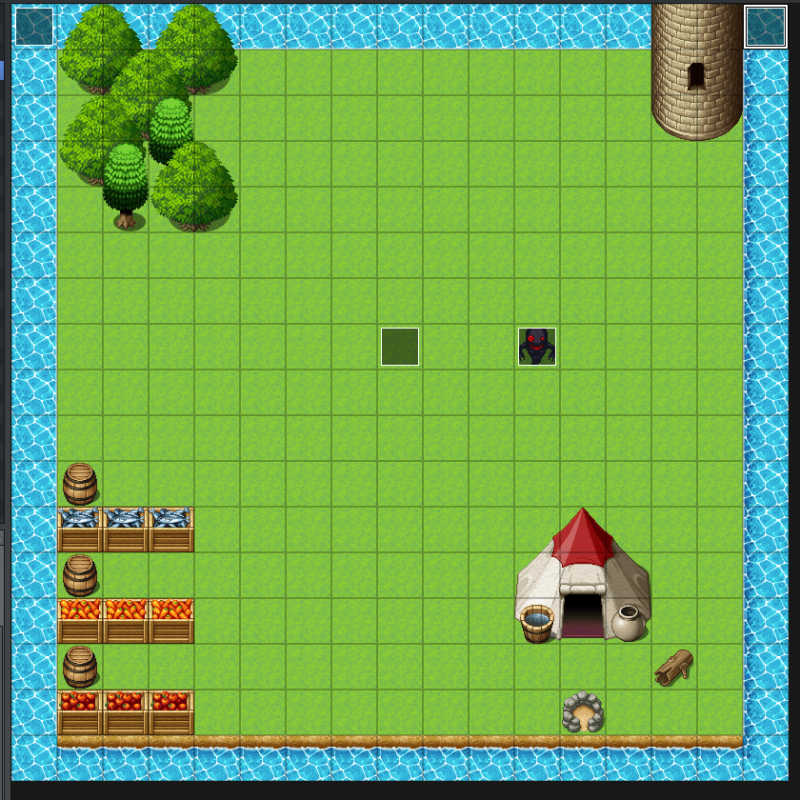
My current testing map is 17x17. So the entire width of the map is viewable in playtest, but the entire height isn't.
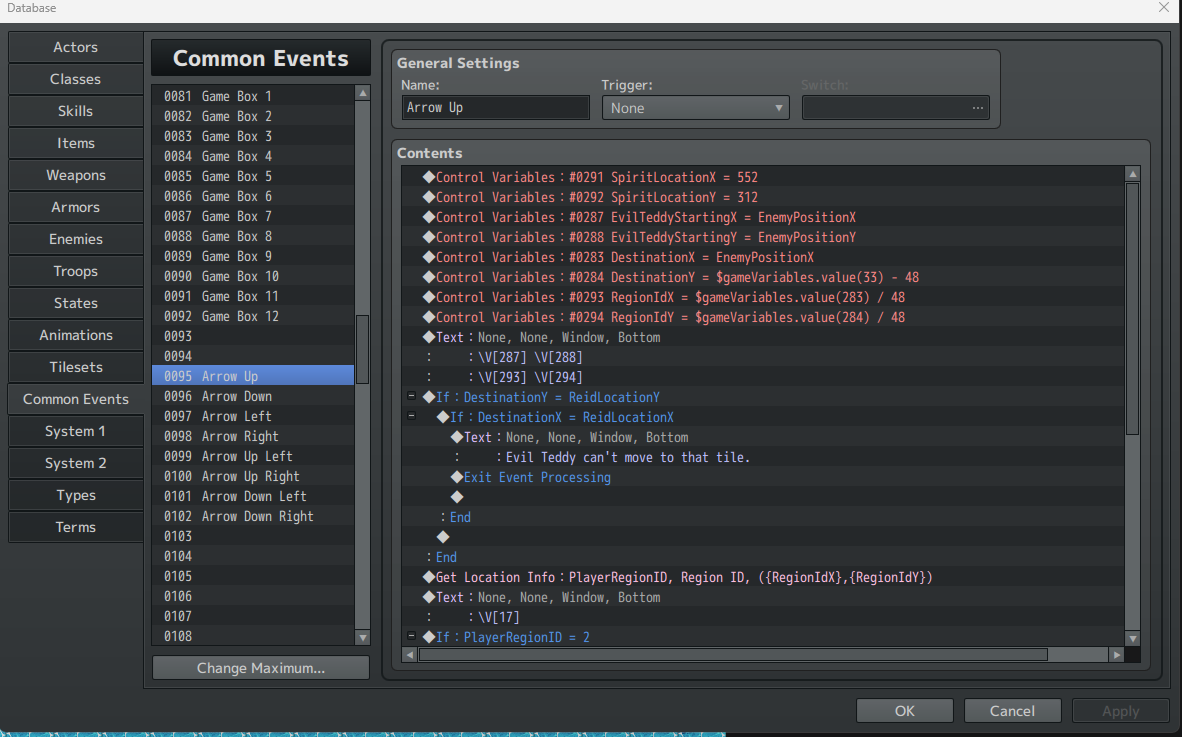
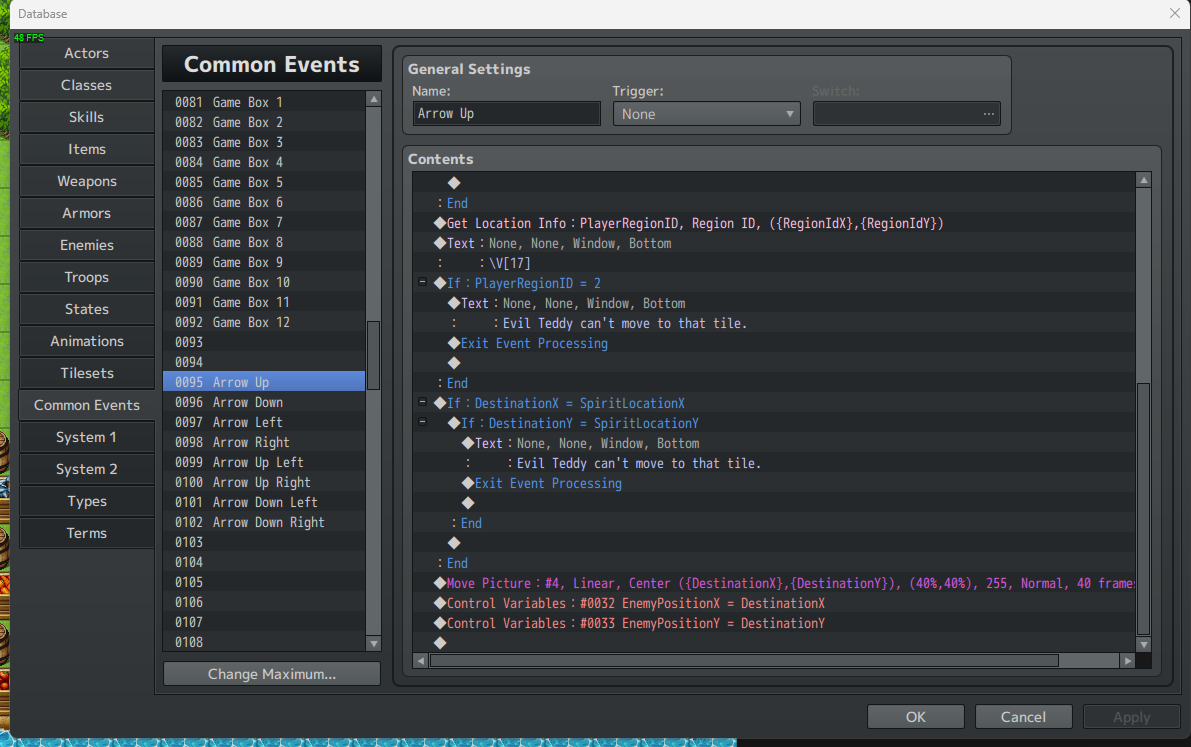
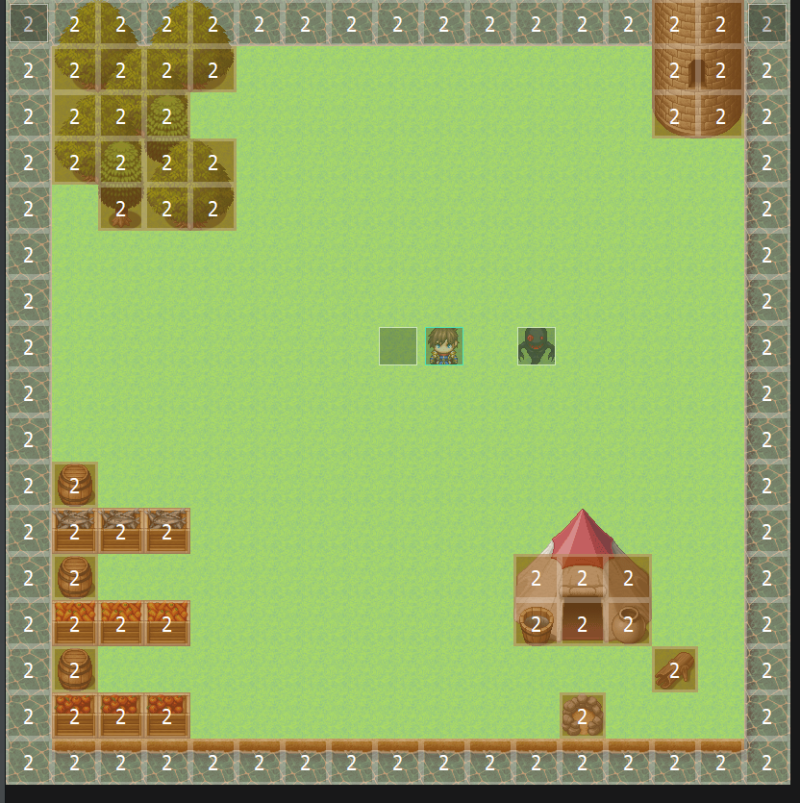
The problem I discovered is when I am trying to determine the Region ID of the Destination coordinates. When I am checking those coordinates moving left or right, I get the correct Region ID of the Map as if I was using the 0, 0 to 16, 16 coordinates and I can check for obstacles.
But, when I do the same thing moving up or down, the Region ID of the Map for the destination coordinates (which I divide the pixel values by 48) comes out to different actual coordinates.
So, moving left or right, my destination pixel coordinates divided by 48 show 5, 5 and the Region ID I want is the one for tile 5, 5. Cool. My map width and playtest view screen width are the same.
But if I move up or down, my destination pixel coordinates divided by 48 might show 3, 7 while the actual Region ID of the tile the picture would be moving to (center of tile) might be 3, 9. I believe it is off by the same number of tiles that DON'T show in the playtest viewable area.
I have tried all sorts of math to try to compensate/correct for this, but I am stumped.
Now, I can fix this by making sure the combat map is the same size as the viewable playtest area. But that also means my combat area is unnecessarily limited.
I also was just playing around with using Events and Set Event Location instead of pictures because that way I don't have to calculate the pixels for coordinates and movement. But the downside to that is I can only choose from assets that can be selected in the Event for displaying the actors. With the pictures, the actors/pictures can actually be scaled so they don't necessarily have to be squashed into the confines of the tile size. Also, the appearance of the event movement using Set Event Location is jerky. It doesn't look like the actor is moving, rather it just jumps from tile to tile.
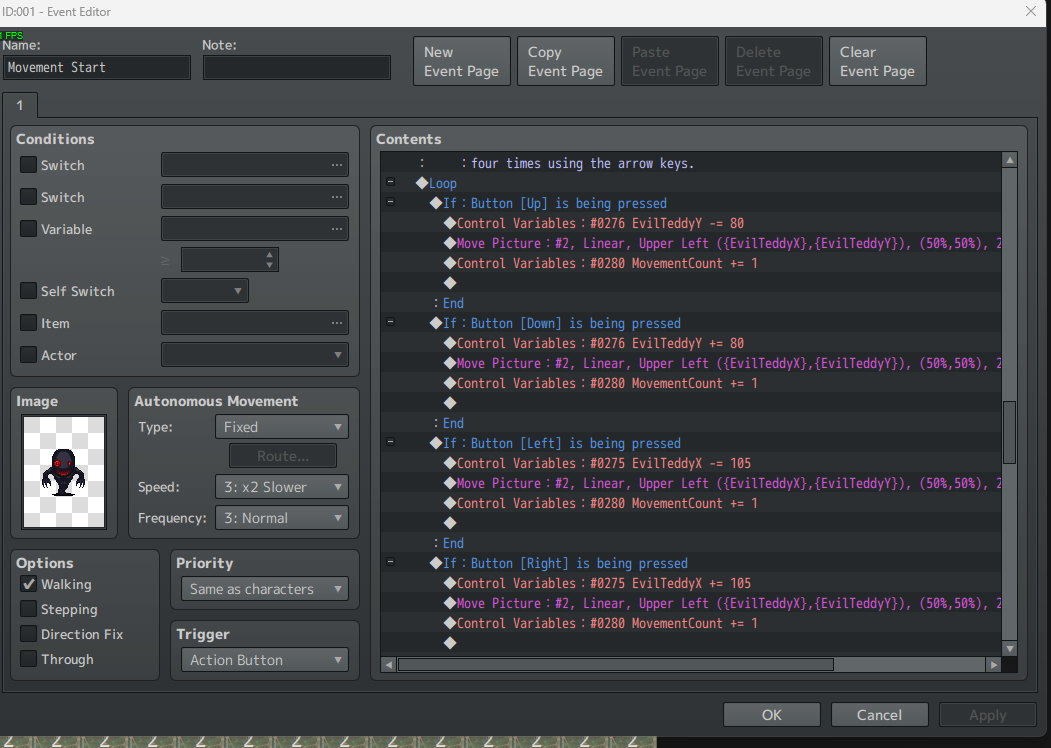
I'm not sure if this makes sense. I will attach a few screenshots to show the pixel coordinate designation and some other stuff. These aren't the entire events because I have tested a bunch of stuff that seems to be working fine.
Maybe I am doing something wrong with the whole pixel stuff. I thought I was on the right track when I could move the picture exactly one tile at a time using the pixel coordinates and plus or minus 48, as appropriate.
But the whole pixel size of the viewable playtest area compared to the pixel size of the entire map is throwing me off.
Again, it seems like it works fine if the actual map fits perfectly in the playtest viewable area. But I would like to be able to let the player move the picture/actors anywhere on a larger map.
Maybe I will also get stuck with scrolling the map too. I haven't tested that yet because I sort of got stuck with the whole use Region ID to check to see if there is an obstacle that you can't move to.
Maybe I am missing another alternative because I am stuck on this path and can't seen any other options. Or maybe it is based on my lack of knowledge and experience.
If there is an entirely different way to approach this, without plugins, I would also love to hear about that too since I am trying to learn.
And again, the map and squashed Reid isn't pretty. I am just using this for quick proof of concept testing. LOL!
And again, the screenshots aren't the full events. They are just to show the relevant concepts of what I am trying to do. And you might be able to tell I also have tested a wide variety of things.
I started off (not shown) by displaying a chess board and moving the Evil Teddy from square to square. I have tried menu driven movement choices, key press driven movement choices, and most recently (not shown) click on 8 directional arrows to move.
The biggest problem right now is trying to determine if the actor/picture can move to a tile with an obstacle where it shouldn't be able to move. Maybe there is a better/easier way to do that without Region ID.
If the whole using pixels for coordinates is just too problematic for maps that are bigger than the playable screen area, then that would be good to know so I can devote my time to another path.
I hope this Frankenstein Monster makes sense and thank you so much for taking the time to look at this and trying to decipher that ramblings of an old, RPG Maker newbie!
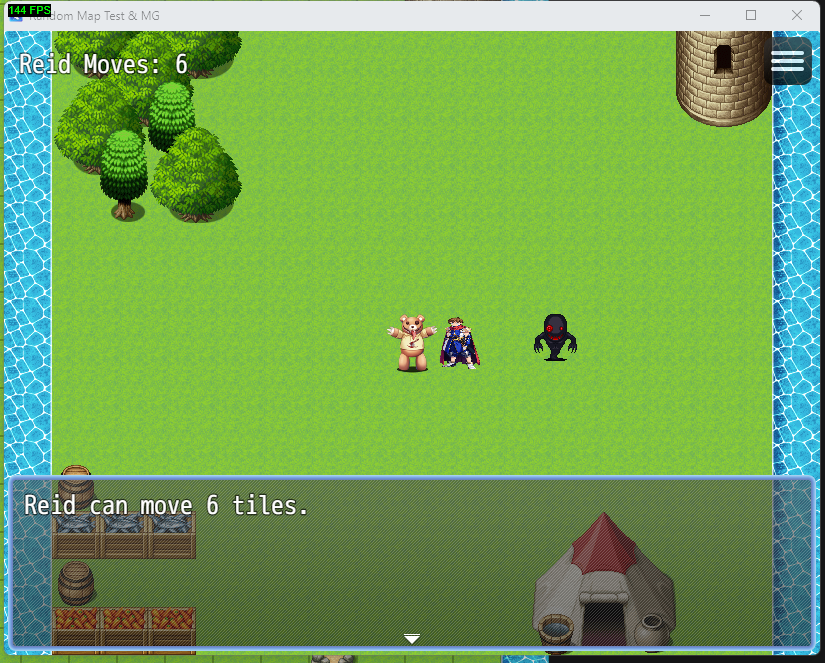
EDIT: UPDATING WITH VIDEO OF PROBLEM:
Downloads / Referenced Files
RPG Maker Web attachments are mirrored locally when available. Other external links remain hosted by their original creator or third-party service.
- Local mirror: 235285-6aea56e3782436a0a9d3f0bcca70e4cc.png
SHA-256:4474e12f1f82df7798e748e4735d822acfc39fa022e02f9f4ba5578f158bfc93
Original attachment URL: https://forums.rpgmakerweb.com/attachments/movement-by-pixel-coordinates-1-png.256205/ - Local mirror: 235286-aceedc516193850efccf300065473c11.png
SHA-256:d2bd31aa9c65a67eef2d58fe68c2ccc7aa2203ed1146183c5f04d72de3a5dd84
Original attachment URL: https://forums.rpgmakerweb.com/attachments/movement-by-pixel-coordinates-2-png.256206/ - Local mirror: 235287-22b67d6e20967e2f48ebc6f284cafcbf.png
SHA-256:94ec25779db83a35b2616c15428b46dd58c18122e4eeea85f789c405f07aa1e2
Original attachment URL: https://forums.rpgmakerweb.com/attachments/movement-by-pixel-coordinates-3-png.256207/ - Local mirror: 235288-71440144018aad66b75692539def63d0.png
SHA-256:90d0ca34bbe626c98d66273a8bb02e2d1a32f5be3d18da2e4985ff326c389dc4
Original attachment URL: https://forums.rpgmakerweb.com/attachments/movement-by-pixel-coordinates-4-png.256208/ - Local mirror: 235289-85bd5f9d45d164fc0c12b58620631a93.png
SHA-256:e83e0b7653991d554f991597e0ef7cf204b303d7a2b8eb5b96b9158f1e9e923d
Original attachment URL: https://forums.rpgmakerweb.com/attachments/movement-by-pixel-coordinates-5-png.256209/ - Local mirror: 235290-a2be1f87370fdfc9bcb30e8c2dbf5c38.png
SHA-256:12861d18052da283358e9cb26645c0fac2f4f94fc4473bc73f33b5cfc9a9daee
Original attachment URL: https://forums.rpgmakerweb.com/attachments/movement-by-pixel-coordinates-map-png.256210/ - Local mirror: 235291-f8a30f98be08717444824f66a4e4dedc.png
SHA-256:da92a7b8941400366c2098d8d82e0768b03f94d7abab54fc34efd6818714fff8
Original attachment URL: https://forums.rpgmakerweb.com/attachments/movement-by-pixel-coordinates-playtest-area-png.256211/ - Local mirror: 235292-75d4e8c9afc110b0754df21e37ce0292.png
SHA-256:39d8229cbbd0341c135f985bd3621be23d8d7258ebeff13b426ea6b0c54c3cfb
Original attachment URL: https://forums.rpgmakerweb.com/attachments/movement-by-pixel-coordinates-region-id-png.256212/ - Local mirror: 235293-0daae20c7ebed090cd357a4e83c0f288.png
SHA-256:3ce17e20c18531726b4685e716c4bfbac14ab63f6bc7320404a2f6d6af8d4d33
Original attachment URL: https://forums.rpgmakerweb.com/attachments/movement-by-pixel-coordinates-squashed-reid-png.256213/
Referenced Images / Attachments
Creator Claims / Removal
If you are the original creator and want this listing reassigned, edited, or removed, join BMMPlay and contact the moderators with proof that matches the original RPG Maker Web profile, linked GitHub, itch.io page, or another public creator identity.
Replies (0)
No replies yet.
Topic Summary
Loading summary...