

Khas Awesome Light Effect Script Assistance
BMM_Archive · July 15, 2026

Original Source
- Original title: Khas Awesome Light Effect Script Assistance
- Original author: onlyloveezzie
- Original date: April 1, 2014
- Source thread: https://forums.rpgmakerweb.com/threads/khas-awesome-light-effect-script-assistance.25638/
- Source forum path: Game Development Engines > Ruby Game System (RGSS) Scripts > RGSSx Script Support
Summary
I was looking into Khas awesome light effects script, and I downloaded her demo thing that has the script and I did everything she did. Hers seems to work and mine doesn't. And it's not just with that one game, I've tried it with a different one as well. I'm positive I've overlooked something, but I need some help figuring out just what I overlooked. I got the script into the game and I read the instructions (knowing me I bet I missed something there. X3) And I followed her...
Archived First Post
Link to script thread: http://forums.rpgmakerweb.com/index.php?/topic/4917-khas-awesome-light-effects/?hl=%20khas#39;%20%20awesome%20%20light%20%20effects
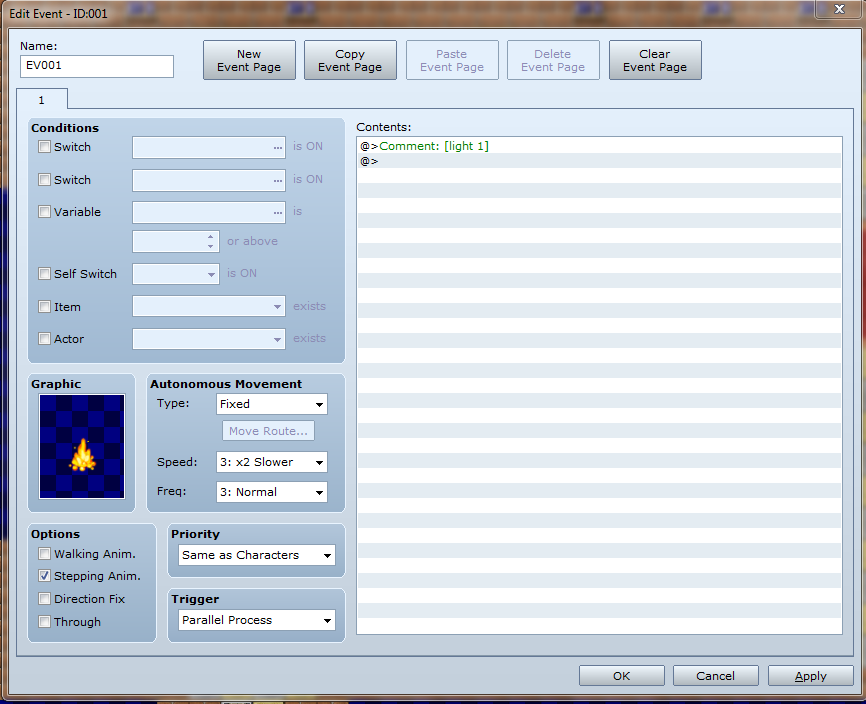
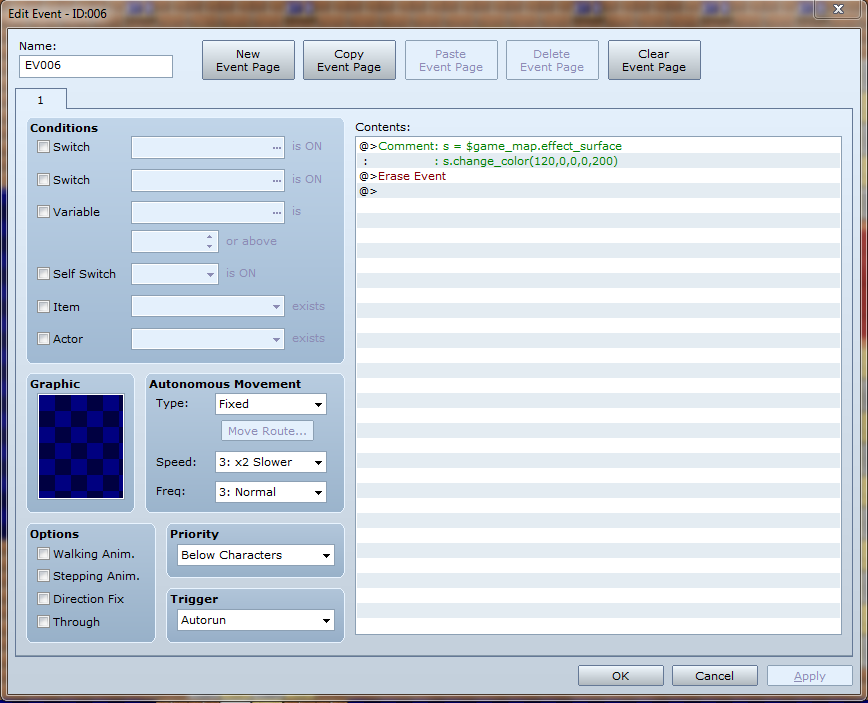
But whenever I start my game, even if I start a new game, this looks just the same as always:
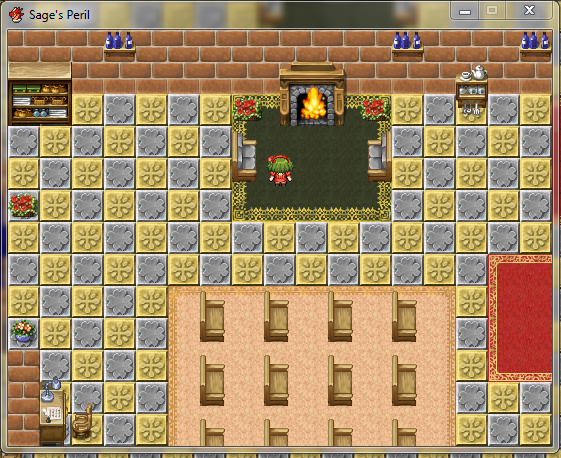
Sorry my screen shots are small...Hopefully that isn't a problem...
Downloads / Referenced Files
RPG Maker Web attachments are mirrored locally when available. Other external links remain hosted by their original creator or third-party service.
- Local mirror: 5077-2cc07eed28a0f6a49215cdef3dd72a95.png
SHA-256:1199ce02ad41657b0be4812e1ea783f98b0ecd3ab9903a6d55ac62e03ecd5519
Original attachment URL: https://forums.rpgmakerweb.com/attachments/screen-shots-for-help-png.12252/ - Local mirror: 5078-24056968b2e60e8765ff79f5f7ab13f2.png
SHA-256:04682a5bd9851118e689b859e3ccdbda154963cb1462d0f8bf3eeb0c2940df7b
Original attachment URL: https://forums.rpgmakerweb.com/attachments/capture-png.12253/ - Local mirror: 5079-5fe48eab7a4ac761c6b218e2e3654a3c.png
SHA-256:c873b92d192b62a7a4e4c5a584e6833568d86fe47185a56169f349e51da6766c
Original attachment URL: https://forums.rpgmakerweb.com/attachments/umm-png.12254/
Referenced Images / Attachments
Creator Claims / Removal
If you are the original creator and want this listing reassigned, edited, or removed, join BMMPlay and contact the moderators with proof that matches the original RPG Maker Web profile, linked GitHub, itch.io page, or another public creator identity.
Replies (0)
No replies yet.
Topic Summary
Loading summary...