

Victors Animated Battler/Actors Battler help
BMM_Archive · July 15, 2026

Original Source
- Original title: Victors Animated Battler/Actors Battler help
- Original author: Tellah
- Original date: February 15, 2014
- Source thread: https://forums.rpgmakerweb.com/threads/victors-animated-battler-actors-battler-help.23749/
- Source forum path: Game Development Engines > Ruby Game System (RGSS) Scripts > RGSSx Script Support
Summary
(This is my 2nd post and hopefully i placed this in the appropriate place this time. If not I apologize in advance and please let me know! ) I was hoping someone could give me some guidance on using Victors Animated Battler/Actors Battlers scripts. I've been using Yamis Battle Engine Symphony (which has been GREAT and has been working without fail) but I wanted to try Victors Animated Battler/Actors Battlers because I like the customization. INFORMATION FOR MY CURRENT SETUP: I've downloaded the following scripts and have placed them in...
Archived First Post
I was hoping someone could give me some guidance on using Victors Animated Battler/Actors Battlers scripts. I've been using Yamis Battle Engine Symphony (which has been GREAT and has been working without fail) but I wanted to try Victors Animated Battler/Actors Battlers because I like the customization.
INFORMATION FOR MY CURRENT SETUP:
I've downloaded the following scripts and have placed them in this order under materials and above main:
Victor Engine - Basic Module ------ https://dl.dropboxusercontent.com/u/27014140/Scripts/Victor%20Engine%20-%20Basic%20Module.txt
VIctor Engine - Animated Battle -----https://dl.dropboxusercontent.com/u/27014140/Scripts/Victor%20Engine%20-%20Animated%20Battle.txt
Victor Engine - Actors Battlers -----https://dl.dropboxusercontent.com/u/27014140/Scripts/Victor%20Engine%20-%20Actors%20Battlers.txt
I'm using Actors and Enemies from Pioneer Valley Games (High Fantasy Resource Pack specifically, I believe the term for these is "Holder Graphics"?)
I've read through Victors instructions and have also gone through some online tutorials but i'm still having trouble with the first step, getting the characters to appear correctly in battle. I'm not sure what it is im missing..........
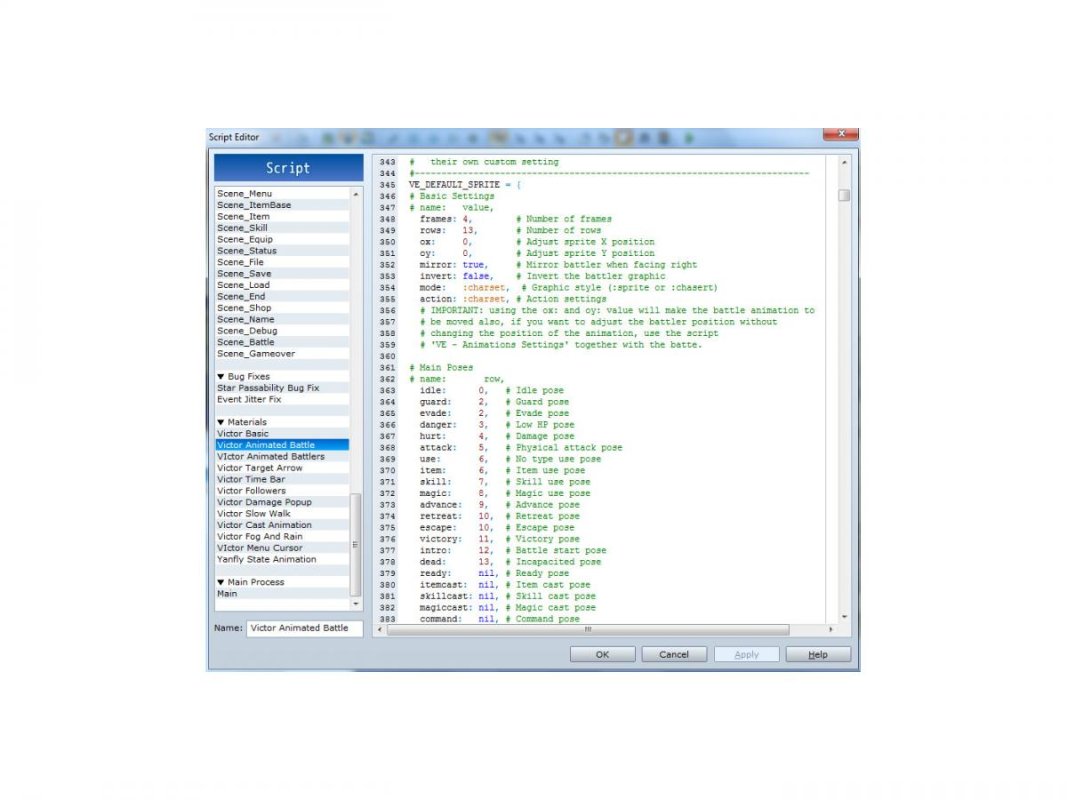
I believe the battlesheets are 4 frames by 13 rows and have adjusted this under the "default sprite settings". Since all the battlesheets for all charracters are the same i don't believe i need to create custom settings for each character? (or do i?)
I saved the battlesheet with 2 different file names for the actor: ruvius_battle and ruvius_battle[anim] and placed both files in both graphics\battlers and graphics\characters. I also saved the battlesheet with same naming scheme for the enemiy and uploaded both files as well to graphics\battlers and graphics\characters. I tagged the Actor Note <battler name: ruvius_battle[anim]> and the enemy note <battler name: z_frostwyrm_battle[anim]>
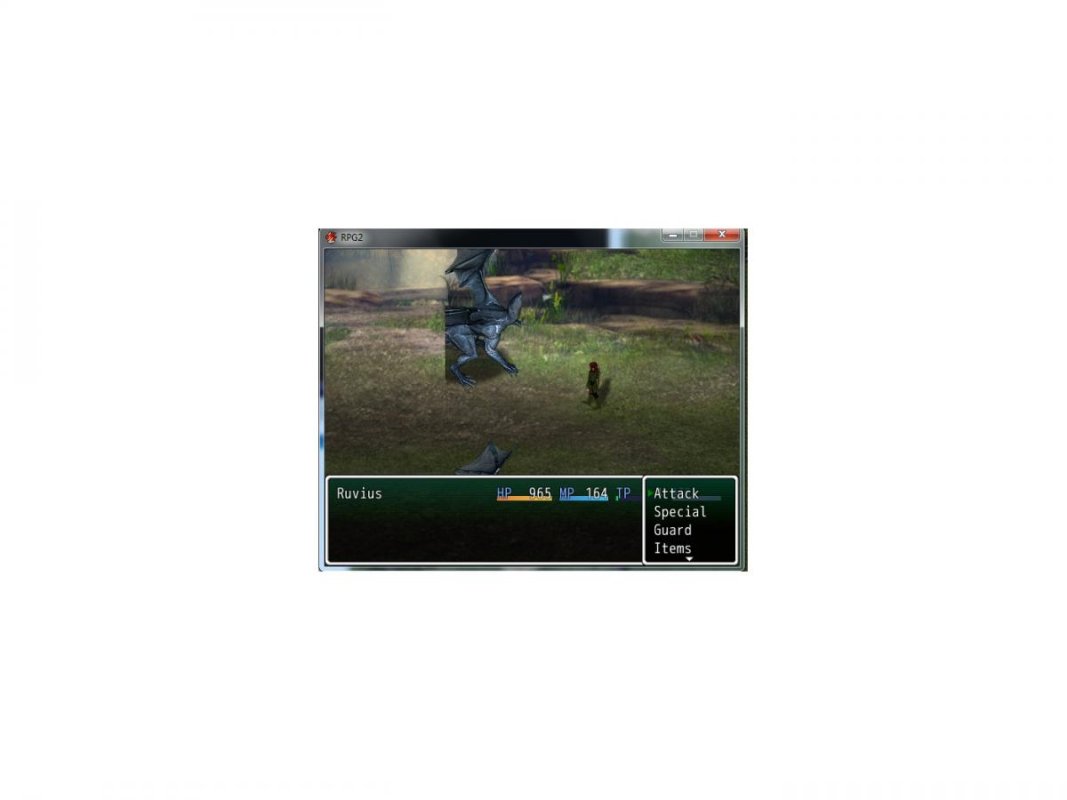
The first battle test showed the entire battlesheet for both (all rows and frames in battle) so i changed line 354 in Victor Engine Animated Battle from :sprite to :charset and line 355 from :default to :charset. This got me closer for the actor, there is only one image now. Problem is... hes frozen in mid step facing right, his pose is nothing from the battlesheet and does not change (no animation). The enemy is frozen as well and is cut off on the right and left like so, also with no animation:
I'm relavitely new to RPG Maker so i apologize if i've overlooked something obvious. I've also read through so many tutorials and instructions i may have missed something as well...... I am learning though, one step at a time!
Thanks in advance for any help anyone can provide! Also, please let me know if i missed any information or if i posted this incorrectly?
Mark
Downloads / Referenced Files
RPG Maker Web attachments are mirrored locally when available. Other external links remain hosted by their original creator or third-party service.
- Download: https://dl.dropboxusercontent.com/u/27014140/Scripts/Victor%20Engine%20-%20Basic%20Module.txt
- Download: https://dl.dropboxusercontent.com/u/27014140/Scripts/Victor%20Engine%20-%20Animated%20Battle.txt
- Download: https://dl.dropboxusercontent.com/u/27014140/Scripts/Victor%20Engine%20-%20Actors%20Battlers.txt
- Local mirror: 4392-bd6f386e75a2f3d75cee8026cdf9ec12.jpg
SHA-256:c48050b1825742a9cf4b02fe3a3970dc65f8bcc23758cef2bde8e7341e50422f
Original attachment URL: https://forums.rpgmakerweb.com/attachments/1-jpg.11279/ - Local mirror: 4393-6c11d08c201b86de1bce69fc8220f91b.jpg
SHA-256:7ce40094480b2847ed80cc5e0455e7a11c2cda6f6ff54ddc08d6cb53760c7e5c
Original attachment URL: https://forums.rpgmakerweb.com/attachments/2-jpg.11280/
Referenced Images / Attachments
Creator Claims / Removal
If you are the original creator and want this listing reassigned, edited, or removed, join BMMPlay and contact the moderators with proof that matches the original RPG Maker Web profile, linked GitHub, itch.io page, or another public creator identity.
Replies (0)
No replies yet.
Topic Summary
Loading summary...