Original Source
- Original title: Help: Messing with Scripts and bunged something up.
- Original author: Rewsifer
- Original date: November 28, 2013
- Source thread: https://forums.rpgmakerweb.com/threads/help-messing-with-scripts-and-bunged-something-up.20384/
- Source forum path: Game Development Engines > Ruby Game System (RGSS) Scripts > RGSSx Script Support
Summary
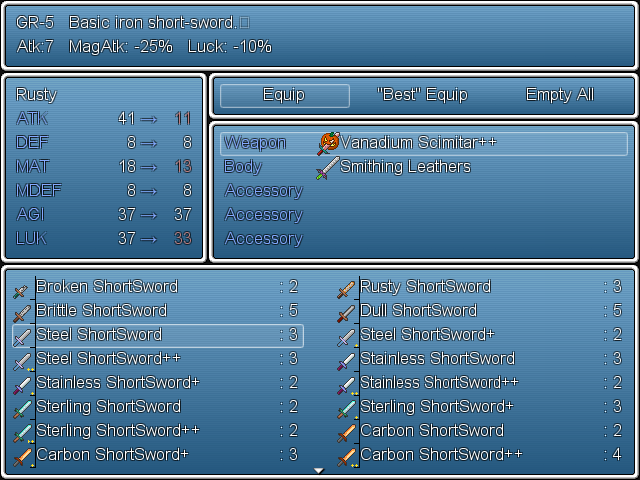
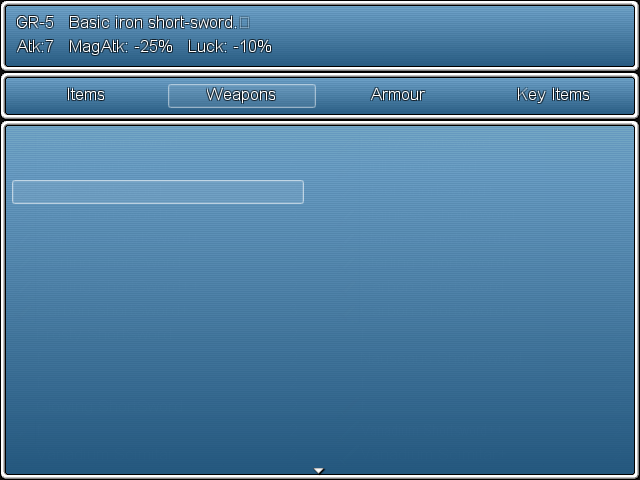
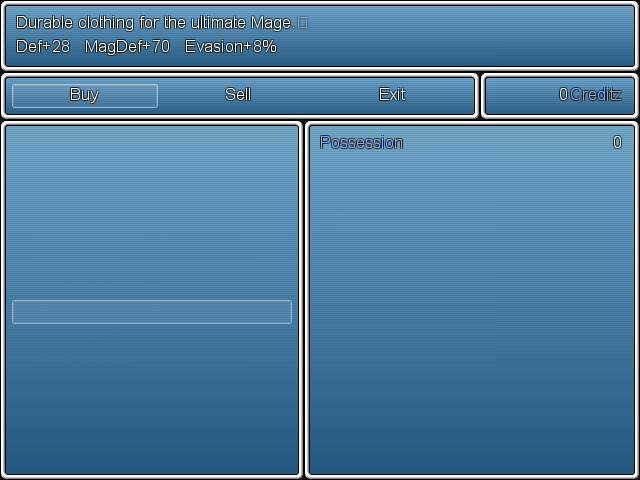
Hey community, I need some help real bad, I've been fiddling arounda and I haven't come up with anything: Icons aren't showing up in my item screen or shop screens!.. Example: [IMG]http://forums.rpgmakerweb.com/uploads/monthly_11_2013/post-23016-0-21981400-1385618003_thumb.png[/IMG] [IMG]http://forums.rpgmakerweb.com/uploads/monthly_11_2013/post-23016-0-28231200-1385618014_thumb.png[/IMG] [IMG]http://forums.rpgmakerweb.com/uploads/monthly_11_2013/post-23016-0-88504700-1385618123_thumb.png[/IMG] The reason I'm posting this in "Script Support" is because I was using scripts to change the opacity of the menu screen, I've also been changing the window.png file in system graphics. Has anyone else had this problem?
Archived First Post
Icons aren't showing up in my item screen or shop screens!.. Example:
[IMG]http://forums.rpgmakerweb.com/uploads/monthly_11_2013/post-23016-0-21981400-1385618003_thumb.png[/IMG] [IMG]http://forums.rpgmakerweb.com/uploads/monthly_11_2013/post-23016-0-28231200-1385618014_thumb.png[/IMG] [IMG]http://forums.rpgmakerweb.com/uploads/monthly_11_2013/post-23016-0-88504700-1385618123_thumb.png[/IMG]
The reason I'm posting this in "Script Support" is because I was using scripts to change the opacity of the menu screen, I've also been changing the window.png file in system graphics. Has anyone else had this problem?
I'm new to this community, and some help would be greatly appreciated,
~Rewsifer
Protected download
Protected download
Protected download
Scripts.zip


Downloads / Referenced Files
Log in, then follow the RPG Maker Developers Group to see these download links.
Log in to downloadReferenced Images / Attachments
Creator Claims / Removal
If you are the original creator and want this listing reassigned, edited, or removed, join BMMPlay and contact the moderators with proof that matches the original RPG Maker Web profile, linked GitHub, itch.io page, or another public creator identity.
Replies (0)
No replies yet.
Topic Summary
Loading summary...