

RMMV PRO TIPS: How to compress your ressource (one files exectuable)
BMM_Archive · July 15, 2026

BMM_Archive
Preserved forum archive. This topic stores the original first post and locally mirrored RPG Maker Web attachments when available. It is posted by the BMMPlay archive account, not by the original creator.
Original Source
- Original title: RMMV PRO TIPS: How to compress your ressource (one files exectuable)
- Original author: Jonforum
- Original date: June 25, 2018
- Source thread: https://forums.rpgmakerweb.com/threads/rmmv-pro-tips-how-to-compress-your-ressource-one-files-exectuable.96879/
- Source forum path: Game Development Engines > RPG Maker Javascript Plugins > Learning Javascript
Summary
Using ENIGMA VIRTUAL BOX are not easy performance issue This method is extremely easy and keep performance
Archived First Post
Using ENIGMA VIRTUAL BOX are
This method is extremely easy and keep performance
related to: http://docs.nwjs.io/en/latest/For Users/Package and Distribute/#package-option-2-zip-file
Nw.js Standard file packaging
First, copy the latest version of Nw.js folder and give it a name appropriately.
ex: on desktop name it "distribution"
cmd
powerShell
enjoy
i made here screen for help
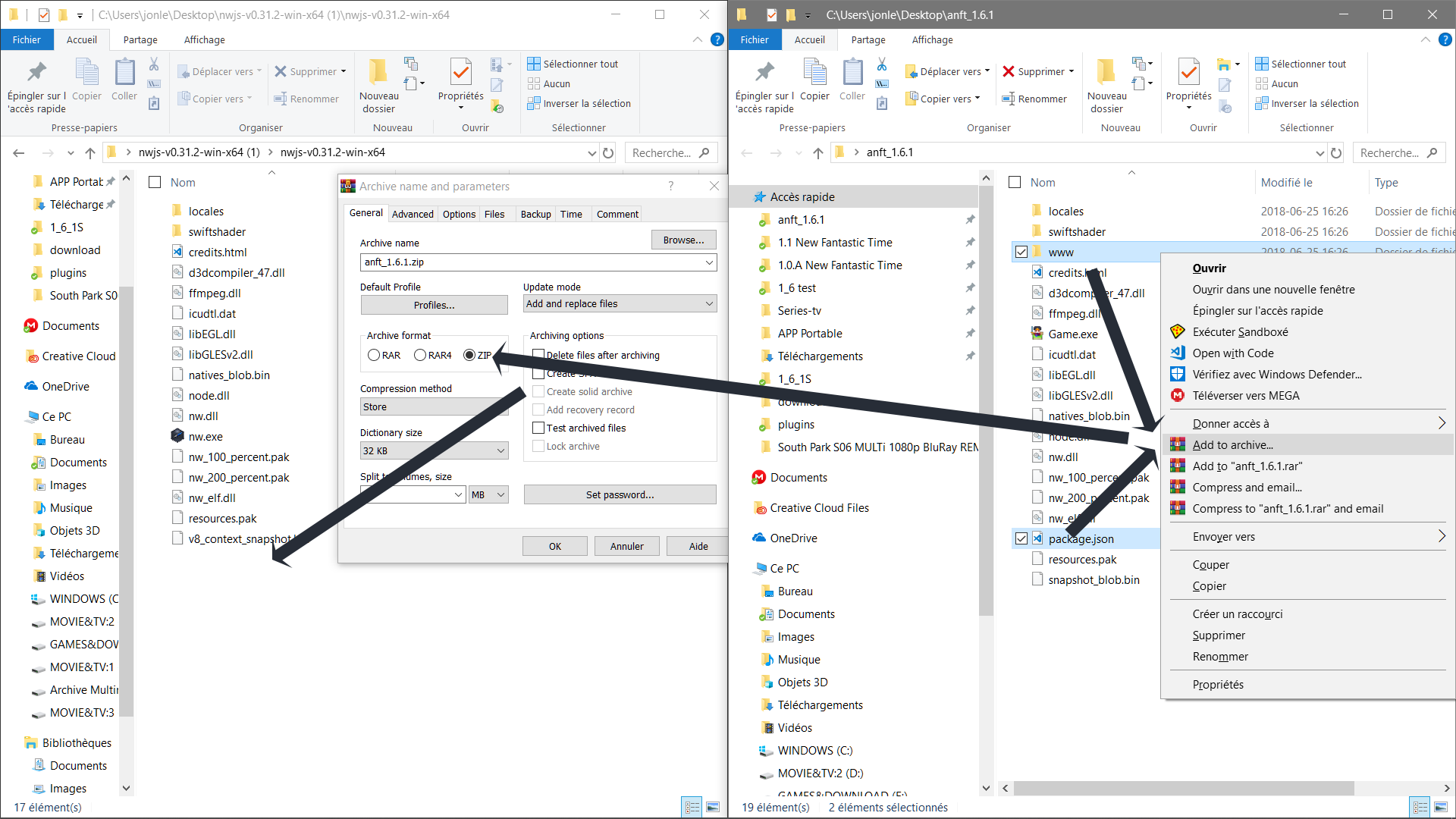
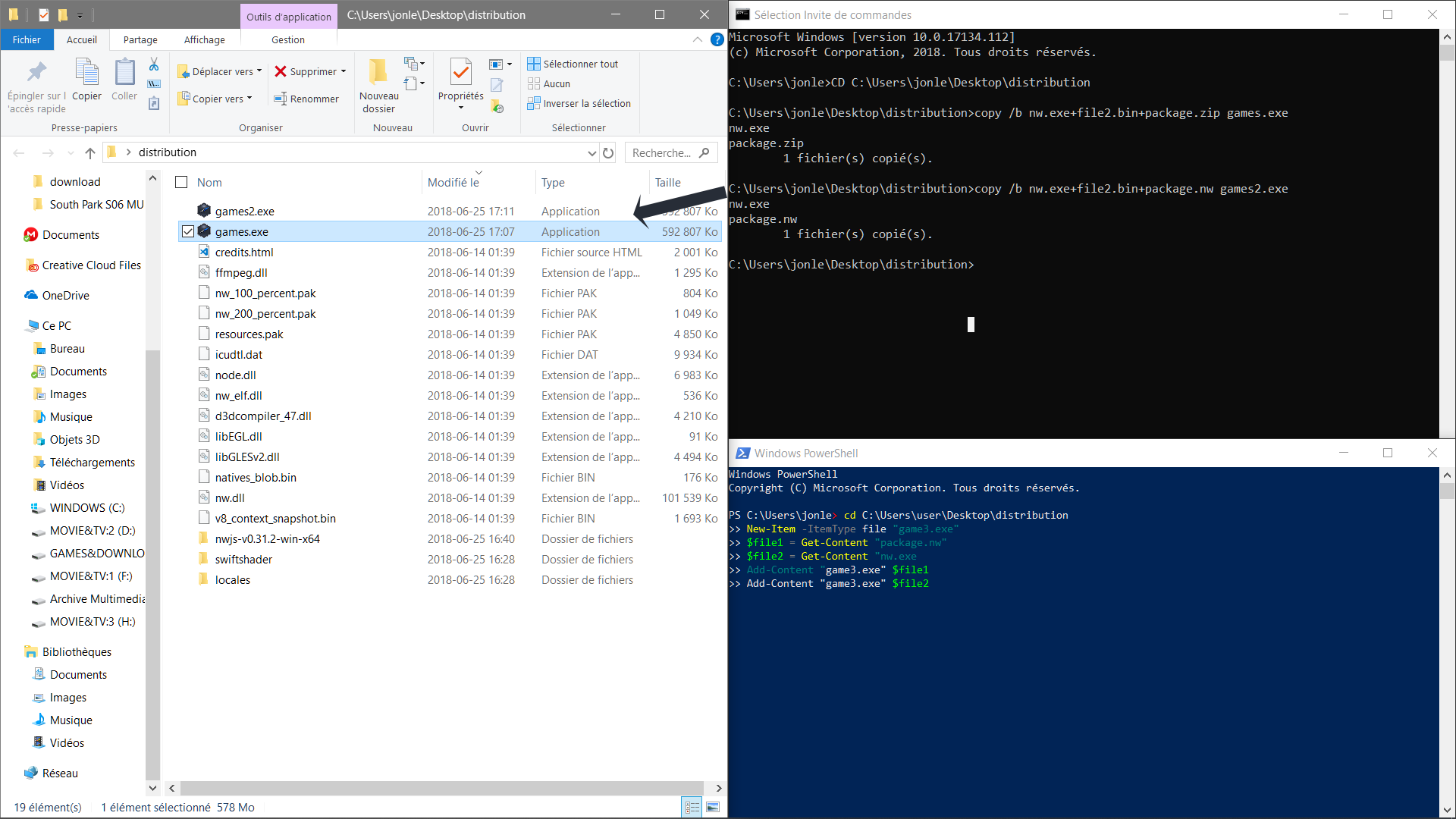
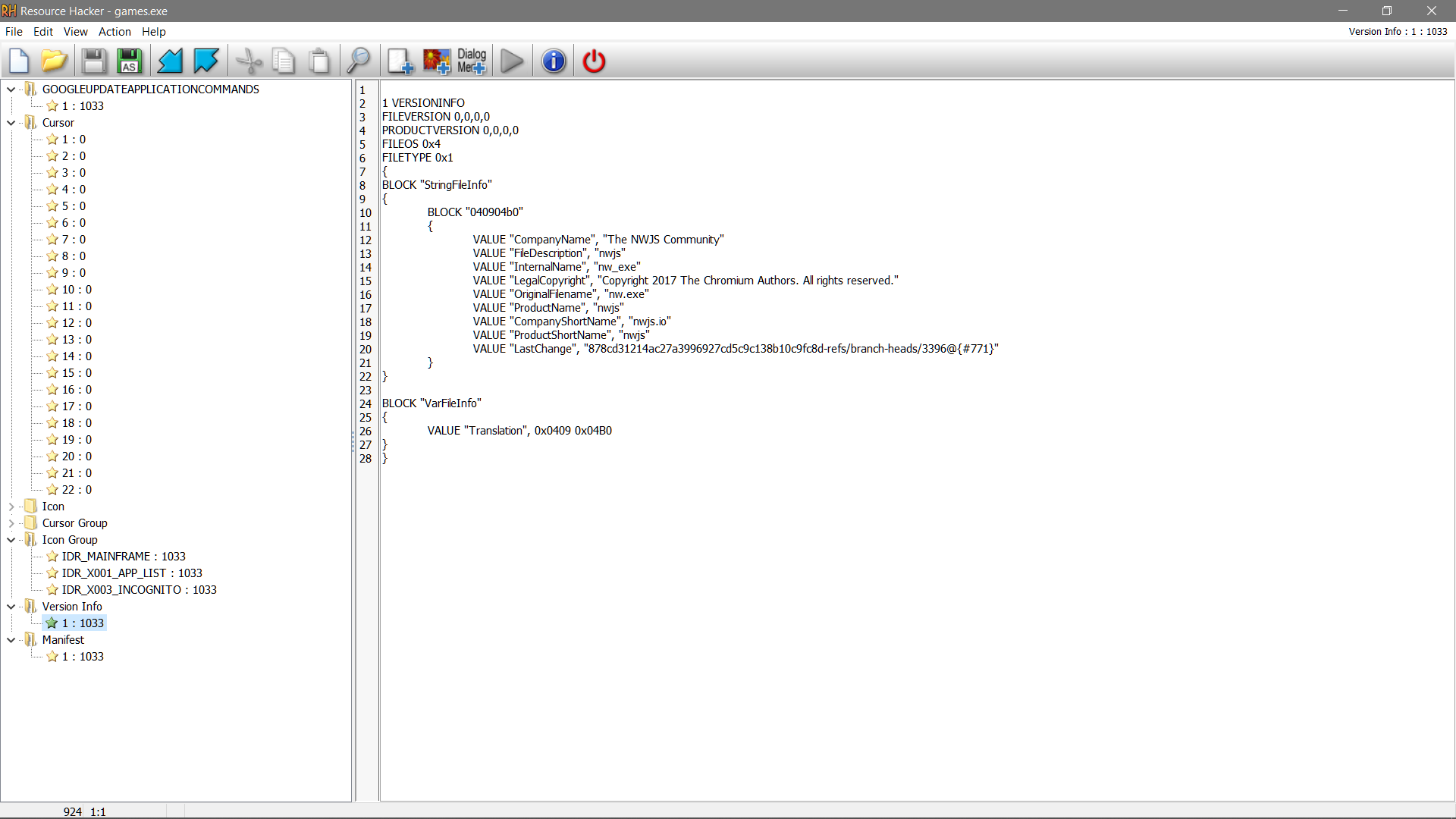
Step video, if you need.
- not easy
- performance issue
This method is extremely easy and keep performance
- keep speed game
- memory cache
related to: http://docs.nwjs.io/en/latest/For Users/Package and Distribute/#package-option-2-zip-file
Nw.js Standard file packaging
First, copy the latest version of Nw.js folder and give it a name appropriately.
ex: on desktop name it "distribution"
- *deploy the project rmmv [distributed]
- * Merge Compress the package.json and www folder [.zip] from project
- * rename zip to package.nw
- *move package.nw in your distribution folder
- * Combine and merge the zip [package.nw] and [nw.exe] to create a new executable [game.exe] with your terminal: "cmd or powershell"
- Edit your executable [game.exe] with resource hacker for hack your icons, informations, copyright ....
- delete unnecessary files: [package.nw] [nw.exe]
cmd
Code:
cd C:\Users\user\Desktop\distribution
copy /b nw.exe+package.nw games.exe
powerShell
Code:
cd C:\Users\user\Desktop\distribution
New-Item -ItemType file "game3.exe" -force
$file1 = Get-Content "package.nw"
$file2 = Get-Content "nw.exe"
Add-Content "game3.exe" $file1
Add-Content "game3.exe" $file2
enjoy
i made here screen for help
Step video, if you need.
Downloads / Referenced Files
RPG Maker Web attachments are mirrored locally when available. Other external links remain hosted by their original creator or third-party service.
- Download: Nw.js
Referenced Images / Attachments
Creator Claims / Removal
If you are the original creator and want this listing reassigned, edited, or removed, join BMMPlay and contact the moderators with proof that matches the original RPG Maker Web profile, linked GitHub, itch.io page, or another public creator identity.
Replies (0)
No replies yet.
0
replies
17
views
Topic Summary
Loading summary...