public

Rpg Maker Developers Group

Simple enough for a child, powerful enough for a developer

3 Followers

Choice Window edit

BMM_Archive · July 15, 2026

BMM_Archive
Preserved forum archive. This topic stores the original first post and locally mirrored RPG Maker Web attachments when available. It is posted by the BMMPlay archive account, not by the original creator.

Original Source

  • Original title: Choice Window edit
  • Original author: ShadowFox
  • Original date: July 30, 2013
  • Source thread: https://forums.rpgmakerweb.com/threads/choice-window-edit.16160/
  • Source forum path: Game Development Engines > Ruby Game System (RGSS) Scripts > RGSS3 Scripts (RMVX Ace) > RGSS3 Script Requests

Summary

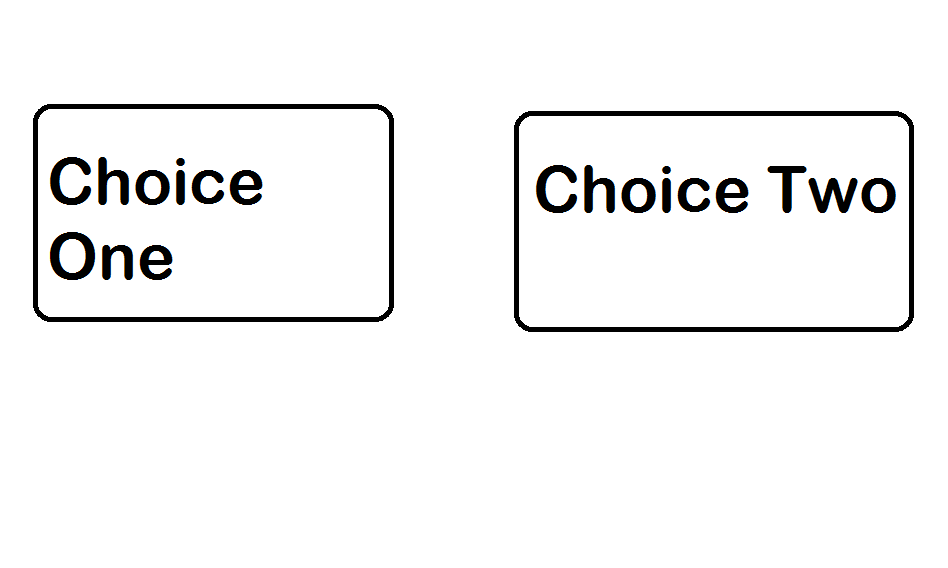
I have found that this idea I have IS actually possible, so I thought I'd actually ask for a script. I am after a script that would activate via a switch and would change the layout of the choices window. I want the window to show each choice side by side. Like in this rough picture:
Archived First Post

I have found that this idea I have IS actually possible, so I thought I'd actually ask for a script.

I am after a script that would activate via a switch and would change the layout of the choices window.

I want the window to show each choice side by side.

Like in this rough picture:

Choice Window.png

The choices that need to be side by side also needs to be larger then normal, so the window must match the font size and font type of the choices

Downloads / Referenced Files

RPG Maker Web attachments are mirrored locally when available. Other external links remain hosted by their original creator or third-party service.


  • Local mirror: 1581-b9e31f275e3de0f3cb027f889706cbde.png
    SHA-256: faaf69704168720d45b8990b4bac25bea8b7245fe3167afadc3160f5e1878884
    Original attachment URL: https://forums.rpgmakerweb.com/attachments/choice-window-png.7271/

Referenced Images / Attachments

Choice Window.png
Choice Window.png
Creator Claims / Removal

If you are the original creator and want this listing reassigned, edited, or removed, join BMMPlay and contact the moderators with proof that matches the original RPG Maker Web profile, linked GitHub, itch.io page, or another public creator identity.

Replies (0)

No replies yet.

0 replies 34 views

Log in to reply.
