

VXACEBestiary Logbook v1.8 - updated 1/21/2014
BMM_Archive · July 15, 2026

Original Source
- Original title: Bestiary Logbook v1.8 - updated 1/21/2014
- Original author: Venka
- Original date: September 20, 2014
- Source thread: https://forums.rpgmakerweb.com/threads/bestiary-logbook-v1-8-updated-1-21-2014.32231/
- Source forum path: Game Development Engines > Ruby Game System (RGSS) Scripts > RGSS3 Scripts (RMVX Ace)
Summary
Bestiary Logbook by VenkaDescription: This is a scene you can access via the menu that will let you keep track of enemies you've encountered. You can learn things about the enemy with a scan skill that is built into the script. You can customize many of the features in the script. You can create enemy descriptions that automatically change as you reach certain kill counts on the enemy or you can set it with a script call at any time. You can also various information to be shown after a...
Archived First Post
by Venka
This is a scene you can access via the menu that will let you keep track of enemies you've encountered. You can learn things about the enemy with a scan skill that is built into the script. You can customize many of the features in the script. You can create enemy descriptions that automatically change as you reach certain kill counts on the enemy or you can set it with a script call at any time. You can also various information to be shown after a set amount of kills.
Screen Shots:
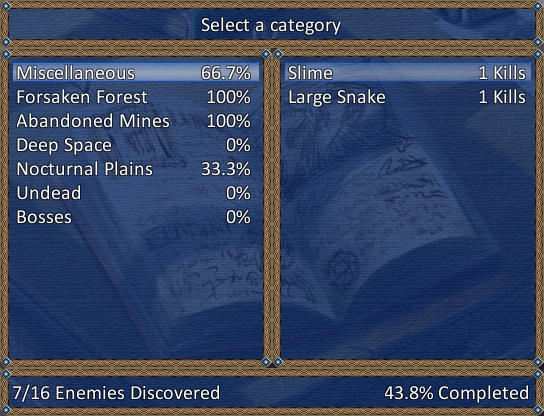
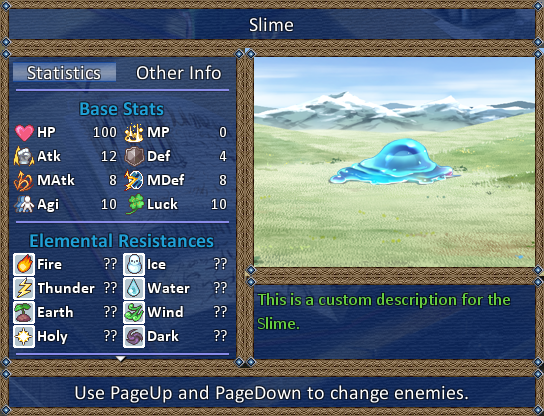
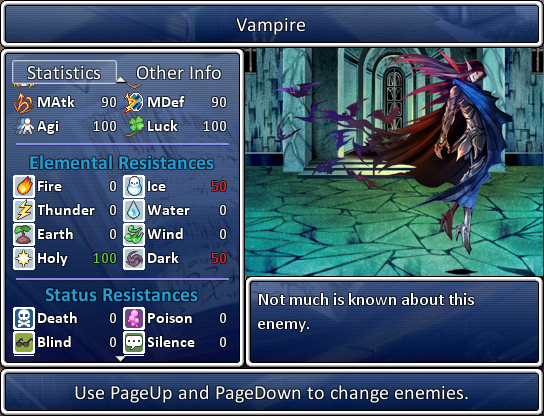
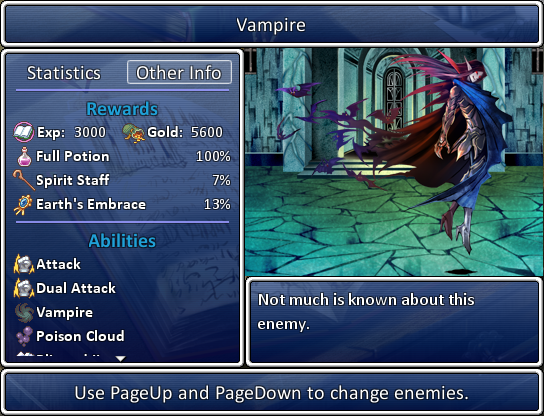
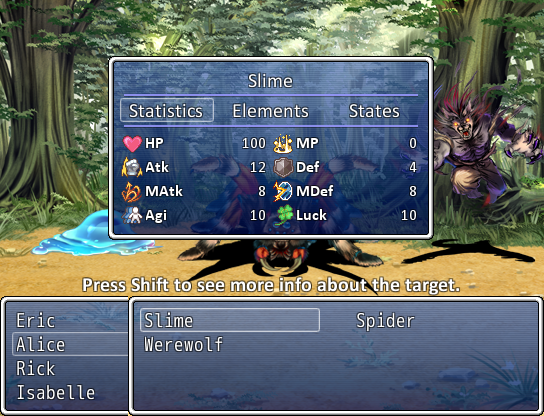
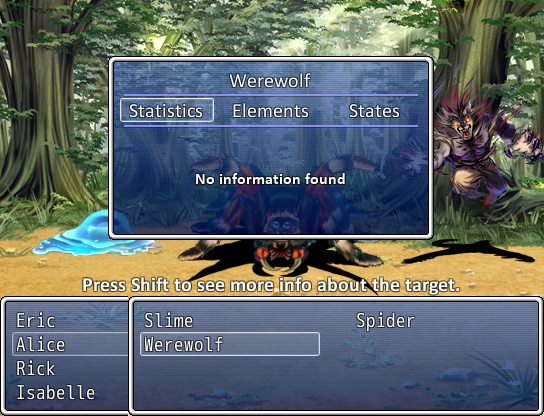
Lets actors add some extra info about a scanned target. You can set multiple quotes by actor for each enemy. For example, Eric could have 2 quotes to say about slimes and Terence could have 5 things to say about them. The script will randomly pick one quote to show. Once a quote has been viewed, it is then saved to the bestiary and can be viewed there with a key stroke you can set.


Change Log:
I must receive credit for the script. It can be in a text file with the project or credits that roll at the end of them. Whatever, I'm not picky, just want credit for the time it took to write the script.
It is fine if you want to use this script in a commercial project, but I'd like a link to the project when it's in it's demo/finished phase just cause I'd like to see it in use A free copy of the game would even be awesome if it's doable, but this is NOT a requirement.
Download Links:
Dropbox Demo - this is a compressed demo project
MediaFire rar - this is a zipped project folder of the demo
Links to the scripts without the demo:
Thanks:
Thanks to the Code Off Challenge to get my off my butt and finally script a bestiary. I had been meaning to do one for ages and was being lazy.
Downloads / Referenced Files
RPG Maker Web attachments are mirrored locally when available. Other external links remain hosted by their original creator or third-party service.
- Local mirror: 8124-4034cb3a93a95c055de411f7e2cc63b8.png
SHA-256:d6ccb78dd77026f3037ed900f4b8733d3e221777d48d09643be9a28edd29af74
Original attachment URL: https://forums.rpgmakerweb.com/attachments/beastmenu-png.17003/ - Local mirror: 8166-825eb496d6949030afdd0636deece5c1.png
SHA-256:851533d04b003fadadfcc2a93326ea6e3a3fb5ab25d23f068353f0e6c0f4d98d
Original attachment URL: https://forums.rpgmakerweb.com/attachments/beastiarybook1a-png.17065/ - Local mirror: 8167-e2523a7facf50241549c1b7cd88e91a2.png
SHA-256:81f085c60342cc4c0b9c586486f0984020277b4cb1ffed7473853d67f1d3fc1b
Original attachment URL: https://forums.rpgmakerweb.com/attachments/beastiarybook1-png.17066/ - Local mirror: 8168-611e0de1298b77008b439a978e54be60.png
SHA-256:1a0fff553f89f8a8e0e1cd83361caca961462f9a704aa940a1ba536f057d75ac
Original attachment URL: https://forums.rpgmakerweb.com/attachments/beastiarybook2-png.17067/ - Local mirror: 8169-36094d6071fdd1b04f35f1a29fb4809d.png
SHA-256:712af89954b8e17328000693065e798d6d753a2a721735b816da9f5e6521f74f
Original attachment URL: https://forums.rpgmakerweb.com/attachments/scan1-png.17069/ - Local mirror: 8170-b6382209f967a11dc0b0d8e138ec6b09.png
SHA-256:fc2cbf53cb85330cbbf721098260d3641716842b6a59c9751bbb0daf239af571
Original attachment URL: https://forums.rpgmakerweb.com/attachments/scan4-png.17070/ - Download: Dropbox Demo
- Download: MediaFire rar
- Download: Main Script
- Download: Books Addon
- Download: Actor Input Addon
License / Terms Note
Terms of Use: I must receive credit for the script. It can be in a text file with the project or credits that roll at the end of them. Whatever, I'm not picky, just want credit for the time it took to write the script. It is fine if you want to use this script in a commercial project, but I'd like a link to the project when it's in it's demo/finished phase just cause I'd like to see it...
Referenced Images / Attachments
Creator Claims / Removal
If you are the original creator and want this listing reassigned, edited, or removed, join BMMPlay and contact the moderators with proof that matches the original RPG Maker Web profile, linked GitHub, itch.io page, or another public creator identity.
Replies (0)
No replies yet.
Topic Summary
Loading summary...