

VXACEKAppraise ACE
BMM_Archive · July 15, 2026

BMM_Archive
Preserved forum archive. This topic stores the original first post and locally mirrored RPG Maker Web attachments when available. It is posted by the BMMPlay archive account, not by the original creator.
Original Source
- Original title: KAppraise ACE
- Original author: kyonides
- Original date: October 13, 2021
- Source thread: https://forums.rpgmakerweb.com/threads/kappraise-ace.141220/
- Source forum path: Game Development Engines > Ruby Game System (RGSS) Scripts > RGSS3 Scripts (RMVX Ace)
Summary
KAppraise ACE by Kyonides Arkanthes Introduction Did you ever need a custom menu scene that could allow you to identify items?
Archived First Post
KAppraise ACE
by Kyonides Arkanthes
by Kyonides Arkanthes
Introduction
Did you ever need a custom menu scene that could allow you to identify items?
Now this script will let you do it in a very convenient way!
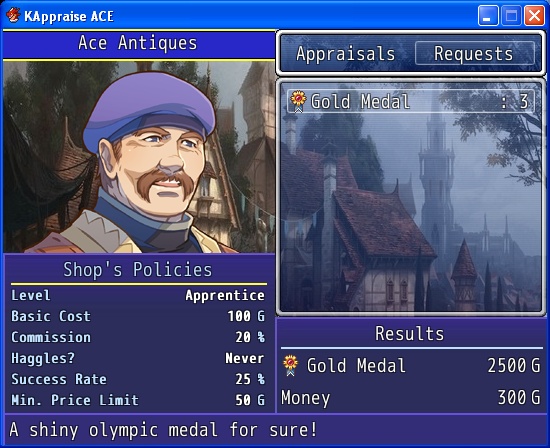
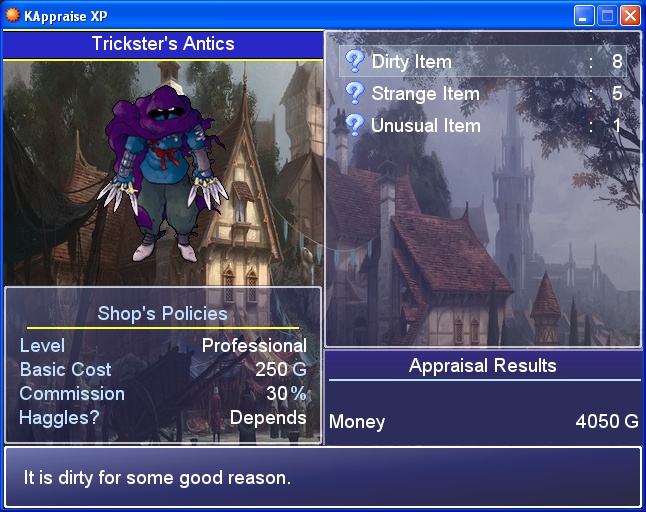
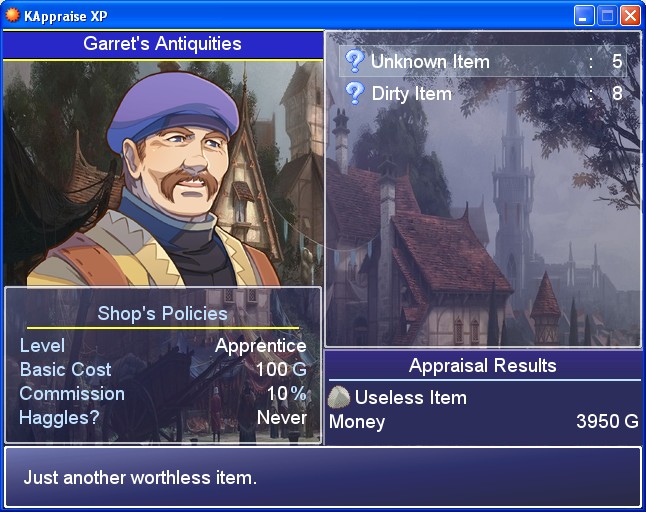
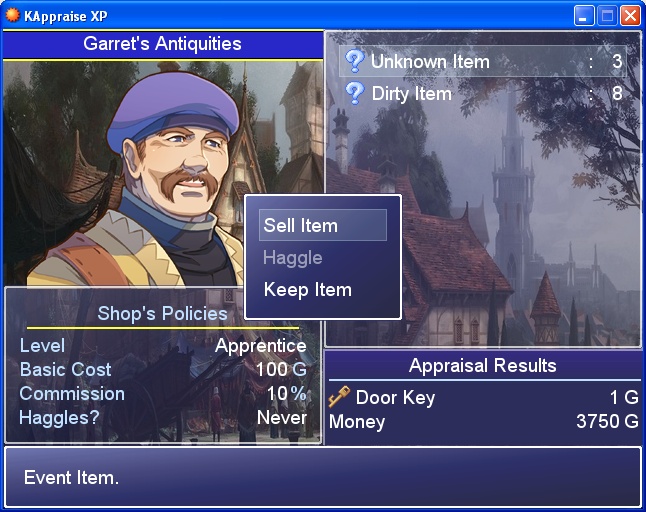
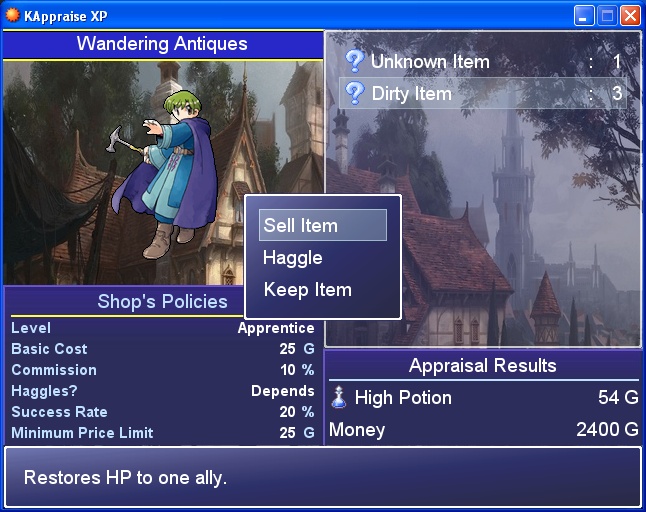
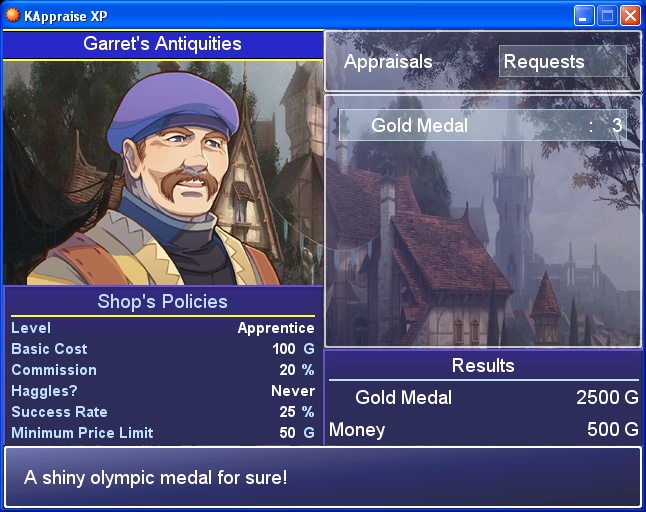
It is also available for RMXP and RMVX!
You can also let the appraisers accept some collectors' requests for a limited amount of items or weapons or goods.
You will need to configure some of its features via editing a TXT file called appraisals.txt
Appraisal Shops' Template
Code:
Store ID:               101
Expertise Level:        2
Purchases for Next Lvl: 20
Basic Cost:             50
Commission %:           20
Sell Item Price %:      50
Success Rate:           25
MAX Haggle Attempts:    0
Price Increase %:       0
MIN Purchase Price:     50
Cheat %:                5

Store ID:               102
Expertise Level:        5
Purchases for Next Lvl: 30
Basic Cost:             75
Commission %:           30
Sell Item Price %:      45
Success Rate:           40
MAX Haggle Attempts:    3
Price Increase %:       5
MIN Purchase Price:     100
Cheat %:                10

Store ID:               201
Expertise Level:        1
Purchases for Next Lvl: 25
Basic Cost:             25
Commission %:           10
Sell Item Price %:      40
Success Rate:           20
MAX Haggle Attempts:    1
Price Increase %:       5
MIN Purchase Price:     25
Cheat %:                0
Further Instructions
Code:
# Find out what a mysterious item really is with this script!
# You do not need to call the new menu scene!

# In your game root directory create a file called appraisals.txt
# You may include as many appraisal shops there as needed.
# That temporary TXT file should not be distributed with your game.

# Now a hero might become a wandering appraiser! Just press a button on the
# map and you will see how the menu shows up effortless.
# Keep in mind that the hero must be an active party member.

# Since version 1.1.0 any appraiser can offer collectors' requests at their
# shops. They always have a maximum number of units to be purchased and they
# can be canceled via script call as well.

# The SHOPKEEPER_PIC_DIR Constant will allow you to choose the directory
# where the shopkeepers' pictures will be located.

# * Activation Steps * #
# 1. The event's name will be used as the shop's name.
  # * For Events * #
# 2. Set the shop ID with a script call:  KAppraise.setup_shop(ShopID)
# 3. Add shopping goods as usual.
  # * For a Hero * #
# 2. Leave a tag in the actor's note box: <appraiser StoreCode MapId EventID>
# 3. Add shopping goods as usual.

# In both cases you might need to add additional lists just in case any given
# appraiser reaches the highest level, i.e. 11 alias Master.

# * Script Call * #

# - Set or Change the Party's Appraisal Luck Rate:
# $game_party.appraisal_luck = Number
# $game_party.appraisal_luck += Number
# $game_party.appraisal_luck -= Number

# - Change the Current Shop's No. of Haggle Attempts - after Shop Setup!
# KAppraise.shop.haggle_max = Number

# - Change the Current Shop's Level of Expertise
# KAppraise.shop.level = Number between 0 through 10
# KAppraise.shop.level += Number
# KAppraise.shop.level -= Number

# - Add a new Collector's Request
# Kind stands for :item or :weapon or :armor
# collector_request(Kind, ItemID, Number, Price, Increase %)

# - Remove a Collector's Request
# remove_collector_request(Kind, ItemID)Terms & Conditions
Free for use in non commercial games. Contact me if you are going commercial.
Mention me in your game credits!
Do not repost it anywhere!
Downloads / Referenced Files
RPG Maker Web attachments are mirrored locally when available. Other external links remain hosted by their original creator or third-party service.
- Download: DOWNLOAD DEMO
License / Terms Note
Free for use in non commercial games. Contact me if you are going commercial. Mention me in your game credits! Do not repost it anywhere!
Referenced Images / Attachments
Creator Claims / Removal
If you are the original creator and want this listing reassigned, edited, or removed, join BMMPlay and contact the moderators with proof that matches the original RPG Maker Web profile, linked GitHub, itch.io page, or another public creator identity.
Replies (0)
No replies yet.
0
replies
10
views
Topic Summary
Loading summary...