

VXACEMap Objects - v1.2 (26/08/2020)
BMM_Archive · July 15, 2026

Original Source
- Original title: Map Objects - v1.2 (26/08/2020)
- Original author: Sixth
- Original date: June 6, 2018
- Source thread: https://forums.rpgmakerweb.com/threads/map-objects-v1-2-26-08-2020.96175/
- Source forum path: Game Development Engines > Ruby Game System (RGSS) Scripts > RGSS3 Scripts (RMVX Ace)
Summary
Code: #=============================================================================== # * [ACE] Map Objects #===============================================================================
Archived First Post
#===============================================================================
# * [ACE] Map Objects
#===============================================================================
# * Made by: Sixth (www.rpgmakervxace.net, www.forums.rpgmakerweb.com)
# * Version: 1.2
# * Updated: 12/04/2019
# * Requires: Sixth's Smooth Animation System
#             Sixth's Smooth Animation Module
#-------------------------------------------------------------------------------
# * < Change Log >
#-------------------------------------------------------------------------------
# * Version 1.0 (06/06/2018)
#   - Initial release.
# * Version 1.1 (13/01/2019)
#   - Compatibility updates for... some scripts.
#     If you don't see any display errors with the map objects and don't get
#     any crashes, you probably don't need to update the script at all, at
#     least not for compatibility reasons.
#   - Minor performance update.
# * Version 1.2 (12/04/2019)
#   - Fixed the font options. Due to some compatibility edits in the previous
#     version, some of these options were not working properly.
#     IMPORTANT: If you changed some font options and want to restore those
#     changes, make sure to check the new option key symbols, because they are
#     changed now! For example, :type became :name, :font_col became :color,
#     and so on.
#   - Added a new feature that will let you toggle the editor's HUD with a key
#     simple press. Might be useful during object selection around the edges of
#     the map, for example.
#-------------------------------------------------------------------------------
# * < Description >
#-------------------------------------------------------------------------------
# * This script will add a new editor to your project which allows setting up
#   map objects (images) for mapping purposes.
# * This is NOT a game feature! These added map images got only one purpose, and
#   that is to allow for less-restricted mapping, since they are not bound to
#   any tile based grid system.
# * Okay, maybe they got more than one purpose, such as adding infinite layers
#   to your maps, re-using the same images with different properties (such as
#   zoom level, color, tone, hue, ect), making animated map objects, and they
#   can be used in certain situations where normal mapping (or even parallax
#   mapping) just won't suffice (such as allowing the character objects to show
#   up behind or before them based on the characters' position).
# * This new editor will only work in test-play mode! Well, unless you put all
#   your data and images used for this new editor in a non-encrypted folder (or
#   if your game is not encrypted at all), but I don't recommend doing that.
#   The already setup map objects will be shown normally on your maps during
#   normal gameplay, but the editor itself will not work, because it is not
#   possible to save any data (or even check for files) in encrypted
#   folders/data.
# * IMPORTANT NOTE - FOR REAL! :
#   Do NOT force close the game (with the big red "X" button on the top right
#   corner of the game window, or by any other means) while you are EDITING an
#   already placed map object! If you do that, the map object currently being
#   edited will be deleted for good! I don't plan to add any prevention methods
#   for this case, so you will have to keep this in mind while editing your
#   map objects.
# * ANOTHER IMPORTANT NOTE:
#   The new editor will automatically save your changes after any of these:
#   - Confirming the placement of a new OR an already added map object.
#   - Canceling the placement of an already added map object.
#   - Removing an already added map object.
#   There will be no warnings or questions asked, it WILL happen!
# * Some minor data will also be saved for the editor only (meaning it will NOT
#   be used during normal gameplay at all) at certain actions, such as the last
#   map edited and it's scroll values, the state of the grid display (visible or
#   not) and the last used movement mode for object placement (normal or
#   fine-tune mode). The data for these will be stored in the same folder where
#   your map object data are saved. You can remove the file containing these
#   data before you ship your game, although I doubt that your game's size
#   (or you) can't tolerate that extra few KBs. :D
#-------------------------------------------------------------------------------
# * < Installation >
#-------------------------------------------------------------------------------
# * IMPORTANT: Backup your project before attempting to install this system!
#   There shouldn't be any issue just from installing this new editor, but just
#   to be safe, make a quick backup anyway.
# * Place this script between Materials and Main!
# * The script will automatically create all folders needed for the editor the
#   first time you start your game with this script installed. However, if you
#   already got these folders setup, don't worry, nothing will be deleted in
#   them, the script will recognize them too.
# * You need to place your image files in the designated folders before you
#   could use them in the editor.
#-------------------------------------------------------------------------------
# * < Compatibility Info >
#-------------------------------------------------------------------------------
# * The new editor uses the default map spriteset with some modifications.
#   I didn't change any major aspects of it, just disabled some viewport
#   update methods which interfered with the map scroll update in the editor,
#   made the player and follower sprites hidden and added the grid display.
# * I have no idea if this editor will work with some custom scripts modifying
#   the map spriteset or not, I never tested it with any of these scripts.
#   But I know that there are many scripts modifying this class to add new
#   visual displays, so there is a chance of compatibility issues between them.
#   I can't guarantee that I will make any compatibility patches, but you can
#   let me know about these issues regardless, maybe I will be in the mood of
#   making some patches during my coffee breaks.
#-------------------------------------------------------------------------------
# * < Known Issues >
#-------------------------------------------------------------------------------
# * No known issues.
#-------------------------------------------------------------------------------
# * < Terms of Use >
#-------------------------------------------------------------------------------
# * Free to use for whatever purposes you want.
# * Credit me (Sixth) in your game, pretty please! :P
# * Posting modified versions of this script is allowed as long as you notice me
#   about it with a link to it!
#===============================================================================
- Script:
This new map editor requires more than 1 script, so instead of uploading all of them, lookie below for a handy demo.
- Demo:
Linky: https://drive.google.com/file/d/1UzgIekAvRIMZqiROKIGgnY9isqh8u5CA/view?usp=sharing
- Addons:
Some Addon:
#===============================================================================
# * [ACE] Map Objects - Some Addon
#===============================================================================
# * Made by: Sixth (www.rpgmakervxace.net, www.forums.rpgmakerweb.com)
# * Version: 1.2
# * Updated: 26/08/2020
# * Requires: Sixth's Map Objects
#-------------------------------------------------------------------------------
# * < Change Log >
#-------------------------------------------------------------------------------
# * Version 1.0 (06/06/2018)
#   - Initial release.
# * Version 1.1 (13/01/2019)
#   - Minor performance update.
# * Version 1.2 (26/08/2020)
#   - Fixed a crash issue with color and tone changes.
#-------------------------------------------------------------------------------
# * < Description >
#-------------------------------------------------------------------------------
# * Just like the great script name implies (not really :D), this addon will let
#   you change the properties of the already added map objects during the game
#   with script calls.
#-------------------------------------------------------------------------------
# * < Installation >
#-------------------------------------------------------------------------------
# * Place this script below my Map Objects script but above Main!
#-------------------------------------------------------------------------------
# * < Compatibility Info >
#-------------------------------------------------------------------------------
# * Same as my Map Objects script, of course.
#-------------------------------------------------------------------------------
# * < Known Issues >
#-------------------------------------------------------------------------------
# * No known issues.
#-------------------------------------------------------------------------------
# * < Terms of Use >
#-------------------------------------------------------------------------------
# * Free to use for whatever purposes you want.
# * Credit me (Sixth) in your game, pretty please! :P
# * Posting modified versions of this script is allowed as long as you notice me
#   about it with a link to it!
#===============================================================================- Screenshots:
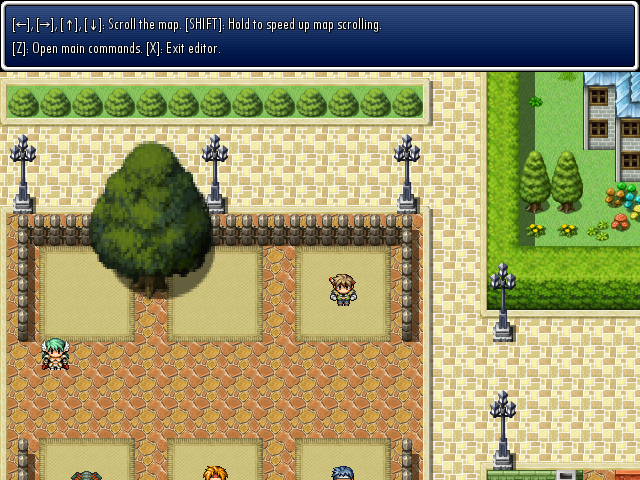
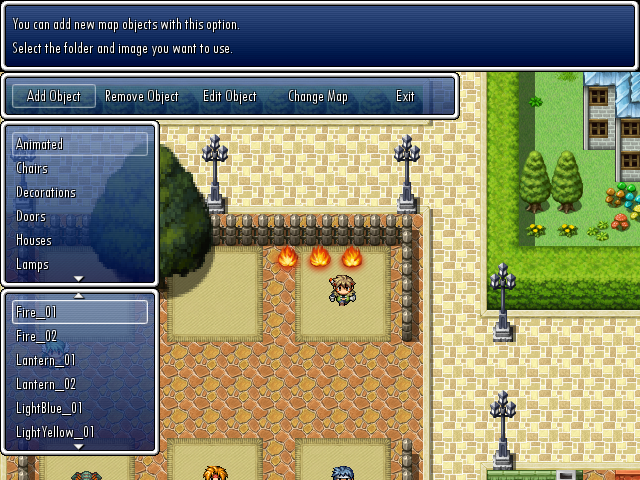
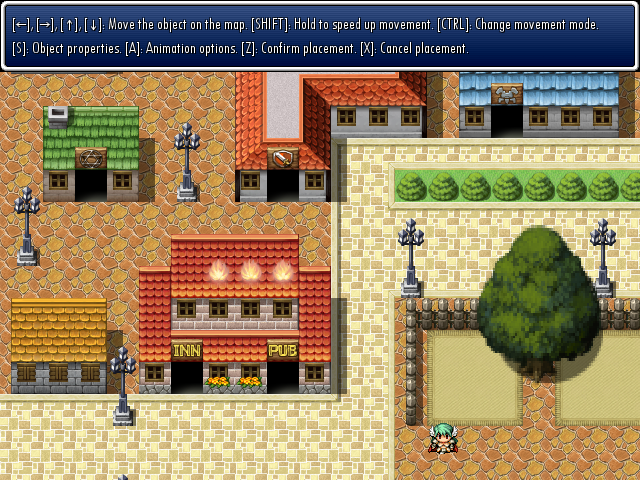
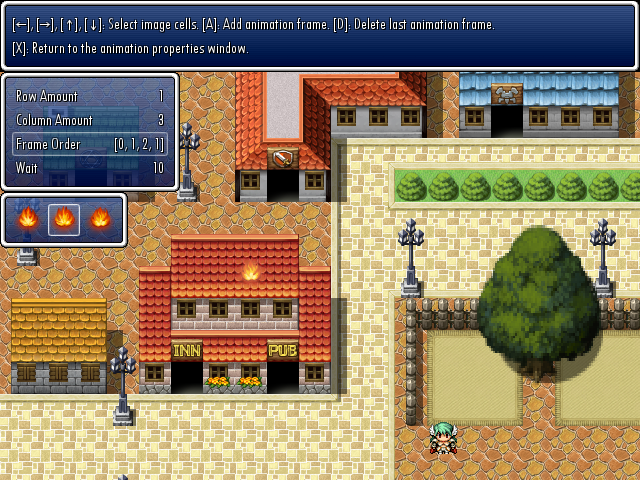
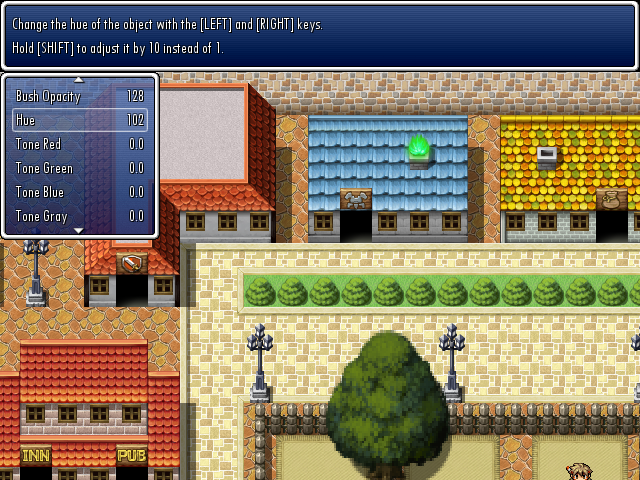
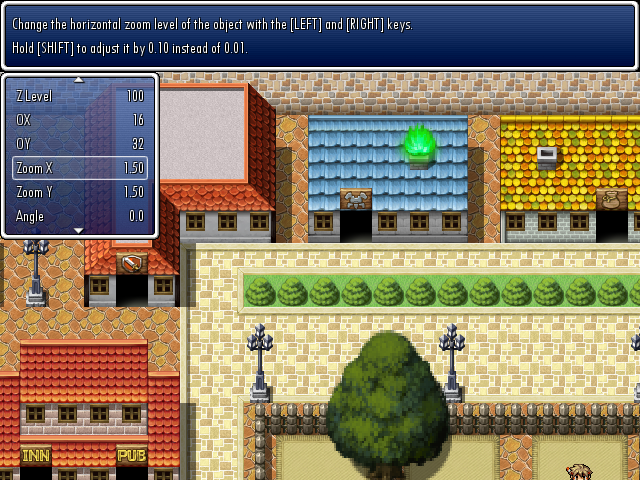
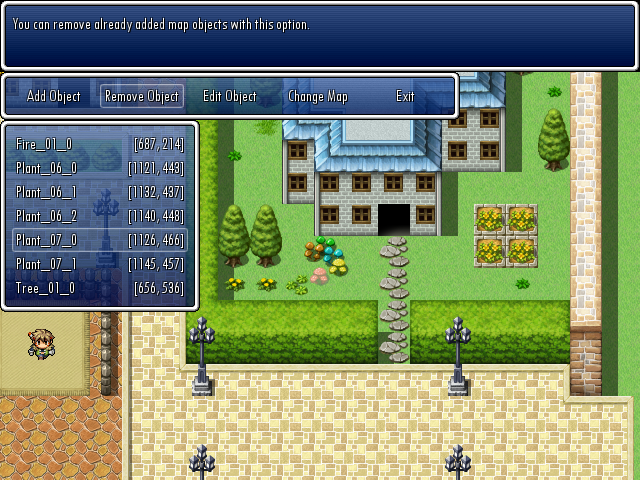
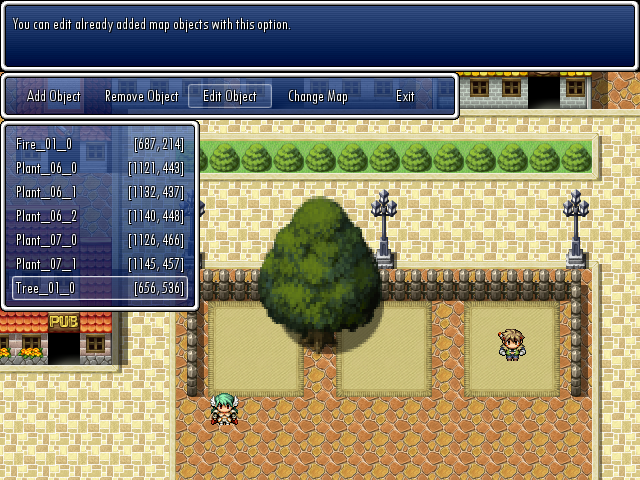
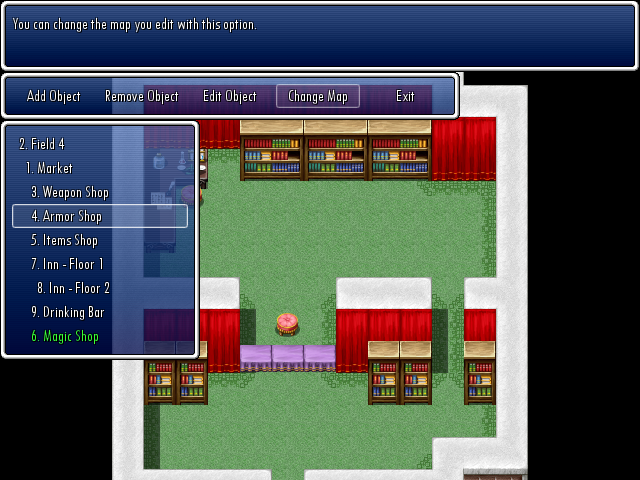
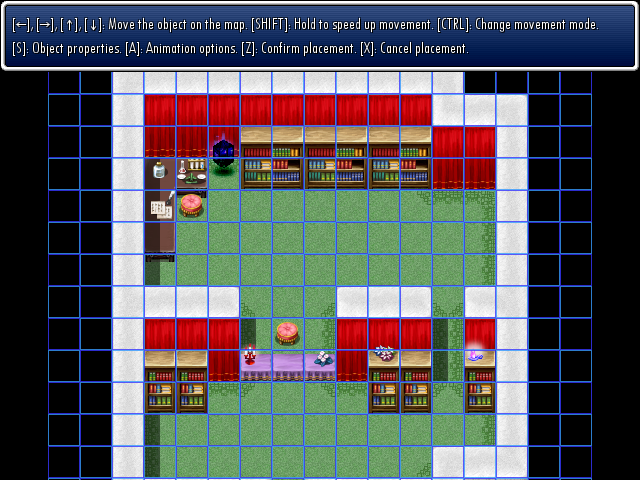
- Author's Notes:
The demo includes some scripts not made by me. These scripts retain their original terms of use, so if you plan to use them, read those terms!
All required scripts and addons are included in the demo.
I didn't add many images to the demo to keep the size low, but of course, you can add as many as you want in your project.
I made this script quite a while ago and was too lazy to re-check my code, so it's possible that I left in some bugs. If you find them, let me know and I will squash them.
Downloads / Referenced Files
RPG Maker Web attachments are mirrored locally when available. Other external links remain hosted by their original creator or third-party service.
License / Terms Note
# * < Terms of Use > #------------------------------------------------------------------------------- # * Free to use for whatever purposes you want. # * Credit me (Sixth) in your game, pretty please! :P
Referenced Images / Attachments
Creator Claims / Removal
If you are the original creator and want this listing reassigned, edited, or removed, join BMMPlay and contact the moderators with proof that matches the original RPG Maker Web profile, linked GitHub, itch.io page, or another public creator identity.
Replies (0)
No replies yet.
Topic Summary
Loading summary...