#------------------------------------------------------------------------------
# HP Color Controller - Version R1.02
# Developed by AceOfAces
# Licensed under GPLv3 license
#------------------------------------------------------------------------------
#------------------------------------------------------------------------------
# This script provides additional hp gauge and text colors similar to the
# Pokemon series.
#------------------------------------------------------------------------------
#------------------------------------------------------------------------------
# Installation:
# Place this script below ▼ Materials but above Main.
# If you use a script that modifies the colors on the Window_Base, place this
# script below it for maximum compatibility.
#------------------------------------------------------------------------------
 module FSE
   module HPCONTROL
#------------------------------------------------------------------------------
# Config
#------------------------------------------------------------------------------

# This option is used for compatibiity mode. Turn this on if you adjust
# :hp_gauge1, :hp_gauge2, and :crisis_color from a different script
# (Yanfly Ace Engine for example). This will ignore :hp_crisis, :hpgaugenomal
# (1 and 2) and :hp_ko on the color settings.
 COMPAT_MODE = false

# This option enables the extra "Warning" color.
 WARN_COLOR = false

# Adjust the low hp and critical hp limits here. These will be used to check
# when to change colours, depending on the remaining hp
 LOW_HP = 0.3
 CRIT_HP = 0.15
 WARN_HP = 0.5

# Adjust the colours here. If you have enabled the compatibility mode, adjust
# :hp_low, :hpgauge_low1, hp_gaugelow2, hp_gaugecri1 and hp_gaugecrit2.
   COLOURS ={
    # :text       => ID (found on the Window.png file)
      :warn_hp_text       => 17,  # Default: 17
      :low_hp_text        =>  2,  # Default:  2
      :hp_crisis          => 18,  # Default: 18
      :hp_ko              => 15,  # Default: 15
      :hp_gaugenormal1    => 11,  # Default: 11
      :hp_gaugenormal2    =>  3,  # Default:  3
      :hp_gaugewarn1      => 17,  # Default: 17
      :hp_gaugewarn2      =>  6,  # Default:  6
      :hp_gaugelow1       => 20,  # Default: 20
      :hp_gaugelow2       => 21,  # Default:  6
      :hp_gaugecri1       => 18,  # Default: 18
      :hp_gaugecri2       =>  2,  # Default:  2
      } #Leave this bracket alone.
 #
 #
end
end
#------------------------------------------------------------------------------
# WARNING! DO NOT EDIT ANYTHING BEYOND THIS POINT IF YOU DON'T KNOW WHAT ARE
# YOU DOING! Editing beyond this point may render your game innoperable.
#------------------------------------------------------------------------------
 class Window_Base < Window

#------------------------------------------------------------------------------
# Adding new colors
#------------------------------------------------------------------------------
  def hp_crisis_color;   text_color(FSE::HPCONTROL::COLOURS[:hp_crisis]); end;
  def hp_low_color;      text_color(FSE::HPCONTROL::COLOURS[:low_hp_text]); end;
  def hp_warn_color;     text_color(FSE::HPCONTROL::COLOURS[:warn_hp_text]); end;
  def hp_knockout;       text_color(FSE::HPCONTROL::COLOURS[:hp_ko]); end;
  def hp_gaugenormal1;   text_color(FSE::HPCONTROL::COLOURS[:hp_gaugenormal1]); end;
  def hp_gaugenormal2;   text_color(FSE::HPCONTROL::COLOURS[:hp_gaugenormal2]); end;
  def hp_gauge_warn1;    text_color(FSE::HPCONTROL::COLOURS[:hp_gaugewarn1]); end;
  def hp_gauge_warn2;    text_color(FSE::HPCONTROL::COLOURS[:hp_gaugewarn2]); end;
  def hp_gauge_low1;     text_color(FSE::HPCONTROL::COLOURS[:hp_gaugelow1]); end;
  def hp_gauge_low2;     text_color(FSE::HPCONTROL::COLOURS[:hp_gaugelow2]); end;
  def hp_gauge_crit1;    text_color(FSE::HPCONTROL::COLOURS[:hp_gaugecri1]); end;
  def hp_gauge_crit2;    text_color(FSE::HPCONTROL::COLOURS[:hp_gaugecri2]); end;

#------------------------------------------------------------------------------
# Introduce a new method: hpbar_color1
#------------------------------------------------------------------------------
  def hpbar_color1(actor)
    return hp_gauge_crit1 if actor.hp < actor.mhp * FSE::HPCONTROL::CRIT_HP
    return hp_gauge_low1 if actor.hp > actor.mhp * FSE::HPCONTROL::CRIT_HP && actor.hp < actor.mhp * FSE::HPCONTROL::LOW_HP
    return hp_gauge_warn1 if FSE::HPCONTROL::WARN_COLOR == true && (actor.hp > actor.mhp * FSE::HPCONTROL::LOW_HP && actor.hp < actor.mhp * FSE::HPCONTROL::WARN_HP)
    return hp_gauge_color1 if FSE::HPCONTROL::COMPAT_MODE != false
    return hp_gaugenormal1
  end
#--------------------------------------------------------------------------
# Introduce a new method: hpbar_color2
#--------------------------------------------------------------------------
  def hpbar_color2(actor)
    return hp_gauge_crit2 if actor.hp < actor.mhp * FSE::HPCONTROL::CRIT_HP
    return hp_gauge_low2 if actor.hp > actor.mhp * FSE::HPCONTROL::CRIT_HP && actor.hp < actor.mhp * FSE::HPCONTROL::LOW_HP
    return hp_warn_color if FSE::HPCONTROL::WARN_COLOR == true && (actor.hp > actor.mhp * FSE::HPCONTROL::LOW_HP && actor.hp < actor.mhp * FSE::HPCONTROL::WARN_HP)
    return hp_gauge_color2 if FSE::HPCONTROL::COMPAT_MODE != false
    return hp_gaugenormal2
  end
#--------------------------------------------------------------------------
# Overwrites hp_color
#--------------------------------------------------------------------------
  def hp_color(actor)
    return hp_knockout if actor.hp ==0
    return knockout_color if actor.hp == 0 && FSE::HPCONTROL::COMPAT_MODE
    return hp_crisis_color if (actor.hp < actor.mhp * FSE::HPCONTROL::CRIT_HP)
    return crisis_color if (actor.hp < actor.mhp * FSE::HPCONTROL::CRIT_HP) && FSE::HPCONTROL::COMPAT_MODE
    return hp_low_color if actor.hp > actor.mhp * FSE::HPCONTROL::CRIT_HP && actor.hp < actor.mhp * FSE::HPCONTROL::LOW_HP
    return hp_gauge_warn1 if FSE::HPCONTROL::WARN_COLOR == true && (actor.hp > actor.mhp * FSE::HPCONTROL::LOW_HP && actor.hp < actor.mhp * FSE::HPCONTROL::WARN_HP)
    return normal_color
  end
#-----------------------------------------------------------------------------
# Overwrites draw_actor_hp
#-----------------------------------------------------------------------------
  def draw_actor_hp(actor, dx, dy, width = 124)
    draw_gauge(dx, dy, width, actor.hp_rate, hpbar_color1(actor), hpbar_color2(actor))
    change_color(system_color)
    cy = (Font.default_size - contents.font.size) / 2 + 1
    draw_text(dx+2, dy+cy, 30, line_height, Vocab::hp_a)
    draw_current_and_max_values(dx, dy+cy, width, actor.hp, actor.mhp,
      hp_color(actor), normal_color)
    end
  end

#-------------------------------------------------------------------------------
# Doing  some overwrites on the Window_BattleStatus
#-------------------------------------------------------------------------------
  class Window_BattleStatus < Window_Selectable
#-----------------------------------------------------------------------------
# Overwrites draw_actor_hp
#-----------------------------------------------------------------------------
  def draw_actor_hp(actor, dx, dy, width = 124)
    draw_gauge(dx, dy, width, actor.hp_rate, hpbar_color1(actor), hpbar_color2(actor))
    change_color(system_color)
    cy = (Font.default_size - contents.font.size) / 2 + 1
    draw_text(dx+2, dy+cy, 30, line_height, Vocab::hp_a)
    draw_current_and_max_values(dx, dy+cy, width, actor.hp, actor.mhp,
      hp_color(actor), normal_color)
     end
   end








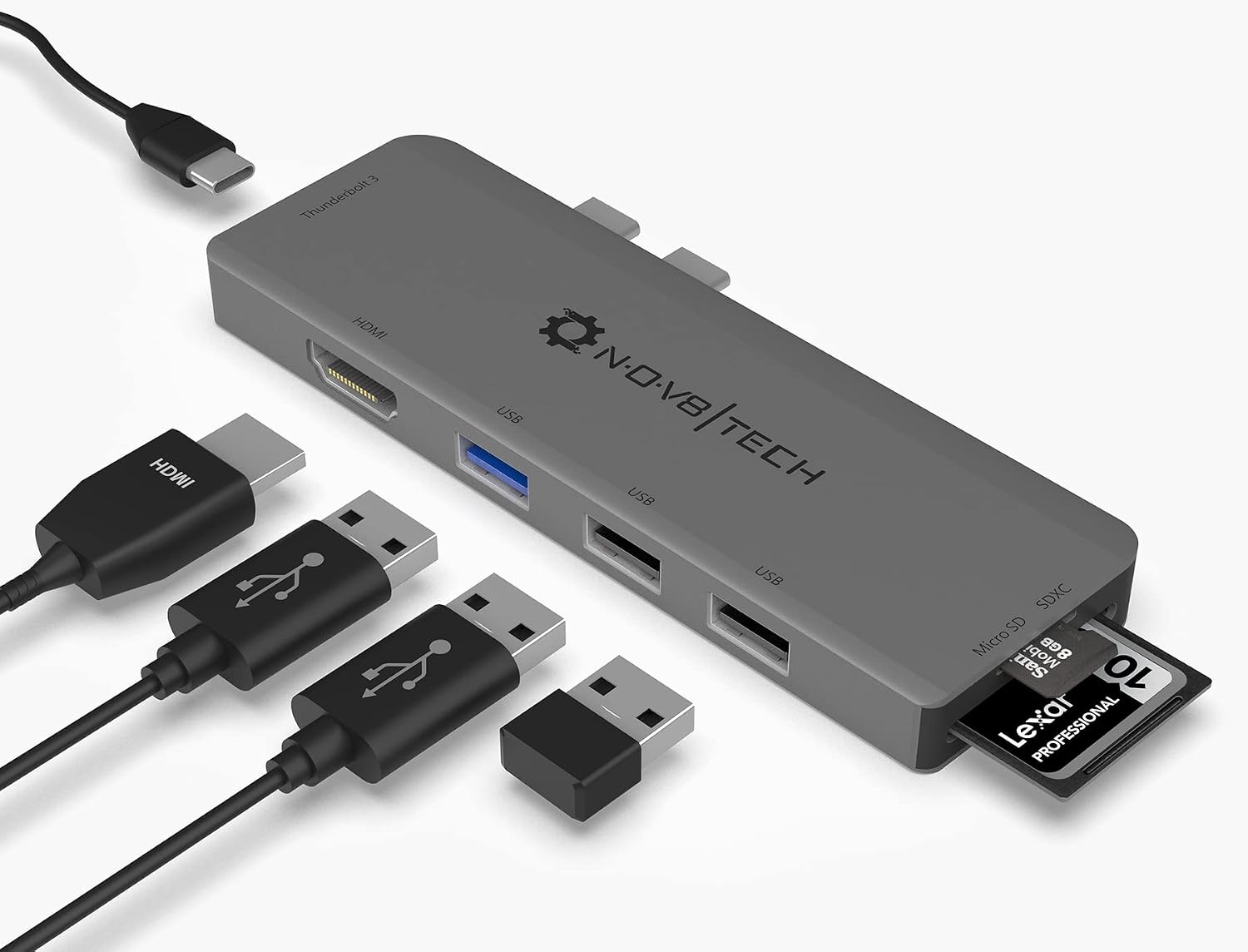 7-in-2 USB-C Multiport Adapter for MacBook Pro and Air
Slim USB-C hub for HDMI, USB, card access, and everyday laptop expansion.
View on Amazon
7-in-2 USB-C Multiport Adapter for MacBook Pro and Air
Slim USB-C hub for HDMI, USB, card access, and everyday laptop expansion.
View on Amazon