

VXACENapoleons Script collection
BMM_Archive · July 15, 2026

Original Source
- Original title: Napoleons Script collection
- Original author: Napoleon
- Original date: July 19, 2014
- Source thread: https://forums.rpgmakerweb.com/threads/napoleons-script-collection.30063/
- Source forum path: Game Development Engines > Ruby Game System (RGSS) Scripts > RGSS3 Scripts (RMVX Ace)
Summary
Napoleons Script Collection By Napoleon & others Introduction A single topic for all my (or the ones that I have permission to share/alter/own) scripts. Because some had no topic and others are scattered all over the place. If you have any problems or find any bugs, ask&report them here. Except the minimap script, that one has it's own topic.
Archived First Post
By Napoleon & others
Introduction
A single topic for all my (or the ones that I have permission to share/alter/own) scripts. Because some had no topic and others are scattered all over the place. If you have any problems or find any bugs, ask&report them here. Except the minimap script, that one has it's own topic.
Most of these scripts are from my upcomming game, which uses over 140 custom scripts now. Yeah it got a bit out of hand .
Script List (Items marked in red are for scripters/advanced users):
- Auto Silence BGS: Automatically fade or stop Background sounds (BGS) when transferring between maps.
- Auto-Dash: Automatically dash by flipping a switch. You can walk again by holding down the [shift]-key (can be configured). You can also completely disable dashing with a switch.
- <span style="color: #ff0000">Autonomous Movement Range: Increases the range at which autonomous movement events are updated (for scripters).
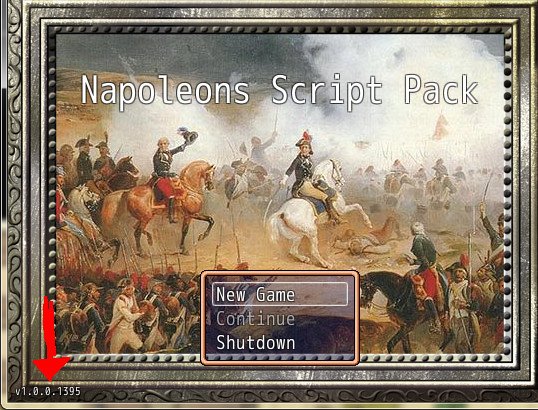
- Build & Version: For maintaining a version and build number. Automatically increments the build number.
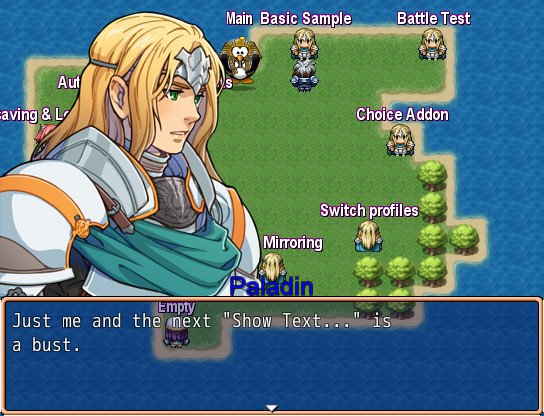
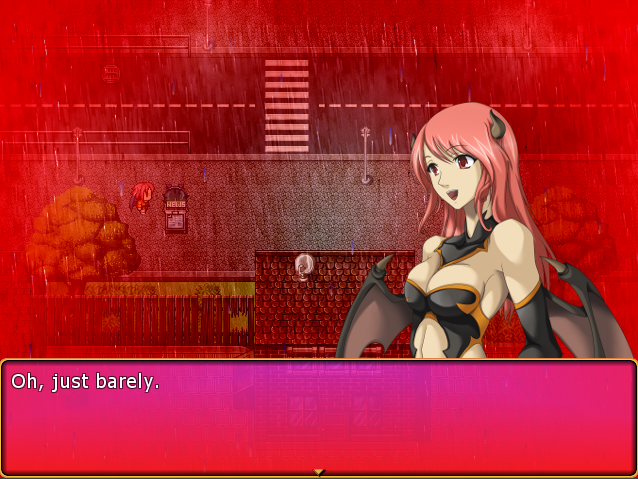
- Bust Script + 2 addons: Shows automatic busts instead of face graphics. It's the bust script with the most features and the most stable one around.
- Conditional events: Erases events when the map is loaded based on your methods (for scripters).
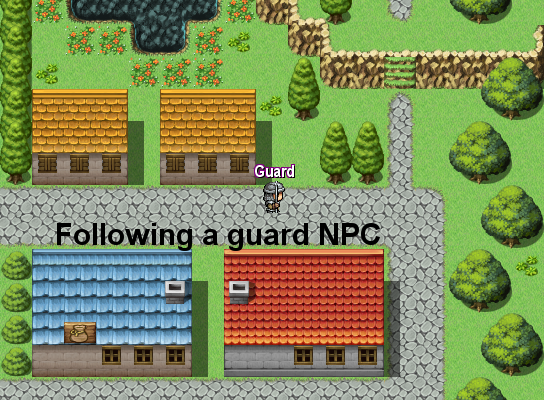
- Camera Scroll: Allows you to scroll the camera to a specific location or event (including following an event). Scrolling can be done instantly or over time.
- Core Script: My core script. Not required for most scripts though.
- <span style="color: #ff0000">Destructible Cache: Never forget an undisposed bitmap ever again (for scripters)
- <span style="color: #ff0000">Destructible Sprite Bitmap: Automatically dispose tagged bitmaps within sprites. Alternative version of "destructible cache" (for scripters).
- <span style="color: #ff0000">Detect Game-variable/switch value change: Gives you a method to alias or override to detect when a game-variable or game-switch was changed (real-time).

- Event Debugger: Shows you the name, id and location of the event that caused your game to crash (if caused by a script call). Also intended for non-scripters.
- Event Text: Displays texts above events on the map.
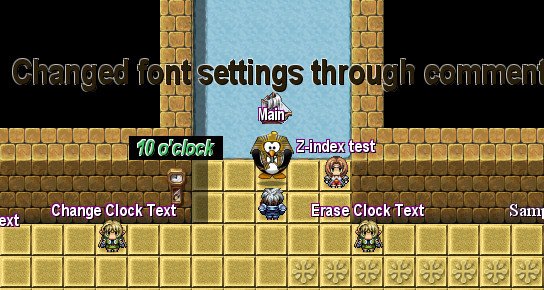
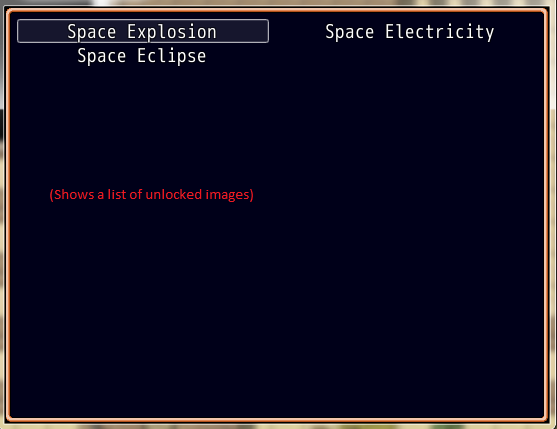
- (Text) Image Gallery: Adds an image gallery to the main menu that shows a list of pictures that the player unlocked.
- <span style="color: #ff0000">Inifile: An inifile script. For scripters only.
- Item Limit: Allows you to set a custom limit for all items as well as for specific items. Also applies for shops.
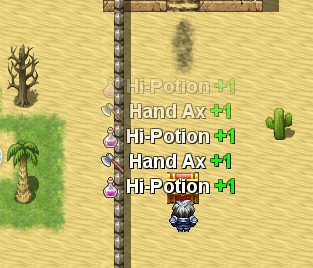
- Item Popup: Shows (even automatically if desired) text and sound effects on the map when gaining/losing items.
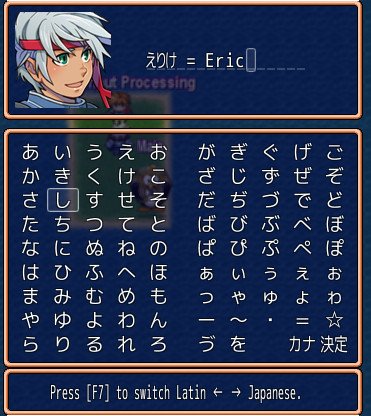
- Japanese Name Input: Allows the player to switch between the Roman alphabet and the Japanese Kana alphabets.
- <span style="color: #ff0000">Local Event Variables: Allows you to use variables in events that are not saved/loaded to/from savefiles (for scripters).
- Map ID Variable: Automatically stores the current Map ID into a game variable.
- Minimap: An advanced minimap (http://forums.rpgmakerweb.com/index.php?/topic/13801-napoleons-minimap/).
- Minimum Damage: Always deal a fixed and a percentage minimum damage value when a player/enemy has way too much defense. This is to prevent 0 or null damage values.
- MoveRoute Wait: Allows you to wait for specific 'move routed events' to complete before you proceed with the event-execution.
- <span style="color: #ff0000">Nap Image: Displays an image on screen (for scripters).
- Nickname Escape: Enables the usage of \nn[x] for nicknames in Message Windows. The command can be customized.
- Nickname Input: Shows a nickname input window just like the regular name-input-window.
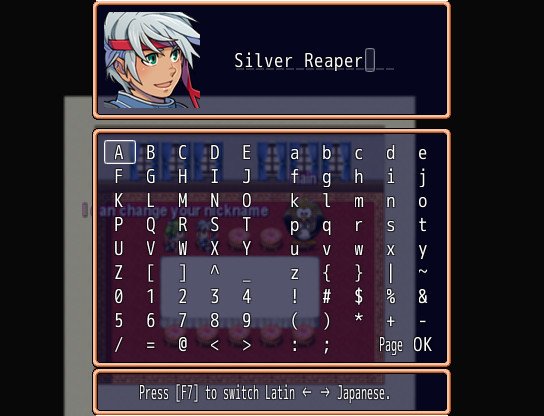
- NPC Random: Randomizes event occurrences when entering a map without having to maintain duplicate maps.
- <span style="color: #ff0000">Point: Provides a Point class. For scripters.
- <span style="color: #ff0000">Rectangle: Provides an improved Rectangle class. Useful for collision detection and such. For scripters.
- Region Limit Breaker: Allows you to assign extra regions to a map up to 127 (advanced users).
- Remove "Enemy Emerged": Remove the "Enemy Emerged" message at the start of a battle.
- <span style="color: #ff0000">Reserved: Keeps a list of used regions, game variables and game switches and alerts you when the same one is used by more than one script. Nice for keeping huge projects in check. For advanced users only.
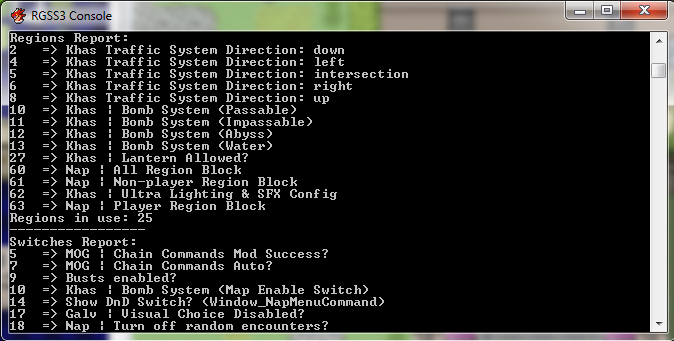
- Restrict Encounters: Gives you more control about the amount of encounters per map and per troop type.
- Party Step Counter: Stores the real-time total party-steps in a game variable.
- Party Step Incremental Counter: Everytime the party's step-counter is increased a game_variable is also increased. It also supports automatically resetting the game_variable at a specific value as well as calling a method when that value was reached.
- Picture Z-Index: Allows you to change & retrieve the z-indices for the game_pictures.
- <span style="color: #ff0000">Script Boss: Enables/Disables scripts fast&easily and also scans for their dependencies (for advanced users).
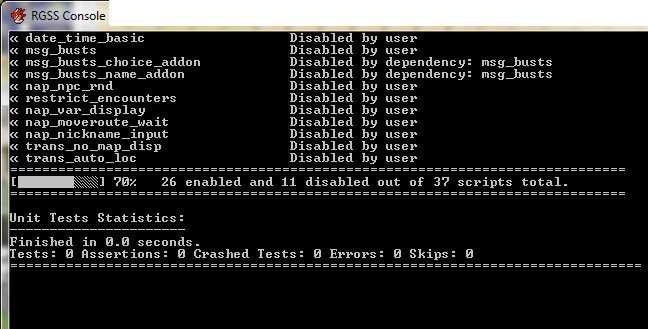
- Skip Title Screen: How did Degica not implement this feature in their engine :/
- Transfer Auto-location: Automatically transfers the player to the desired location upon entering a map.
- Transfer w/o map display name: Self explanatory.
- <span style="color: #ff0000">Unit Tests: Unit Testing, for scripters
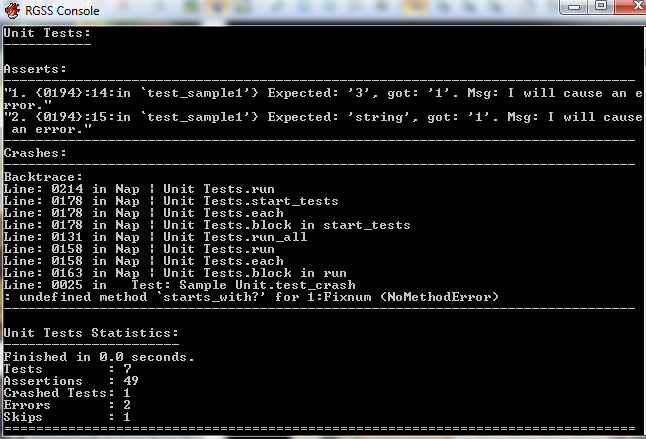
- Variable Display: Displays the desired up2date (real-time) game_variables. Nice for debugging.
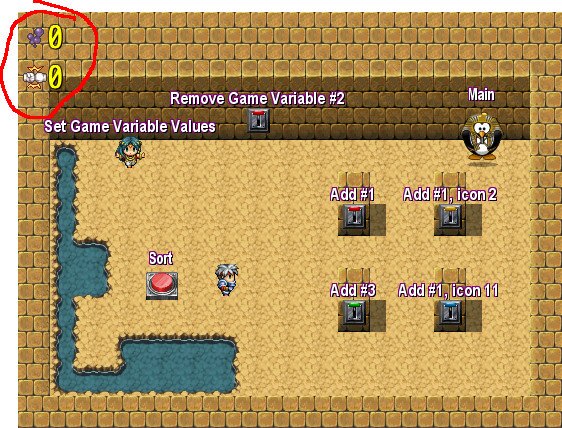
- Wait for map scroll: Allows you to pause the event or script execution until the map finishes scrolling. Nice for cut-scenes so you don't have to time a Wait command.
- Wait for key: Holds the execution of the event until the player pressed the specified key. Nice for showing a map or some other image through show-picture for example and then wait for a key-press before proceeding.
- Window Message Skin: Allows you to use images instead of regular window skins. Also supports profiles.
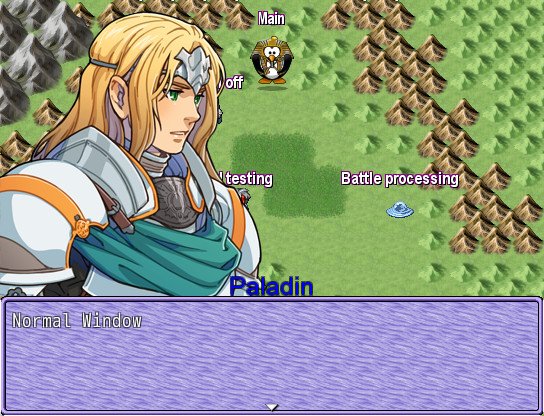
- Window Skin: Allows you to change the skins of all windows and/or of just specific ones. Does not use overlays and does not attach itself to an update method for more performance.
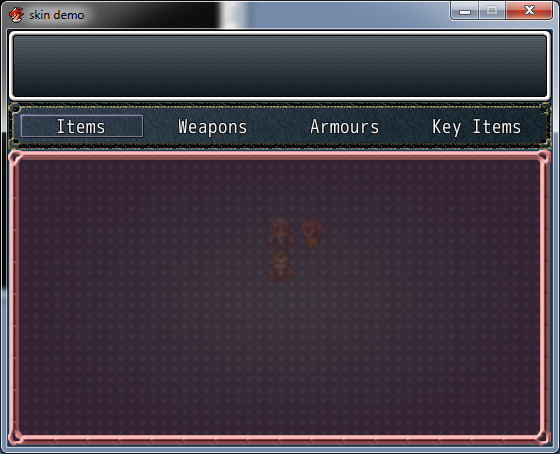
- Window Popup: Popup window that does not pause the game.
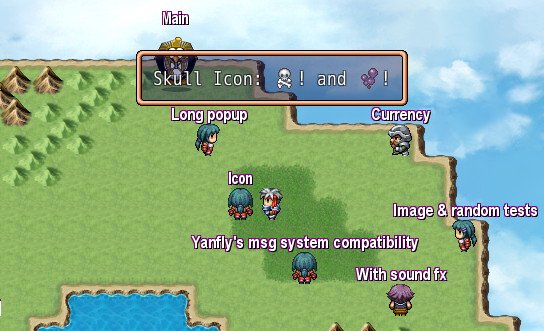
Scripts & Demo
https://www.dropbox.com/s/jm92rbqb5eadryr/Napoleons%20Master%20Demo.zip
Credits & License
For credits/license see the script headers. For some of the master demo graphics, see the notes in the master demo.
Most of my scripts are CC3 (without required credits!). At the time of writing all of my scripts in the master demo are free for non-commercial and commercial use.LICENSE UPDATE 12 December 2014:
From now on (12 December 2014) all my scripts posted here (or in the master demo), that were exclusively written by me, are now CC0/Public Domain. Credits are appreciated but obviously no longer required.
This overrules the licenses inside the script headers. But only for those scripts that were exclusively written by me (So Yami's scripts and such still retain their original license).
About Malware detected by Chrome
Download it and scan it with a real antivirus because Chrome has issues with false positives.
Alternatively copy the file "Data/Scripts.rvdata2" to a new project and you are safe. I will never put malware in my demo's and I don't resort to 'questionable sites' like adFly which may randomly contain porn or warez!
Downloads / Referenced Files
RPG Maker Web attachments are mirrored locally when available. Other external links remain hosted by their original creator or third-party service.
- Local mirror: 7263-0587c4cba1f309fd2d0f5be4a278ae27.jpg
SHA-256:1c85176cbfe851cef748b7a506a5293122536b97f4f51264d72e57ee2f2268b2
Original attachment URL: https://forums.rpgmakerweb.com/attachments/build_n_version-jpg.15387/ - Local mirror: 7264-c34e3da8a430ecea1a6622cd1e1722ef.jpg
SHA-256:84cd20fecd58c04f8c7003700e852e217c98e79dde31efcf829fe354a8c9d442
Original attachment URL: https://forums.rpgmakerweb.com/attachments/bust-jpg.15388/ - Local mirror: 7646-2b176064ab767705cd7ff924f0112f4a.png
SHA-256:fae6e4cf52ee731370d198711aa699fba947b588c204fcf810c31b0ce3c72c8b
Original attachment URL: https://forums.rpgmakerweb.com/attachments/bust-png.16014/ - Local mirror: 7385-0cf7418ec87fe09fbfa5c9ef03fa980b.png
SHA-256:377f19888c8a9e52dd9587fe1affcec344549670f1a01a14e16c47c2597972e3
Original attachment URL: https://forums.rpgmakerweb.com/attachments/cam_scroll-png.15592/ - Local mirror: 7756-4d63df77d7a35cbe9111d59ce9af50a4.png
SHA-256:10a7ea9e2d9bee2ab52f247eb5d79d96874826918867a8f7287d4a935ea9ef7e
Original attachment URL: https://forums.rpgmakerweb.com/attachments/detect-png.16157/ - Local mirror: 7271-94e4abafd772ca800de9309c0f8e345f.jpg
SHA-256:b950081fcd6fae694302990987468da6b0f9e73187d9e9fcac73c31c0e3cf202
Original attachment URL: https://forums.rpgmakerweb.com/attachments/ev_txt-jpg.15395/ - Local mirror: 7645-abe8ad46a4dd762697dbc1b1a3a6accd.png
SHA-256:04a32a3eef85d2f28cc7b73262849753a1a91fe1524561a3d9628b899a20e2cc
Original attachment URL: https://forums.rpgmakerweb.com/attachments/txt_img_gal-png.16013/ - Local mirror: 7270-b0721d597ea282122657742133c54987.jpg
SHA-256:9421f0f1bece151a654974104e07b1cbaa9db51ebddfe4f98fa4c1a0dea84993
Original attachment URL: https://forums.rpgmakerweb.com/attachments/item_popup-jpg.15394/ - Local mirror: 7268-ff24db89fa34d2ce99b2fece0a044744.jpg
SHA-256:4570f8301491d0ec34f0d9d788c6a7d6bfd646ff87d51b9ffebaa213d91c14f5
Original attachment URL: https://forums.rpgmakerweb.com/attachments/jap_name_input-jpg.15392/ - Local mirror: 7269-2ef801bc7b1a45b56d1dc9c785363a1f.jpg
SHA-256:4665ef3f17af8361ac6332bc4646b7931bef414e95ceeb44a3e20c5fee4992e4
Original attachment URL: https://forums.rpgmakerweb.com/attachments/nickname_changer-jpg.15393/ - Local mirror: 7752-b8508ad058f30db5940d282fbc40ff56.png
SHA-256:8c8f7d53b1c830e9c440c64a1774eee3db41e2c7f7fa84acb8c512a6855a7796
Original attachment URL: https://forums.rpgmakerweb.com/attachments/reserved-png.16153/ - Local mirror: 7272-25456d602b966dafa4e08198b620abe8.jpg
SHA-256:fcbee1556253e460868b6c5e9886b701a6a47491edb579c8d86065cf9f506db6
Original attachment URL: https://forums.rpgmakerweb.com/attachments/script_boss-jpg.15397/ - Local mirror: 7753-7ee290eeda3be1a4d119d0b6470ff008.png
SHA-256:f0de6b275c3c2a95e3e5be3cf1da48c75bb6bbf402bf24e4dfaa100aa4b0e188
Original attachment URL: https://forums.rpgmakerweb.com/attachments/unit-tests-png.16154/ - Local mirror: 7267-86f8033c9c3f27ad23d7f5ef5f188f45.jpg
SHA-256:fce2d04172bec3e9ba9231f9e791566b2a35c1c759623216839f53508e6d8a81
Original attachment URL: https://forums.rpgmakerweb.com/attachments/var_display-jpg.15391/ - Local mirror: 7266-336d1fddc487a487e95aacdb2a0e16f7.jpg
SHA-256:b2c64c6cbce0766d077b5c59b409a7f74f67ce63b204055b49e2e153bafc2246
Original attachment URL: https://forums.rpgmakerweb.com/attachments/msg_skin-jpg.15390/ - Local mirror: 7675-a0c1b5f156c2faa8eabb54a3f08fbfa5.png
SHA-256:9b90dea05222d6daa362d9943c03eaf4f4544cefadb59ae0ced56fa21ec659ae
Original attachment URL: https://forums.rpgmakerweb.com/attachments/window-skin-png.16050/ - Local mirror: 7265-e7ec87347f67d8dc9a3f8cdaf63f0187.jpg
SHA-256:7fb38133c93231b0f2bc434306a9c3d194343a4292d031b9a94dddf5f5630dc5
Original attachment URL: https://forums.rpgmakerweb.com/attachments/popup_window-jpg.15389/ - Download: https://www.dropbox.com/s/jm92rbqb5eadryr/Napoleons%20Master%20Demo.zip
License / Terms Note
Credits & License For credits/license see the script headers. For some of the master demo graphics, see the notes in the master demo. Most of my scripts are CC3 (without required credits!). At the time of writing all of my scripts in the master demo are free for non-commercial and commercial use.LICENSE UPDATE 12 December 2014: From now on (12 December 2014) all my scripts posted here (or in the master demo), that were exclusively written by me, are now...
Referenced Images / Attachments
Creator Claims / Removal
If you are the original creator and want this listing reassigned, edited, or removed, join BMMPlay and contact the moderators with proof that matches the original RPG Maker Web profile, linked GitHub, itch.io page, or another public creator identity.
Replies (0)
No replies yet.
Topic Summary
Loading summary...