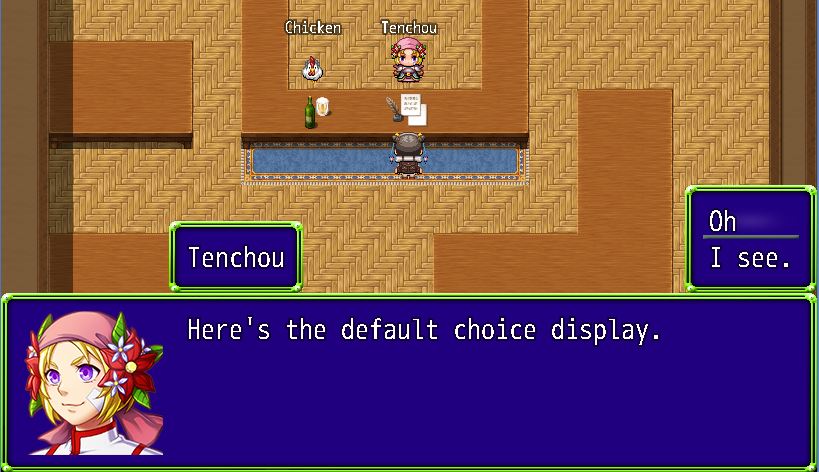
By default, when you present players with a set of choices for them to select, the choices will be displayed in a window separate from the message window. However, what if you wanted to present your choices differently in certain situations? Here is an example of how the choices normally look. They appear on the side, separate from the window. {
By default, when you present players with a set of choices for them to select, the choices will be displayed in a window separate from the message window.
However, what if you wanted to present your choices differently in certain situations?
Here is an example of how the choices normally look. They appear on the side, separate from the window.
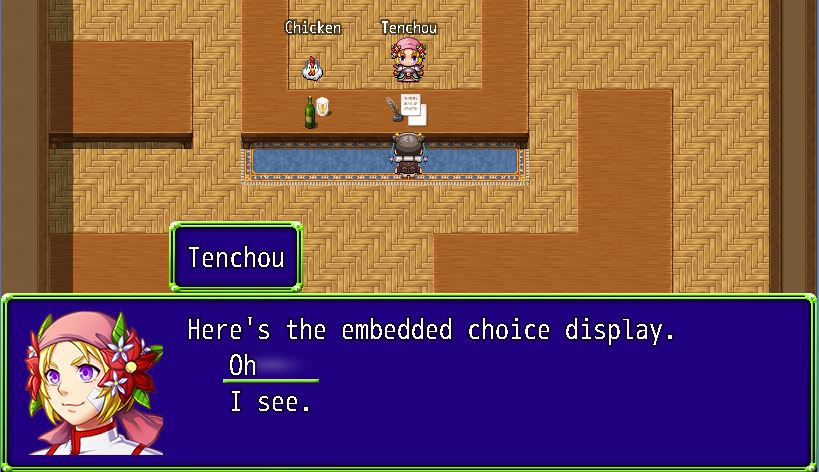
This plugin allows you to display the choices in-line with your messages, with the option to switch between the default display method and the new display method.
With this plugin, you can have your choice selection look like this:
More information and downloads are available at HimeWorks
Free for commercial and non-commercial useRPG Maker Web attachments are mirrored locally when available. Other external links remain hosted by their original creator or third-party service.