

Problem with Transparency in RPM2k3
BMM_Archive · July 15, 2026

BMM_Archive
Preserved forum archive. This topic stores the original first post and locally mirrored RPG Maker Web attachments when available. It is posted by the BMMPlay archive account, not by the original creator.
Original Source
- Original title: Problem with Transparency in RPM2k3
- Original author: zxid
- Original date: September 28, 2018
- Source thread: https://forums.rpgmakerweb.com/threads/problem-with-transparency-in-rpm2k3.100553/
- Source forum path: Game Development Engines > Legacy Engine Support > RPG Maker 2000/2003 Support
Summary
I've got RPG Maker two days ago and probably this is due inexperience, but I've looked for tutorials and still can't solve this issue. { "lightbox_close": "Close", "lightbox_next": "Next",
Archived First Post
I've got RPG Maker two days ago and probably this is due inexperience, but I've looked for tutorials and still can't solve this issue.
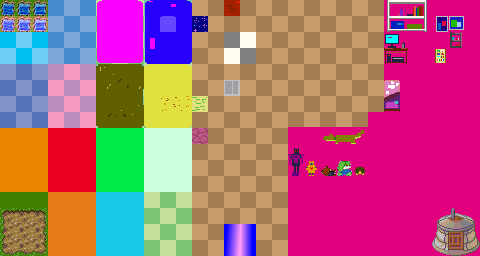
(The chipset is pretty basic because I've just wanted to practice)
I've tried to set the fuchsia color as transparency and put it in the square the Help center marked, I assumed it would work since I've also used the default chipsets that come with RPG maker as ref but it didn't worked.
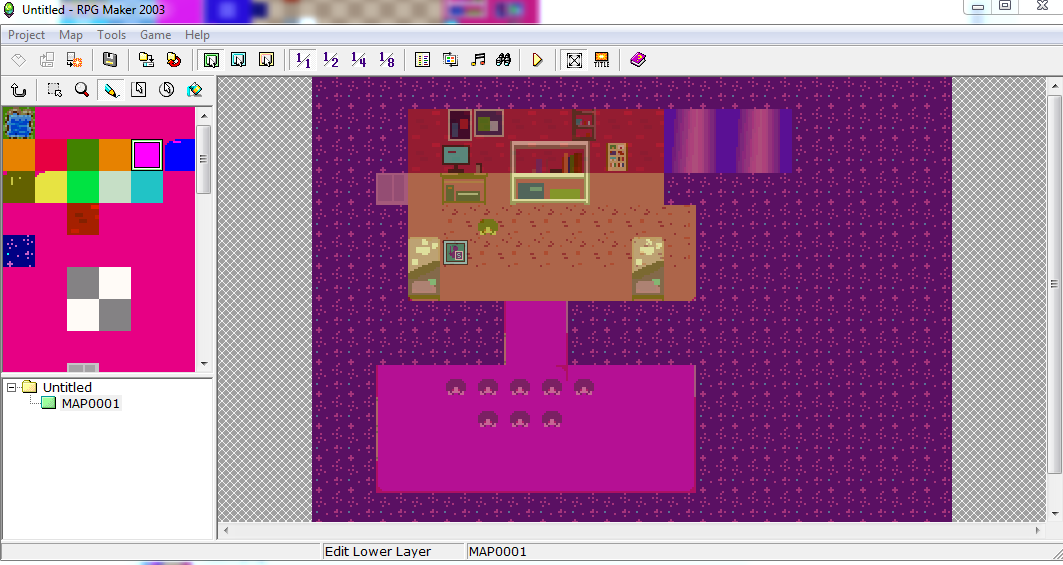
This is what it looks in the Lower Layer
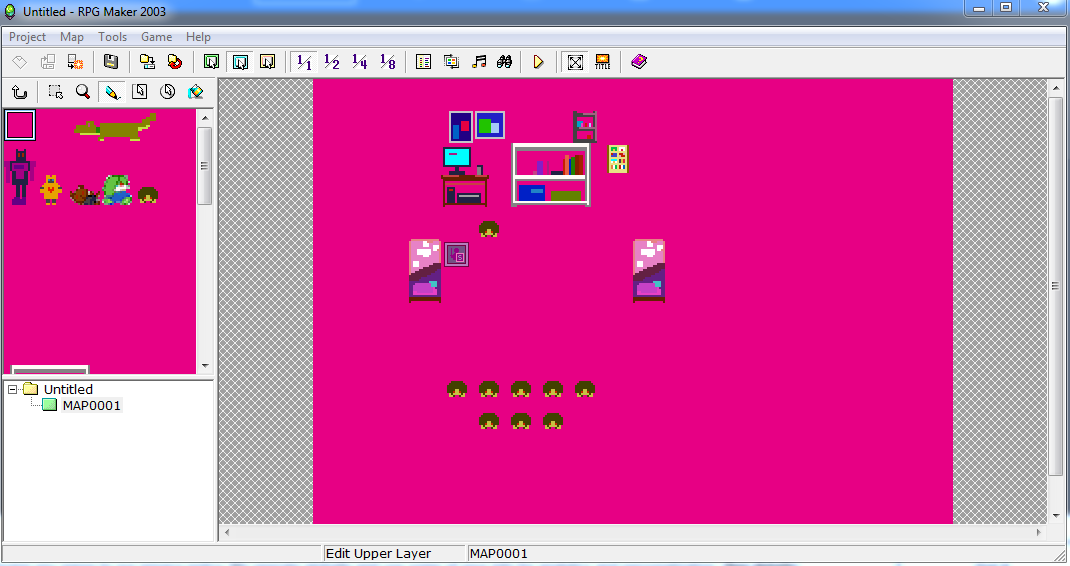
But this happens when I edit the upper layer (making my playable character also invisible unless he walks into certain objects)
If someone can explain me how to fix this so transparency work I higly appreciate it! Thanks a lot!
(As you might noticed English is not my first language, you can ask me to reword something, but otherwise i can read english fine so no need to limit youself explaining, also hablo español ^_^;; )
(The chipset is pretty basic because I've just wanted to practice)
I've tried to set the fuchsia color as transparency and put it in the square the Help center marked, I assumed it would work since I've also used the default chipsets that come with RPG maker as ref but it didn't worked.
This is what it looks in the Lower Layer
But this happens when I edit the upper layer (making my playable character also invisible unless he walks into certain objects)
If someone can explain me how to fix this so transparency work I higly appreciate it! Thanks a lot!
(As you might noticed English is not my first language, you can ask me to reword something, but otherwise i can read english fine so no need to limit youself explaining, also hablo español ^_^;; )
Downloads / Referenced Files
RPG Maker Web attachments are mirrored locally when available. Other external links remain hosted by their original creator or third-party service.
- Local mirror: 78206-2d1a5aa8b0045a5d7ace8e8f47977c83.png
SHA-256:8ec915332dc46e8ee58ce208947bbb3d6a4b7171fba68876e24f645abfb1815c
Original attachment URL: https://forums.rpgmakerweb.com/attachments/room-png.99126/
Referenced Images / Attachments
Creator Claims / Removal
If you are the original creator and want this listing reassigned, edited, or removed, join BMMPlay and contact the moderators with proof that matches the original RPG Maker Web profile, linked GitHub, itch.io page, or another public creator identity.
Replies (0)
No replies yet.
0
replies
19
views
Topic Summary
Loading summary...