

MV White Screen Crash after splash page.
BMM_Archive · July 15, 2026

Original Source
- Original title: MV White Screen Crash after splash page.
- Original author: BigMase
- Original date: May 4, 2019
- Source thread: https://forums.rpgmakerweb.com/threads/mv-white-screen-crash-after-splash-page.108652/
- Source forum path: Game Development Engines > Activation Issues
Summary
Hey everyone, so let me just get to the point it's a long story.... I just upgraded to MV from VX Ace today 5/3/2019. [Cause it was on sale on STEAM]. I went onto youtube and searched for video tutorials on how to transfer game data and all that jazz. While in the process of all of that, suddenly MV [Which was running fine at the time] froze up on me after clicking the game tab on the top. after click around the window to no success I open task...
Archived First Post
I just upgraded to MV from VX Ace today 5/3/2019. [Cause it was on sale on STEAM]. I went onto youtube and searched for video tutorials on how to transfer game data and all that jazz. While in the process of all of that, suddenly MV [Which was running fine at the time] froze up on me after clicking the game tab on the top. after click around the window to no success I open task manager and ended the task, as I had done, with other programs that do the same on occasion. So I clicked the shortcut on my desktop and the splash page popped up and everthing was going fine till...
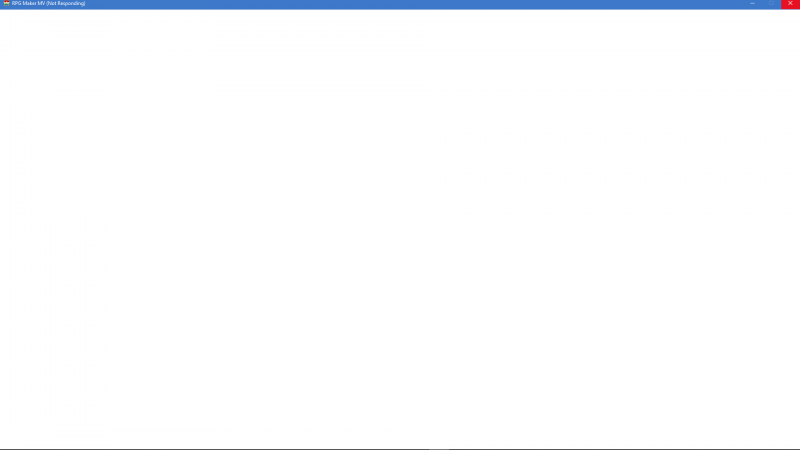
I shrugged thinking all I needed to do was open it in my steamapps folder. Same thing. I then search on YouTube for a bit to no luck and ask some people in a RPGmaker Discord community who helped out, but agreed with me when I said I should look here on the forums.
I've tired everything from Reinstalling RPGmaker MV, to Updating to the Newest Drivers for my Audio and Graphics [GeForce 1070 if needed]. I've spent hours looking on the forums I even tried the OpenGl32 dll and that didn't work. [Maybe because my drivers are from 4/23/19] I just cleared Steam DL Cache and I hope my third download of the program is the charm... But if anyone can help I would be grateful...
[0503/225617:WARNING:resource_bundle.cc(286)] locale_file_path.empty()
[0503/225702:WARNING:resource_bundle.cc(286)] locale_file_path.empty()
[0503/225702:WARNING:resource_bundle.cc(286)] locale_file_path.empty()
[0503/225844:WARNING:resource_bundle.cc(286)] locale_file_path.empty()
[0503/225844:WARNING:resource_bundle.cc(286)] locale_file_path.empty()
[0503/225927:WARNING:resource_bundle.cc(286)] locale_file_path.empty()
[0503/225927:WARNING:resource_bundle.cc(286)] locale_file_path.empty()
[0503/230441:WARNING:resource_bundle.cc(286)] locale_file_path.empty()
[0503/230441:WARNING:resource_bundle.cc(286)] locale_file_path.empty()
[0503/230616:WARNING:resource_bundle.cc(286)] locale_file_path.empty()
[0503/230616:WARNING:resource_bundle.cc(286)] locale_file_path.empty()
[0503/230938:WARNING:resource_bundle.cc(286)] locale_file_path.empty()
[0503/230938:WARNING:resource_bundle.cc(286)] locale_file_path.empty()
[0503/233705:WARNING:resource_bundle.cc(286)] locale_file_path.empty()
[0503/233705:WARNING:resource_bundle.cc(286)] locale_file_path.empty()
[0503/233818:WARNING:resource_bundle.cc(286)] locale_file_path.empty()
[0503/233818:WARNING:resource_bundle.cc(286)] locale_file_path.empty()
[0503/234030:WARNING:resource_bundle.cc(286)] locale_file_path.empty()
[0503/234030:WARNING:resource_bundle.cc(286)] locale_file_path.empty()
[0504/000544:WARNING:resource_bundle.cc(286)] locale_file_path.empty()
[0504/000544:WARNING:resource_bundle.cc(286)] locale_file_path.empty()
[0504/000906:WARNING:resource_bundle.cc(286)] locale_file_path.empty()
[0504/000906:WARNING:resource_bundle.cc(286)] locale_file_path.empty()
[0504/001320:WARNING:resource_bundle.cc(286)] locale_file_path.empty()
[0504/001320:WARNING:resource_bundle.cc(286)] locale_file_path.empty()
[0504/001816:WARNING:resource_bundle.cc(286)] locale_file_path.empty()
[0504/001816:WARNING:resource_bundle.cc(286)] locale_file_path.empty()
[0504/002015:WARNING:resource_bundle.cc(286)] locale_file_path.empty()
[0504/002015:WARNING:resource_bundle.cc(286)] locale_file_path.empty()
[0504/002308:WARNING:resource_bundle.cc(286)] locale_file_path.empty()
[0504/002308:WARNING:resource_bundle.cc(286)] locale_file_path.empty()
[0504/002856:WARNING:resource_bundle.cc(286)] locale_file_path.empty()
[0504/002856:WARNING:resource_bundle.cc(286)] locale_file_path.empty()
[0504/003104:WARNING:resource_bundle.cc(286)] locale_file_path.empty()
[0504/003105:WARNING:resource_bundle.cc(286)] locale_file_path.empty()
[0504/003214:WARNING:resource_bundle.cc(286)] locale_file_path.empty()
[0504/003214:WARNING:resource_bundle.cc(286)] locale_file_path.empty()
[0504/004536:WARNING:resource_bundle.cc(286)] locale_file_path.empty()
[0504/004536:WARNING:resource_bundle.cc(286)] locale_file_path.empty()
[0504/005826:WARNING:resource_bundle.cc(286)] locale_file_path.empty()
[0504/005826:WARNING:resource_bundle.cc(286)] locale_file_path.empty()
[0504/011207:WARNING:resource_bundle.cc(286)] locale_file_path.empty()
[0504/011207:WARNING:resource_bundle.cc(286)] locale_file_path.empty()
[0504/011735:WARNING:resource_bundle.cc(286)] locale_file_path.empty()
[0504/011735:WARNING:resource_bundle.cc(286)] locale_file_path.empty()
[0504/012129:WARNING:resource_bundle.cc(286)] locale_file_path.empty()
[0504/012129:WARNING:resource_bundle.cc(286)] locale_file_path.empty()
[0504/012257:WARNING:resource_bundle.cc(286)] locale_file_path.empty()
[0504/012257:WARNING:resource_bundle.cc(286)] locale_file_path.empty()
[0504/014848:WARNING:resource_bundle.cc(286)] locale_file_path.empty()
[0504/014849:WARNING:resource_bundle.cc(286)] locale_file_path.empty()
[0504/015854:WARNING:resource_bundle.cc(286)] locale_file_path.empty()
[0504/015854:WARNING:resource_bundle.cc(286)] locale_file_path.empty()
[0504/020107:WARNING:resource_bundle.cc(286)] locale_file_path.empty()
[0504/020107:WARNING:resource_bundle.cc(286)] locale_file_path.empty()
[0504/020451:WARNING:resource_bundle.cc(286)] locale_file_path.empty()
[0504/020451:WARNING:resource_bundle.cc(286)] locale_file_path.empty()
[**Edit 2 Final. I was able to fix the error by reinstalling windows, MV works fine now.]
Downloads / Referenced Files
RPG Maker Web attachments are mirrored locally when available. Other external links remain hosted by their original creator or third-party service.
- Local mirror: 93960-165e43e1e1e8076de8c45f23427416e7.png
SHA-256:c02d31d84b5d96d69356f831fc4183abad80750d28dcac3599923d75d10ba8dc
Original attachment URL: https://forums.rpgmakerweb.com/attachments/shame-png.114880/
Referenced Images / Attachments
Creator Claims / Removal
If you are the original creator and want this listing reassigned, edited, or removed, join BMMPlay and contact the moderators with proof that matches the original RPG Maker Web profile, linked GitHub, itch.io page, or another public creator identity.
Replies (0)
No replies yet.
Topic Summary
Loading summary...