

VE_BattlerGraphicSetup not working
BMM_Archive · July 15, 2026

Original Source
- Original title: VE_BattlerGraphicSetup not working
- Original author: hellaciousseer
- Original date: September 7, 2016
- Source thread: https://forums.rpgmakerweb.com/threads/ve_battlergraphicsetup-not-working.67952/
- Source forum path: Game Development Engines > Activation Issues
Summary
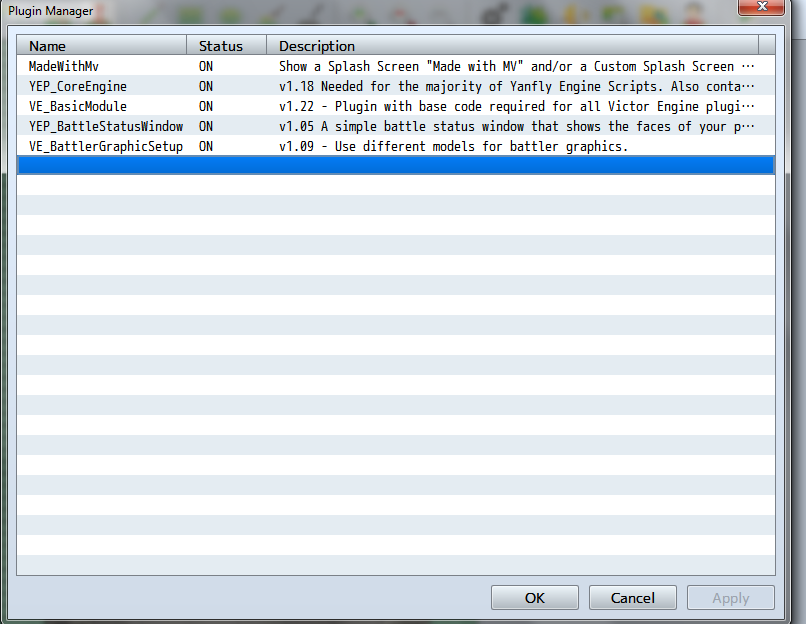
So I'm working on a fan game revolving around certain people in real life, as weird as it sounds, and I want to use static graphics for my fighters when they are in battle. I drew my own and used a plugin to make it so my fighters would appear as these bigger, motionless drawings. All was going well until I downloaded a second plug in that added a status window in battle. They both worked together, but whenever I tried to run a battle, it would get horribly laggy....
Archived First Post
(View pictures in order they are added)
...
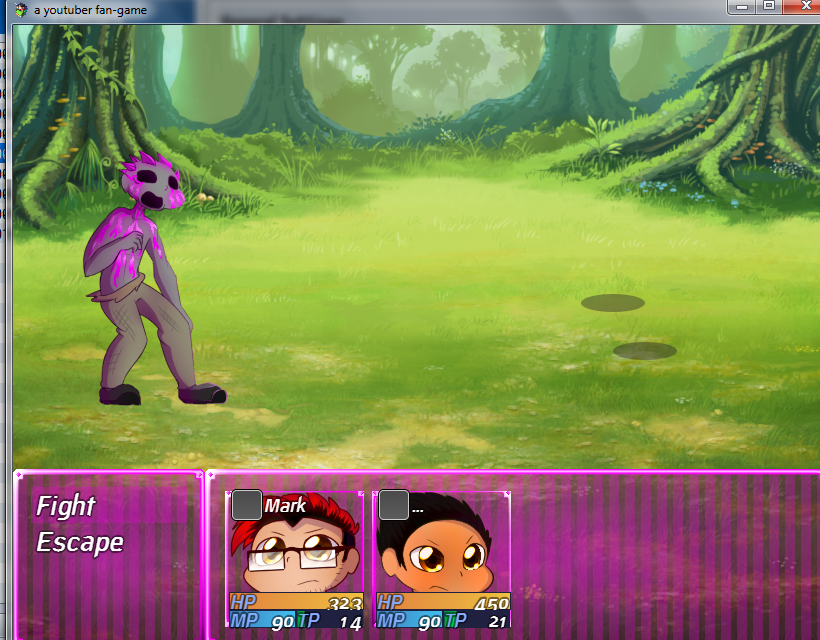
And here's what it looks like now
...
Excuse the work in progress art, but this is what it looks like now.
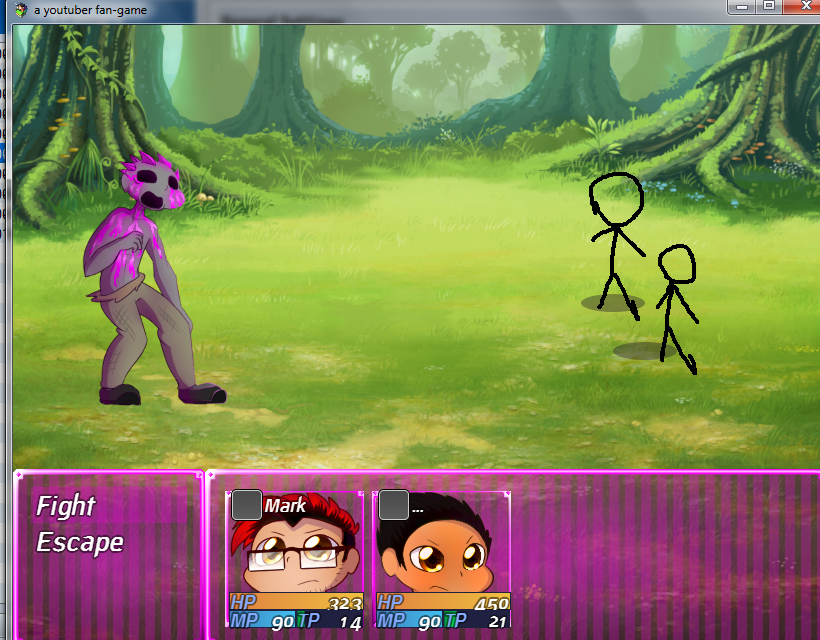
It SHOULD be something like this:
...
I drew those stick figures there with MS paint since I don't have a screenshot of what it used to be.
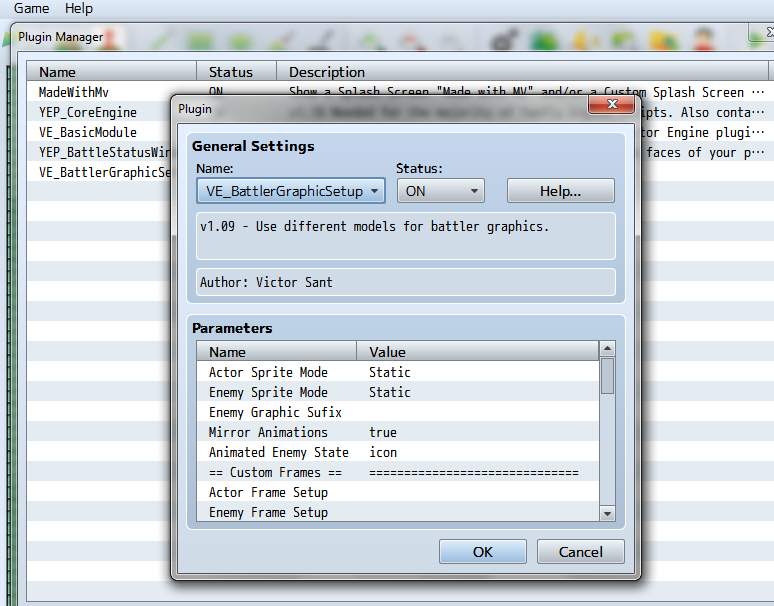
Here's the settings of the battler plugin settings:
...
I've made sure that the settings match the ones the tutorial showed, and it still doesn't work, as evident by the shadows showing up on screen. I know those shadows only appear for animated characters, and that the reason why it's blank is because the old picture is still in the system.
I tried switching the battle graphic with an actual animated fighter, and that appears normally, as if this plug in wasn't in effect at all. Can anyone help me? Is there some sort of setting that I've overlooked?
Downloads / Referenced Files
RPG Maker Web attachments are mirrored locally when available. Other external links remain hosted by their original creator or third-party service.
- Local mirror: 28310-fb2940bd2c5028ae1053d5c4a7399527.png
SHA-256:fbb133ab98f2d1fbb325aee5ce5ceb9b333d0215c9b48b4c2516e088525842e4
Original attachment URL: https://forums.rpgmakerweb.com/attachments/screenshot-1-png.46823/ - Local mirror: 28311-2b021634087cc478f0820472883bb282.png
SHA-256:40685bc843c260cef3e0fbb2d17133429e688cdf1afecc8690603a16cea53309
Original attachment URL: https://forums.rpgmakerweb.com/attachments/screenshot-2-png.46824/ - Local mirror: 28312-c16f4db027e2aee27c2ed661104fe04e.png
SHA-256:90c4f4b0406a9bf17d6df3a8f2bcbe70d39360e58c1bb67e6ad3918e861390ea
Original attachment URL: https://forums.rpgmakerweb.com/attachments/screenshot-3-png.46825/ - Local mirror: 28313-eedd76e7dce55ae20846cc5dfa92e93b.png
SHA-256:f4cd1e7cf75d61d55460c077e11e54d25d471b9b91cf9cfb92e99005100856b4
Original attachment URL: https://forums.rpgmakerweb.com/attachments/screenshot-4-png.46826/
Referenced Images / Attachments
Creator Claims / Removal
If you are the original creator and want this listing reassigned, edited, or removed, join BMMPlay and contact the moderators with proof that matches the original RPG Maker Web profile, linked GitHub, itch.io page, or another public creator identity.
Replies (0)
No replies yet.
Topic Summary
Loading summary...