

MV Menu Customiser
BMM_Archive · July 15, 2026

Original Source
- Original title: MV Menu Customiser
- Original author: ShadowDragon
- Original date: September 27, 2020
- Source thread: https://forums.rpgmakerweb.com/threads/menu-customiser.127969/
- Source forum path: Game Development Engines > RPG Maker Javascript Plugins > JS Plugins In Development
Summary
PluginName: ShadowDragon_MC (Menu Customiser) Author: ShadowDragon TERMS OF USE: Credit ShadowDragon
Archived First Post
Author: ShadowDragon
TERMS OF USE:
Credit ShadowDragon
You are allowed to use it in Non-commercial and commercial games when credits are given.
You may edit the plugin, but NOT redistribute the plugin, but link back to this thread.
Do not remove the header!
Some functions get improvements while I learn JS more.
Version: 0.2.1
WIP plugin:
Plugin is still in WIP, but slowly, Equipment scene, but not sure when that
will be finished or helpfull to some or many of you. (this is also single actor based.)
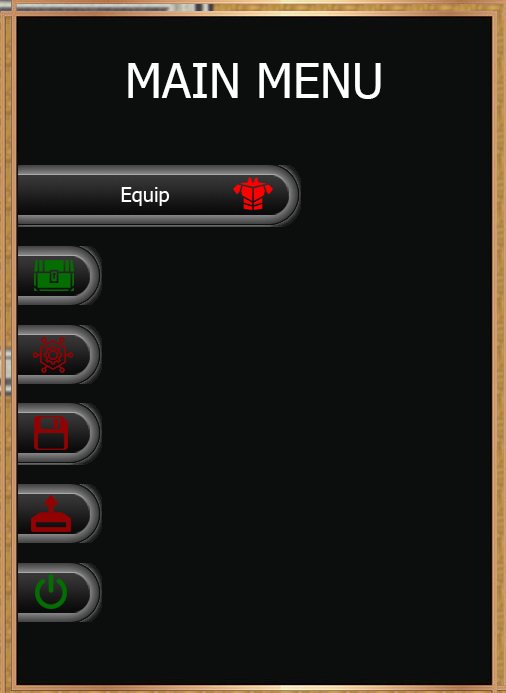
This scene mostly require a custom background to be functional, How the scene looks
like will be a secret for now
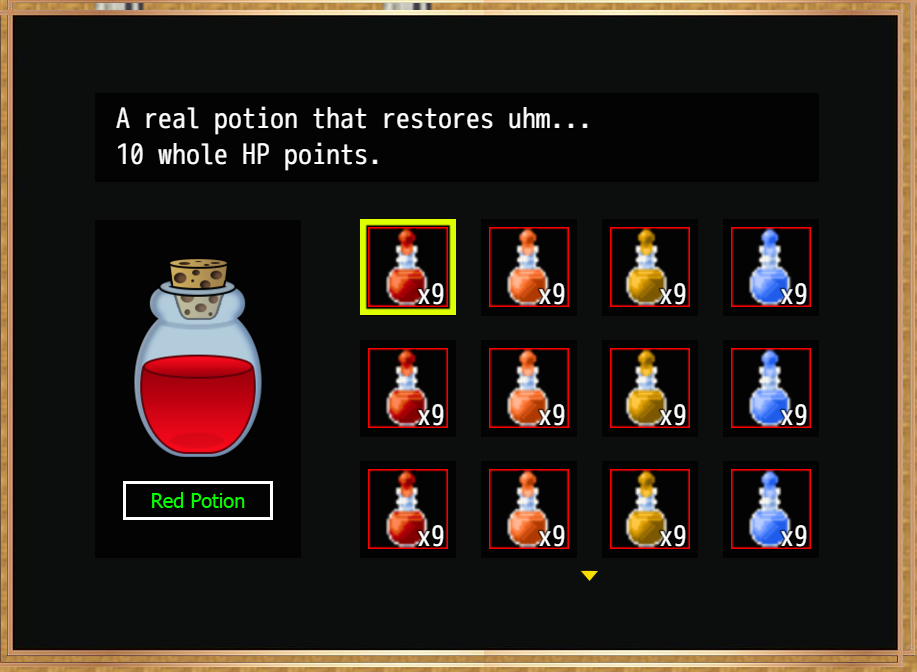
Re-created Screenshot to match the Demo Images (included in the demo
as well some button sets for test purpose and use as template to create your own)
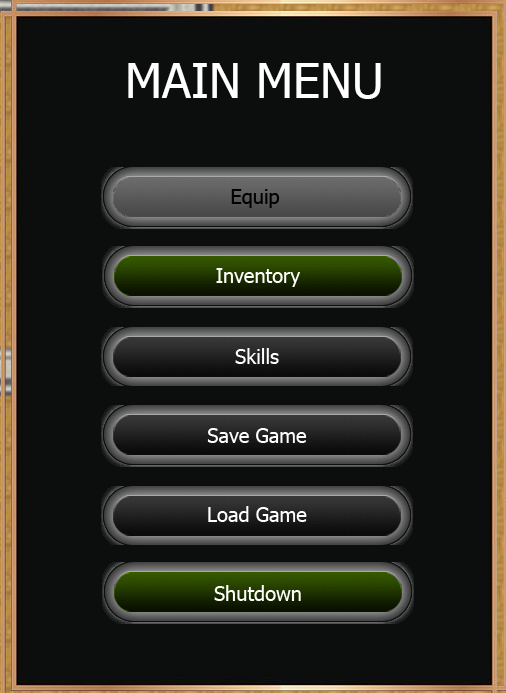
Zoom Out:
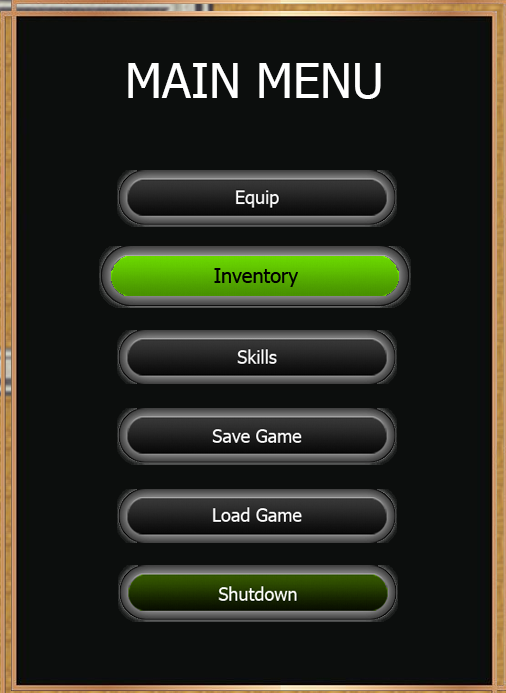
Dot Effect:
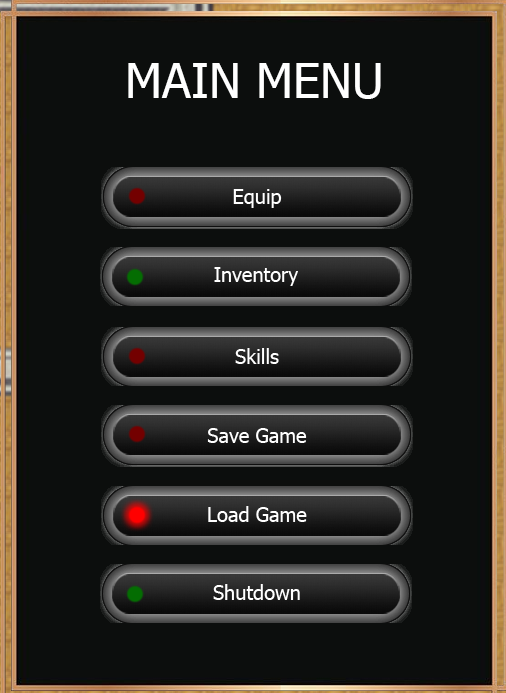
Slide Effect 1: (no tween effect)
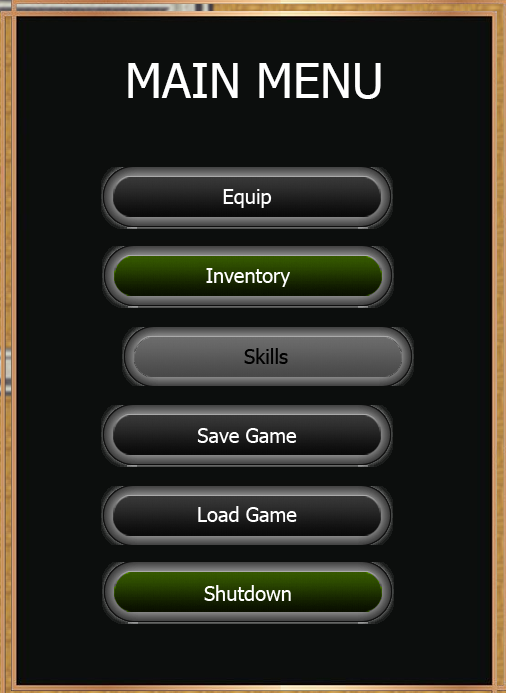
Slide Effect 2: (no tween effect)
Downlink: [Download Demo here]
Create your own images suiteable for your game for a unique look.
you can place the command window anywhere using the x and y position.
How to use:
Insert the plugin in the js/plugins folder, and the pictures in img/pictures folder.
Please READ the helpfile, that tells how the params works, also notice that
some params are able to use evals if you know javascript. flat numbers are also
possible.
Icons used are 80x80, you can adjust them how you want it to be.
YEP_EngineCore is used for adjusting icons size.
I hope you like the plugin so use your creativity for unique menu's.
In case you ask:
Q: Are you planning to create an equipment scene?
A: probably for my own need on design, probably not fit for yours!
Q: There is no status menu, will it be there?
A: When times allows it, but also to my need.
Q: There is no category list, do you make it?
A: no, it's fixed on "keyitems" category, you need to modify to allow category window.
Q: Is it party based?
A: Not really, I based it on a single Actor for my game, it doesn't level, no exp,
nor use party members for battles.
Any other question can be left behind, Hope to see your creativity on the menu's,
Squash your brains for it, I hope you like the plugin (took me some time).
UPDATES:
1) Updated the demo for item change ID (short explaination. check the event
how its done.
2) Forgot to add the plugin in case you don't want the demo, also the plugin added
TSR_TextColorAddon compability I forgot to put in in case you use it.
Plugin downloaded can be put inside the demo unless features are added
or changed, Demo will be updated as well.
3) Minor update on an error on my end, regarding TSR_TextColorAddon,
while Menu Command was fix for compability, it didn't for GameEnd, this
is now fixed (version stays the same regardless).
4) Fix issue with empty inventory.
5) Fix for overlapping number (9 on x when number is 1), fix can hold up to 99 for safety reasons.
6) Fix for TSR_Save is fixed as well.
Conflicts:
1) not at this point.
Downloads / Referenced Files
RPG Maker Web attachments are mirrored locally when available. Other external links remain hosted by their original creator or third-party service.
- Local mirror: 195763-83acbc2b576e5382957c90f4eb03edf8.png
SHA-256:566655c532b7b2c840a4d6634bab382a02f8a14ed1d0d6b28c2bcd37dfdc7654
Original attachment URL: https://forums.rpgmakerweb.com/attachments/original-png.216683/ - Local mirror: 195764-440b202ce59d766cb6c05e55f2047ab3.png
SHA-256:78f9f01522d365114526fda1e7155a70f28e3f68d3957842ef844ced25504f1b
Original attachment URL: https://forums.rpgmakerweb.com/attachments/zoom-out-png.216684/ - Local mirror: 195762-9f1ff14fd0adee7b4056c471c64b0dbd.png
SHA-256:83bd8873f9b3711bb101d762596baa827c10cbbb6b58f0d32b3b0b3540e67c99
Original attachment URL: https://forums.rpgmakerweb.com/attachments/dot-effect-png.216682/ - Local mirror: 195760-70b37a845829eb948bf1f904a17c2d1b.png
SHA-256:3351776fe32d2f1215577e2ea85d0a5c2f0f815e9c36c0d85db2a81654435ddc
Original attachment URL: https://forums.rpgmakerweb.com/attachments/slide-effect1-png.216680/ - Local mirror: 195761-296588f676a6ed2507a99c77e587810a.png
SHA-256:743738f39a3e75a4037e049b80b0cc97c6674815ec2813f7ebb804a45893de33
Original attachment URL: https://forums.rpgmakerweb.com/attachments/slide-effect2-png.216681/ - Local mirror: 195765-6ae83317f25456286b22e7212533427d.png
SHA-256:4354247326415d31941c046b114b8ac9c7ff8c545751c0881ab92adab9b27ff3
Original attachment URL: https://forums.rpgmakerweb.com/attachments/itemscene-png.216685/ - Download: Download Demo here
- Download: TSR_TextColorAddon
License / Terms Note
TERMS OF USE: Credit ShadowDragon You are allowed to use it in Non-commercial and commercial games when credits are given. You may edit the plugin, but NOT redistribute the plugin, but link back to this thread.
Referenced Images / Attachments
Creator Claims / Removal
If you are the original creator and want this listing reassigned, edited, or removed, join BMMPlay and contact the moderators with proof that matches the original RPG Maker Web profile, linked GitHub, itch.io page, or another public creator identity.
Replies (0)
No replies yet.
Topic Summary
Loading summary...