

KISS Faction System
BMM_Archive · July 15, 2026

Original Source
- Original title: KISS Faction System
- Original author: AcerK
- Original date: December 21, 2016
- Source thread: https://forums.rpgmakerweb.com/threads/kiss-faction-system.72511/
- Source forum path: Game Development Engines > RPG Maker Javascript Plugins > JS Plugins In Development
Summary
Name: KISS Faction System Author: Konora/AcerK Description: I was inspired by the factions in the Elder Scrolls, EverQuest, etc., so I decided to take the idea of having different reputations with different factions (which could easily have been tracked with variables and events) and made it way more complicated than it should be. It looks nice, though. Features:
Archived First Post
Author: Konora/AcerK
Description: I was inspired by the factions in the Elder Scrolls, EverQuest, etc., so I decided to take the idea of having different reputations with different factions (which could easily have been tracked with variables and events) and made it way more complicated than it should be. It looks nice, though.
Features:
- Create an unlimited number of factions and track the player's reputation with each of them
- Each faction can have its own icon
- Show the player's reputation with a descriptive (changeable!) term (i.e. Good, Bad, Great, etc.)
- Customize the vocab used in the scene
- Show the player's reputation with a gauge
Screenshots:
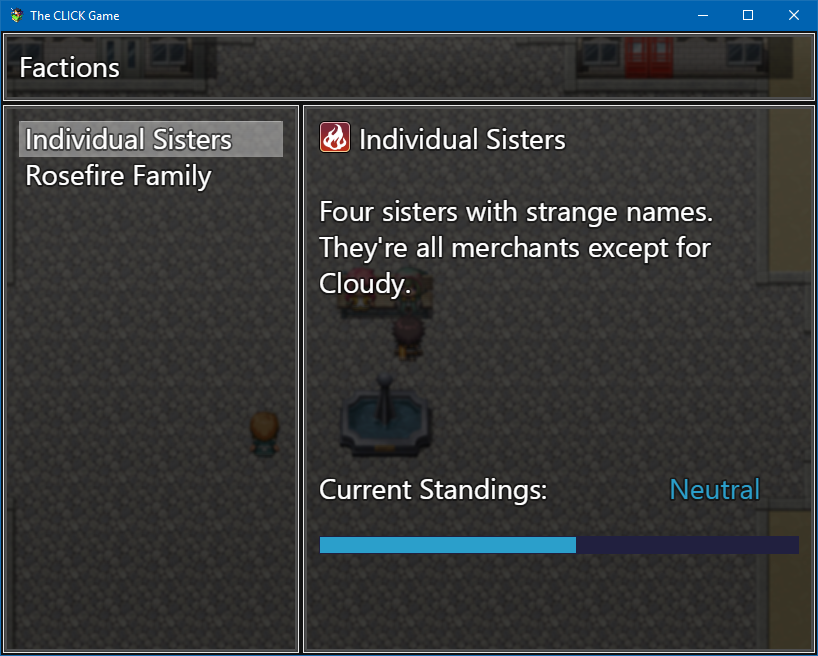
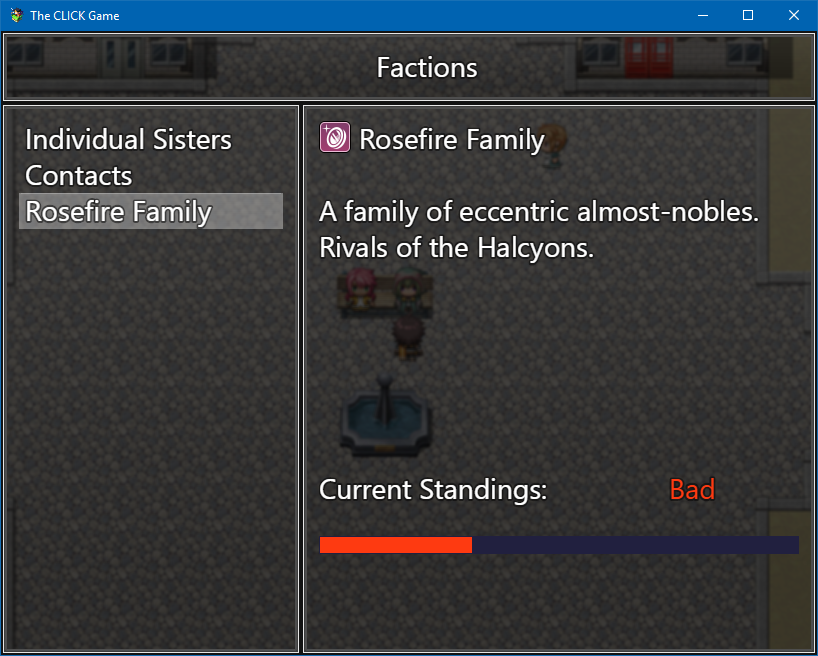
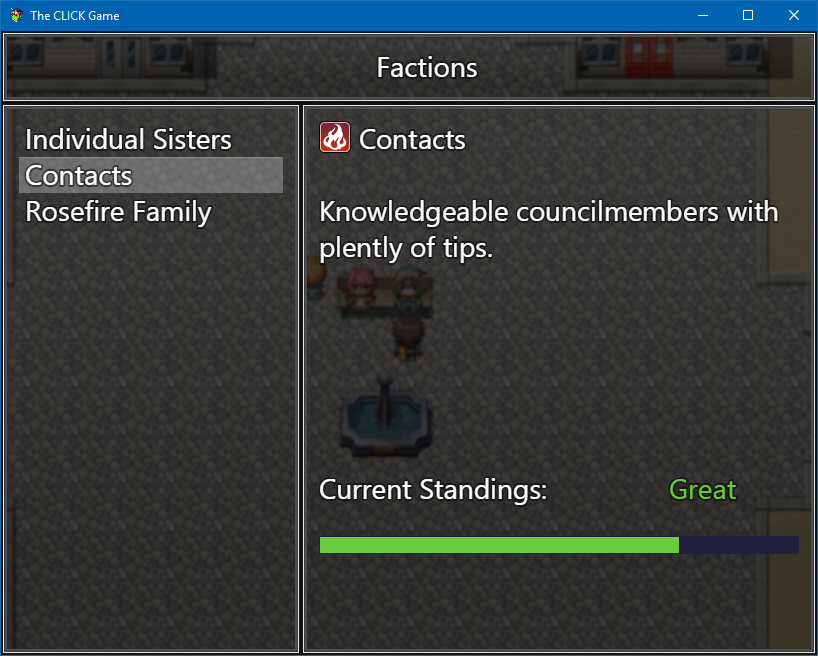
Some Important Things To Consider:
- It's still a work in progress, so I'm still working out certain bugs. But it's still entirely functional!
- You will need another file called Factions.json in your Data folder to store all the information about your factions. Follow this template:
null,
{
"ID": 1,
"Name": "Faction",
"Description": "This is a faction.",
"IconID": 64
},
{
"ID": 2,
"Name": "Other Faction",
"Description": "This is a faction with a \nslightly longer description.",
"IconID": 5
}
]
- The cap for both positive and negative reputations is 50 (or -50). This will certainly change in the future, but just know that any value above or below 50/-50 will currently result in the reputation being displayed as "Neutral".
- If no factions are discovered and you try to open the faction scene, the game will crash. This will be fixed in the future, but this is one of those aforementioned certain bugs I'm trying to squash.
- This is my first script. Bear with me.
Enough Already! Give Me The Script!
Script: View attachment KISS_Factions.js
Demo: Link!
Features Mentioned
- Create an unlimited number of factions and track the player's reputation with each of them
- Each faction can have its own icon
- Show the player's reputation with a descriptive (changeable!) term (i.e. Good, Bad, Great, etc.)
- Customize the vocab used in the scene
- Show the player's reputation with a gauge
- Screenshots:
- Spoiler
- "lightbox_close": "Close",
- "lightbox_next": "Next",
- "lightbox_previous": "Previous",
- "lightbox_error": "The requested content cannot be loaded. Please try again later.",
- "lightbox_start_slideshow": "Start slideshow",
- "lightbox_stop_slideshow": "Stop slideshow",
- "lightbox_full_screen": "Full screen",
- "lightbox_thumbnails": "Thumbnails",
- "lightbox_download": "Download",
- "lightbox_share": "Share",
- "lightbox_zoom": "Zoom",
Downloads / Referenced Files
RPG Maker Web attachments are mirrored locally when available. Other external links remain hosted by their original creator or third-party service.
- Local mirror: 33980-8566b96f93d7d6df1547795bfca4792d.png
SHA-256:2314fcc5bafe0ea98e0d37f70cbaa13d46ec35a3b06b1921f5a6162e9d5746f9
Original attachment URL: https://forums.rpgmakerweb.com/attachments/faction-window-new-png.54743/ - Local mirror: 33979-46d0a9e17b3d63cf9b38c53263ba7a05.png
SHA-256:4dfe66da0b811383186afa4996d695ea735bdb4df740c4893451636b2235d798
Original attachment URL: https://forums.rpgmakerweb.com/attachments/faction-window-new-3-png.54742/ - Local mirror: 33978-f4c821b68afb7279a9baa0846427d9ab.png
SHA-256:4edbd4ae880609703f71d619f6fb7d7820ce7d238f7a370311e3dd76e528124a
Original attachment URL: https://forums.rpgmakerweb.com/attachments/faction-window-new-2-png.54741/ - Local mirror: KISS_Factions.js
SHA-256:02fcc167053abe8e1c15d9758fdfb6c8b6df45f6c243d938dac23905ac3ccfe9
Original attachment URL: https://forums.rpgmakerweb.com/attachments/kiss_factions-js.54747/ - Download: Link!
Referenced Images / Attachments
Creator Claims / Removal
If you are the original creator and want this listing reassigned, edited, or removed, join BMMPlay and contact the moderators with proof that matches the original RPG Maker Web profile, linked GitHub, itch.io page, or another public creator identity.
Replies (0)
No replies yet.
Topic Summary
Loading summary...