

Enhanced Side-View Battlers
BMM_Archive · July 15, 2026

BMM_Archive
Preserved forum archive. This topic stores the original first post and locally mirrored RPG Maker Web attachments when available. It is posted by the BMMPlay archive account, not by the original creator.
Original Source
- Original title: Enhanced Side-View Battlers
- Original author: Rexal
- Original date: October 17, 2017
- Source thread: https://forums.rpgmakerweb.com/threads/enhanced-side-view-battlers.85872/
- Source forum path: Game Development Engines > RPG Maker Javascript Plugins > JS Plugins In Development
Summary
Enhanced Side-View Battlers v0.1a Rexal Intro - Have a weird sprite sheet with a template like this? {
Archived First Post
Enhanced Side-View Battlers v0.1a
Rexal
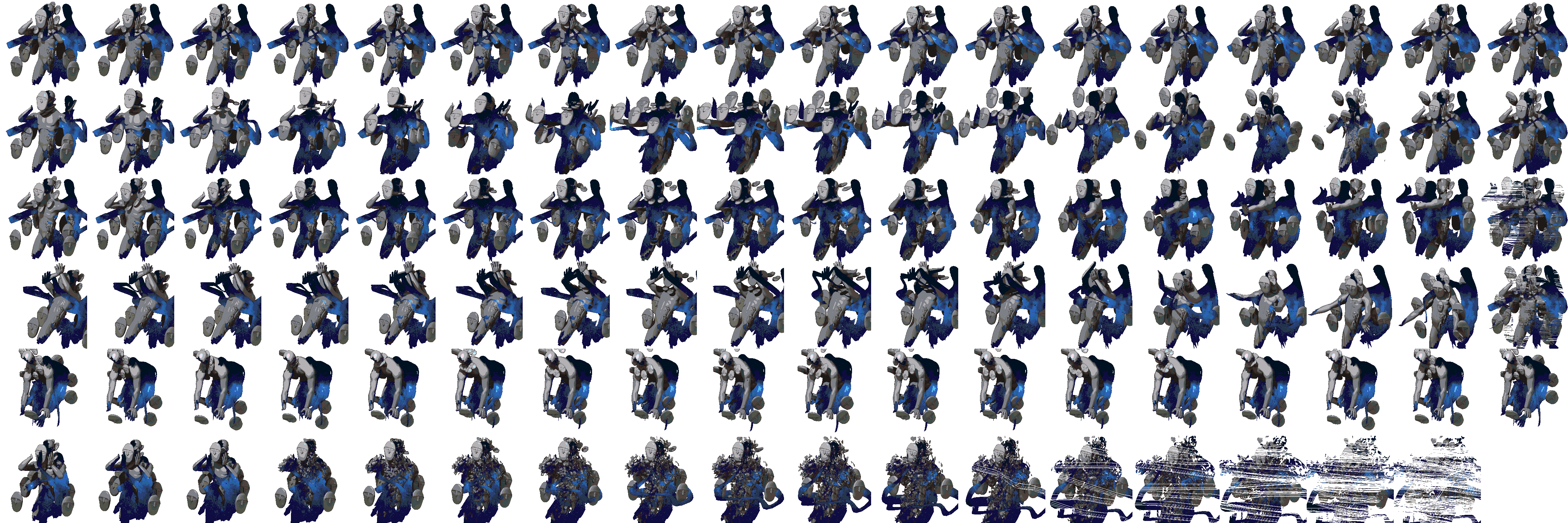
Intro - Have a weird sprite sheet with a template like this?
No problem!
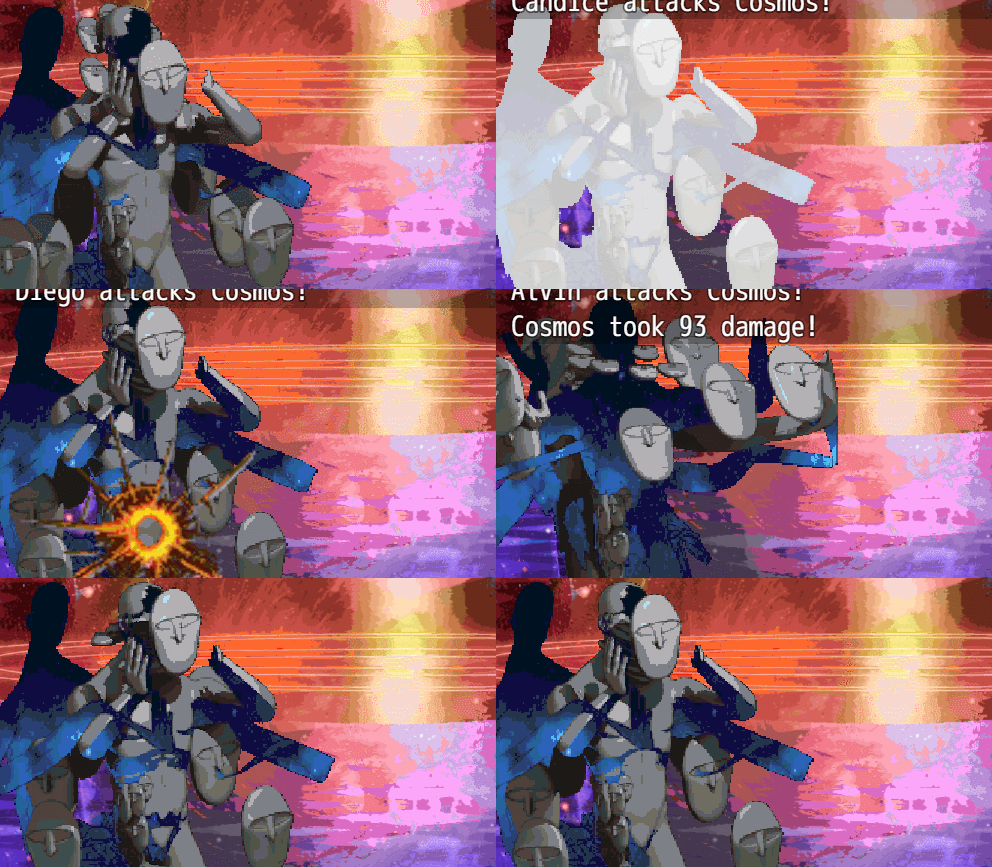
ESVB will get the job done and give you the freedom to use your own templates, no matter how ridiculous they might be!
Please note that this is in a very early state so it's prone to bugs and might not work for your project at all yet. It's definitely functional though...for the most part
The plugin so far - Here
Demo - Here
KNOWN BUGS
It does not play nice with my Animated Enemies script yet. No idea about Yanfly's but it works well enough on its own that I wanted to at least have something to show after so long..
Current Features
- Use any grid-based template for your battlers
- Adjust the speed the battler's animations play
- doesn't interfere with the way other battlers' animations are interpreted at all
- choose what motions loop
Planned Features
Note tags
Terms of Use - Free for commercial and non-commercial use. Use at your own risk, give me credit if you do so
Change Log
Honestly I have no idea if there's a script like this already. I looked it up but didn't find anything other than increasing the amount of frames and changing the layout to one specific way. Regardless, I hope somebody finds this useful.
Rexal
Intro - Have a weird sprite sheet with a template like this?
No problem!
ESVB will get the job done and give you the freedom to use your own templates, no matter how ridiculous they might be!
Please note that this is in a very early state so it's prone to bugs and might not work for your project at all yet. It's definitely functional though...for the most part
The plugin so far - Here
Demo - Here
KNOWN BUGS
It does not play nice with my Animated Enemies script yet. No idea about Yanfly's but it works well enough on its own that I wanted to at least have something to show after so long..
Current Features
- Use any grid-based template for your battlers
- Adjust the speed the battler's animations play
- doesn't interfere with the way other battlers' animations are interpreted at all
- choose what motions loop
Planned Features
- at the moment templates are defined per-actor or enemy. Eventually I want to let the user define templates on a global scale, for a cleaner note box
- allow more motions than the default
- allow motions to have different frame amounts (maybe??)
- change the scale of the battler (Just to have the option)
- ping-pong motions (reverse the animation after it's done playing)
- allow more motions than the default
- allow motions to have different frame amounts (maybe??)
- change the scale of the battler (Just to have the option)
- ping-pong motions (reverse the animation after it's done playing)
Note tags
battler frames: x
Defines how many sprites are used per row
battler rows: x
Defines how many rows of sprites there are
battler columns: x
Defines how many sets of actions there are between rows. For example the default template has 3
battler motion: type,id,loop
This is a bit on the complex side. Type refers to the name of the motions you're using, while "id" is the animation you want, going down the rows starting from the leftmost one
and ending at the lowest right.
loop should be self-explanatory, letting you control whether or not the motion loops.
Defines how many sprites are used per row
battler rows: x
Defines how many rows of sprites there are
battler columns: x
Defines how many sets of actions there are between rows. For example the default template has 3
battler motion: type,id,loop
This is a bit on the complex side. Type refers to the name of the motions you're using, while "id" is the animation you want, going down the rows starting from the leftmost one
and ending at the lowest right.
loop should be self-explanatory, letting you control whether or not the motion loops.
Terms of Use - Free for commercial and non-commercial use. Use at your own risk, give me credit if you do so
Change Log
0.1 - initial commit
Honestly I have no idea if there's a script like this already. I looked it up but didn't find anything other than increasing the amount of frames and changing the layout to one specific way. Regardless, I hope somebody finds this useful.
Downloads / Referenced Files
RPG Maker Web attachments are mirrored locally when available. Other external links remain hosted by their original creator or third-party service.
- Source: Here
License / Terms Note
Terms of Use - Free for commercial and non-commercial use. Use at your own risk, give me credit if you do so Change Log Spoiler 0.1 - initial commit
Referenced Images / Attachments
Creator Claims / Removal
If you are the original creator and want this listing reassigned, edited, or removed, join BMMPlay and contact the moderators with proof that matches the original RPG Maker Web profile, linked GitHub, itch.io page, or another public creator identity.
Replies (0)
No replies yet.
0
replies
31
views
Topic Summary
Loading summary...