

RPG Maker VX Event Help
BMM_Archive · July 15, 2026

Original Source
- Original title: RPG Maker VX Event Help
- Original author: PixelatedKiwi
- Original date: July 3, 2016
- Source thread: https://forums.rpgmakerweb.com/threads/rpg-maker-vx-event-help.64678/
- Source forum path: Game Development Engines > Legacy Engine Support > RPG Maker VX Support
Summary
Hi there. I have the feeling this post might be in the wrong place, if so tell me where it should go and I'll post it there. See the attatched picture for some visual aid. I am trying to set up an event where the boulder goes down to hole then resets to go down again. Also, I want it set up so that when the boulder touches the player it's game over. I have tried a lot of things. Nothing seems to work. I tried setting two pages, one...
Archived First Post
I have the feeling this post might be in the wrong place, if so tell me where it should go and I'll post it there.
See the attatched picture for some visual aid. I am trying to set up an event where the boulder goes down to hole then resets to go down again. Also, I want it set up so that when the boulder touches the player it's game over. I have tried a lot of things. Nothing seems to work. I tried setting two pages, one page with a parallel process for the movement and another page with a player touch for the game over. But when I do that the event just doesn't run at all. I tried setting it so that when it reaches the hole it turns off it own switch, with the hole having an event touch on it to turn the switch back on. But the switch wouldn't turn back on.
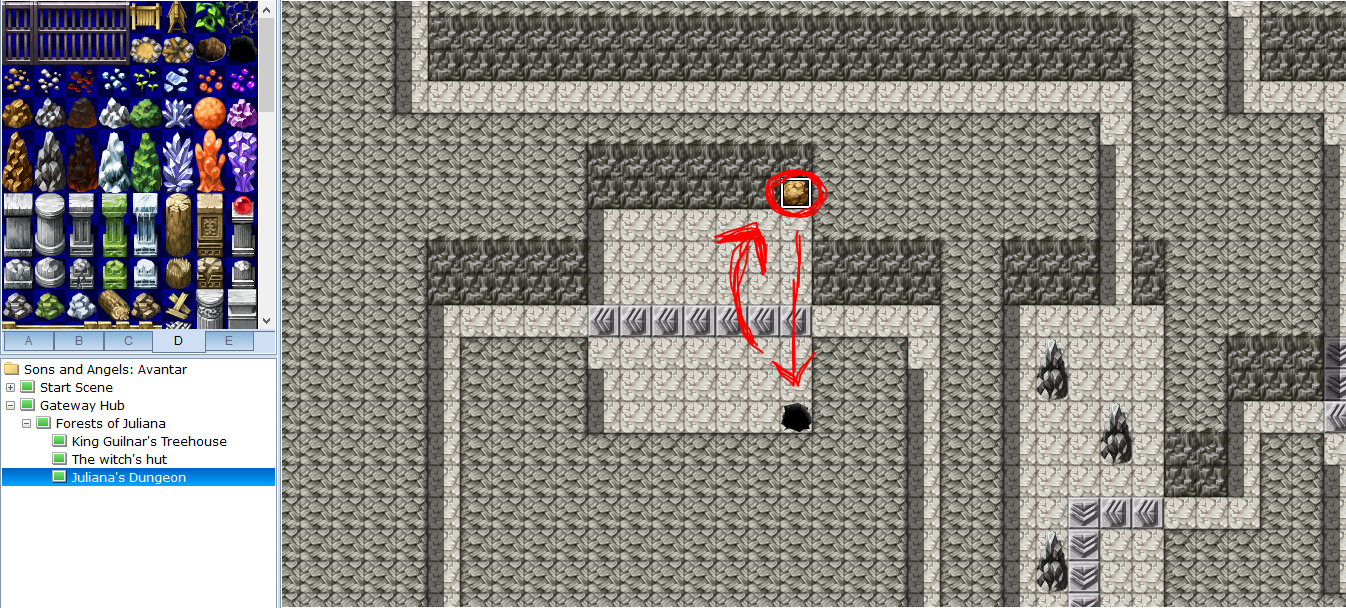
Any help is greatly appreciated and will be met with credit in my game.
Thanks.
Kieran.
EDIT:
So, I managed to figure it out, eventually. I set up an event with this on page 1:
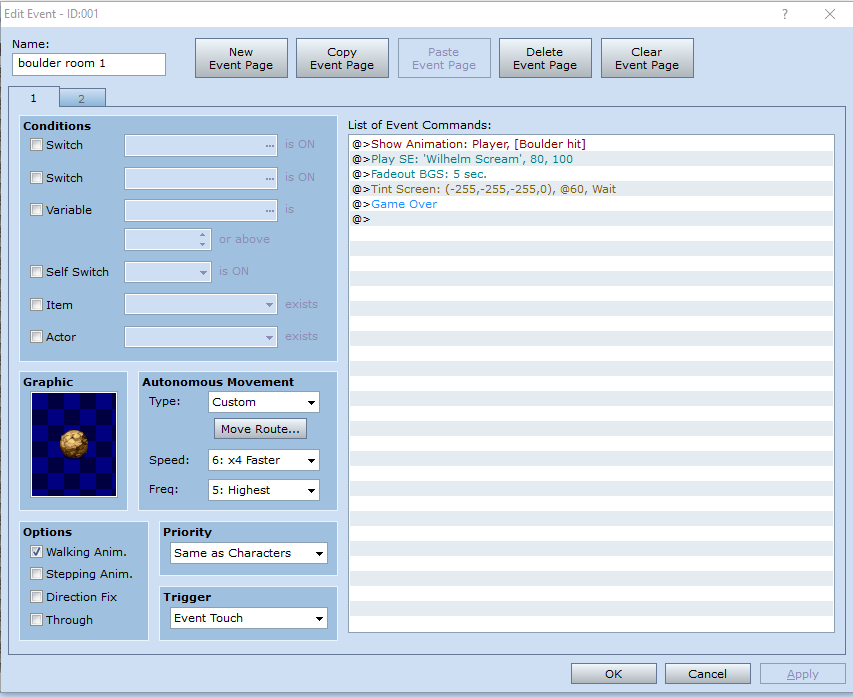
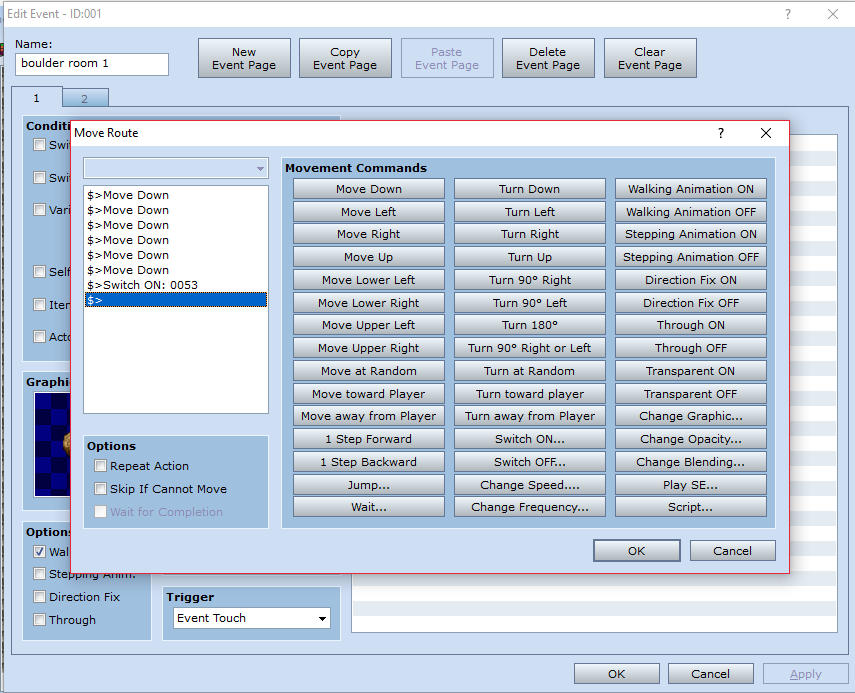
Then gave it this custom moveset:
Then set up a page 2:
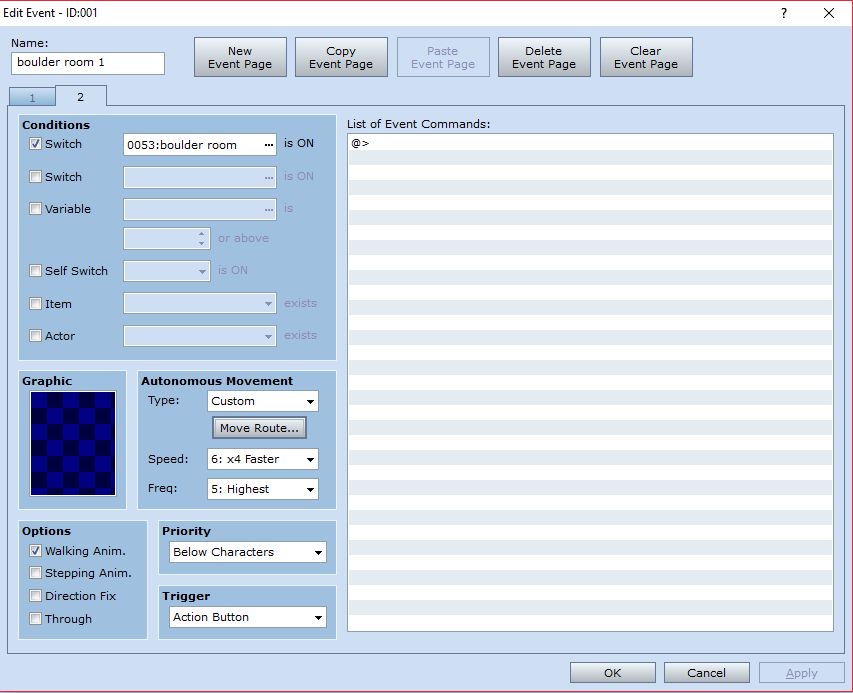
And gave this moveset:
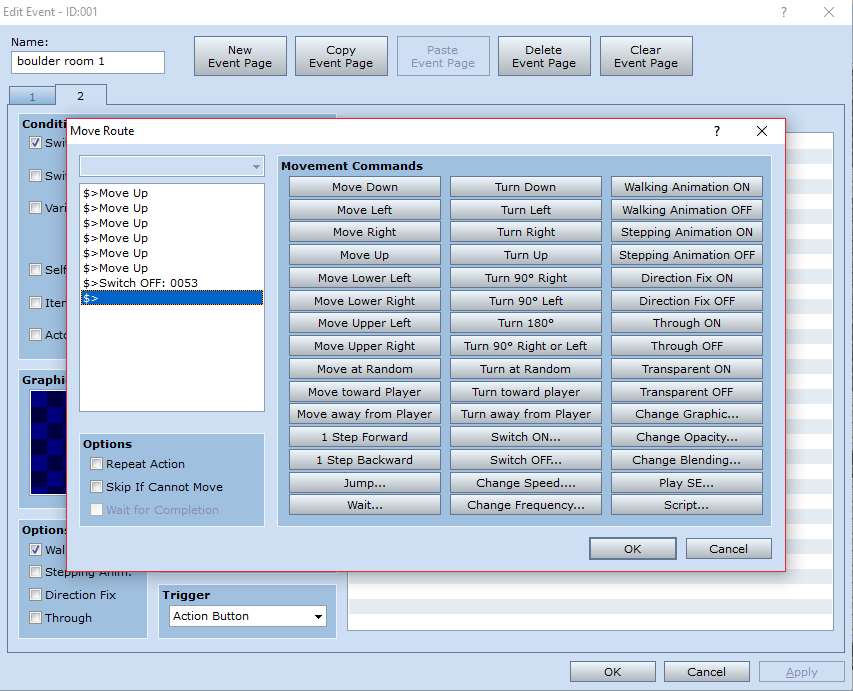
Then in the end I ended up with a room looking like this:
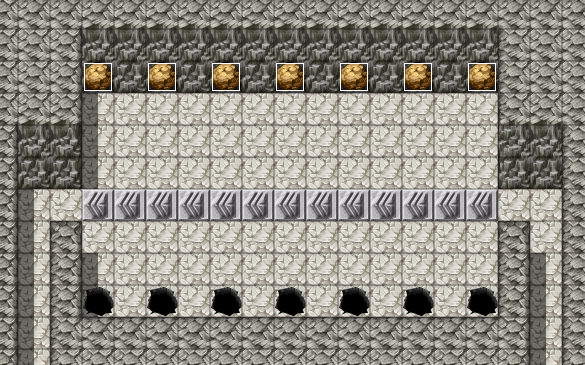
Each boulder rolls down to the hole and turns on a switch and goes to page 2. Then the event moves back up and turns off the switch and goes to page 1. If the event touches the player then it's game over.
Downloads / Referenced Files
RPG Maker Web attachments are mirrored locally when available. Other external links remain hosted by their original creator or third-party service.
- Local mirror: 25243-59a4b92fef65628e8673f982c0af26a5.png
SHA-256:bf33b3d13b1ab4d6c106ae4f7b1260aa32814bc05c7de25c3af36d3e8cad01d2
Original attachment URL: https://forums.rpgmakerweb.com/attachments/boulder-room-png.41937/ - Local mirror: 25252-2a01c12b3354ec8378451c31836b399c.png
SHA-256:12b4080d2e32985183d9d634f0ba663c116ea0723ac55bad98b3d4159d5c8b97
Original attachment URL: https://forums.rpgmakerweb.com/attachments/boulder-event-png.41946/ - Local mirror: 25249-0c8a7ef5c596208a0b75bf999ec36fb5.png
SHA-256:c79aca2b9fe377cdd4b8539b6d6d8eba6fd8ca3f738f3298a268c18745fef50f
Original attachment URL: https://forums.rpgmakerweb.com/attachments/boulder-event-moveset-png.41943/ - Local mirror: 25251-9b3c23f331b39c63e7c4c0eb835b7a21.png
SHA-256:cff60145c2a79e00da922f96f068748ddd6275ccafd5b1772c5e8736dc361bc6
Original attachment URL: https://forums.rpgmakerweb.com/attachments/boulder-event-p2-png.41945/ - Local mirror: 25250-1c21cdd3f821733c126d274baffc3aed.png
SHA-256:d2fd1039dc9da429dc79998da2511f01b587a425ee3f59c17011ca6d21d93aca
Original attachment URL: https://forums.rpgmakerweb.com/attachments/boulder-event-p2-moveset-png.41944/ - Local mirror: 25248-c386c569e682a9f2b4e55efd39518543.png
SHA-256:5de0a6b3f0717051380a4cdafb5772b114e1636791065a750bbecf6bd80cd573
Original attachment URL: https://forums.rpgmakerweb.com/attachments/final-boulder-room-png.41942/
License / Terms Note
Any help is greatly appreciated and will be met with credit in my game. Thanks. Kieran. EDIT:
Referenced Images / Attachments
Creator Claims / Removal
If you are the original creator and want this listing reassigned, edited, or removed, join BMMPlay and contact the moderators with proof that matches the original RPG Maker Web profile, linked GitHub, itch.io page, or another public creator identity.
Replies (0)
No replies yet.
Topic Summary
Loading summary...