

MVPH - Quest Book
BMM_Archive · July 15, 2026

Original Source
- Original title: PH - Quest Book
- Original author: PrimeHover
- Original date: November 12, 2015
- Source thread: https://forums.rpgmakerweb.com/threads/ph-quest-book.50245/
- Source forum path: Game Development Engines > RPG Maker Javascript Plugins > JS Plugin Releases (RMMV)
Summary
{ "lightbox_close": "Close", "lightbox_next": "Next", "lightbox_previous": "Previous",
Archived First Post

Version 2.0
Introduction
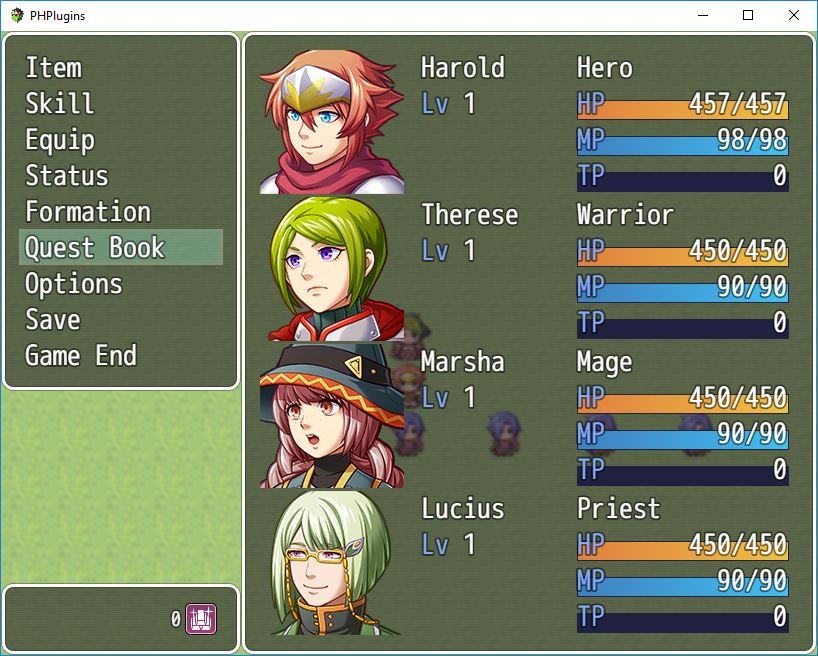
- Script that allows you to create a quest book that can be managed by a single common event and plugin commands.
License
- This work is licensed under the Creative Commons Attribution 4.0 International License.
To view a copy of this license, visit http://creativecommons.org/licenses/by/4.0/
- However, if this plugin is very useful to your project, consider making a small donation using the link below:

Configuration
- Download the JS file and include it into the /plugins folder of your project.
- Open the Plugin Manager, select the file PH_QuestBook.js, and turn it on.
- Create a Common Event called PHQuestBook
- Add comments in this Common Event to create quests (the pattern for creating comments are below
- Add the quest you've created into the quest book using the plugin command PHQuestBook add Title_of_the_quest
- IMPORTANT: If you were using the versions 1.3.1 and you want to see the documentation, go to this projects' GitHub page and find a folder called "1.3.1". There will be the entire documentation. However, if you want to update from the version 1.3.1 to 2.0, read the full documentation again to adapt the old setting to the new ones! I do not recommend updating if your project is above 70% done.
<span style="color: #FF0000">Full Documentation (Examples, Configuration Step-by-Step, How to Use, Script Commands, ChangeLog, FAQ...)
Plugin Commands:
- PHQuestBook add Title_of_the_quest
Add a quest in the book
- PHQuestBook remove Title_of_the_quest
Remove a quest from the book
- PHQuestBook clear
Clear the Quest Book
- PHQuestBook show
Open the Quest Book
- PHQuestBook change Title_of_the_quest|category
Changes the category of a quest
- PHQuestBook update Title_of_the_quest
Updates an existent quest
Screenshots
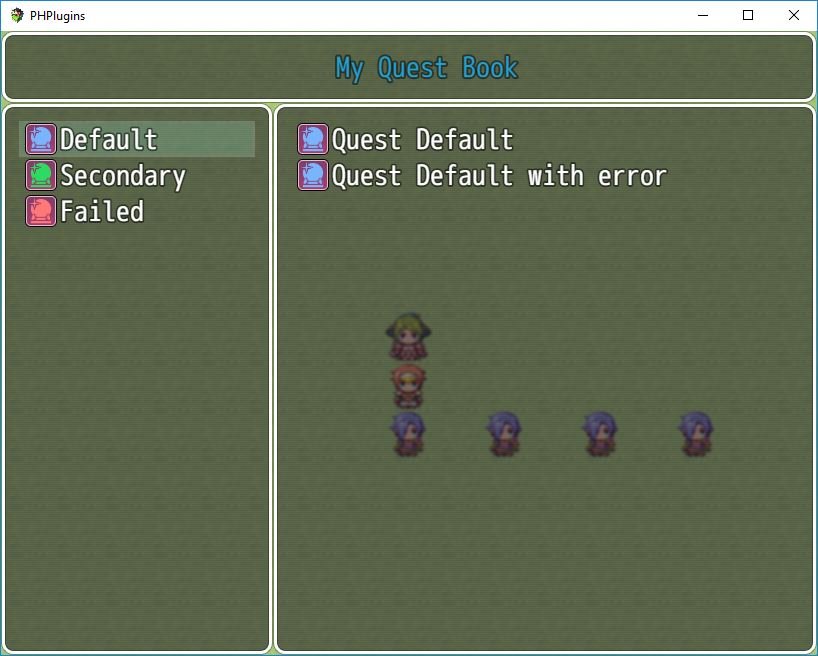
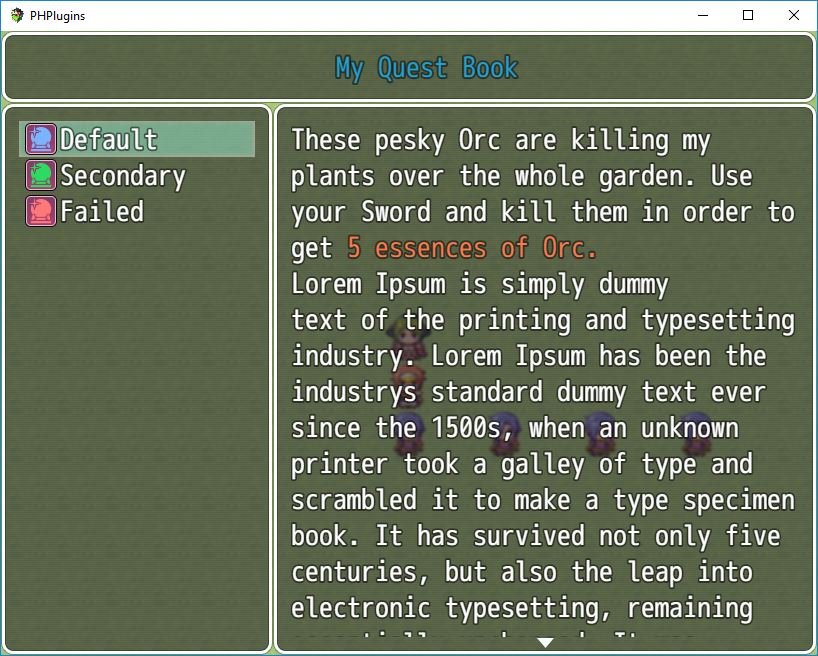
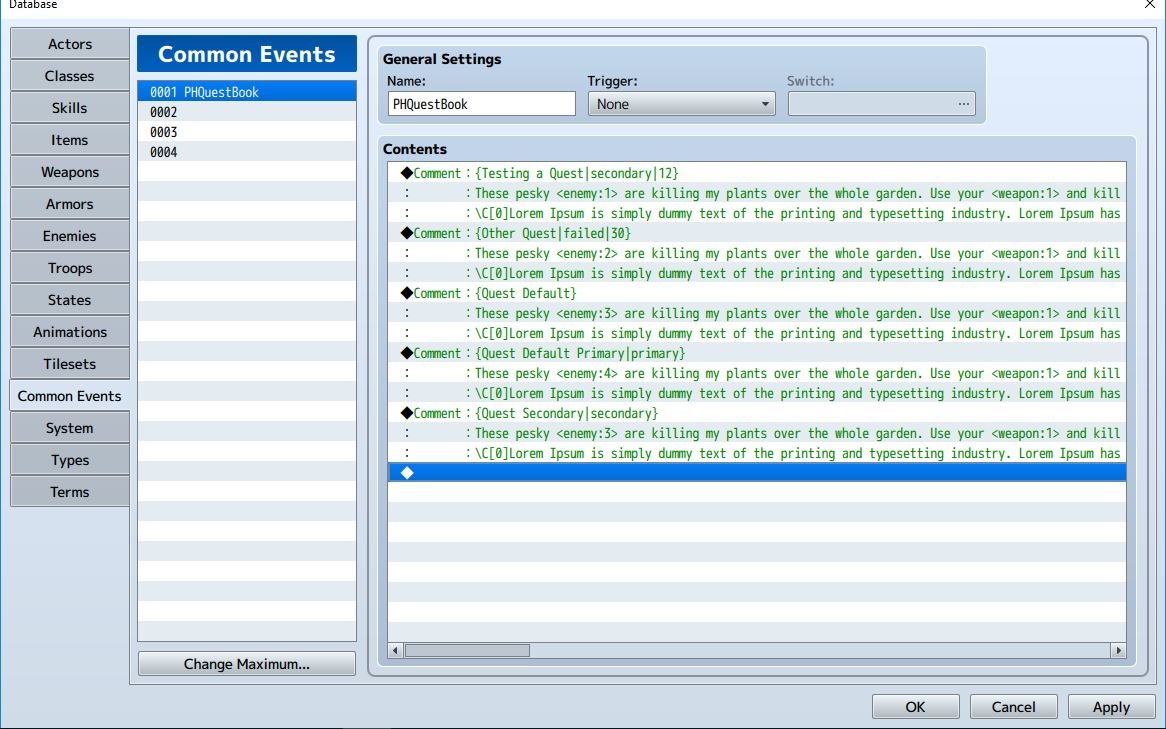
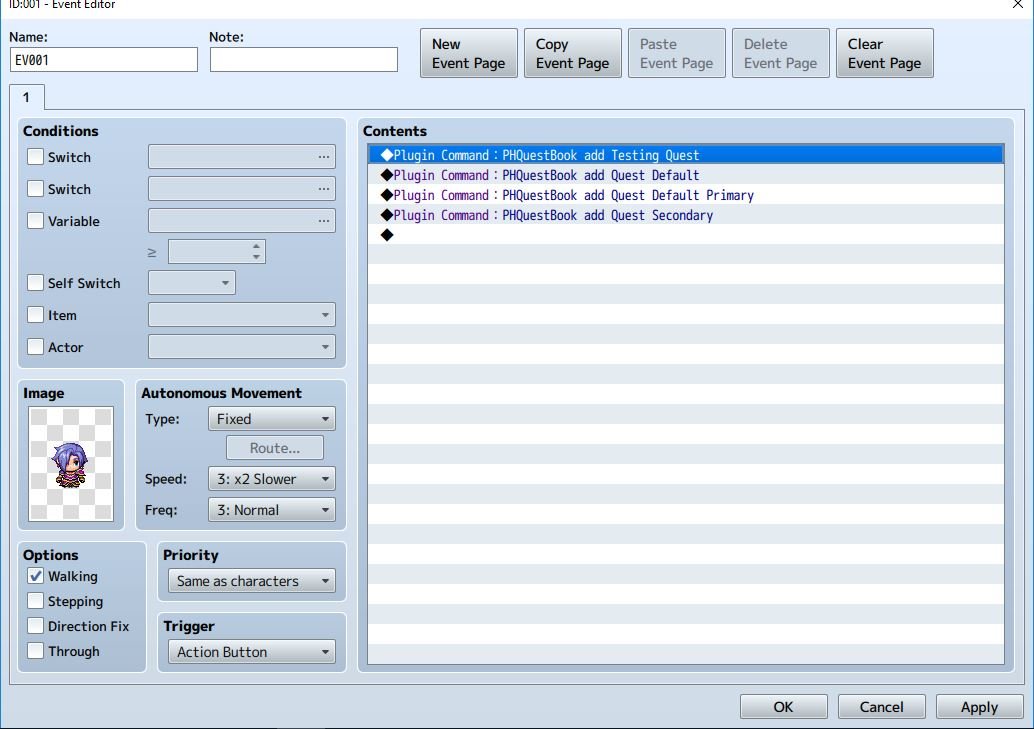
- If you have old versions or you are getting in trouble with the previous kind of configuration, watch this video tutorial created by DGDgamer. He explains step by step what you should do.
Version 1.3:
- Version 2.0:
Demo
Many thanks to DGDgamer for providing a demo (using version 2.0)
DropBox Link
Script
Credits
- PrimeHover
Downloads / Referenced Files
RPG Maker Web attachments are mirrored locally when available. Other external links remain hosted by their original creator or third-party service.
- Local mirror: 22860-881bc24f2b3c24d45e4ce9af0a55453b.jpg
SHA-256:bda5db9ef08364b47a4bbea19e7e142a1c1a764e3f1888b209b0351dd6d9d34e
Original attachment URL: https://forums.rpgmakerweb.com/attachments/capturar-jpg.38405/ - Local mirror: 22861-ffa9d68eab5bafeb9fa1278e02b35098.jpg
SHA-256:025605e0eee47a2efac21d38e233a4c9f74fa5cb7cd8fc2e163859febc54339b
Original attachment URL: https://forums.rpgmakerweb.com/attachments/capturar2-jpg.38406/ - Local mirror: 22862-54004e141bad8eb2de8a8e9c87167a78.jpg
SHA-256:626b7024fc93de040d62e83a66fa7d94bc7191b71f4f4bdd14c12c01266a8fe7
Original attachment URL: https://forums.rpgmakerweb.com/attachments/capturar3-jpg.38407/ - Local mirror: 22863-99c946e134f60cd7a3faff951c912036.jpg
SHA-256:1399579fcf3460b4260083849200927f4a073e980e4a9e35bb893b34b082711f
Original attachment URL: https://forums.rpgmakerweb.com/attachments/capturar4-jpg.38408/ - Local mirror: 22864-5f200faf2b20e166d98a81b2816766d9.jpg
SHA-256:9da61be62eab03e4f31764fe3222902735895dd3f21999a8a124a09c6d3eca79
Original attachment URL: https://forums.rpgmakerweb.com/attachments/capturar5-jpg.38409/ - Download: DropBox Link
- Source: https://github.com/PrimeHover/QuestBook
License / Terms Note
License This work is licensed under the Creative Commons Attribution 4.0 International License. To view a copy of this license, visit http://creativecommons.org/licenses/by/4.0/ However, if this plugin is very useful to your project, consider making a small donation using the link below:
Referenced Images / Attachments
Creator Claims / Removal
If you are the original creator and want this listing reassigned, edited, or removed, join BMMPlay and contact the moderators with proof that matches the original RPG Maker Web profile, linked GitHub, itch.io page, or another public creator identity.
Replies (0)
No replies yet.
Topic Summary
Loading summary...