






Original Source
- Original title: How to use switches to progress the story of your game.
- Original author: RyokuHasu
- Original date: June 5, 2014
- Source thread: https://forums.rpgmakerweb.com/threads/how-to-use-switches-to-progress-the-story-of-your-game.27911/
- Source forum path: Game Development Engines > RPG Maker Tutorials > RMVXAce Tutorials
Summary
Switches are the most basic form of controlling the progression of a game however I see a lot of people who use bad switch practices and or just plainly don't know how to use them. So In this tutorial I will go over several Types of Switch based progression systems. Hopefully this guide can give you a better Idea on how to handle your story with Switches. Now I know a lot of people don't know how switches and conditions work so lets start there. An Introduction to Switches A...
Archived First Post
Now I know a lot of people don't know how switches and conditions work so lets start there.
An Introduction to Switches
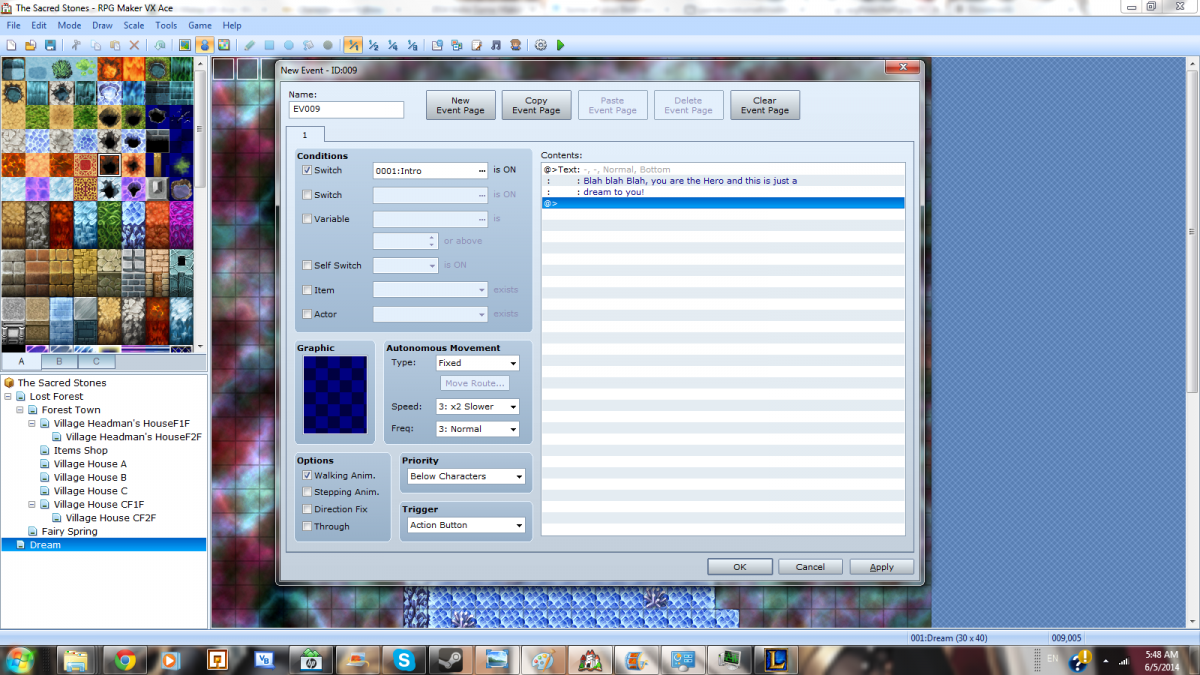
A switch is literally nothing more that something that just marks when you want certain actions and story to be used. And an event that contains any part of the story or game that is hidden or not accessible at the start of the game needs a switch turned on before it is used.
In this example the event need a switch called Intro1 turned ON to start and tell the player an important message.
Protected download
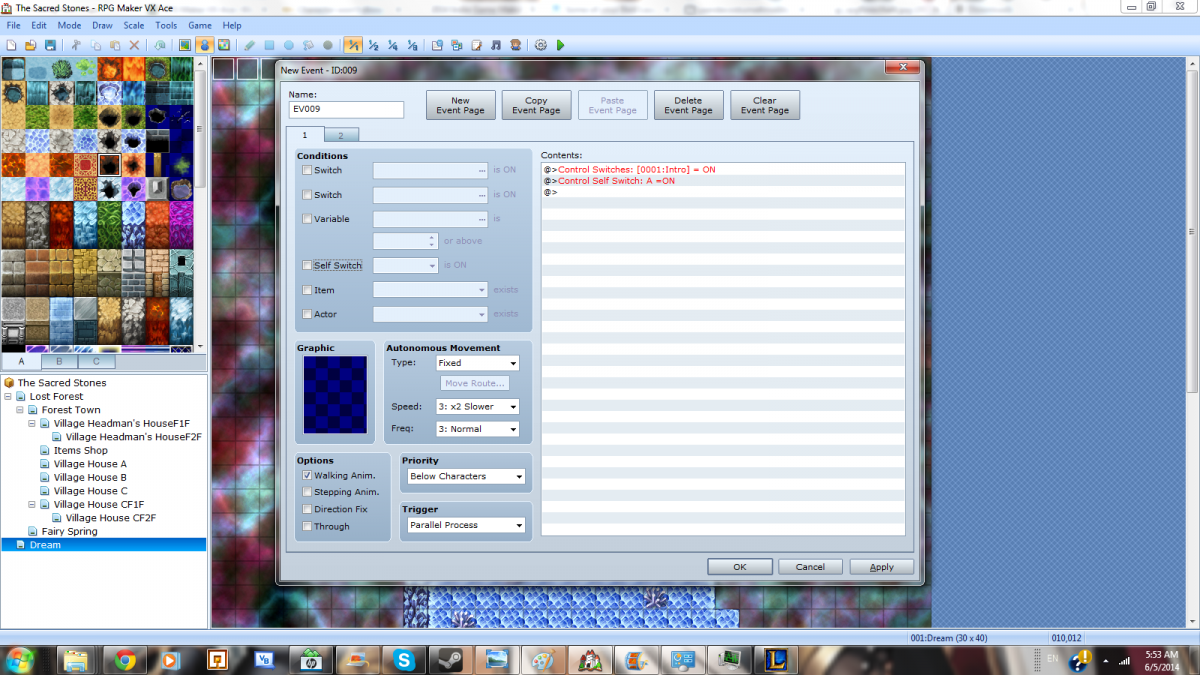
But there we already have a problem at the start of the game all switches are off so the player cant get this part of the story. So what we need to go is turn on our first switch right as the game starts.
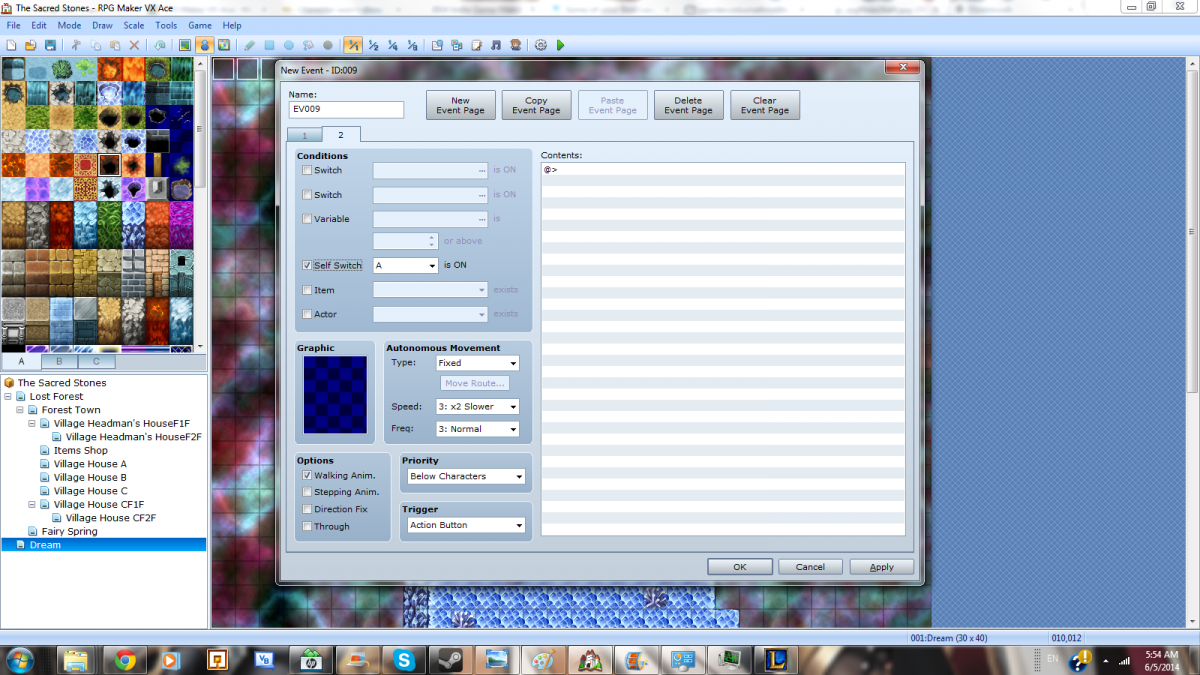
To do this we use a parallel process event to turn on the first switch then turn on it's self switch so it will only run once.
Protected downloadProtected download
Just by making this 1 event on your starting map you are have started the chain of switches that will control your game. This should be the First event you make in any RPG with a progressing story. From that point on EVERY story related event should have a at least 1 switch condition to run.
What Does a Switch represent?
With that in mind how should you divide your story up into sections controlled by Switches? Chapters? Quests? Nope, the best answer is single tasks! The smaller the better. This will use a lot of switches but it will give your game more direction in flow of game-play.
Talk to the person in your dream - Switch
WakeUp - Switch
Find your Martial arts Teacher to tutorial battle- Switch
Go receive a gift back at the dojo -switch
Go visit the shrine and grab an item - switch
bring back the item - switch
Linear Progression
Linear Story Progression is when the story happens in Sequence it starts at point A and ends at point B. This is the most basic form of progression so it's a good place to start with creating chains of Switches.
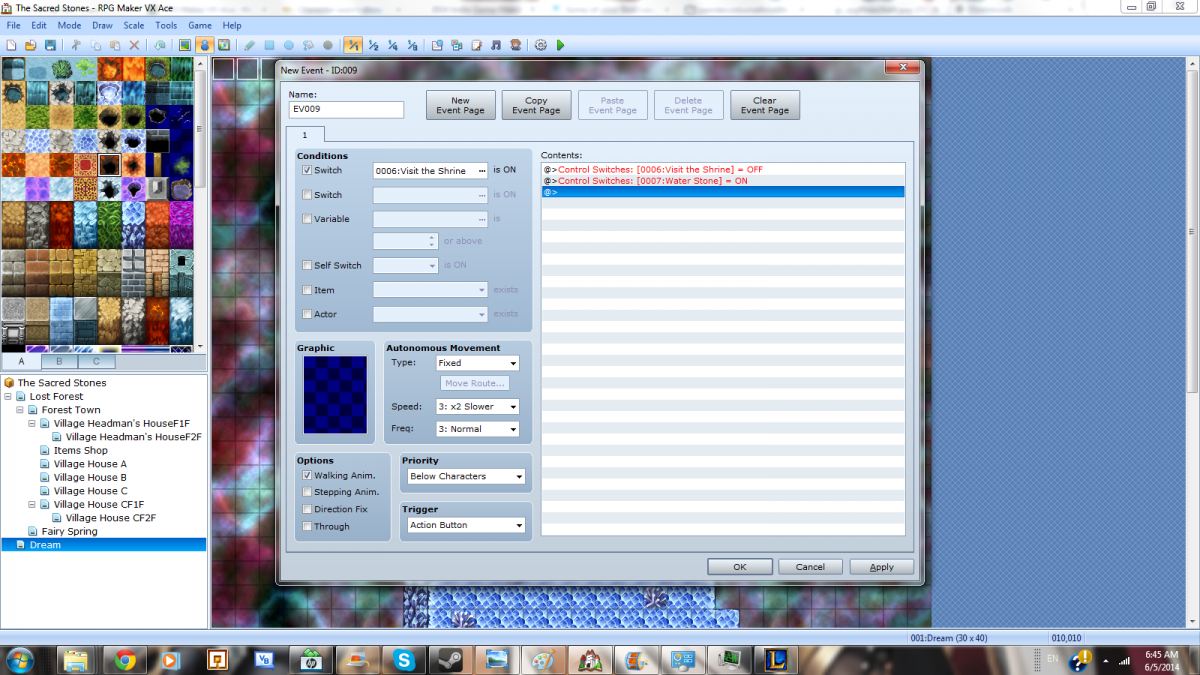
In linear story progression you turn a series of switches ON one after another, this is what most people do. However the thing that should also be done is turning them off ass you get done using them, clean up after yourself you you don't have to worry about a story element lingering around after you want it gone. So every time you turn a new one on, turn the old one off!
Since you start with Switch 1 on then when you turn switch 2 On you turn Switch 1 off right after it.
Now any time this would cause your Character events to change around/location or anything it's best to use a Fadeout Screen before turning on the next one, then fade In using an event conditioned for the new switch. This will help with end of cut-scene transitions.
Protected download
Branching Progression.
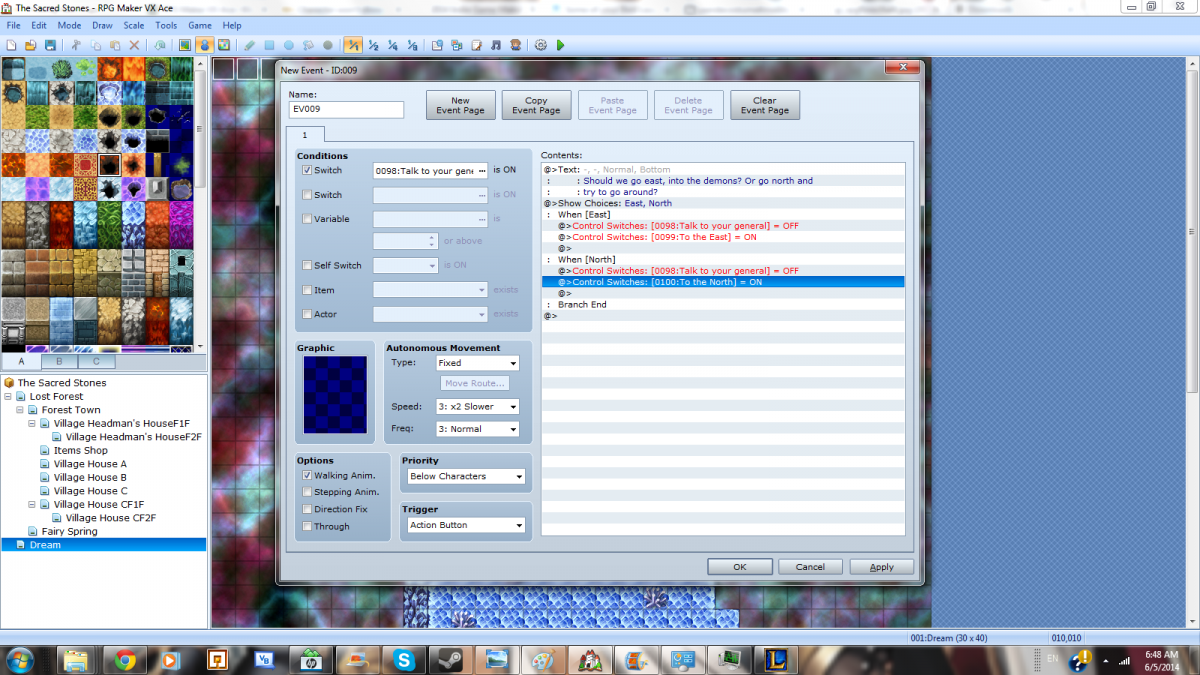
Branching Story progression is where your player is given a choice and depending on that choice it will open up 1 and only 1 of 2 or more possible story lines with their own chains of switches. This is not to be confused with Parallel Progression which is different king of progression that will be discussed later. So in Branching progression after the player makes a Choice you turn on one of the 2 possible switches and leave the other off, and turn off the Switch before hand. This can be useful for when the player has to make huge story decisions like go west through the army of demons or north and try to go around them.
Protected download
Parallel Progression
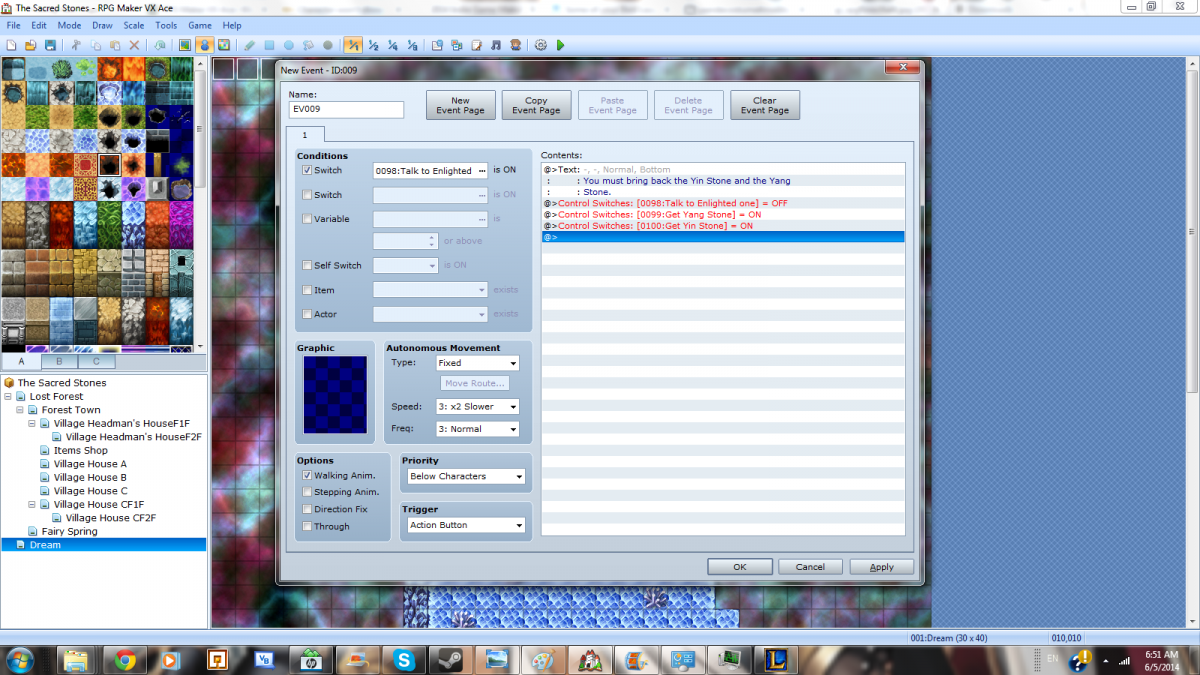
Parallel progression is where the player is given things he has to go, but is not given the order he has to do them in. Unlike branching when you turn off the last switch you turn on 2 or more new switches each with their own chain. This can be useful for if your player has to collect the 4 elemental orbs of Babayaga or something along those lines. All the paths are required to be completed before any new Key points in the story happen. Parallel progression will always lead into Converging Progression.
Protected download
Converging Progression
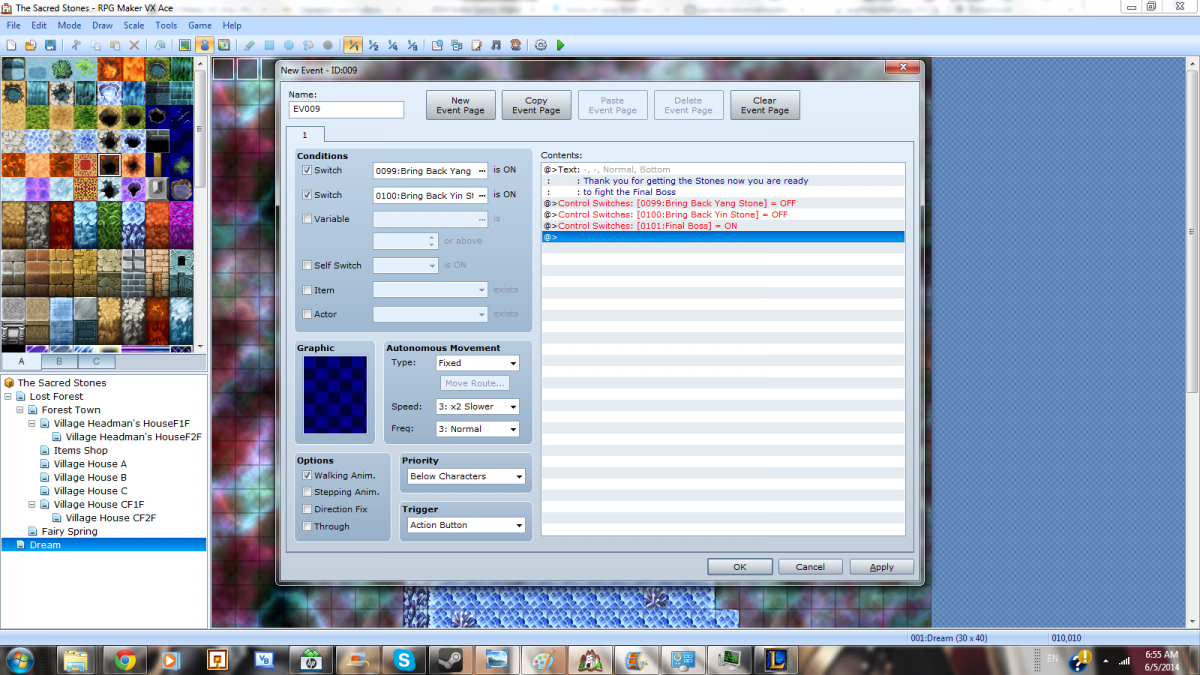
Converging Progression is where Parallel ALWAYS ends up, but branching can also end here too. Converging progression is where you take all the current On Switches for the story and turn them off before turning a new single switch on. Then it resumes from here with Linear Progression until another Branch or Parallel happens.
Protected download
Side Questing and Open World Progression
The final type of progression to cover is the one that does not follow the main story or has no main story. Side Questing is a collection of smaller Linear Progressions that the first Switch in a chain is started by talking to a character event then after a few tasks the chain ends. This is a more free form way to have progression but each quest should follow the general guidelines of the other types.
Downloads / Referenced Files
Log in, then follow the RPG Maker Developers Group to see these download links.
Log in to downloadReferenced Images / Attachments
Creator Claims / Removal
If you are the original creator and want this listing reassigned, edited, or removed, join BMMPlay and contact the moderators with proof that matches the original RPG Maker Web profile, linked GitHub, itch.io page, or another public creator identity.
Replies (0)
No replies yet.
Topic Summary
Loading summary...


