

Fortune CardReader Demo/Tutorial
BMM_Archive · July 15, 2026

BMM_Archive
Preserved forum archive. This topic stores the original first post and locally mirrored RPG Maker Web attachments when available. It is posted by the BMMPlay archive account, not by the original creator.
Original Source
- Original title: Fortune CardReader Demo/Tutorial
- Original author: Carri
- Original date: November 22, 2013
- Source thread: https://forums.rpgmakerweb.com/threads/fortune-cardreader-demo-tutorial.20224/
- Source forum path: Game Development Engines > RPG Maker Tutorials > RMVXAce Tutorials
Summary
Fortune CardReader Demo for RPGMaker VXACE By Carrigon With Coding Help from: Tsukihime
Archived First Post
Fortune CardReader Demo for RPGMaker VXACE
By Carrigon
http://www.sims2workshop.com
With Coding Help from:
Tsukihime
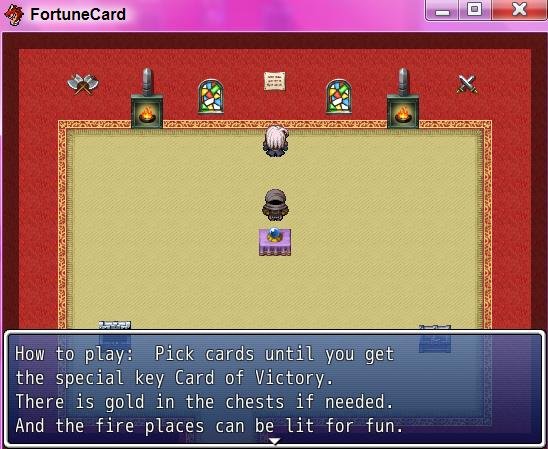
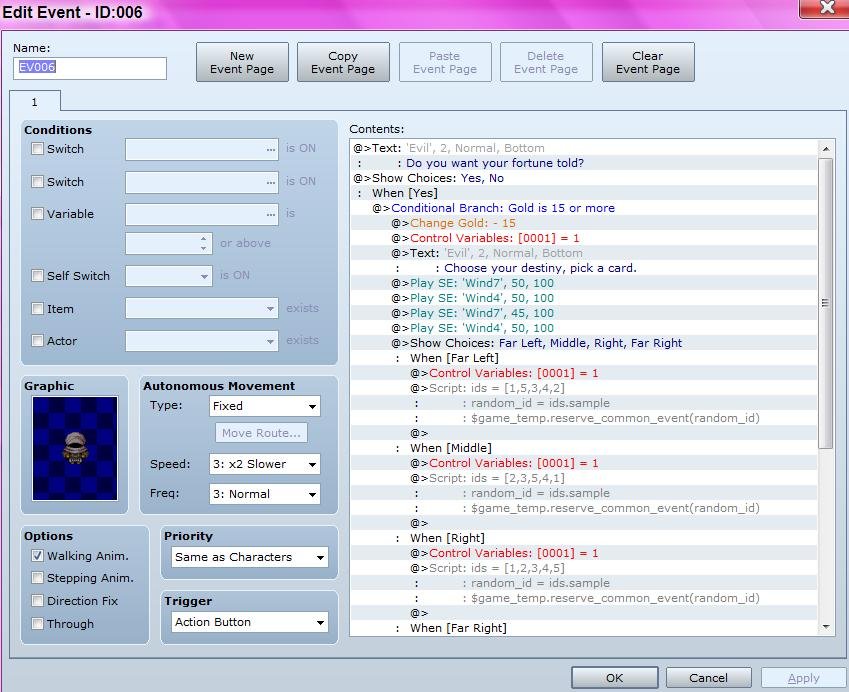
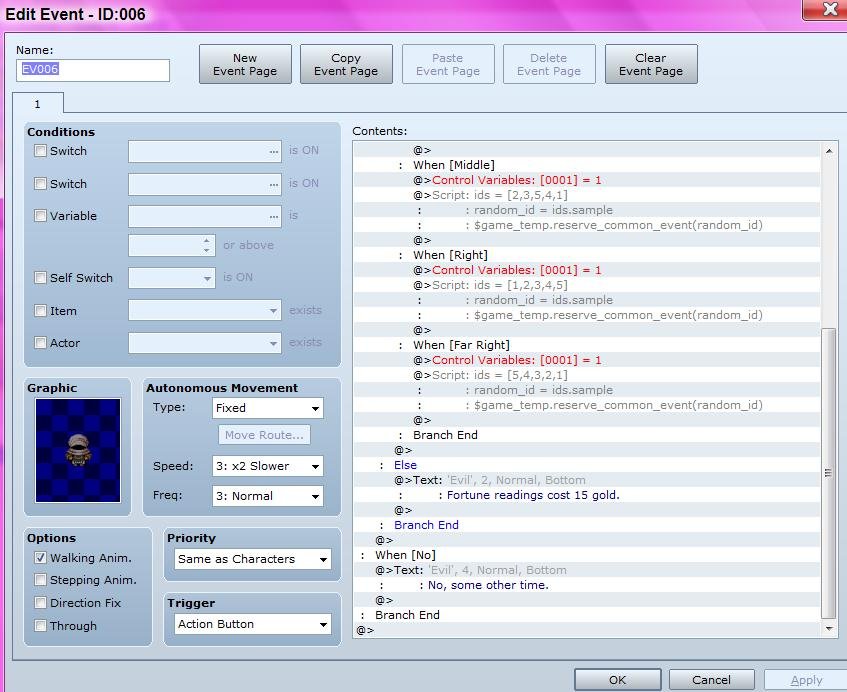
This is a little demo of a random tarot card reader. It's done by events and script calls.
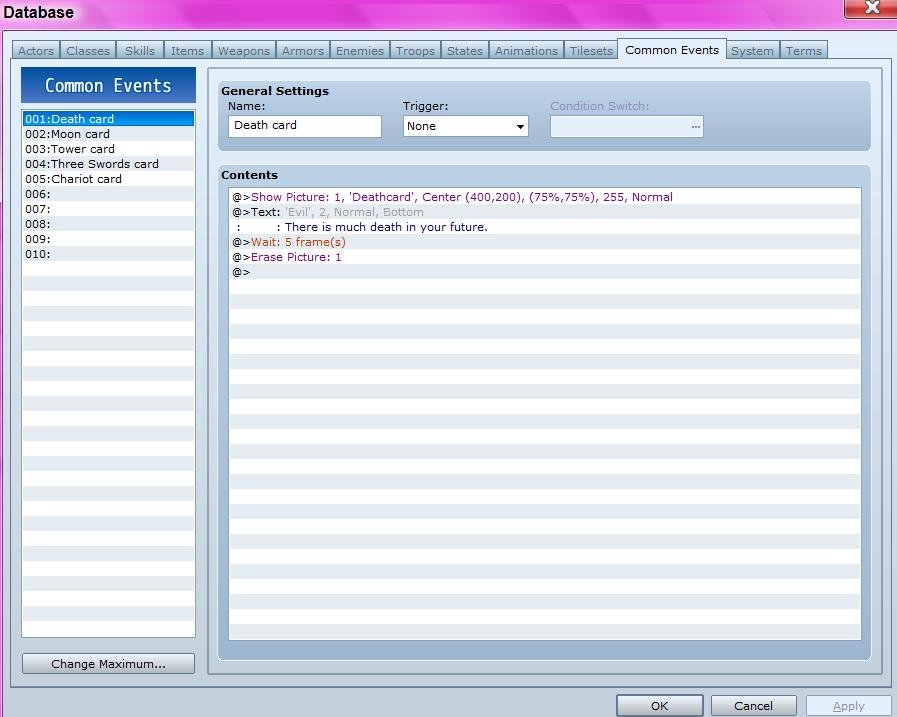
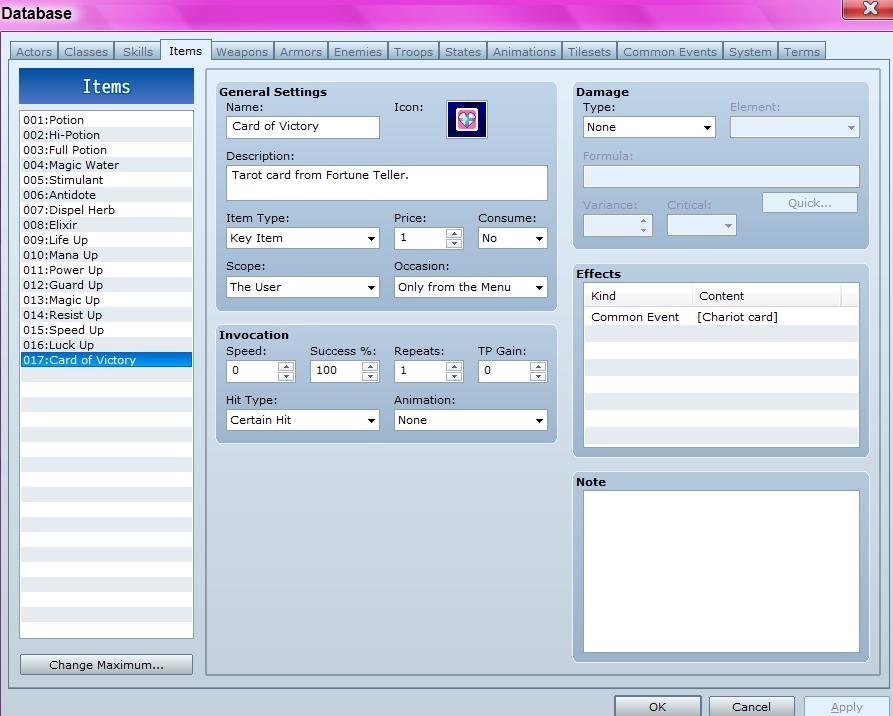
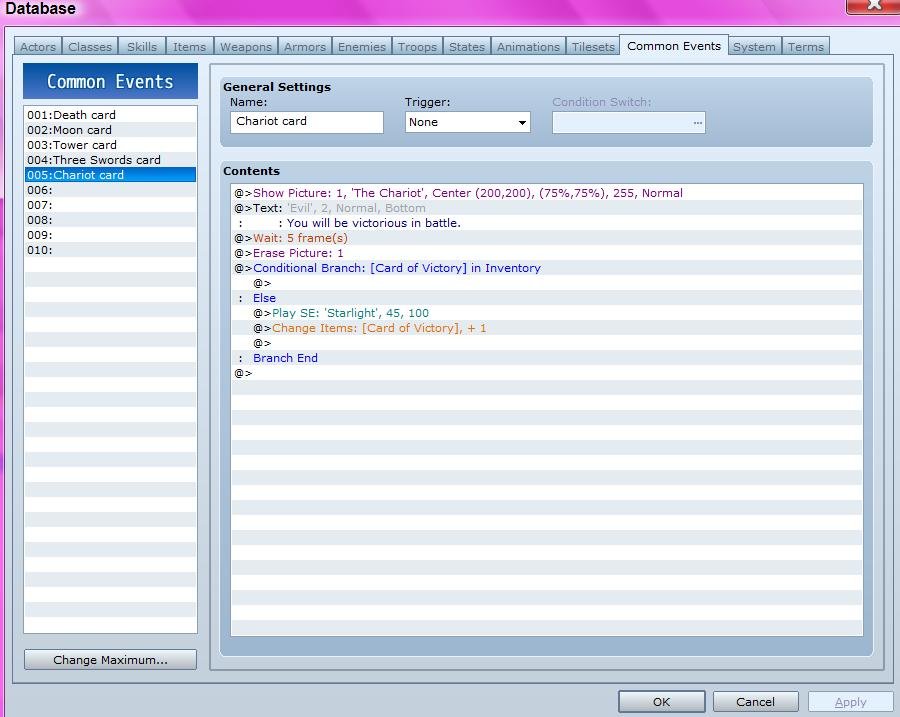
There is nothing to paste in the game's scripts. Just look in the Common Events area and the Items area,
as well as, examining the event itself.
You can add as many cards as you want to for this. I only used five. You can do custom graphics. You can even move
the card positions around on the screen or add animations.
Instructions for the demo: You can read the note on the wall. All actions are done with the action button just hit enter.
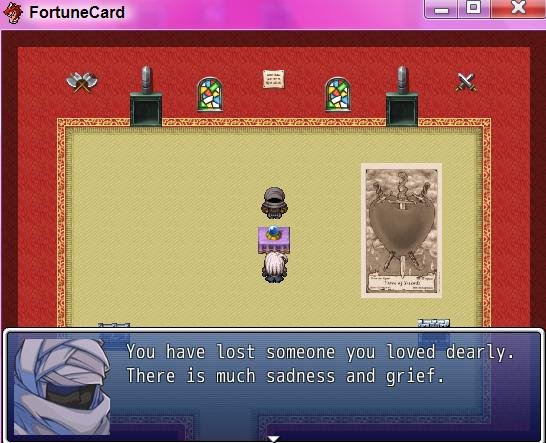
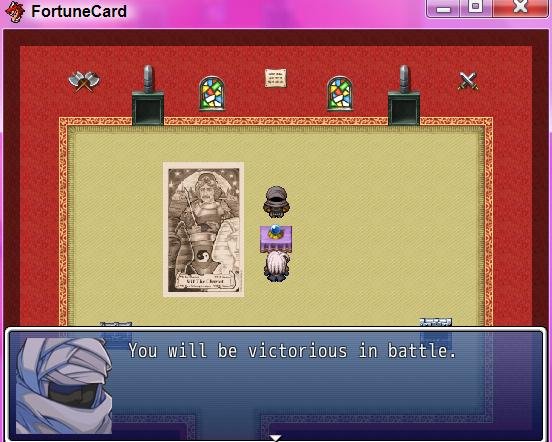
Walking is done with the arrow keys. The fire places can be lit for fun. There is money in the chests, as the fortune reader is not free. So get some gold and go to the fortune reader, you can just stand in front of the table and hit enter. Pick cards until you get the special key Card of Victory. For that card, I made it popup on the other side of the screen from the others. Once you have the card, you can keep picking cards if you feel like it, or check your character's inventory by clicking escape. Use the arrow keys to move to Key Items. And you will see the key card in there. Scroll to it and hit enter and you can see it popup with its message. Hit enter to make the popup go away. Hit escape to go back in the menus. That's really it for this demo. But you can see how you can add anything to that. You can have any item show up by putting it in the common event for the card.
No known bugs, but the cards will often repeat, probably because I only did five and it's random. The more cards added, the less repeats. Just keep hitting enter and picking more cards till you get the one you need. Sometimes it's easy to get the right card, other times, it takes more tries.
Please give credits if you use this, thanks.
Demo with Project Files can be downloaded here:
http://www.4shared.com/rar/BNZb6Bcb/Carrigon_FortuneCardDemo.html
By Carrigon
http://www.sims2workshop.com
With Coding Help from:
Tsukihime
This is a little demo of a random tarot card reader. It's done by events and script calls.
There is nothing to paste in the game's scripts. Just look in the Common Events area and the Items area,
as well as, examining the event itself.
You can add as many cards as you want to for this. I only used five. You can do custom graphics. You can even move
the card positions around on the screen or add animations.
Instructions for the demo: You can read the note on the wall. All actions are done with the action button just hit enter.
Walking is done with the arrow keys. The fire places can be lit for fun. There is money in the chests, as the fortune reader is not free. So get some gold and go to the fortune reader, you can just stand in front of the table and hit enter. Pick cards until you get the special key Card of Victory. For that card, I made it popup on the other side of the screen from the others. Once you have the card, you can keep picking cards if you feel like it, or check your character's inventory by clicking escape. Use the arrow keys to move to Key Items. And you will see the key card in there. Scroll to it and hit enter and you can see it popup with its message. Hit enter to make the popup go away. Hit escape to go back in the menus. That's really it for this demo. But you can see how you can add anything to that. You can have any item show up by putting it in the common event for the card.
No known bugs, but the cards will often repeat, probably because I only did five and it's random. The more cards added, the less repeats. Just keep hitting enter and picking more cards till you get the one you need. Sometimes it's easy to get the right card, other times, it takes more tries.
Please give credits if you use this, thanks.
Demo with Project Files can be downloaded here:
http://www.4shared.com/rar/BNZb6Bcb/Carrigon_FortuneCardDemo.html
Downloads / Referenced Files
RPG Maker Web attachments are mirrored locally when available. Other external links remain hosted by their original creator or third-party service.
- Demo: http://www.4shared.com/rar/BNZb6Bcb/Carrigon_FortuneCardDemo.html
- Local mirror: 2990-a348634e03580b0d68b7575482b9ed19.jpg
SHA-256:d878bb4589c2f74654b8f95a761898afb6c529eebe4f4a0d48c25d5e8fd090a1
Original attachment URL: https://forums.rpgmakerweb.com/attachments/carrigon_fgc1-jpg.9307/ - Local mirror: 2991-0e36db6cf1d78a2943e30102bceea9f6.jpg
SHA-256:5528ffdb20a363ac88ca4b50432fca8c5d8f7840e35948caf850be4860e1ff20
Original attachment URL: https://forums.rpgmakerweb.com/attachments/carrigon_fgc2-jpg.9308/ - Local mirror: 2992-de6f8637e24ae35a86ce0f96b1b1255c.jpg
SHA-256:56b85e6384b260a5fb7143ce2a6505f4eefa212fd5557bda4fd68ff63c5d12a3
Original attachment URL: https://forums.rpgmakerweb.com/attachments/carrigon_fgc3-jpg.9309/ - Local mirror: 2993-b9616e6a0ec2fb6e1d2335421f2a6f5f.jpg
SHA-256:988fb64fcddedadcf2cf2f7c50cd1e1bbe143ab3a97352127f3bb256ad98a3a9
Original attachment URL: https://forums.rpgmakerweb.com/attachments/carrigon_fgc4-jpg.9310/ - Local mirror: 2994-8873845c8d95a73aa4e92ae22f938c8a.jpg
SHA-256:d2302f09939e669f6584e3b7b2a36978b74958035c6f0371fa57d7057028fd04
Original attachment URL: https://forums.rpgmakerweb.com/attachments/carrigon_fgc5-jpg.9311/ - Local mirror: 2995-d69939d98d81221eaa9128a1be5a7d3d.jpg
SHA-256:c6108ddc0eac52f68c9fdf3236eb02f602cbd2c81e4778f19760ba56c83bdd2e
Original attachment URL: https://forums.rpgmakerweb.com/attachments/carrigon_fgc6-jpg.9312/ - Local mirror: 2996-8744c15c7a7957342f55b431c2813574.jpg
SHA-256:35cbf9a87532fa4ab141153f0ad85e8b9b93f6da02487184fa92bb2db246b0b0
Original attachment URL: https://forums.rpgmakerweb.com/attachments/carrigon_fgc7-jpg.9313/ - Local mirror: 2997-46d40a4ecd8e39ea8b8acb0be174b46d.jpg
SHA-256:330b55be7b110d77d4479f494cbdf9bf257f3d278360a6ff1dbe1d5179e19616
Original attachment URL: https://forums.rpgmakerweb.com/attachments/carrigon_fgc8-jpg.9314/
License / Terms Note
Please give credits if you use this, thanks. Demo with Project Files can be downloaded here: http://www.4shared.com/rar/BNZb6Bcb/Carrigon_FortuneCardDemo.html {
Referenced Images / Attachments
Creator Claims / Removal
If you are the original creator and want this listing reassigned, edited, or removed, join BMMPlay and contact the moderators with proof that matches the original RPG Maker Web profile, linked GitHub, itch.io page, or another public creator identity.
Replies (0)
No replies yet.
0
replies
18
views
Topic Summary
Loading summary...