

MZEli Cap Parameter Control - Manage how an actor can overflow his max parameters!
BMM_Archive · July 15, 2026

BMM_Archive
Preserved forum archive. This topic stores the original first post and locally mirrored RPG Maker Web attachments when available. It is posted by the BMMPlay archive account, not by the original creator.
Original Source
- Original title: Eli Cap Parameter Control - Manage how an actor can overflow his max parameters!
- Original author: Eliaquim
- Original date: November 9, 2020
- Source thread: https://forums.rpgmakerweb.com/threads/eli-cap-parameter-control-manage-how-an-actor-can-overflow-his-max-parameters.129719/
- Source forum path: Game Development Engines > RPG Maker Javascript Plugins > JS Plugin Releases (RMMZ)
Summary
{ "lightbox_close": "Close", "lightbox_next": "Next", "lightbox_previous": "Previous",
Archived First Post

Author: Hakuen Studio
Introduction
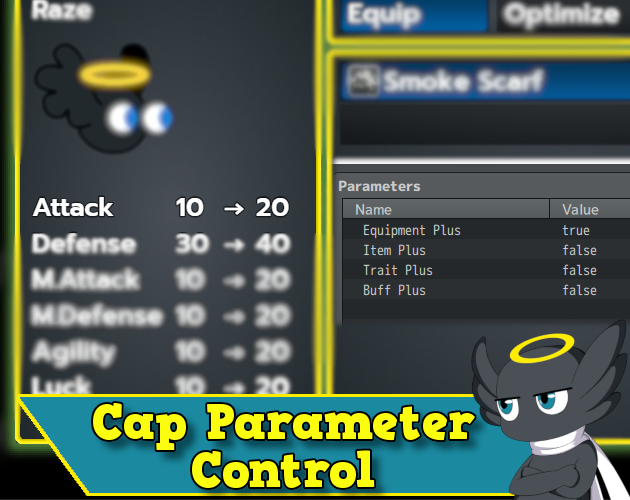
In Eli Class Curves, we have the Cap Curve parameter that defines the max value of an actor parameter.
But maybe you want to exceed this value somehow. Maybe equipping a weapon or using an item.
So this plugin is for you.
Features
• Choose if you want to exceed the cap parameter with equipment, items, traits, or buff values.
How to use
Just set up the plugin parameters and you are good to go.
Note¹: If you have any plugin that adds extra values to the actor's parameters, try to put it above this plugin.
I have added a feature to track down these extra values. So it is more compatible with other plugins.
Terms of Use
Update Log
Hakuen Studio Cap Parameter Control for RPG Maker MZ by Hakuen Studio
Controls how the actor can overflow his max parameters! (Eli Class Curves Extension)
 hakuenstudio.itch.io
Features Mentioned
- Choose if you want to exceed the cap parameter with equipment, items, traits, or buff values.
Downloads / Referenced Files
RPG Maker Web attachments are mirrored locally when available. Other external links remain hosted by their original creator or third-party service.
License / Terms Note
Terms of Use Update Log Hakuen Studio Cap Parameter Control for RPG Maker MZ by Hakuen Studio Controls how the actor can overflow his max parameters! (Eli Class Curves Extension)
Referenced Images / Attachments
Creator Claims / Removal
If you are the original creator and want this listing reassigned, edited, or removed, join BMMPlay and contact the moderators with proof that matches the original RPG Maker Web profile, linked GitHub, itch.io page, or another public creator identity.
Replies (0)
No replies yet.
0
replies
27
views
Topic Summary
Loading summary...