

MZEli Map Select - Easy and simple fast travel!
BMM_Archive · July 15, 2026

Original Source
- Original title: Eli Map Select - Easy and simple fast travel!
- Original author: Eliaquim
- Original date: November 19, 2020
- Source thread: https://forums.rpgmakerweb.com/threads/eli-map-select-easy-and-simple-fast-travel.130086/
- Source forum path: Game Development Engines > RPG Maker Javascript Plugins > JS Plugin Releases (RMMZ)
Summary
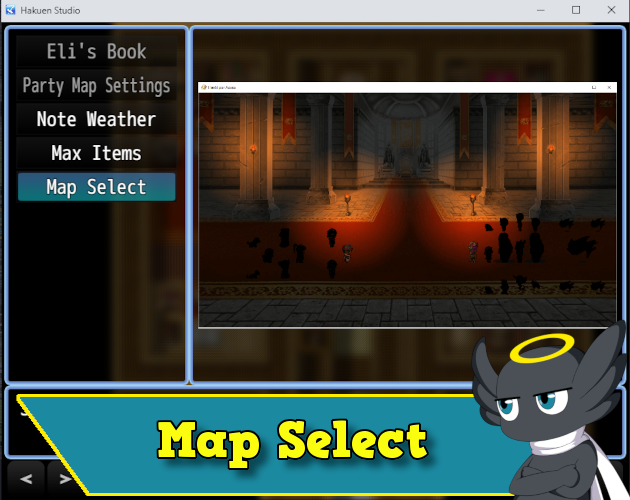
Author: Hakuen Studio Introduction Sometimes to test a game, we have to restart the playtest several times to transfer from one map to another. Or create events on each map to perform the transfer. This plugin solves this problem by creating a map selection scene, where you can choose to transfer the player to the map you want!
Archived First Post
Author: Hakuen Studio
Introduction
Sometimes to test a game, we have to restart the playtest several times to transfer from one map to another. Or create events on each map to perform the transfer.
This plugin solves this problem by creating a map selection scene, where you can choose to transfer the player to the map you want!
It can also be used as a fast travel mechanic!
Features
● Creates a map selection scene.
● Add an image for each map.
● Choose to use on-screen buttons or not.
● Help window for the description of each map.
● You can add new maps within the game!
How to use
● Create a new folder in your img folder: "map_select" (Without quotes, all lower case). You will store the map select preview images there.
● You can add as many maps as you like using the plugin parameters. I believe that all are very explanatory, however, the "Condition Type" requires clarification.
● There are conditions to show/hide the map commands on the map select scene.
And there are conditions that can enable/disable these commands.
The difference is, that when a command is disabled, it will still show on the command window, but the player will not be able to select it.
● You can also add new maps using plugin commands.
Screenshots


Terms of Use
Update Log
Hakuen Studio Map Select for RPG Maker MZ by Hakuen Studio
 hakuenstudio.itch.io
Features Mentioned
Downloads / Referenced Files
RPG Maker Web attachments are mirrored locally when available. Other external links remain hosted by their original creator or third-party service.
License / Terms Note
Terms of Use Update Log Hakuen Studio Map Select for RPG Maker MZ by Hakuen Studio Add a map select scene for fast travel systems!
Referenced Images / Attachments
Creator Claims / Removal
If you are the original creator and want this listing reassigned, edited, or removed, join BMMPlay and contact the moderators with proof that matches the original RPG Maker Web profile, linked GitHub, itch.io page, or another public creator identity.
Replies (0)
No replies yet.
Topic Summary
Loading summary...