

MZDrag's Debugger - Tweak data live during playtest !
BMM_Archive · July 15, 2026

Original Source
- Original title: Drag's Debugger - Tweak data live during playtest !
- Original author: Drag
- Original date: March 5, 2022
- Source thread: https://forums.rpgmakerweb.com/threads/drags-debugger-tweak-data-live-during-playtest.145450/
- Source forum path: Game Development Engines > RPG Maker Javascript Plugins > JS Plugin Releases (RMMZ)
Summary
Drag's Debugger for MZ v0.10 Drag & Plugin Introduction An independent window for debugging purpose that will let you see and edit data while playtesting.
Archived First Post
Drag & Plugin
Introduction
An independent window for debugging purpose that will let you see and edit data while playtesting.
Features
This plugin will open up a new window at the start of your playtest, where data from your game will be displayed, like switch, variables or events, updated in real time during your playtest.
You can navigate from a view to another by using the menu at the top of the debugger window.
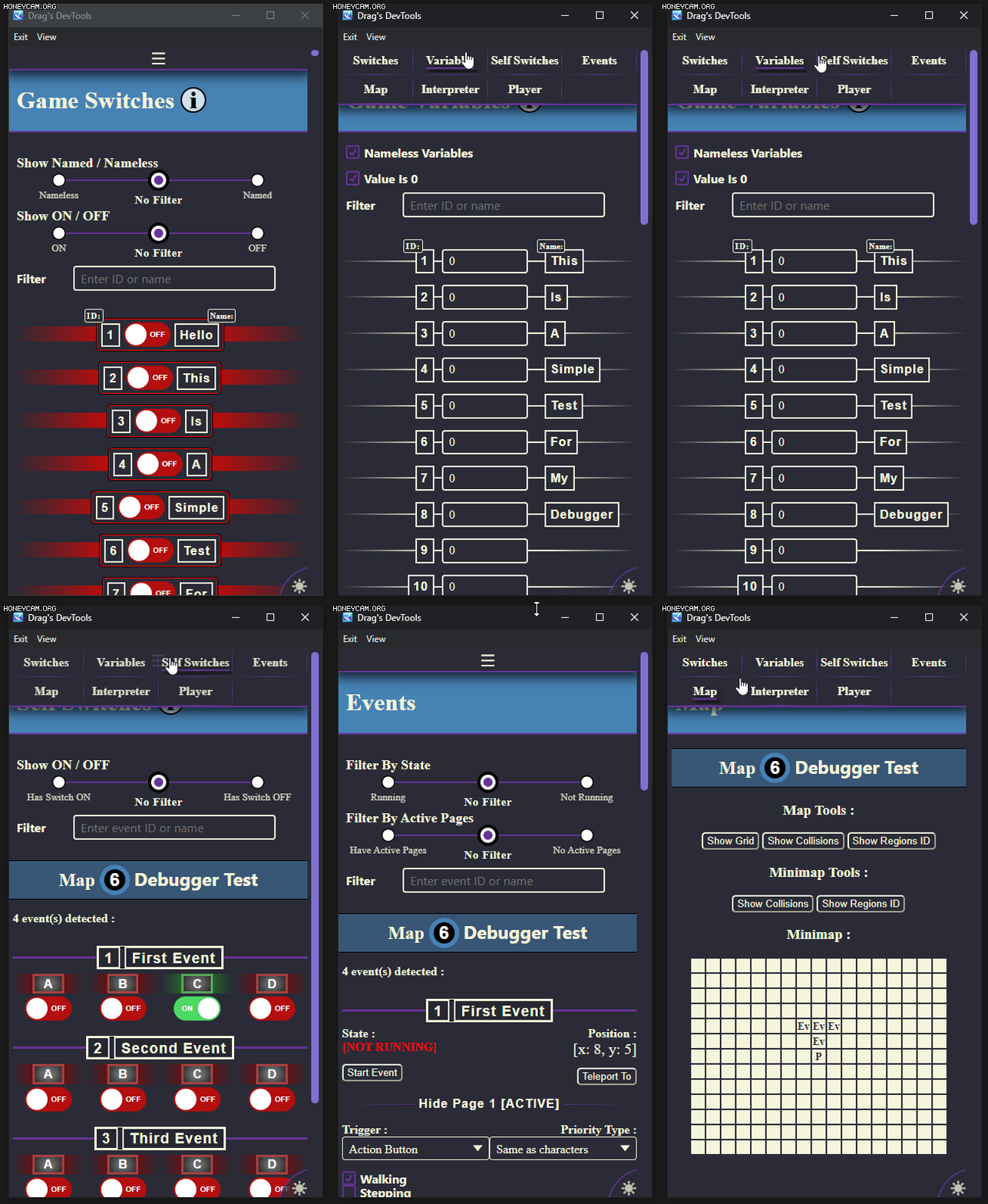
Views
Switches
The switch view feature :- The display of every switchs of your game
- Filtering options by ID/name and status (ON or OFF)
- An easy way to toggle any switch by a simple click
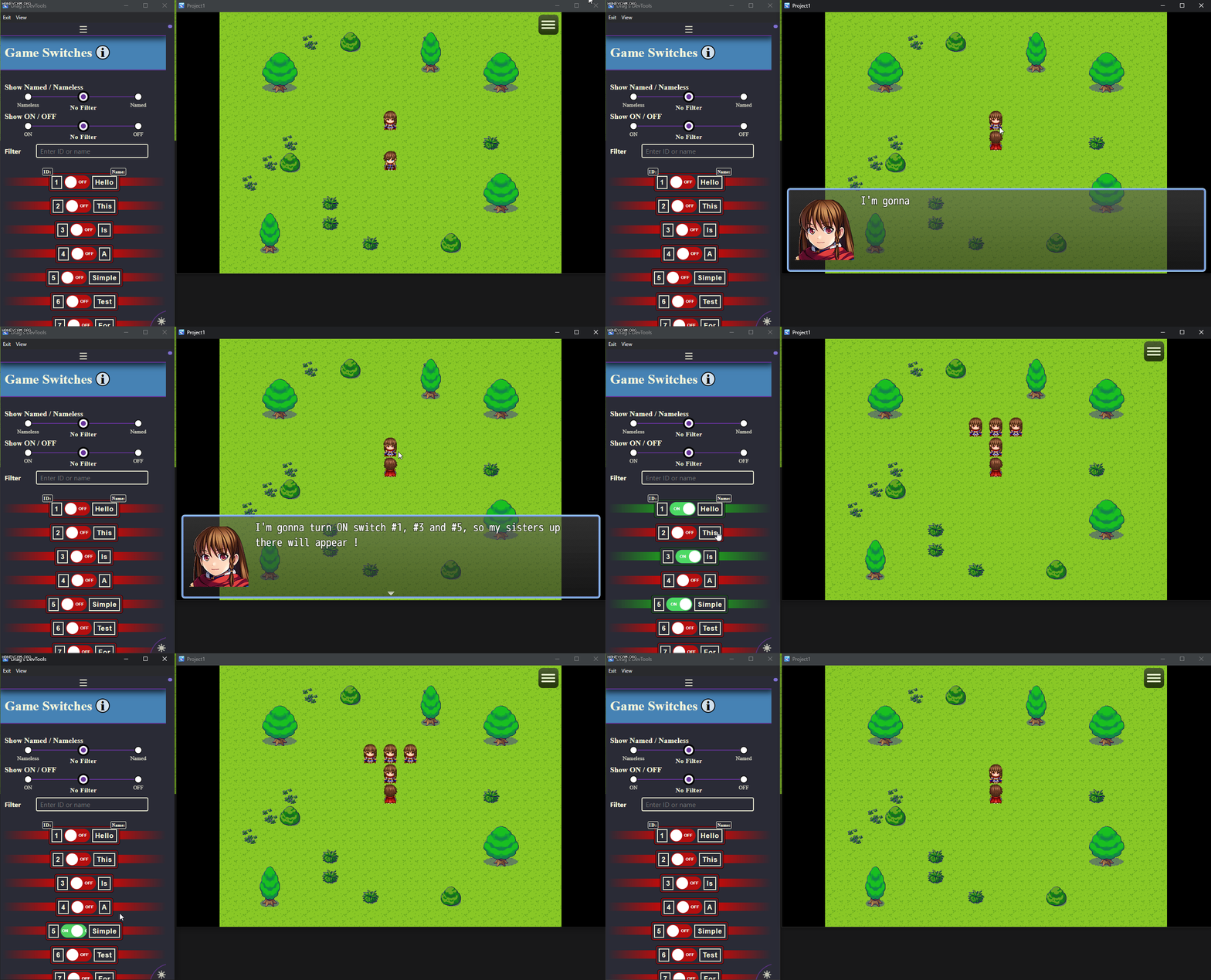
Variables
The variable view feature :- The display of every variables of your game
- Filtering options by ID/name and value
- An easy way to input custom values in a specific variable
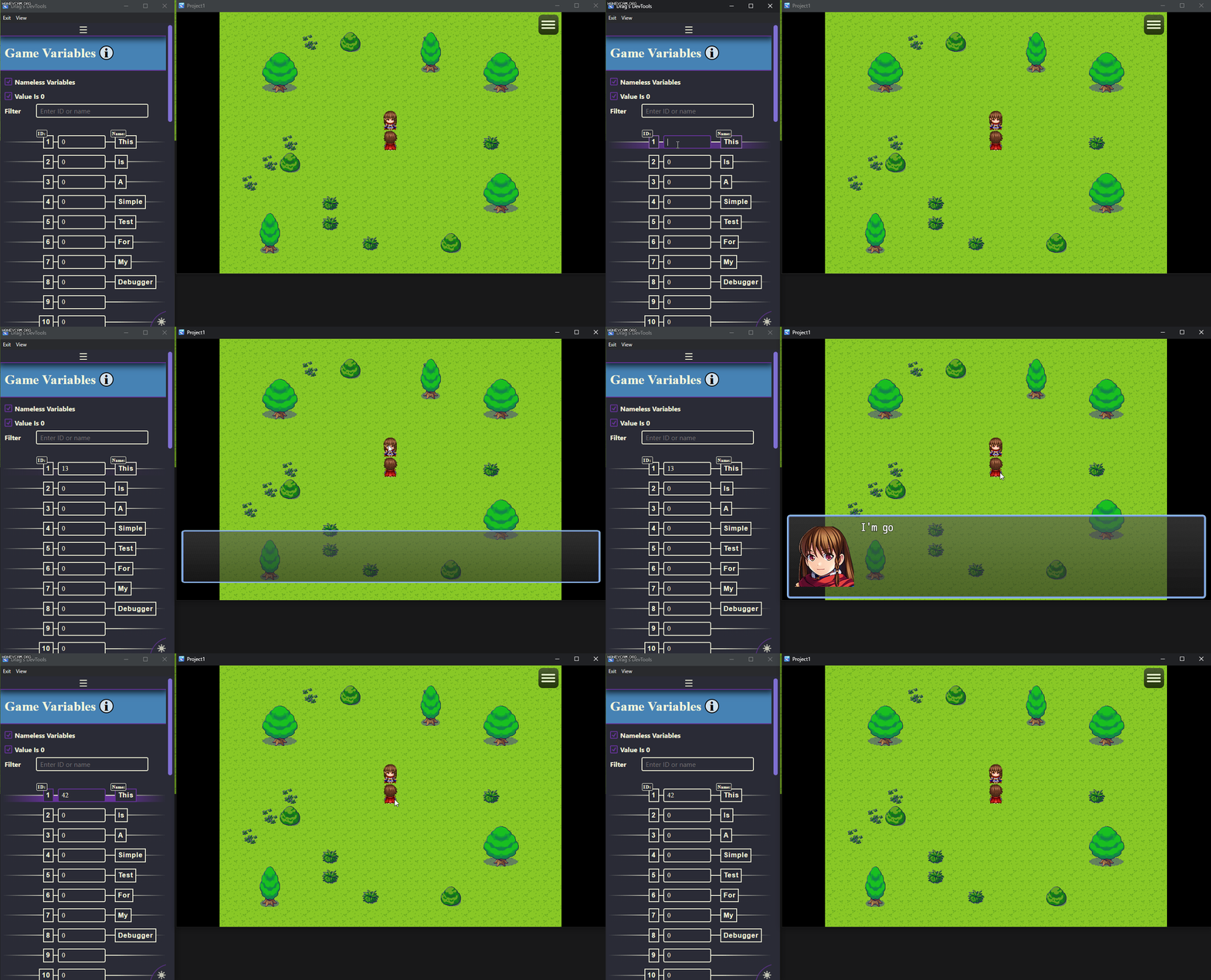
Self Switches
The self switch view feature :- The display of every self switchs of every events of the current map
- Filtering options by ID/name and status (ON or OFF)
- An easy way to toggle any self switch by a simple click
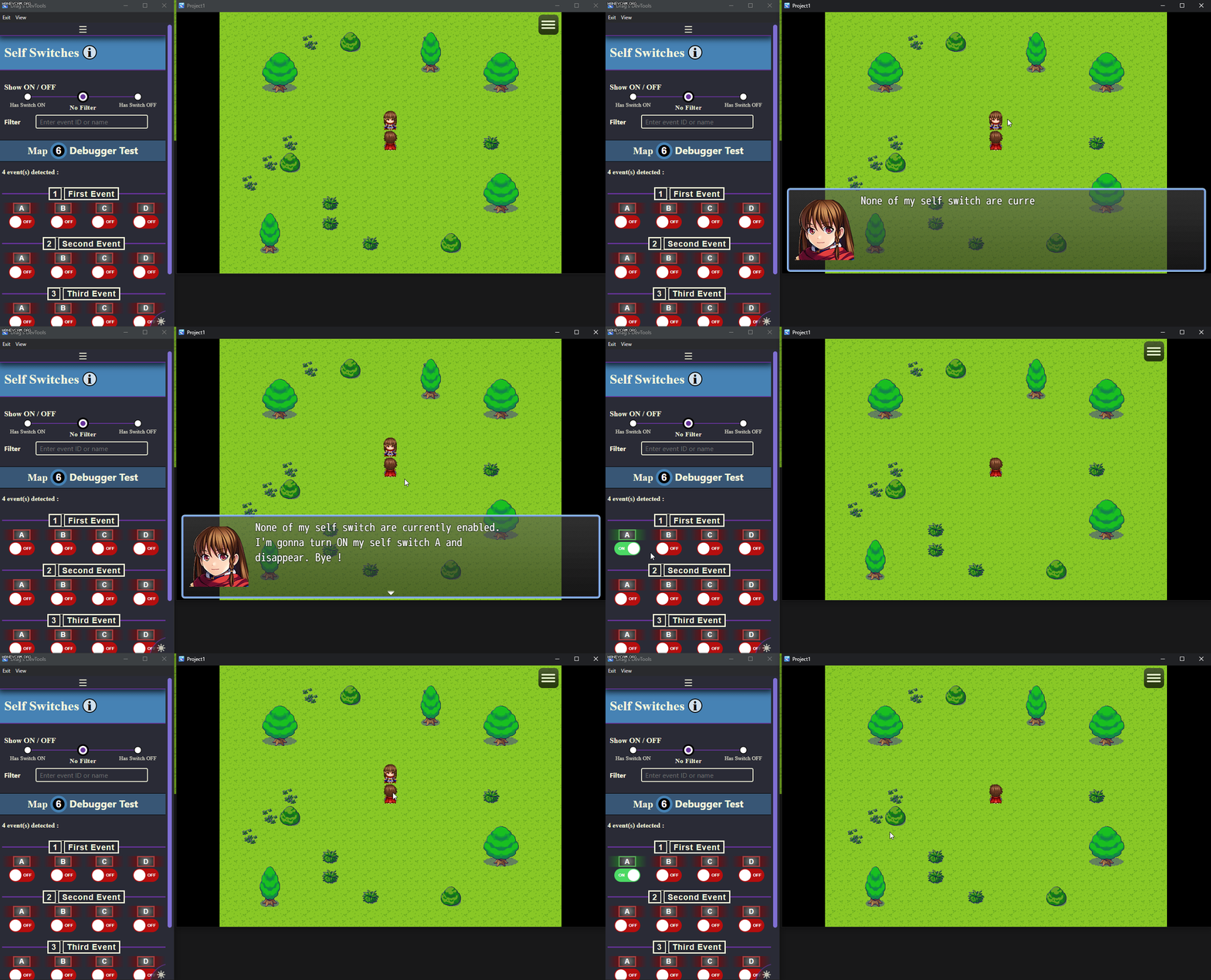
Events
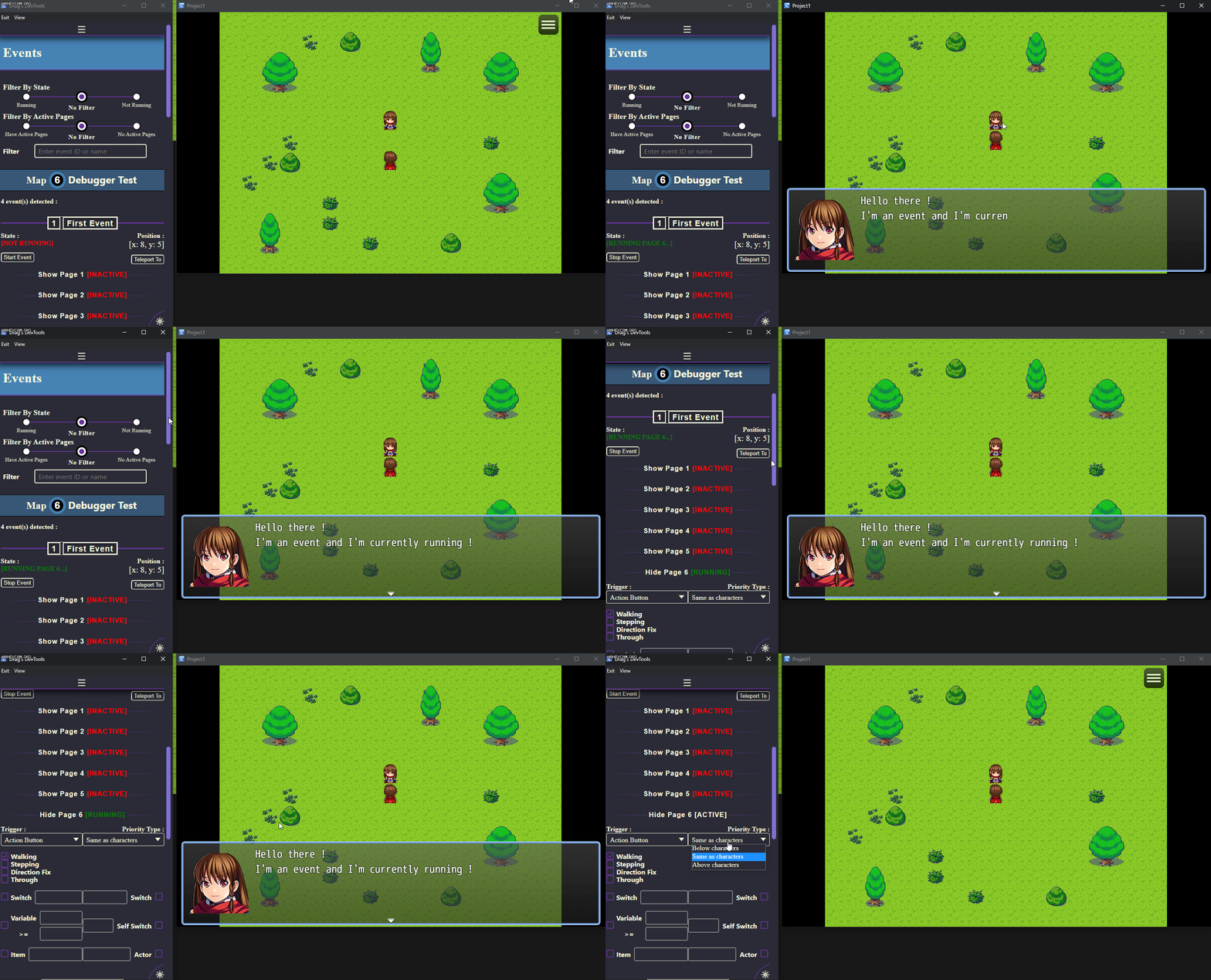
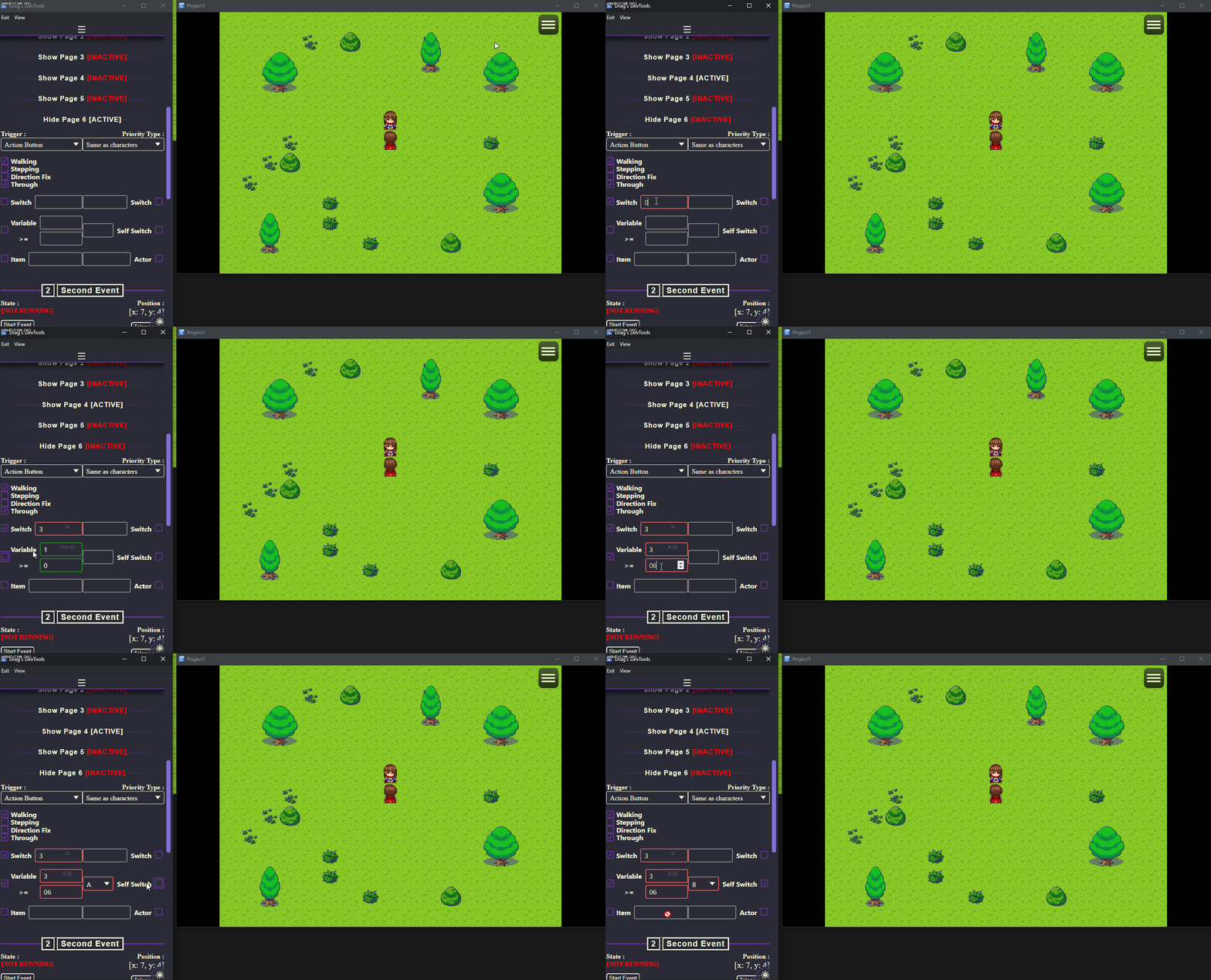
The event view feature :- The display of every events of the current map
- Filtering options by ID/Name, state (running or not running) or activate page
- An easy way to edit most of the event conditions & options
- A button to manually force start/stop an event
- A button to quickly teleport to the event
- The display of a warning if an autorun event is detected as potentially stuck
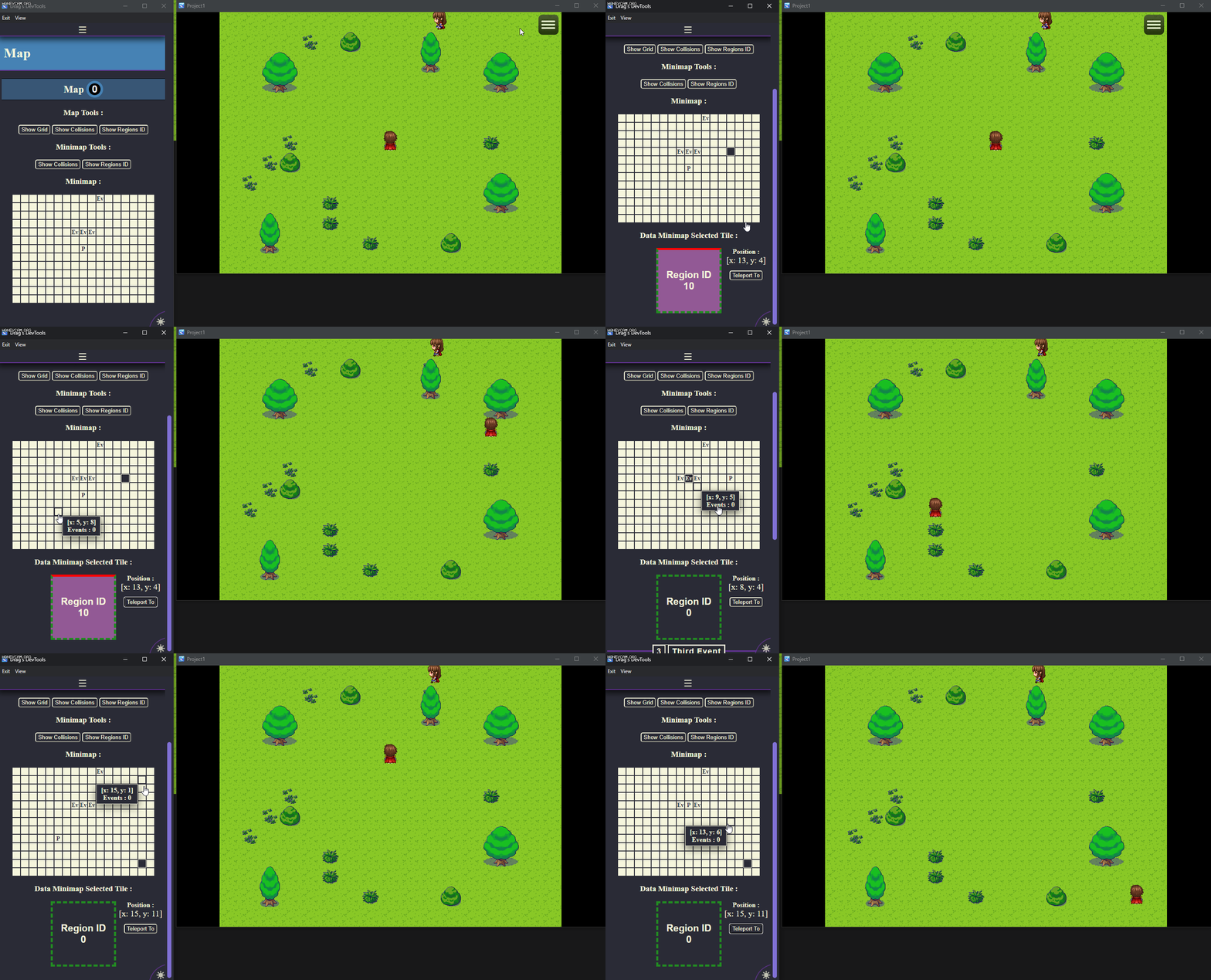
Map
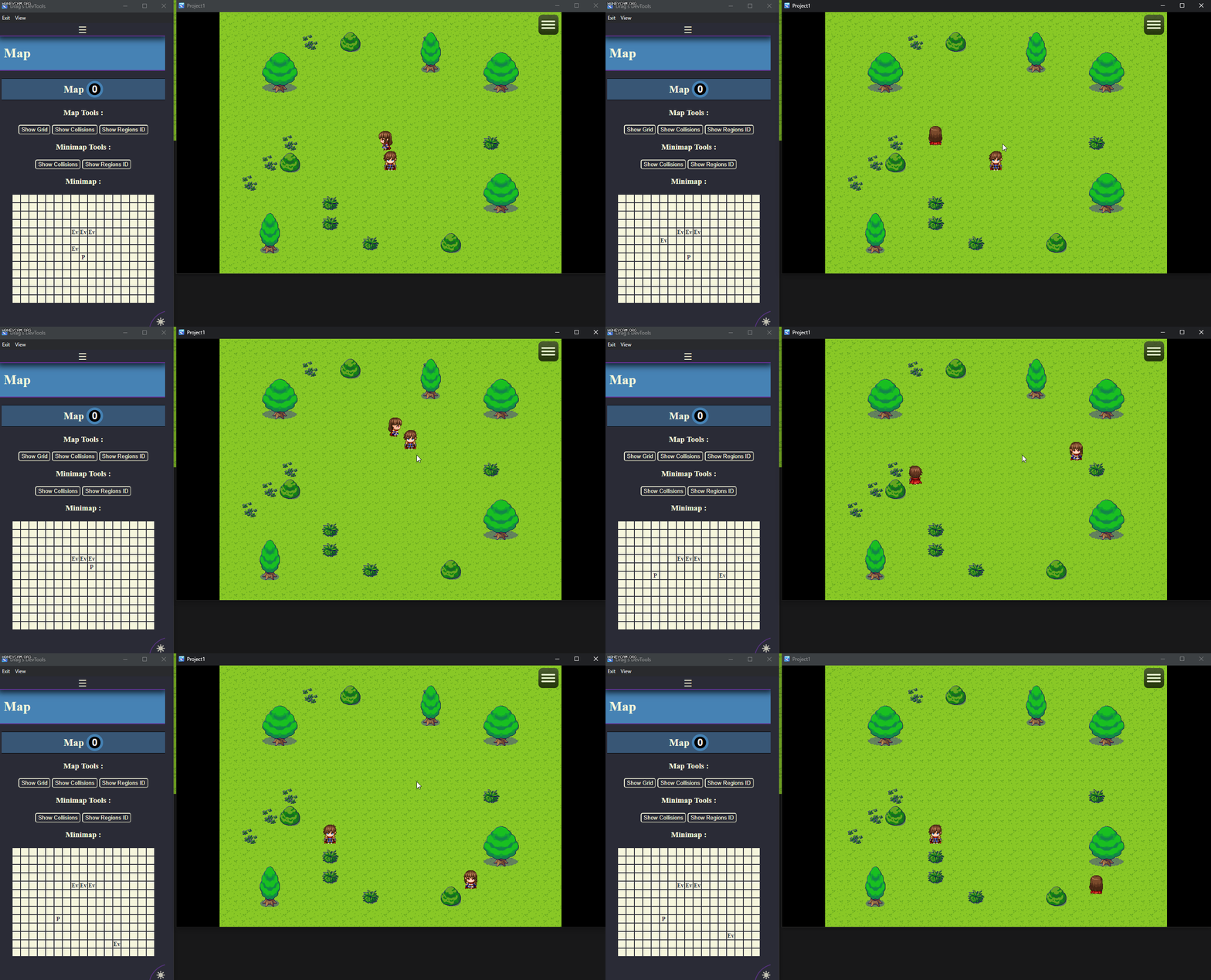
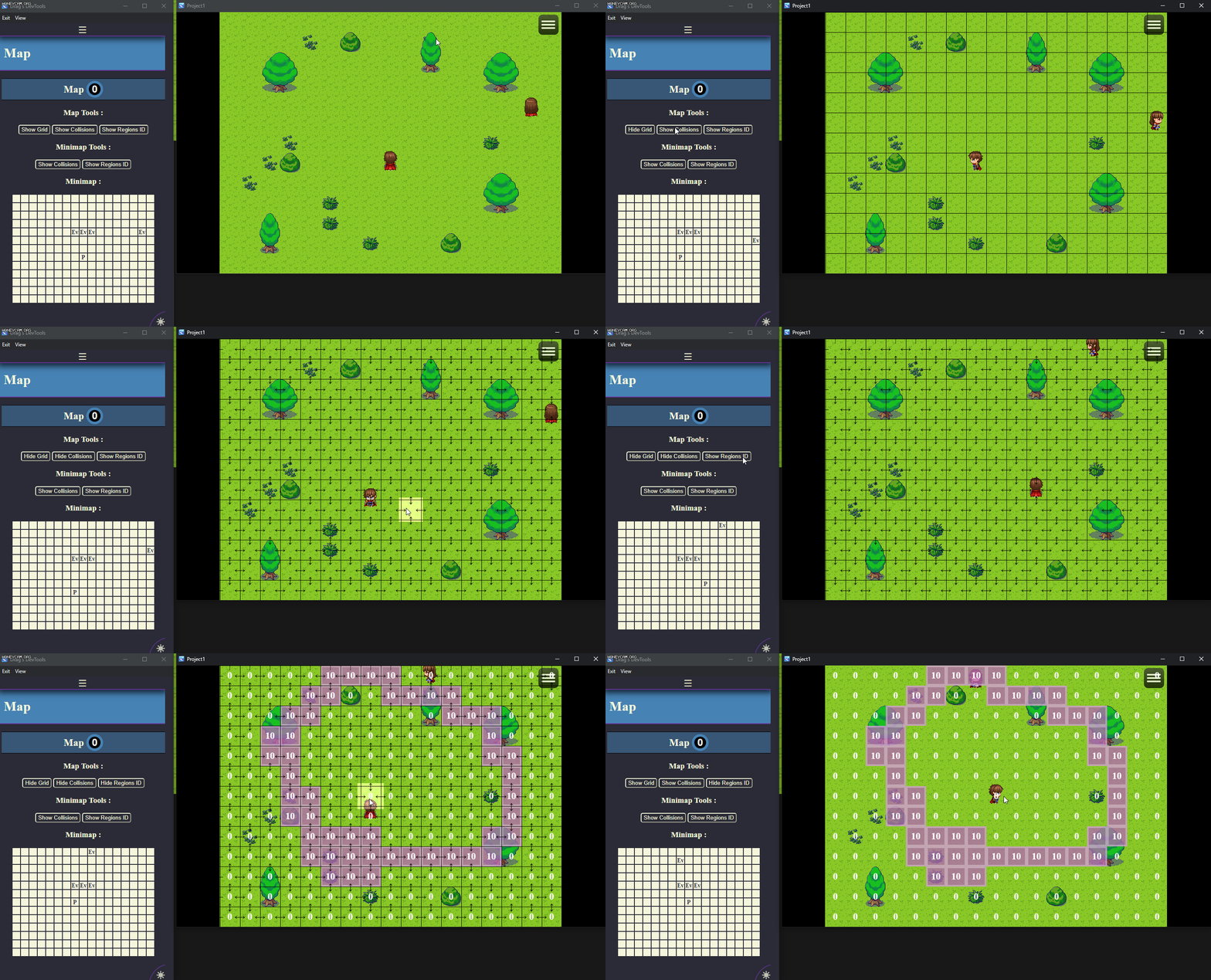
The map view feature :- A minimap displaying the position of the player and every events
- An assortment of tools that let you display a grid, the collisions and/or the regions ID directly in game or on the minimap.
- The display of the details of a clicked/selected minimap tile
- A button to quickly teleport to the clicked/selected minimap tile
- The display of event(s) as in the event view of the clicked/selected minimap tile
Interpreter (WIP)
The interpreter view feature :- The display of every event command of the selected event of the current map
- An easy way to edit the event command parameters.*
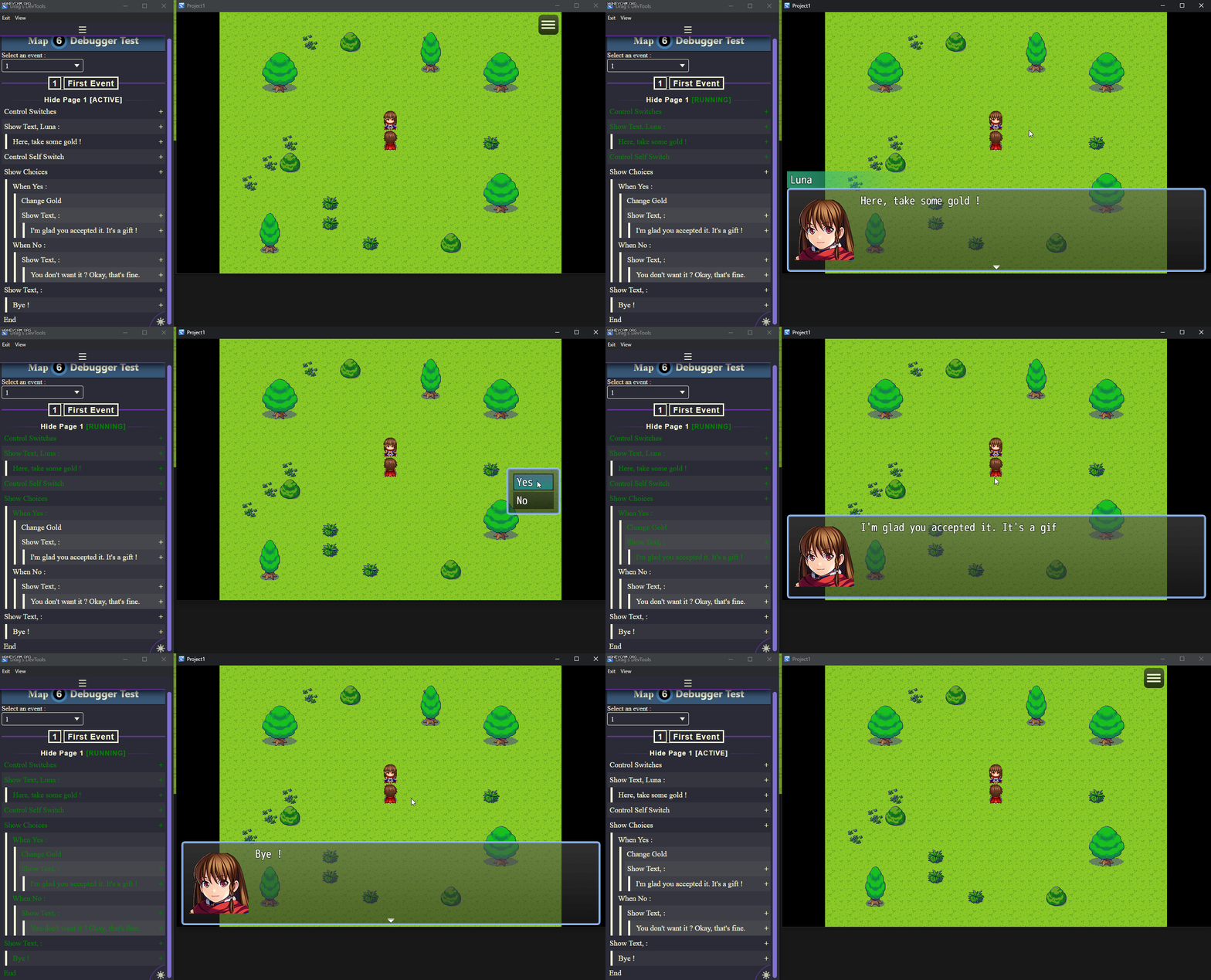
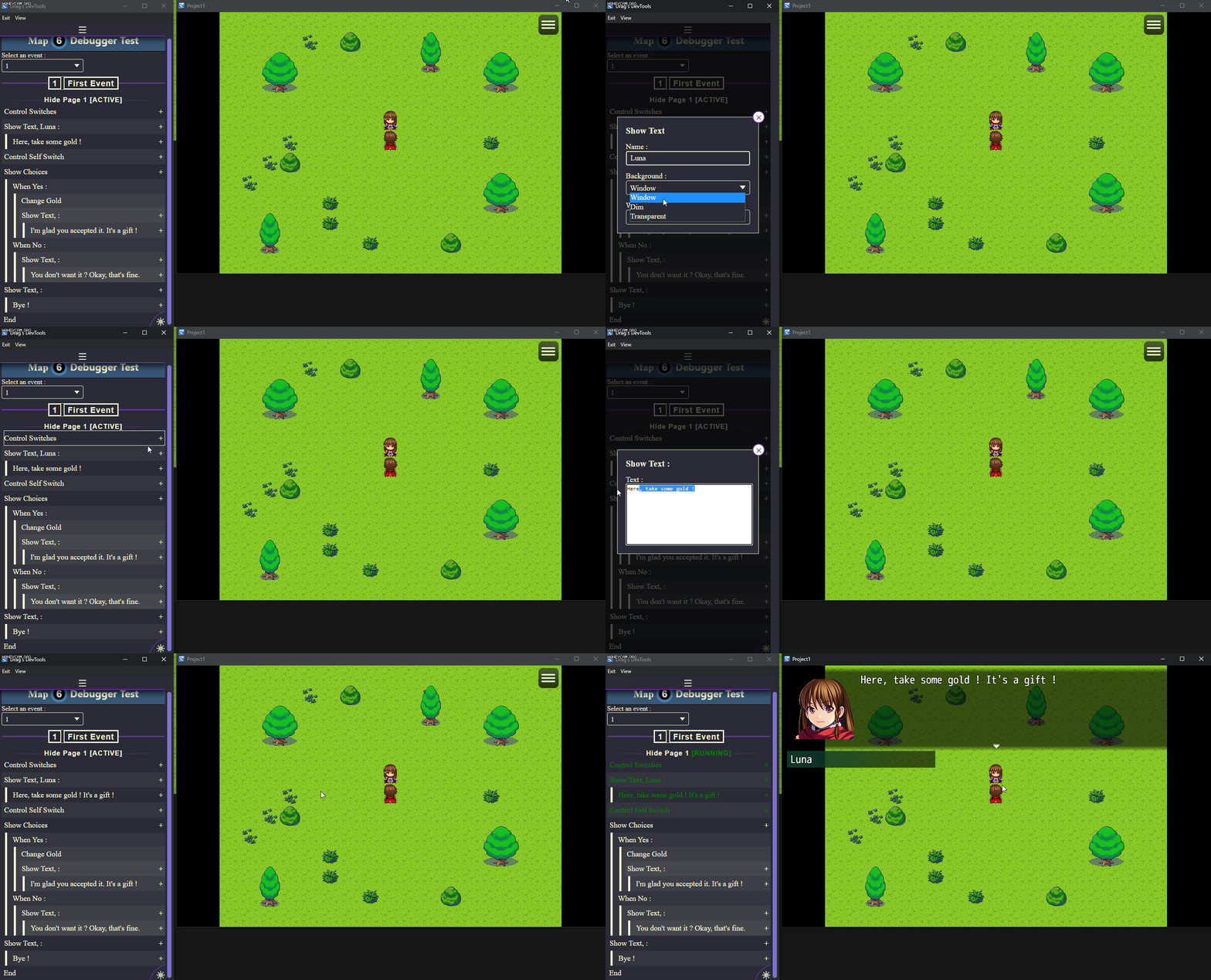
* : This view is a work in progress and not every event command parameters are currently displayable/editable. More to come in the future!
How to Use
Download, place archive in your project folder, right click on archive, extract directly in your project folder. Open up plugin manager of RPG Maker MZ and add Drag_Debugger. Run playtest.
Download
Terms and Credits
Terms of Use
1. This plugin can be used in free or commercial games on the sole condition that this plugin has been legally acquired (through purchase and or download from https://drag-and-plug-in.itch.io/).
2. The author of the plugin must be creditted under the name of "Drag & Plug-in".
3. You can edit as much as you want the source code, but I do not take responsibillity for the plugin in that case. This apply for custom code used in the plugin parameters.
4. Any redistribution of this plugin is strictly forbidded, as well as using part of the source code as your own.
5. The author of the plugin is not responsible for problems in your game due to unintended usage, incompatibility with other plugins nor plugin not up to date.
Special thanks to :
- Doro, Drifty, Tea for your support, your bug test, your help ❤
- Trihan for the autorun warning script
That's it. Happy game dev' !
Features Mentioned
- This plugin will open up a new window at the start of your playtest, where data from your game will be displayed, like switch, variables or events, updated in real time during your playtest.
- You can navigate from a view to another by using the menu at the top of the debugger window.
- "lightbox_close": "Close",
- "lightbox_next": "Next",
- "lightbox_previous": "Previous",
- "lightbox_error": "The requested content cannot be loaded. Please try again later.",
- "lightbox_start_slideshow": "Start slideshow",
- "lightbox_stop_slideshow": "Stop slideshow",
- "lightbox_full_screen": "Full screen",
- "lightbox_thumbnails": "Thumbnails",
- "lightbox_download": "Download",
- "lightbox_share": "Share",
- "lightbox_zoom": "Zoom",
- "lightbox_new_window": "New window",
- "lightbox_toggle_sidebar": "Toggle sidebar"
- ViewsSwitches The switch view feature :
- The display of every switchs of your game
- Filtering options by ID/name and status (ON or OFF)
Downloads / Referenced Files
RPG Maker Web attachments are mirrored locally when available. Other external links remain hosted by their original creator or third-party service.
- Download: Download Drag's Debugger on Itch.io
- Download: https://drag-and-plug-in.itch.io/
License / Terms Note
Terms and Credits Terms of Use 1. This plugin can be used in free or commercial games on the sole condition that this plugin has been legally acquired (through purchase and or download from https://drag-and-plug-in.itch.io/). 2. The author of the plugin must be creditted under the name of "Drag & Plug-in".
Referenced Images / Attachments
Creator Claims / Removal
If you are the original creator and want this listing reassigned, edited, or removed, join BMMPlay and contact the moderators with proof that matches the original RPG Maker Web profile, linked GitHub, itch.io page, or another public creator identity.
Replies (0)
No replies yet.
Topic Summary
Loading summary...