

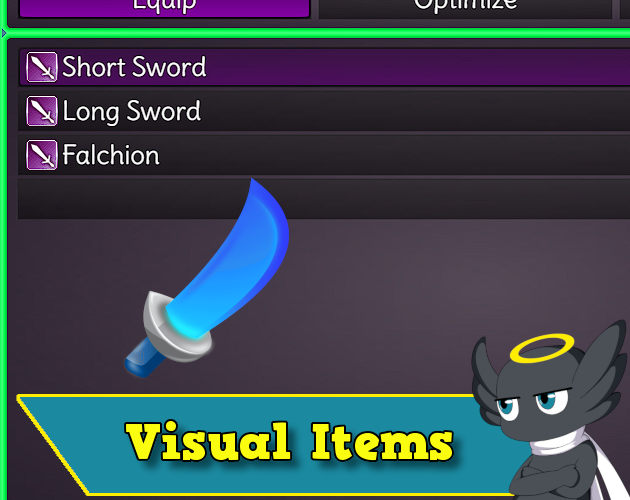
MZEli Visual Items - Show a picture when you are selecting/hovering the Items/Skills/Equips on windows!
BMM_Archive · July 15, 2026

Original Source
- Original title: Eli Visual Items - Show a picture when you are selecting/hovering the Items/Skills/Equips on windows!
- Original author: Eliaquim
- Original date: November 17, 2021
- Source thread: https://forums.rpgmakerweb.com/threads/eli-visual-items-show-a-picture-when-you-are-selecting-hovering-the-items-skills-equips-on-windows.142240/
- Source forum path: Game Development Engines > RPG Maker Javascript Plugins > JS Plugin Releases (RMMZ)
Summary
Author: Hakuen Studio Displays a picture when selecting skills on menu and battle. You can adjust the picture position on each scene. Displays a picture when selecting items on map, menu, shop, and battle.[PRO]
Archived First Post
Author: Hakuen Studio
Features
- Displays a picture when selecting skills on menu and battle.
- You can adjust the picture position on each scene.
- Displays a picture when selecting items on map, menu, shop, and battle.[PRO]
- Displays a picture when selecting equipment on menu, and shop. [PRO]
You can show pictures for each, skill anywhere on the screen on the following occasions:
• On the menu and battle scene, when selecting/hovering the items/skills.
You can optionally disable the visual images on any of these occasions in the plugin parameters.
There is a plugin parameter for each one of these options for you to set the position of the pictures on the screen.
After that, you need to set a note tag on the note field of the items, skills, and equipment you want to use a picture for:
<VisualImage: filename>
You can choose to put the images on any folder inside the img folder.
Just make sure to type the path correctly in the plugin parameters.
Note¹: The note tag and the filename are case sensitive!
Screenshots

Terms of Use
Update Log
There is a free version too.
Hakuen Studio Visual Items for RPG Maker MZ by Hakuen Studio
 hakuenstudio.itch.io
Features Mentioned
- Displays a picture when selecting skills on menu and battle.
- You can adjust the picture position on each scene.
- Displays a picture when selecting items on map, menu, shop, and battle.[PRO]
- Displays a picture when selecting equipment on menu, and shop. [PRO]
Downloads / Referenced Files
RPG Maker Web attachments are mirrored locally when available. Other external links remain hosted by their original creator or third-party service.
License / Terms Note
Terms of Use Update Log There is a free version too. Hakuen Studio Visual Items for RPG Maker MZ by Hakuen Studio
Referenced Images / Attachments
Creator Claims / Removal
If you are the original creator and want this listing reassigned, edited, or removed, join BMMPlay and contact the moderators with proof that matches the original RPG Maker Web profile, linked GitHub, itch.io page, or another public creator identity.
Replies (0)
No replies yet.
Topic Summary
Loading summary...