

MZKoTC Basic Optimized Roguelike Line of Sight System MV / MZ
BMM_Archive · July 15, 2026

Original Source
- Original title: KoTC Basic Optimized Roguelike Line of Sight System MV / MZ
- Original author: castiger
- Original date: November 9, 2021
- Source thread: https://forums.rpgmakerweb.com/threads/kotc-basic-optimized-roguelike-line-of-sight-system-mv-mz.141973/
- Source forum path: Game Development Engines > RPG Maker Javascript Plugins > JS Plugin Releases (RMMZ)
Summary
{ "lightbox_close": "Close", "lightbox_next": "Next", "lightbox_previous": "Previous",
Archived First Post
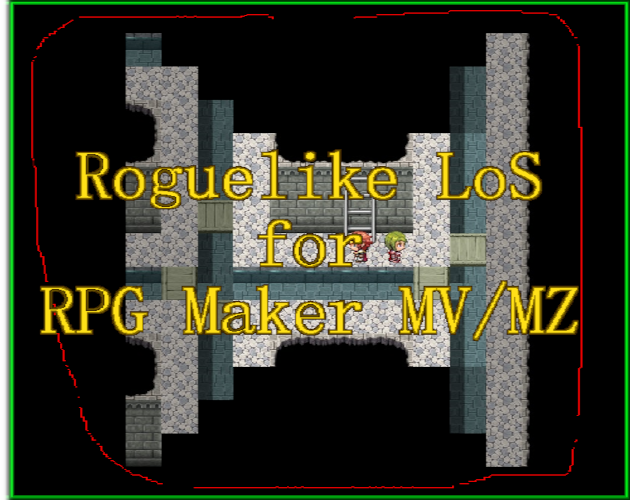
Adds retro style Roguelike line of sight to rpg maker MV or MZ!
KoTC Optimized Roguelike Line of Sight MV/MZ by Knight of the Celestial
 castiger.itch.io
Features:
Setting maps you want it to be active on.
Setting the default vision range of those maps.
Overriding vision range if the default range is shorter, for items such as flashlights or torches.
Can add or remove maps, and change their settings mid game with the script calls and plugin commands.
More to be added soon, make suggestions!
Line of sight is based on the tops of the A4 wall tiles.
Plugin Command: KoTCRoguelikeVisionOverride
Script Call: KoTCRoguelikeVisionOverride(range); 10 max. 0 for disabled.
Usually for when one wants an item such as a torch or lantern to light
a dark area, is overridden by maps currently set range if it is greater.
Plugin Command: KoTCRoguelikeVisionAddMap
Script Call: KoTCRoguelikeVisionAddMap(mapid, visionrange);
Adds map to have vision rules for when next visited.
Plugin Command: KoTCRoguelikeVisionRemoveMap
Script Call: KoTCRoguelikeVisionRemoveMap(mapid, visionrange);
Removes map from vision rules for when next visited.
Terms of Usage: Free to use for commercial and non commercial use as long as you credit me. If you were to make a game commercially with my script id appreciate it if you messaged me about it.
Change Log:
V1 Released
Features Mentioned
- Setting maps you want it to be active on.
- Setting the default vision range of those maps.
- Overriding vision range if the default range is shorter, for items such as flashlights or torches.
- Can add or remove maps, and change their settings mid game with the script calls and plugin commands.
- More to be added soon, make suggestions!
- Line of sight is based on the tops of the A4 wall tiles.
- Plugin Command: KoTCRoguelikeVisionOverride
- Script Call: KoTCRoguelikeVisionOverride(range); 10 max. 0 for disabled.
- Usually for when one wants an item such as a torch or lantern to light
- a dark area, is overridden by maps currently set range if it is greater.
- Plugin Command: KoTCRoguelikeVisionAddMap
- Script Call: KoTCRoguelikeVisionAddMap(mapid, visionrange);
- Adds map to have vision rules for when next visited.
- Plugin Command: KoTCRoguelikeVisionRemoveMap
- Script Call: KoTCRoguelikeVisionRemoveMap(mapid, visionrange);
- Removes map from vision rules for when next visited.
- Terms of Usage: Free to use for commercial and non commercial use as long as you credit me. If you were to make a game commercially with my script id appreciate it if you messaged me about it.
- Change Log:
Downloads / Referenced Files
RPG Maker Web attachments are mirrored locally when available. Other external links remain hosted by their original creator or third-party service.
License / Terms Note
Terms of Usage: Free to use for commercial and non commercial use as long as you credit me. If you were to make a game commercially with my script id appreciate it if you messaged me about it. Change Log: V1 Released
Referenced Images / Attachments
Creator Claims / Removal
If you are the original creator and want this listing reassigned, edited, or removed, join BMMPlay and contact the moderators with proof that matches the original RPG Maker Web profile, linked GitHub, itch.io page, or another public creator identity.
Replies (0)
No replies yet.
Topic Summary
Loading summary...