Kentaro's Atelier of Knowledge
BMM_Archive · July 15, 2026
BMM_Archive
Preserved forum archive. This topic stores the original first post and locally mirrored RPG Maker Web attachments when available. It is posted by the BMMPlay archive account, not by the original creator.
Original Source
- Original title: Kentaro's Atelier of Knowledge
- Original author: Philly
- Original date: June 4, 2024
- Source thread: https://forums.rpgmakerweb.com/threads/kentaros-atelier-of-knowledge.169237/
- Source forum path: Game Development Engines > RPG Maker Tutorials > RMMZ Tutorials
Summary
Hello, I would like to publish interesting tutorials in this thread in the future. And today we'll start with an interesting mechanic that you should know from many a mobile game. Items that give EXP! What exactly does this mean?
Archived First Post
Hello,
I would like to publish interesting tutorials in this thread in the future. And today we'll start with an interesting mechanic that you should know from many a mobile game.
Items that give EXP!
What exactly does this mean?
In many mobile games, you can use items to increase or upgrade the level of a hero. We can do something similar in RPG Maker. We don't even need a plugin for this.
(!) The current tutorial is being implemented on the RPG Maker MZ and should actually also work for the MV.
Then let's get started!
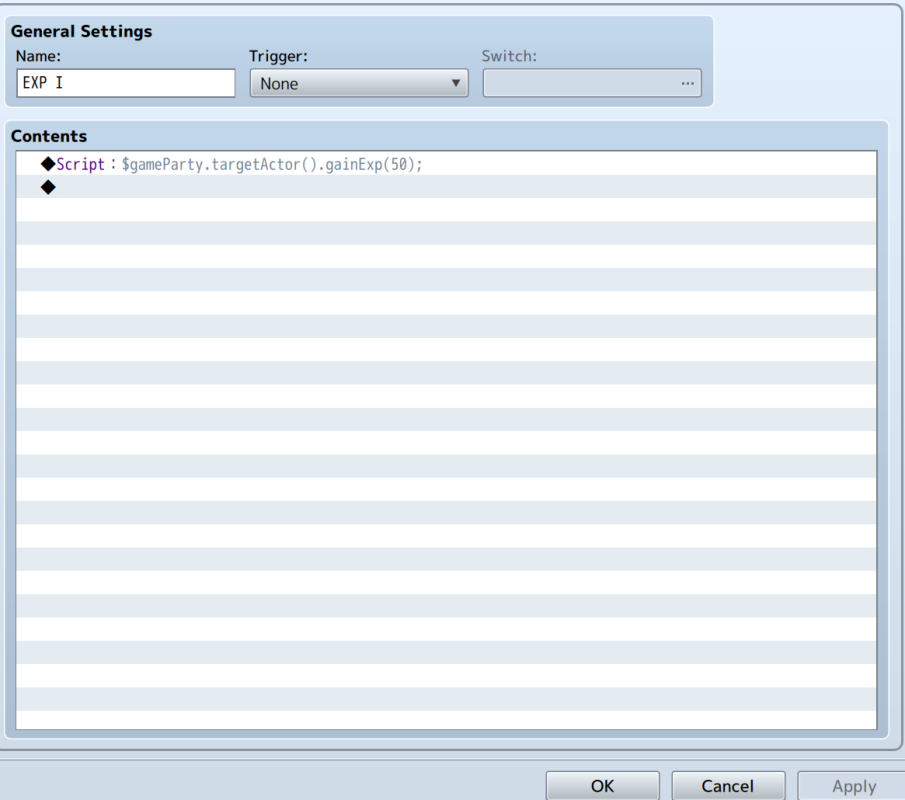
1) First, let's create a new common event.
2) Write or copy the following script code into the CE

3) (X) symbolizes the number of XP we should get.
For example, I entered 50 on the screenshot
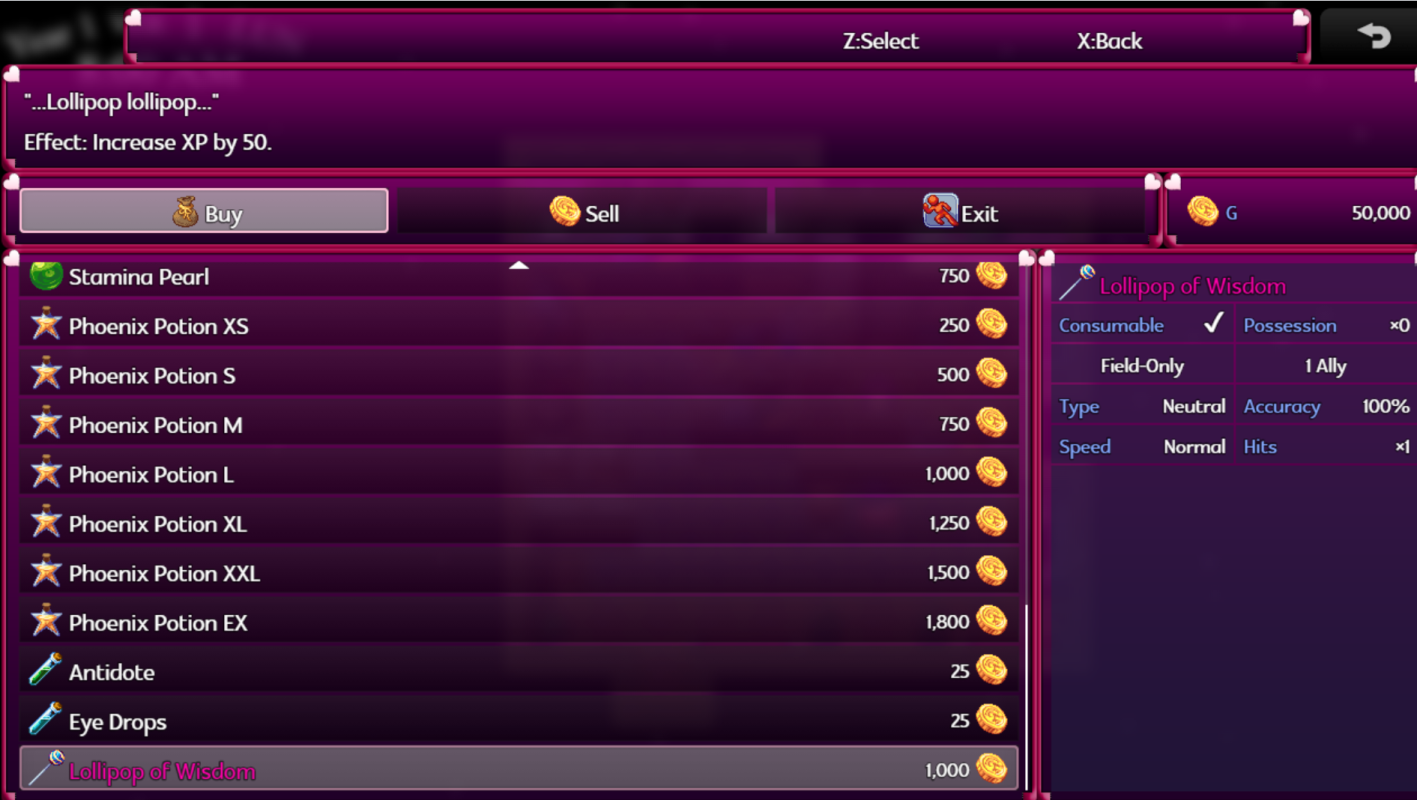
4) Now we create a new item.
Occasion: The item should only be usable in the menu.
All other item settings remain the same. We now insert the CE into the item.
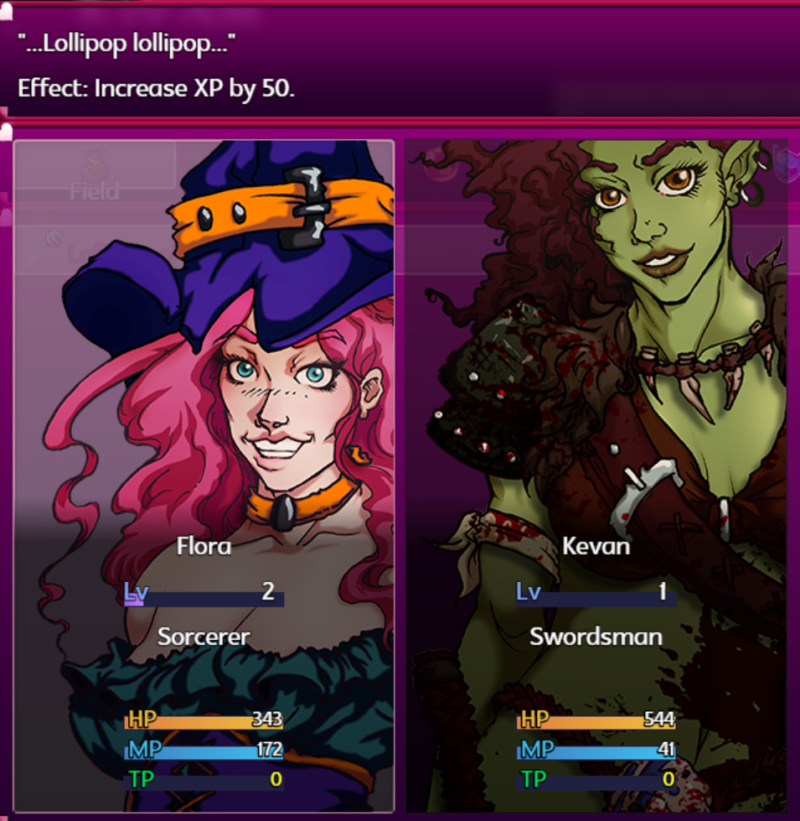
And that was it. We can now use the item. The best thing: every Actor can use the item to gain XP.
We can also create multiple XP items. Just copy the CE and change the XP.


Additional resources (graphics/plugins) required for the tutorial
-none-
I hope you enjoyed the tutorial

I would like to publish interesting tutorials in this thread in the future. And today we'll start with an interesting mechanic that you should know from many a mobile game.
Items that give EXP!
What exactly does this mean?
In many mobile games, you can use items to increase or upgrade the level of a hero. We can do something similar in RPG Maker. We don't even need a plugin for this.
(!) The current tutorial is being implemented on the RPG Maker MZ and should actually also work for the MV.
Then let's get started!
1) First, let's create a new common event.
2) Write or copy the following script code into the CE
Code:
$gameParty.targetActor().gainExp(X);

3) (X) symbolizes the number of XP we should get.
For example, I entered 50 on the screenshot
4) Now we create a new item.
Occasion: The item should only be usable in the menu.
All other item settings remain the same. We now insert the CE into the item.
And that was it. We can now use the item. The best thing: every Actor can use the item to gain XP.
We can also create multiple XP items. Just copy the CE and change the XP.


Additional resources (graphics/plugins) required for the tutorial
-none-
I hope you enjoyed the tutorial

Downloads / Referenced Files
RPG Maker Web attachments are mirrored locally when available. Other external links remain hosted by their original creator or third-party service.
- Local mirror: 286448-dd361f8207985e7a1021c36b9ec00526.png
SHA-256:8d8d75612bf8d994ebbb467dfdab9edc5ae5bc9a2dacbaf1397d8c4d7d92dcac
Original attachment URL: https://forums.rpgmakerweb.com/attachments/screenshot-2024-06-04-071827-png.307368/ - Local mirror: 286447-5affb8324eca7d3338fee9f4674dc760.png
SHA-256:0cfbbd1e0c802cbda5eb6d6c1d4bd8ecd2962c6719fad5870a501cb0465703e2
Original attachment URL: https://forums.rpgmakerweb.com/attachments/screenshot-2024-06-04-072151-png.307367/ - Local mirror: 286446-e8fd4c7464c566264cc17bc2284a04d4.png
SHA-256:09f33eb65be115abe23c6bccb70c903dfb4cd5a114b18f5f081d3af43809fd19
Original attachment URL: https://forums.rpgmakerweb.com/attachments/screenshot-2024-06-04-072252-png.307366/
Referenced Images / Attachments
Creator Claims / Removal
If you are the original creator and want this listing reassigned, edited, or removed, join BMMPlay and contact the moderators with proof that matches the original RPG Maker Web profile, linked GitHub, itch.io page, or another public creator identity.
Replies (0)
No replies yet.
0
replies
19
views
Topic Summary
Loading summary...