

MZPOG_SinergyParty: Assigns status according to the composition of the group.
BMM_Archive · July 15, 2026

Original Source
- Original title: POG_SinergyParty: Assigns status according to the composition of the group.
- Original author: Logica
- Original date: October 22, 2020
- Source thread: https://forums.rpgmakerweb.com/threads/pog_sinergyparty-assigns-status-according-to-the-composition-of-the-group.129019/
- Source forum path: Game Development Engines > RPG Maker Javascript Plugins > JS Plugin Releases (RMMZ)
Summary
License: Free for personal or commercial use. Context: The Games strategy that gives the player the possibility to choose the characters that will compose his group of adventurers is usually limited to making him choose the strongest and best equipped characters for the battle. These types of games rarely have more depth than that. Description: This script allows the developer to configure the characters individually so that they automatically receive status (states) when certain requirements are met.
Archived First Post
License: Free for personal or commercial use.
Context: The Games strategy that gives the player the possibility to choose the characters that will compose his group of adventurers is usually limited to making him choose the strongest and best equipped characters for the battle. These types of games rarely have more depth than that.
Description: This script allows the developer to configure the characters individually so that they automatically receive status (states) when certain requirements are met.
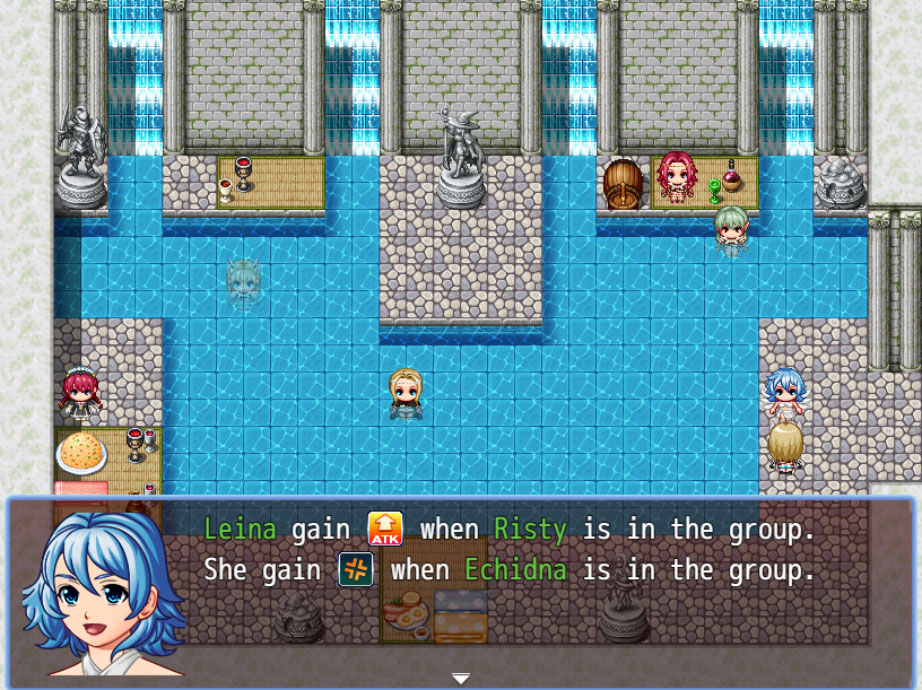
Script configuration: This script has no plugin settings and no plugin commands. However, it is necessary to configure each character on which you want this script to have an effect.
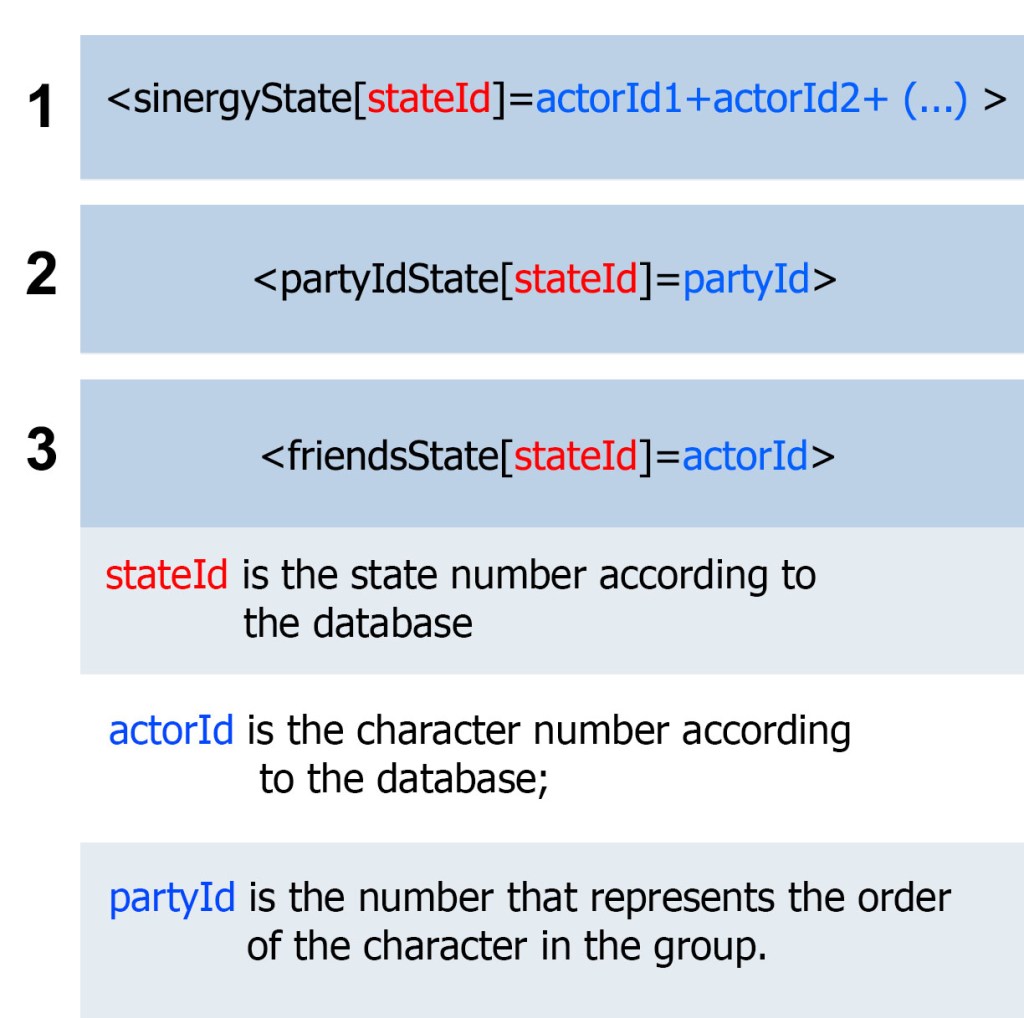
To configure a character, specific tags must be inserted in the “Annotation” field in the respective character configuration window of the database. There are 3 tag possibilities:
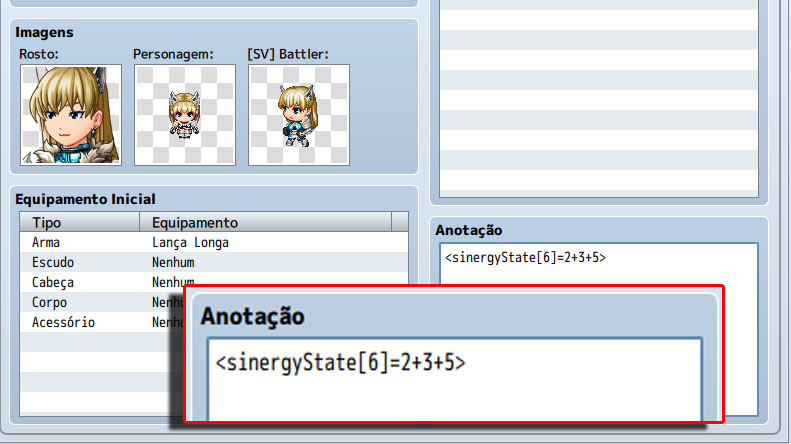
(1) Assigns a character status depending on whether other characters are present in the main group along with him. Example:
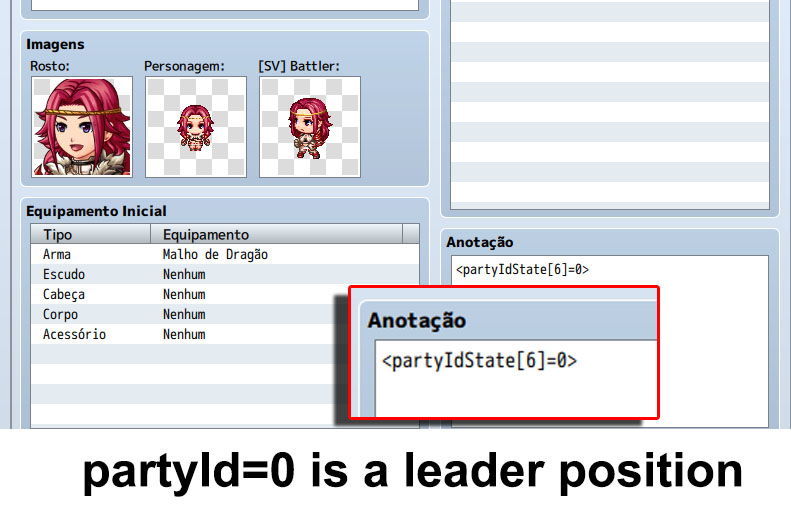
(2) Assigns a character a status depending on his position in the group. Example:
(3) Assigns a character status as long as another character is in the group.
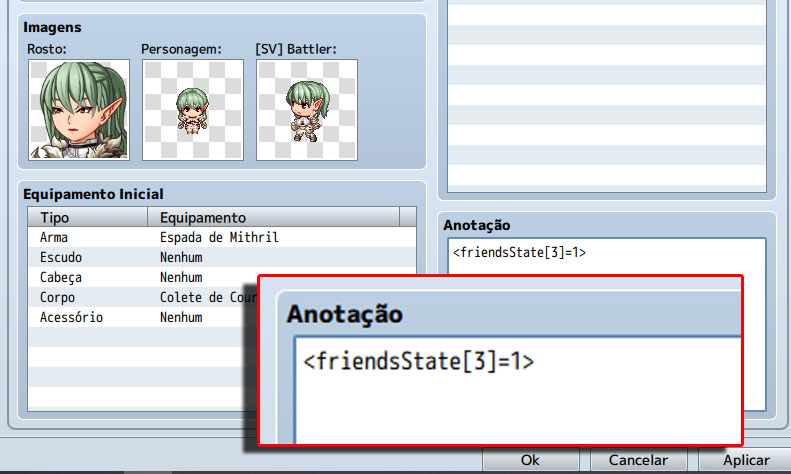
Attention: Apparently the tags (1) and (3) do the same thing but this is not true! The tag (1) only gives the character status if ALL the other specified characters are in the group at the same time. Tag (3) is specific to ONLY a single character, regardless of which other characters are in the group.
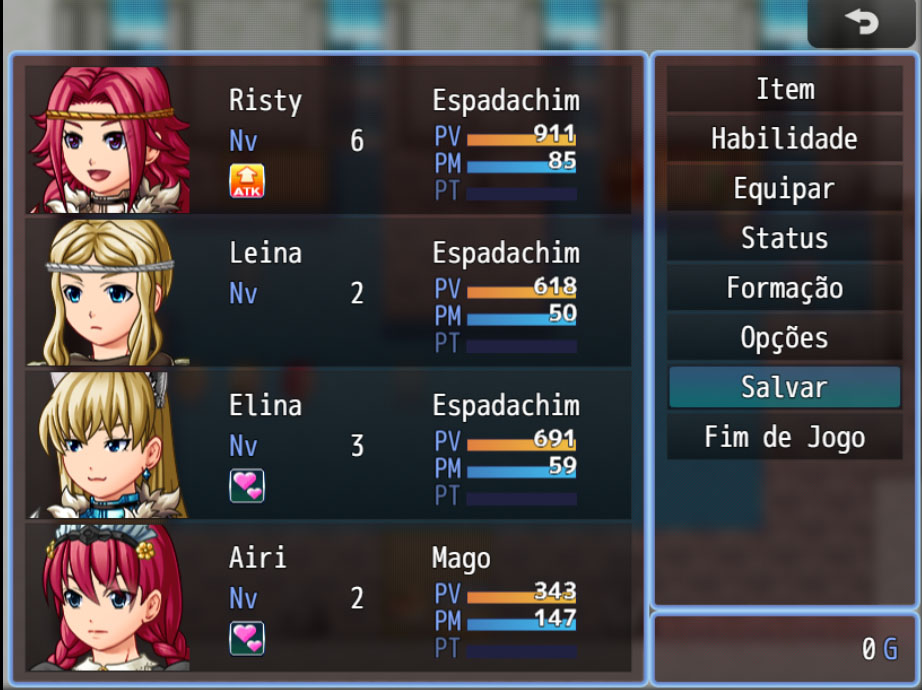
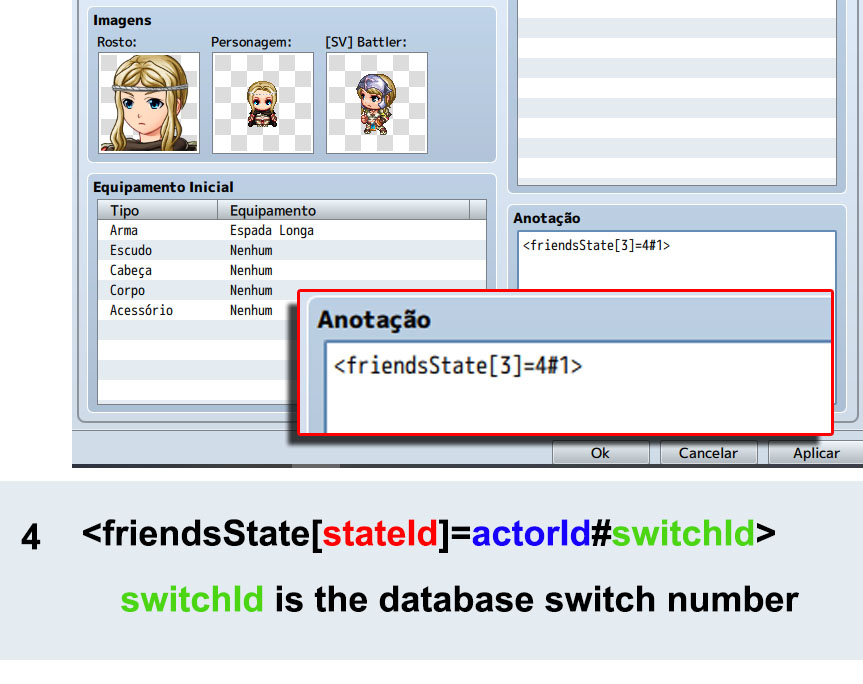
(4) There is a second possibility for using the tag (3). It is possible to have the attribute applied only if a database switch is connected. For that, it is necessary to complement the tag (3) with #switchId.
Special Thanks:
1) @Iavasechui for having suggested the idea of conditioning the status assignment to a database switch.
Downloads / Referenced Files
RPG Maker Web attachments are mirrored locally when available. Other external links remain hosted by their original creator or third-party service.
License / Terms Note
License: Free for personal or commercial use. Context: The Games strategy that gives the player the possibility to choose the characters that will compose his group of adventurers is usually limited to making him choose the strongest and best equipped characters for the battle. These types of games rarely have more depth than that. Description: This script allows the developer to configure the characters individually so that they automatically receive status (states) when certain requirements are met. {
Referenced Images / Attachments
Creator Claims / Removal
If you are the original creator and want this listing reassigned, edited, or removed, join BMMPlay and contact the moderators with proof that matches the original RPG Maker Web profile, linked GitHub, itch.io page, or another public creator identity.
Replies (0)
No replies yet.
Topic Summary
Loading summary...