

MZPOG_GamePresets: call a common event automatically
BMM_Archive · July 15, 2026

Original Source
- Original title: POG_GamePresets: call a common event automatically
- Original author: Logica
- Original date: October 13, 2020
- Source thread: https://forums.rpgmakerweb.com/threads/pog_gamepresets-call-a-common-event-automatically.128627/
- Source forum path: Game Development Engines > RPG Maker Javascript Plugins > JS Plugin Releases (RMMZ)
Summary
License: Free for personal or commercial use. Context: It is very common for the developer to use an event to automatically start on the first map of the game for the sole purpose of calling an introduction scene to the game. The same happens when the developer wants certain events to occur as soon as the player is teleported to a map. Description: This script allows the developer to determine a common database event to be called at the exact moment the game is started or the player is...
Archived First Post
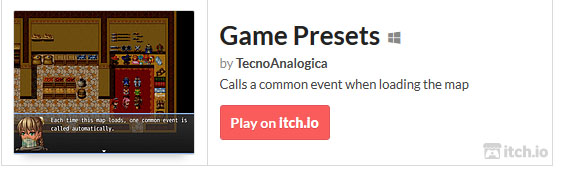
License: Free for personal or commercial use.
Context: It is very common for the developer to use an event to automatically start on the first map of the game for the sole purpose of calling an introduction scene to the game. The same happens when the developer wants certain events to occur as soon as the player is teleported to a map.
Description: This script allows the developer to determine a common database event to be called at the exact moment the game is started or the player is teleported to a new map.
Script configuration: you will need to determine the number of the common event that is called when starting the game.
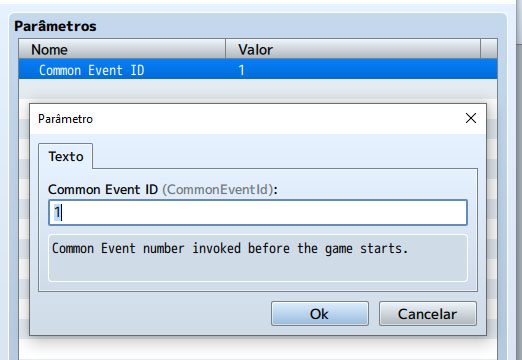
Map presets (when loading)
You can use a common event to make adjustments to the game map as soon as it loads. To do this, use the tag:
Id is the number of the common database event that will be called when the map is loaded.
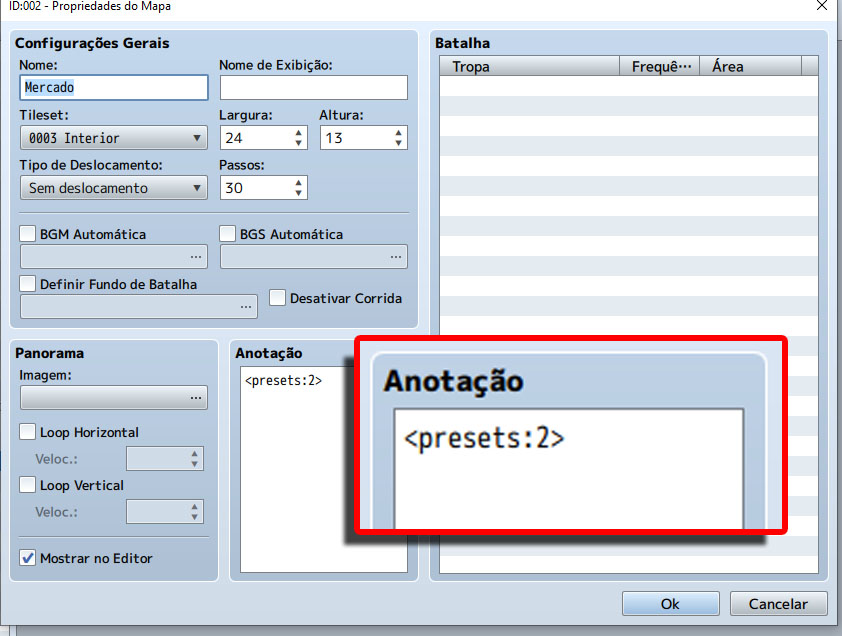
In the example shown, common event number 2 will be called as soon as the map is loaded.
Downloads / Referenced Files
RPG Maker Web attachments are mirrored locally when available. Other external links remain hosted by their original creator or third-party service.
License / Terms Note
License: Free for personal or commercial use. Context: It is very common for the developer to use an event to automatically start on the first map of the game for the sole purpose of calling an introduction scene to the game. The same happens when the developer wants certain events to occur as soon as the player is teleported to a map. Description: This script allows the developer to determine a common database event to be called at the exact...
Referenced Images / Attachments
Creator Claims / Removal
If you are the original creator and want this listing reassigned, edited, or removed, join BMMPlay and contact the moderators with proof that matches the original RPG Maker Web profile, linked GitHub, itch.io page, or another public creator identity.
Replies (0)
No replies yet.
Topic Summary
Loading summary...