

Managing Cross-Project Resources using Symbolic Links
BMM_Archive · July 15, 2026

BMM_Archive
Preserved forum archive. This topic stores the original first post and locally mirrored RPG Maker Web attachments when available. It is posted by the BMMPlay archive account, not by the original creator.
Original Source
- Original title: Managing Cross-Project Resources using Symbolic Links
- Original author: Tsukihime
- Original date: September 6, 2020
- Source thread: https://forums.rpgmakerweb.com/threads/managing-cross-project-resources-using-symbolic-links.126882/
- Source forum path: Game Development Engines > RPG Maker Tutorials > RMMZ Tutorials
Summary
(Note: This tutorial was originally posted on HimeWorks and may not be up-to-date) { "lightbox_close": "Close", "lightbox_next": "Next",
Archived First Post
(Note: This tutorial was originally posted on HimeWorks and may not be up-to-date)
I write plugins that support both MV and MZ at the same time, mostly for personal convenience so that I don't need to maintain two different releases when it's basically the same code except maybe one has a little extra MZ-specific logic like registering a plugin command or something.
But for the most part, the majority of plugins I've been looking at are basically the exact same code.
So the question is, would it be possible to have the exact same folder structure for one project...but the contents of the project point to another project?
Example
For example, let's say I have two projects as follows
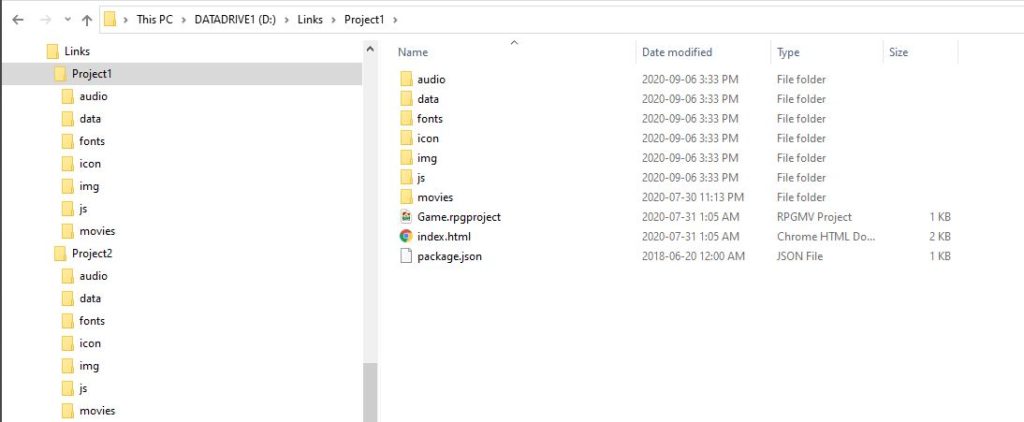
So there's Project1 and then there's Project2. Two different projects, same folder structure.
Now in Project1, I have a Community_Basic plugin and a TitleSkip plugin.
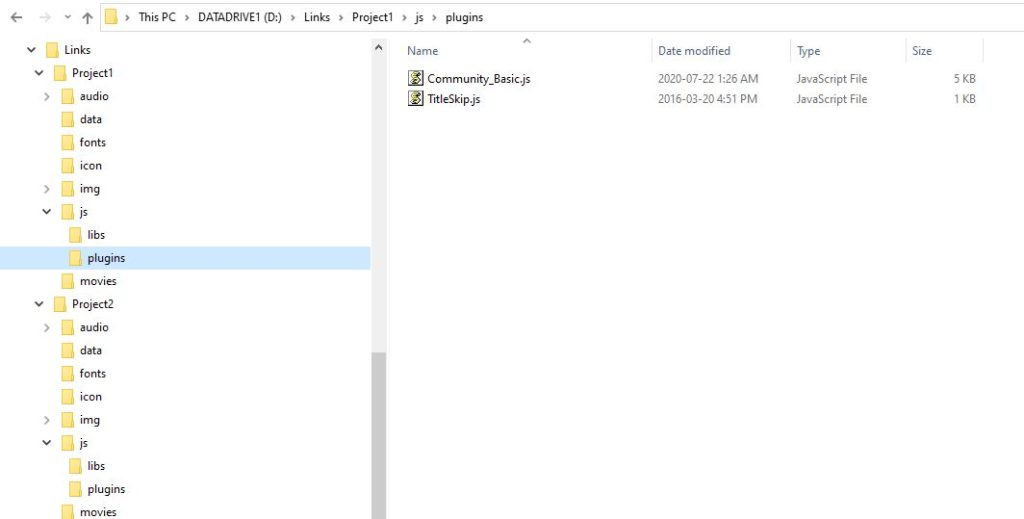
With Project1 open in the editor, when I go and add my plugins, I see the plugins, as expected. Nothing special, just usual RM things.
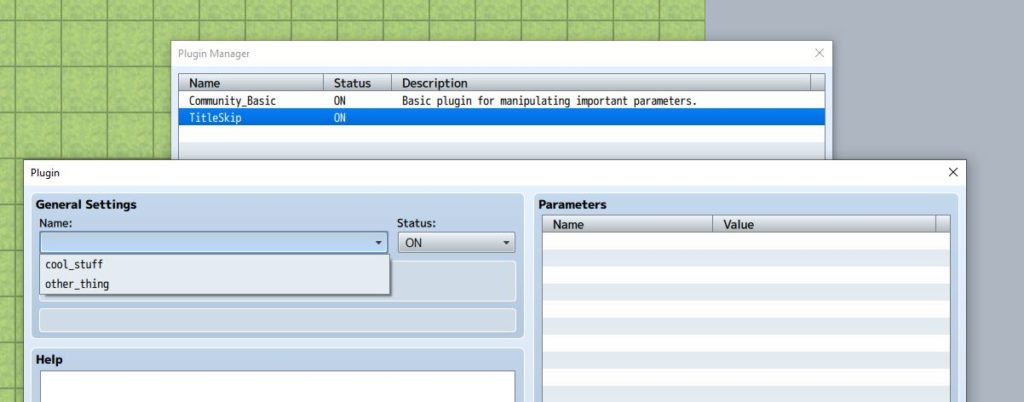
In Project2, I have some different plugins, called "cool_stuff" and "other_thing".
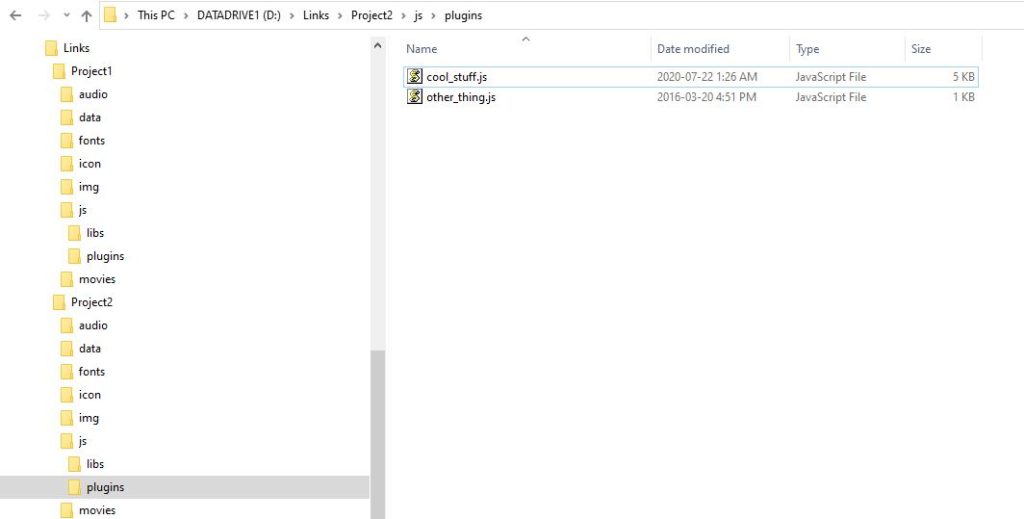
Now what if I wanted to use the cool_stuff and the other_thing in both projects?
How about a Shortcut?
So you might be familiar with shortcuts. You put a shortcut to a folder on your desktop so that you can quickly access a specific folder somewhere on your computer. We can try to create a shortcut by right-clicking and creating a shortcut, then calling it "plugins"
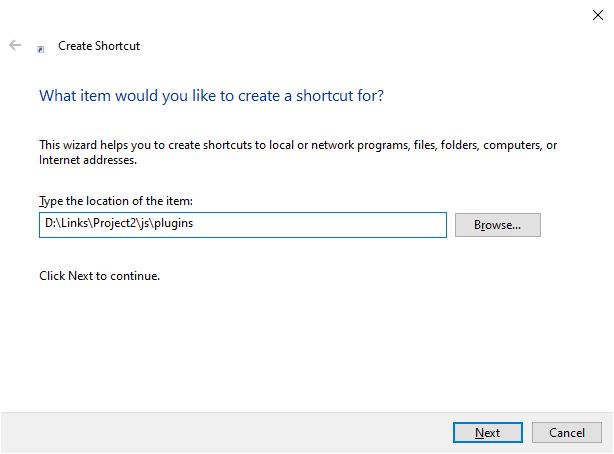
But it doesn't do anything. This is because it just creates a link that your computer uses to go to another file or folder.
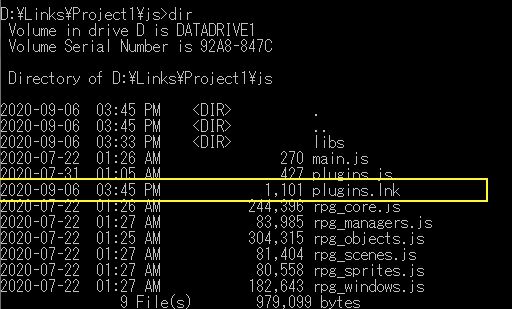
Enter Symbolic Links
So most operating systems have something called symbolic links which is kind of like a shortcut...but a more powerful shortcut. There's a tool called "symlinker" which allows you to create symbolic links (or other types of links) using a GUI interface, which is nice if you don't want to deal with command-line. Or you can just use command-line directly. For this tutorial I will just use that program.
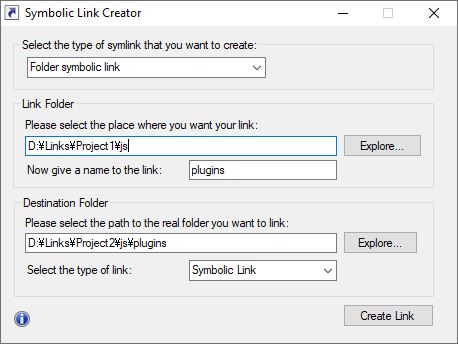
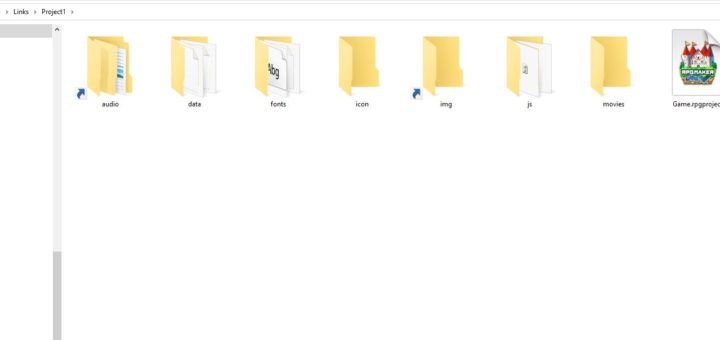
So I create a folder symbolic link inside Project1 called "plugins" which refers to the plugins folder in Project2.
This results in a plugins folder in Project1 that looks like a shortcut, and when you click on it, it will jump to the plugins folder in Project2
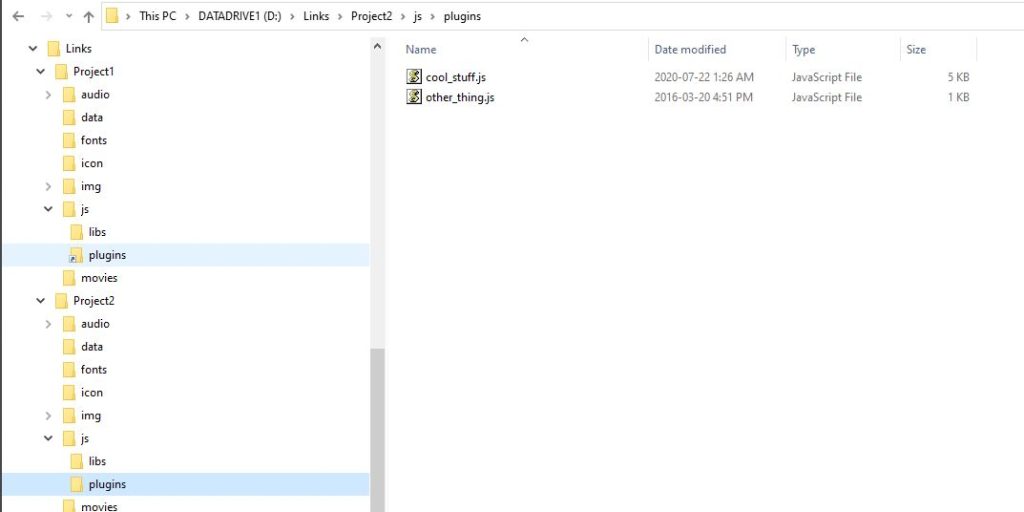
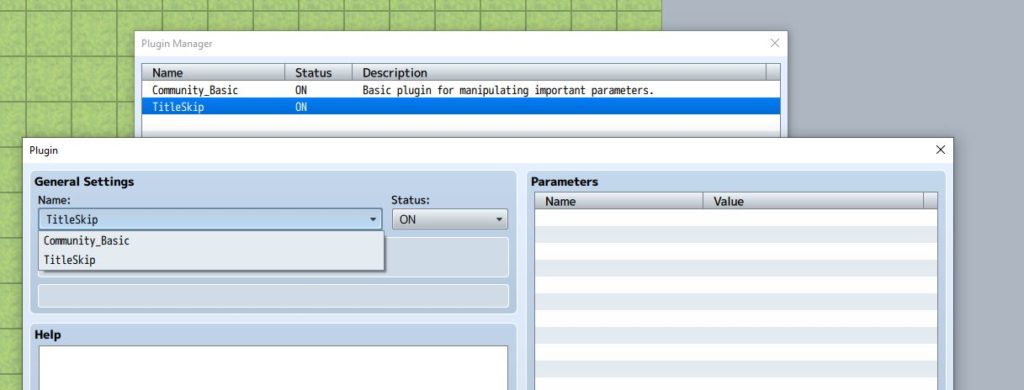
However the biggest difference is, suddenly the editor is pulling the plugin data from Project2's plugins folder instead! If you look at the screenshot, I still have Project1's original plugin settings...but when I try to add new ones, it shows a different set.
In Summary
Now I can manage all of my plugins for two different projects in the same folder, and the changes I make to one project, will automatically be reflected in the other project because they're all pointing to the same files.
This technique could be used for other resources as well, such as audio, images, and so on. Since MV and MZ use basically have the same specifications, I can just have one copy of all my resources and share them between different projects!
This can be a useful technique depending on your needs. For most devs it probably won't be too useful, but if you're in a specific situation where you wanted to test in different environments, it save a lot of effort.
I write plugins that support both MV and MZ at the same time, mostly for personal convenience so that I don't need to maintain two different releases when it's basically the same code except maybe one has a little extra MZ-specific logic like registering a plugin command or something.
But for the most part, the majority of plugins I've been looking at are basically the exact same code.
So the question is, would it be possible to have the exact same folder structure for one project...but the contents of the project point to another project?
Example
For example, let's say I have two projects as follows
So there's Project1 and then there's Project2. Two different projects, same folder structure.
Now in Project1, I have a Community_Basic plugin and a TitleSkip plugin.
With Project1 open in the editor, when I go and add my plugins, I see the plugins, as expected. Nothing special, just usual RM things.
In Project2, I have some different plugins, called "cool_stuff" and "other_thing".
Now what if I wanted to use the cool_stuff and the other_thing in both projects?
How about a Shortcut?
So you might be familiar with shortcuts. You put a shortcut to a folder on your desktop so that you can quickly access a specific folder somewhere on your computer. We can try to create a shortcut by right-clicking and creating a shortcut, then calling it "plugins"
But it doesn't do anything. This is because it just creates a link that your computer uses to go to another file or folder.
Enter Symbolic Links
So most operating systems have something called symbolic links which is kind of like a shortcut...but a more powerful shortcut. There's a tool called "symlinker" which allows you to create symbolic links (or other types of links) using a GUI interface, which is nice if you don't want to deal with command-line. Or you can just use command-line directly. For this tutorial I will just use that program.
So I create a folder symbolic link inside Project1 called "plugins" which refers to the plugins folder in Project2.
This results in a plugins folder in Project1 that looks like a shortcut, and when you click on it, it will jump to the plugins folder in Project2
However the biggest difference is, suddenly the editor is pulling the plugin data from Project2's plugins folder instead! If you look at the screenshot, I still have Project1's original plugin settings...but when I try to add new ones, it shows a different set.
In Summary
Now I can manage all of my plugins for two different projects in the same folder, and the changes I make to one project, will automatically be reflected in the other project because they're all pointing to the same files.
This technique could be used for other resources as well, such as audio, images, and so on. Since MV and MZ use basically have the same specifications, I can just have one copy of all my resources and share them between different projects!
This can be a useful technique depending on your needs. For most devs it probably won't be too useful, but if you're in a specific situation where you wanted to test in different environments, it save a lot of effort.
Downloads / Referenced Files
RPG Maker Web attachments are mirrored locally when available. Other external links remain hosted by their original creator or third-party service.
- Source: symlinker
Creator Claims / Removal
If you are the original creator and want this listing reassigned, edited, or removed, join BMMPlay and contact the moderators with proof that matches the original RPG Maker Web profile, linked GitHub, itch.io page, or another public creator identity.
Replies (0)
No replies yet.
0
replies
22
views
Topic Summary
Loading summary...