

MVMRP Easy Receive Item Events
BMM_Archive · July 15, 2026

Original Source
- Original title: MRP Easy Receive Item Events
- Original author: HelloAnnyong
- Original date: July 9, 2017
- Source thread: https://forums.rpgmakerweb.com/threads/mrp-easy-receive-item-events.81063/
- Source forum path: Game Development Engines > RPG Maker Javascript Plugins > JS Plugin Releases (RMMV)
Summary
MRP Easy Receive Item Events - version 1.00 Mark Przepiora (HelloAnnyong) Usage Terms: Licensed under the Creative Commons Attribution-NonCommercial 4.0. tl;dr: If you use this during development of your noncommercial game, you must credit me (Mark Przepiora / HelloAnnyong) inside your game's credits sequence and readme. I would also appreciate you sending me a message letting me know you did so. If you use this in your commercial game, I request that you send me a free copy, but otherwise you are free to use it. Example:
Archived First Post
Mark Przepiora (HelloAnnyong)
Usage Terms: Licensed under the Creative Commons Attribution-NonCommercial 4.0. tl;dr: If you use this during development of your noncommercial game, you must credit me (Mark Przepiora / HelloAnnyong) inside your game's credits sequence and readme. I would also appreciate you sending me a message letting me know you did so. If you use this in your commercial game, I request that you send me a free copy, but otherwise you are free to use it.
Example:
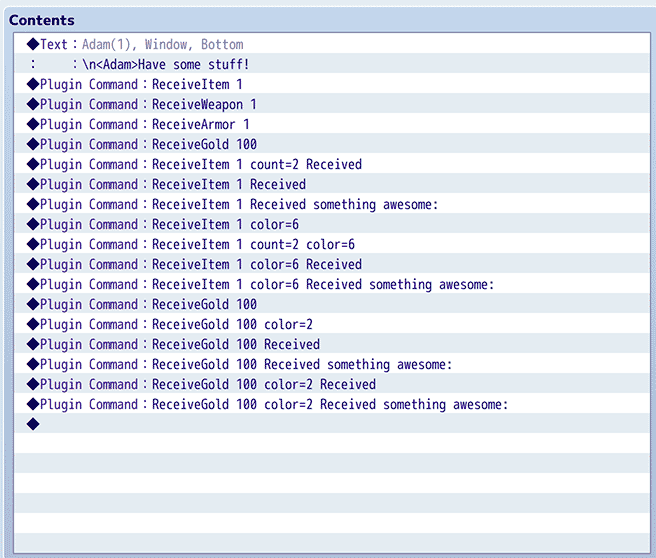
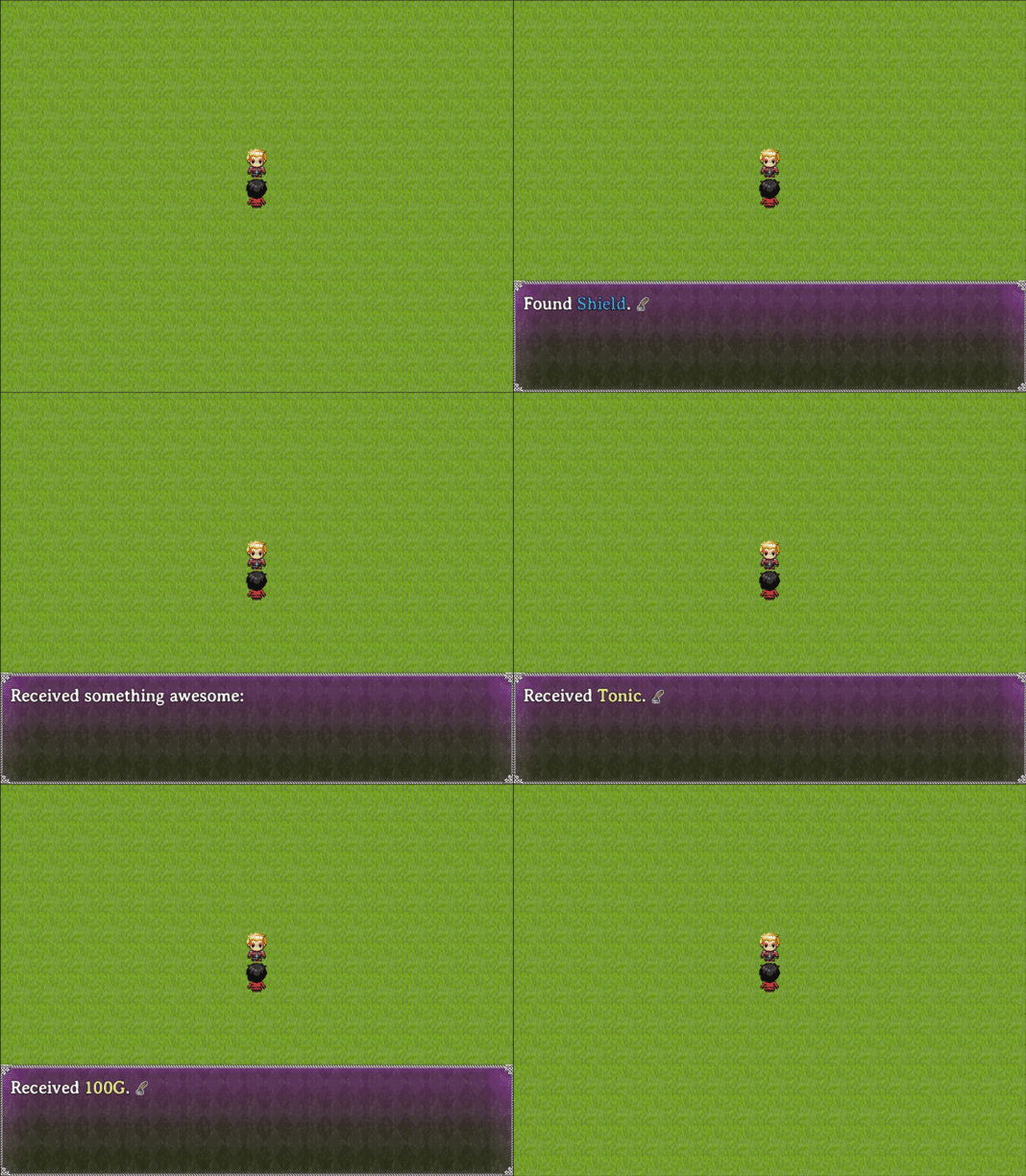
Copying and pasting events that give the player an item/weapon/armor/gold is time-consuming and error-prone. Also a giant pain in the butt if you ever decide to change the name of an item.
Well, no more!
Download:
Click here to download the latest version.
Usage:
Please see the included documentation, and the examples above, for usage instructions. It's set up out of the box to have reasonable defaults, but is quite customizable as well:
- You can change the wording using template strings.
- You can change the window style and position.
- You can have a common event run when an item/gold is found. (Useful for playing a sound effect!)
- You can change the color used to highlight the item name.
- You can change the verb that's used ("Found" vs "Received", etc.)
Downloads / Referenced Files
RPG Maker Web attachments are mirrored locally when available. Other external links remain hosted by their original creator or third-party service.
License / Terms Note
Usage Terms: Licensed under the Creative Commons Attribution-NonCommercial 4.0. tl;dr: If you use this during development of your noncommercial game, you must credit me (Mark Przepiora / HelloAnnyong) inside your game's credits sequence and readme. I would also appreciate you sending me a message letting me know you did so. If you use this in your commercial game, I request that you send me a free copy, but otherwise you are free to use it. Example: { "lightbox_close": "Close",
Creator Claims / Removal
If you are the original creator and want this listing reassigned, edited, or removed, join BMMPlay and contact the moderators with proof that matches the original RPG Maker Web profile, linked GitHub, itch.io page, or another public creator identity.
Replies (0)
No replies yet.
Topic Summary
Loading summary...